
ChatGPT Plus vs Business: Which Plan Does Your Team Actually Need?
April 18, 2026
April 18, 2026
July 31, 2026
July 31, 2026

Most teams start with ChatGPT Plus. It's $20/month per user and works well for individual work. But as more teammates start using it, one question comes up: Are we on the right plan?
The main differences between Plus and Business go beyond price. They're about data privacy, user management, and shared tools.
One thing worth knowing upfront: ChatGPT Team is now called ChatGPT Business. The plan itself didn't change; it's a rename only. If you've been searching for "ChatGPT Team," you're in the right place.
Here's what this article covers:
- What's included in ChatGPT Plus, and what it's best for
- What ChatGPT Business offers beyond the individual plan
- A side-by-side comparison of the key differences
- When each ChatGPT plan makes sense for your situation
- How meeting-heavy teams get more out of ChatGPT Business with the right workflow
What is ChatGPT Plus?
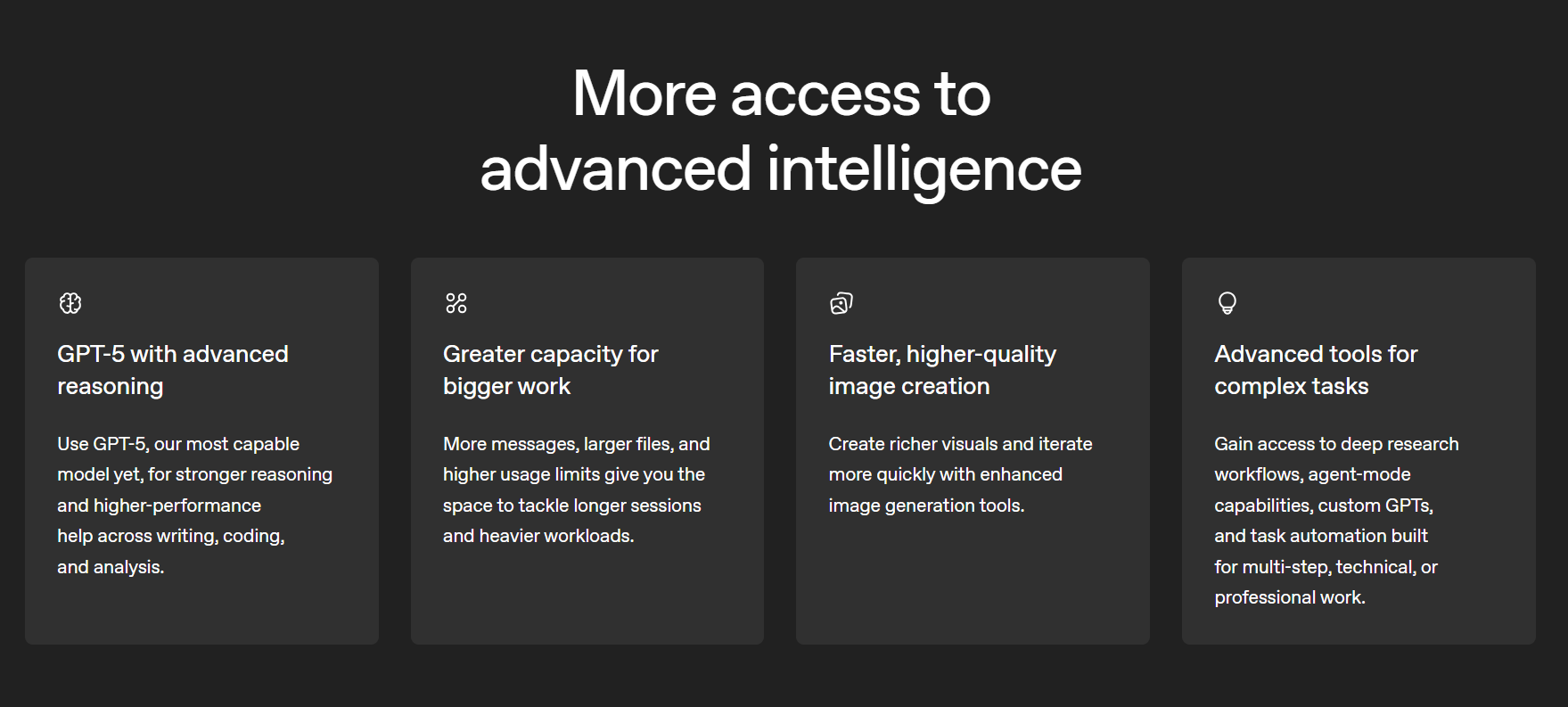
ChatGPT Plus is OpenAI's individual subscription plan, priced at $20/month. There's no annual billing option for Plus; it's monthly only. For solo professionals who use ChatGPT regularly for work, it's the starting point for serious use.
Here's what the plan includes:
- Access to GPT-5.3, OpenAI's current flagship model, with up to 160 messages every three hours
- GPT-5.4 Thinking for complex reasoning tasks, up to 3,000 messages per week
- Deep research, agent mode, Sora video generation, and Codex
- Image generation, file uploads, and advanced data analysis
- Voice mode, canvas, projects, tasks, and custom GPTs
- Priority access during high-traffic periods
The usage limits are worth understanding. Plus gives you significantly higher limits than the free plan, but they aren't unlimited. During intensive work sessions, you can hit the message cap on GPT-5.3.
When that happens, ChatGPT switches to a lighter model until your limit resets. For a breakdown of how token and message limits work across plans, see this guide to free vs paid ChatGPT token limits.
The data handling caveat is the most important thing to understand before using Plus for business work. By default, OpenAI may use your conversations to improve its models. You can opt out by going to Your Profile → Settings → Data Controls → "Improve the model for everyone" and switching off the toggle. This opt-out is individual; it doesn't cover anyone else on your team.

For teams handling client data, financials, or proprietary strategy through ChatGPT, this is a real risk. It's also the clearest reason to look at the Business plan.
💡 Pro tip: If you need an AI tool that transcribes and summarizes meetings, try Tactiq. It's powered by OpenAI, works across Zoom, Google Meet, and Microsoft Teams, and has a free plan, making it an easy addition to any AI meeting workflow.
What Is ChatGPT Business (Formerly ChatGPT Team)?
.png)
ChatGPT Team was renamed ChatGPT Business on August 29, 2025. The plan itself didn't change: same features, same pricing, same limits. If you've been searching for "ChatGPT Team" and landing here, you're in the right place.
What's included:
ChatGPT Business includes everything in Plus, with a layer of team-specific features on top:
- A dedicated workspace with an admin console for managing users, permissions, and billing
- Shared custom GPTs: internal tools your whole team can use, without publishing to the public GPT Store
- Higher usage limits than Plus across all models
- 60+ app integrations, including Slack, Google Drive, SharePoint, and GitHub
- SAML SSO, MFA, and role-based access controls
- Domain verification and SOC 2 Type 2 and GDPR compliance alignment
- Record Mode for transcribing in-app voice notes directly in ChatGPT (note: this applies to voice input within the ChatGPT interface, not live Zoom, Google Meet, or Teams calls)
The standout feature is data privacy. On ChatGPT Business, OpenAI does not use your workspace conversations to train its models by default for every user. No individual toggle required. That's a contractual guarantee, not a setting.
The plan starts at 2 users, at $25/seat/month (monthly) or $20/seat/month (annual). Teams that need custom data retention policies, SCIM provisioning, or dedicated support should look at ChatGPT Enterprise instead. See how ChatGPT pricing compares to other AI tools here.
ChatGPT Plus vs Business: Key Differences
Pricing
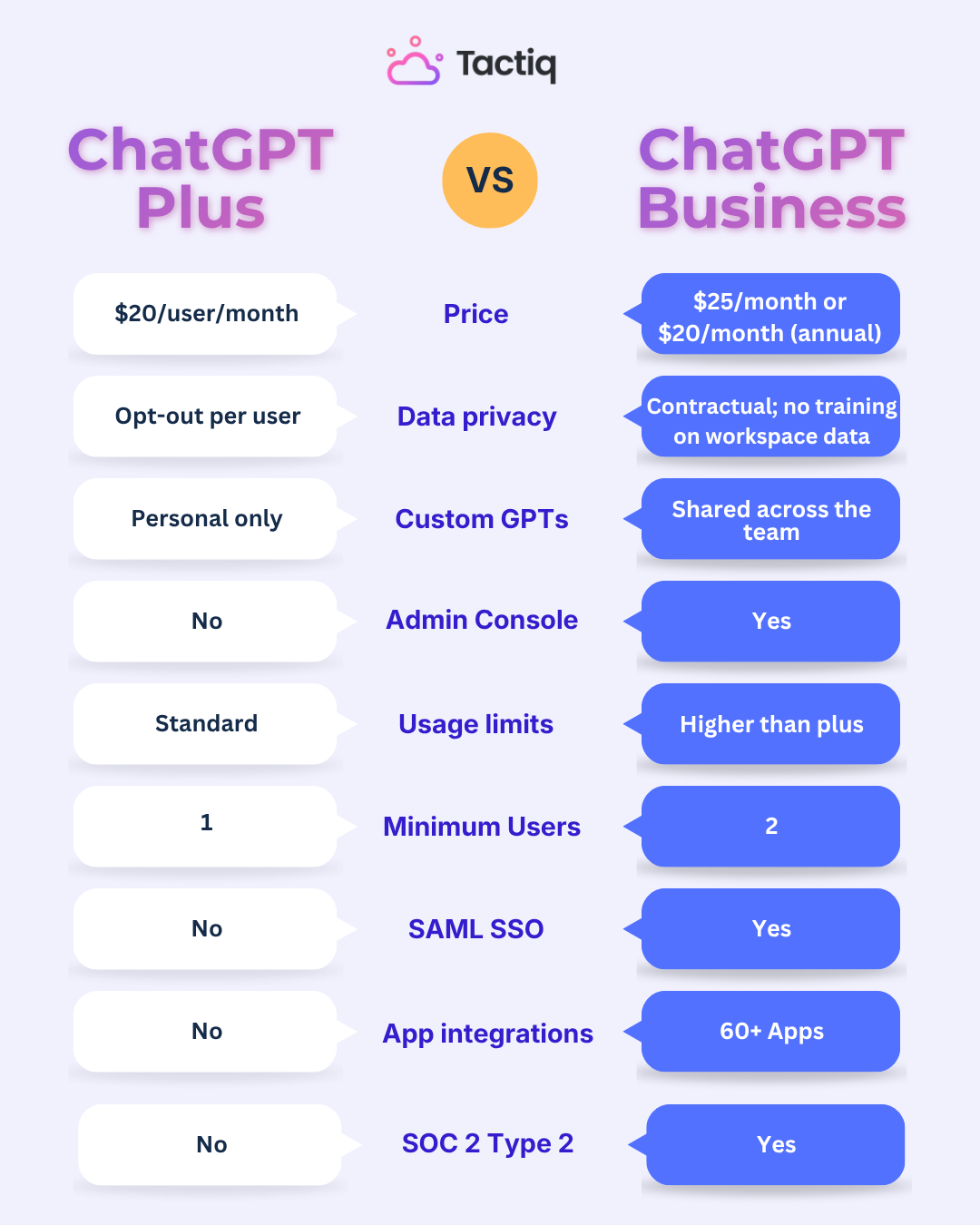
Plus is $20/user/month, monthly only. No annual billing option. Business is $25/seat/month on a monthly plan or $20/seat/month annually, with a minimum of 2 users. At the annual rate, the per-seat cost is identical to Plus. The privacy guarantee and admin tools come at no extra cost.
Data privacy: the most important difference
On Plus, OpenAI may use conversations for model training by default. Each user can opt out individually via Your Profile → Settings → Data Controls → "Improve the model for everyone." That opt-out only covers that one account. It doesn't extend to the rest of the team.
On Business, data exclusion is organizational and contractual. No conversation from any workspace user is used for training, by default, with no action required from individual users. For teams handling client data, financials, or proprietary strategy, this is the deciding factor. For regulated industries, it's a compliance requirement.
Collaboration and shared workspaces
Conversations in ChatGPT Business are still individual. This isn't real-time co-editing. The collaboration value is consistency. Shared custom GPTs give every team member the same baseline: your workflows, brand voice, and company knowledge, managed centrally by an admin rather than rebuilt by each person from scratch.
When to Choose Plus vs Business
The decision comes down to three things: how many people are using ChatGPT, what kind of data they're sharing with it, and whether the team needs consistent tools across the board.
Choose Plus if:
- You're a solo professional, freelancer, or independent contractor
- You're evaluating ChatGPT before committing to a paid plan for your team
- Your use cases don't involve sensitive or proprietary business data
- You want access to the latest models and AI tools for personal productivity
Choose ChatGPT Business if:
- You have 2 or more people using ChatGPT for work regularly
- Any team member discusses client data, financials, strategy, or proprietary information through ChatGPT
- You want shared custom GPTs so the whole team works from the same internal tools
- You need centralized user management, admin controls, and unified billing
- Your industry has compliance requirements around data privacy
The $5/month per seat difference on monthly billing is unlikely to be the deciding factor. For most teams, the question is simpler: is anyone on your team sharing sensitive business data with ChatGPT? If yes, Plus introduces real risk. Business removes it.
If you're weighing whether to cancel Plus entirely and look at alternatives, this guide to ChatGPT alternatives in 2026 covers the full landscape. And if you're managing a subscription you no longer need, here's how to cancel a ChatGPT subscription.
How to Use ChatGPT Business for Meeting Workflows (With Tactiq)
ChatGPT Business covers the collaboration layer well: shared tools, data privacy, and centralized management. But there's a gap it doesn't cover.
Every decision your team makes happens in a meeting. Those decisions live in Zoom, Google Meet, or Microsoft Teams, not in ChatGPT. Someone still has to bridge that gap manually: pull the transcript, copy it in, write the prompt. For teams running multiple meetings a week, that friction adds up.
Tactiq closes that gap. Here's how it fits into a ChatGPT Business workflow:
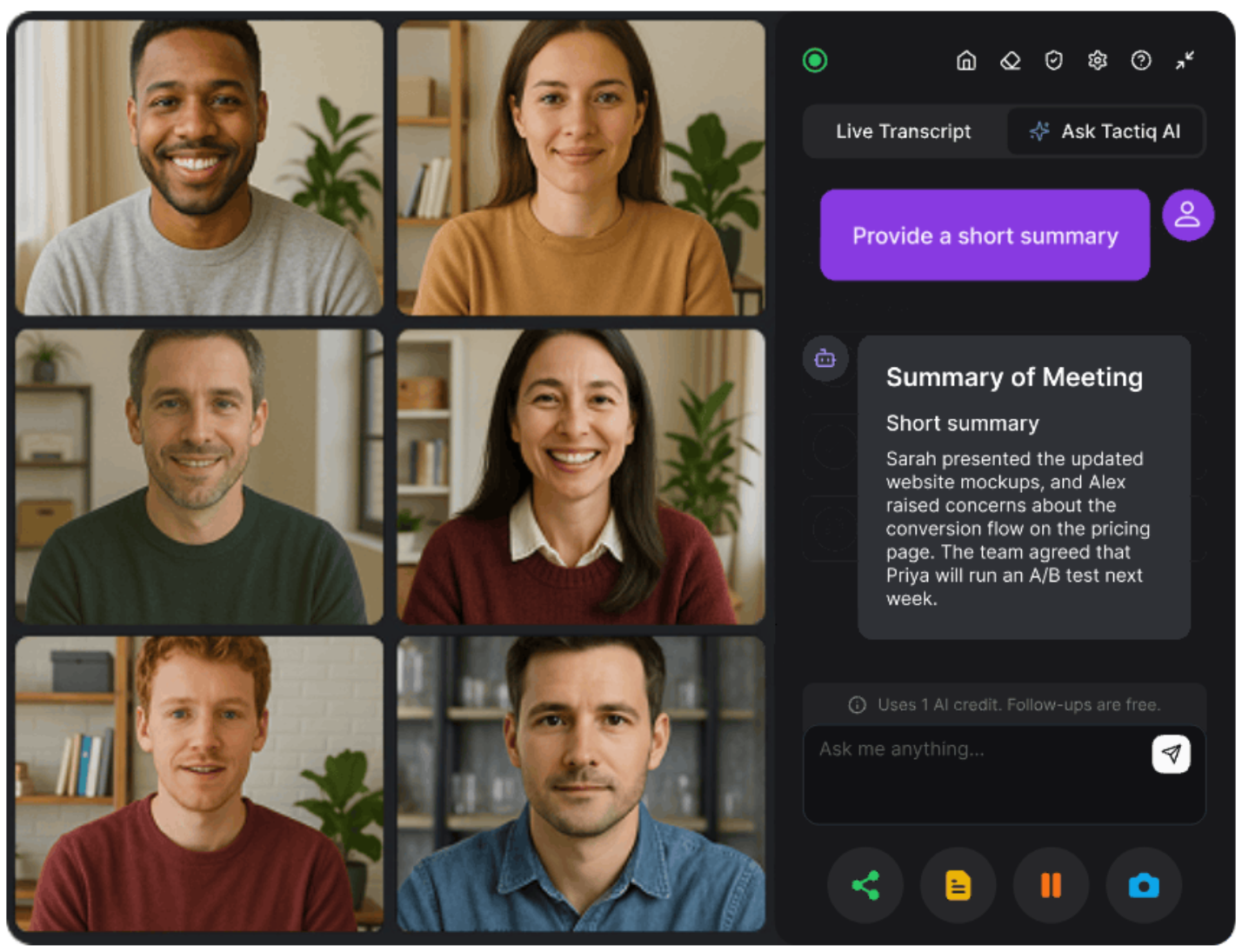
- Tactiq transcribes meetings in real time across Zoom, Google Meet, and Microsoft Teams; no bot joins the call, no disruption to the meeting itself
- The transcript is ready the moment the call ends
- Summaries and action items are generated directly inside Tactiq, powered by Microsoft Azure OpenAI, with no data retention and no model training on your transcripts. Learn more about how Tactiq handles AI and privacy →
- For more complex repurposing, like turning a transcript into a blog post, a client update, or a proposal, paste it into ChatGPT for deeper workflows
- Every team member accesses the same output; no one has to ask "what did we decide?"
For teams already on ChatGPT Business, Tactiq bridges the gap. It connects what gets decided on calls to the shared workspace where work actually happens.
See how teams use it to generate meeting minutes with ChatGPT.
Install Tactiq free and connect it to your next meeting →
{{rt_cta_ai-convenience}}
The Bottom Line: ChatGPT Plus or Business?
ChatGPT Plus is the right starting point for individuals. ChatGPT Business is the right move the moment your team starts doing real work through ChatGPT; the data privacy guarantee alone justifies the step up.
Add Tactiq, and every meeting becomes a searchable context your whole team can act on. The transcript is there when the call ends. Pull out what you need, push it into your shared workspace, and move forward.
Try Tactiq free and connect it to your next meeting →
ChatGPT Plus is an individual plan at $20/month. ChatGPT Business adds a shared workspace, admin controls, higher usage limits, and a contractual data privacy guarantee, starting at 2 users.
Yes. OpenAI renamed the ChatGPT Team to ChatGPT Business on August 29, 2025. It's a name change only; features, pricing, and limits stayed the same at the time of the rename.
ChatGPT Business costs $25/seat/month on a monthly plan or $20/seat/month on an annual plan. A minimum of 2 seats is required.
Yes. On ChatGPT Business, OpenAI does not use workspace conversations to train its models by default. This applies to all users in the workspace. No individual opt-out required.
Tactiq transcribes your meetings in real time across Zoom, Google Meet, and Microsoft Teams. When the call ends, paste the transcript into your ChatGPT Business workspace to generate summaries, action items, and follow-ups instantly.
Related articles








Want the convenience of AI summaries?
Try Tactiq for your upcoming meeting.
Want the convenience of AI summaries?
Try Tactiq for your upcoming meeting.
Want the convenience of AI summaries?
Try Tactiq for your upcoming meeting.