
Microsoft Teams MCP: How to Access Meeting Content With AI
September 29, 2026
September 29, 2026
September 29, 2026
September 29, 2026

Microsoft Teams MCP options can help you work with chat messages, but finding what someone said in a meeting is a different task. The right connection depends on which meeting content you need and which AI tool you use.
This guide covers:
- What Teams’ MCP server and other options can access
- Which options can work with meeting transcripts
- How to connect Tactiq meetings to an MCP client
TL;DR: Can a Microsoft Teams MCP Server Access Meeting Content?
Microsoft’s Teams MCP server is in preview, and its documented tools do not include transcript retrieval.
A specialized community server documents that capability, while Tactiq’s MCP connector provides access to meetings transcribed across Teams, Zoom, and Google Meet.
What Is an MCP Server?
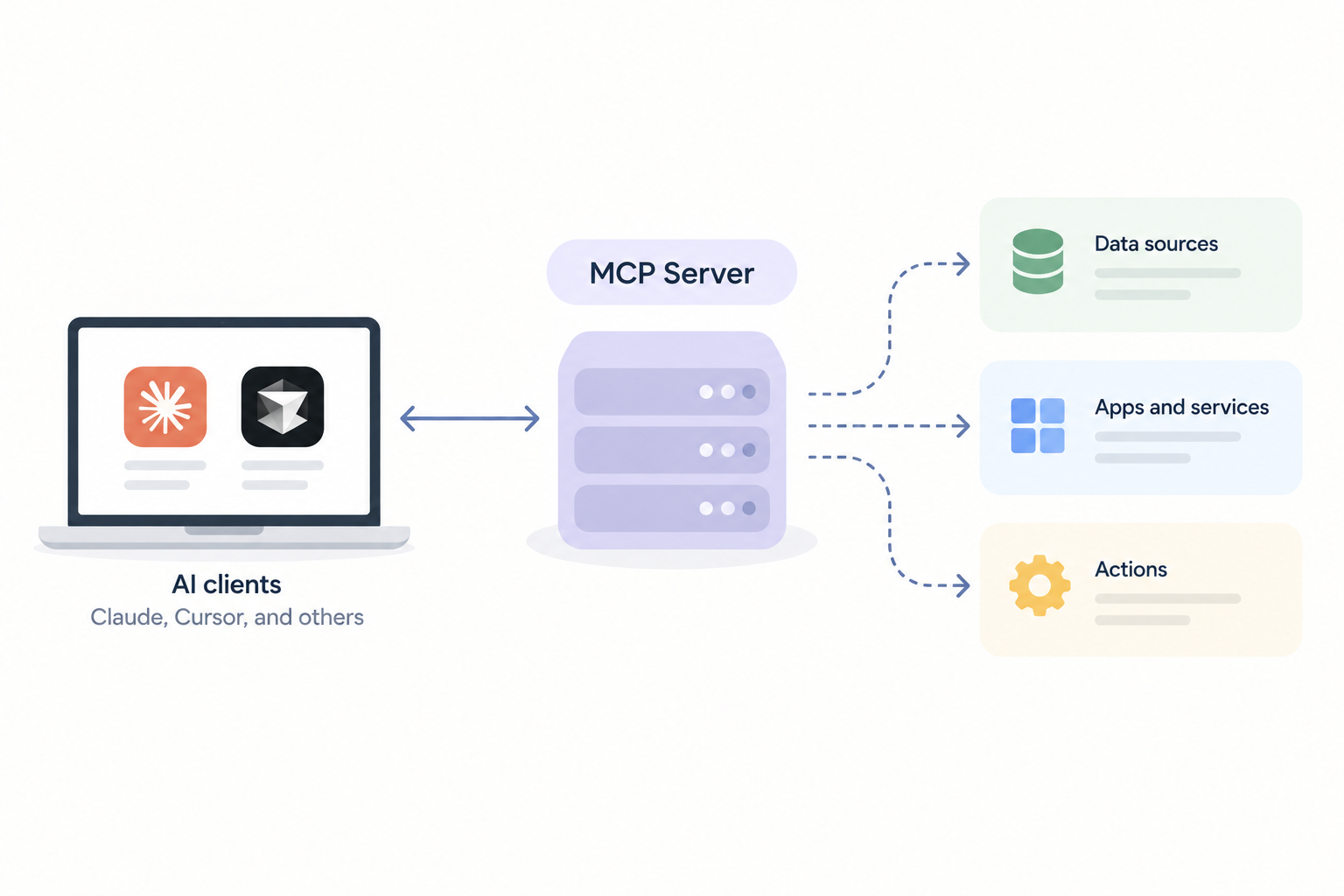
Model Context Protocol (MCP) is an open standard for connecting AI tools to external data and services. An MCP server makes specific information or actions available to clients such as Claude or Cursor.
Is There a Microsoft Teams MCP Server?
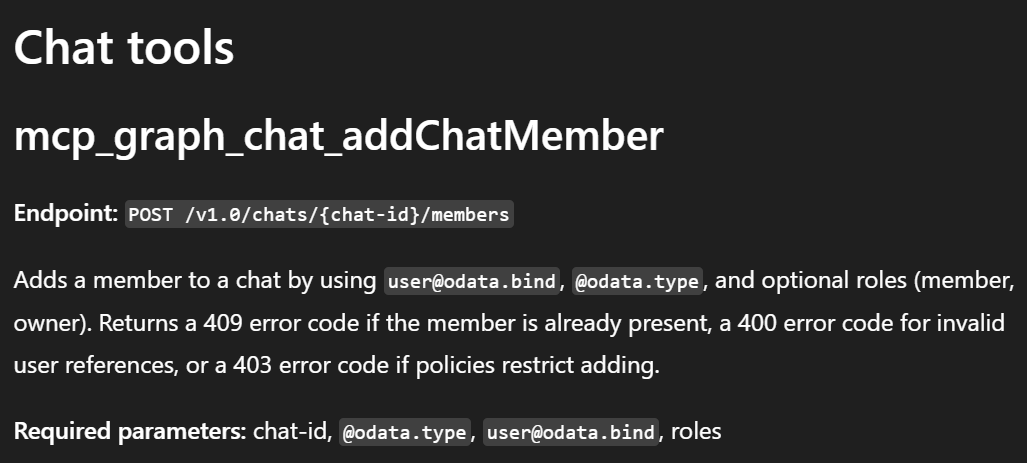
Yes. Microsoft lists an official Teams MCP server in preview. It's part of Microsoft's Work IQ tools and requires a Microsoft 365 Copilot license.
Its Microsoft Graph tools can manage chats, retrieve messages, list members, and work with Microsoft Teams channels. The documented tools do not retrieve the spoken transcript of a Microsoft Teams online meeting.
Other ways to connect Teams data to AI tools include:
- InditexTech’s mcp-teams-server reads, creates, and replies to Teams messages. Its setup uses a team ID and channel ID.
- floriscornel’s teams-mcp uses Microsoft Graph APIs to access joined teams, team channels, group chats, and chat message history. It can find recent messages by sender, mentions, or date ranges using Microsoft Search API support and Keyword Query Language. It also offers a read-only mode and tools to check authentication status.
- Composio can retrieve messages from a specific Teams chat, manage teams and members, and schedule an online meeting.
- Claude’s Microsoft 365 connector is available on all Claude plans. It requests permission to read Teams meeting transcripts, but Anthropic does not document a dedicated transcript tool. Connecting requires a Microsoft work account and one-time consent from a Microsoft Entra Global Administrator.
- Zapier makes supported Microsoft Teams actions available to an MCP client.
- viaSocket can send messages in existing chats and reply to a Teams channel message.
The Teams-focused servers listed here document chat and channel tools, but no meeting transcript tool. A separate community server documents transcript retrieval through Microsoft Graph, with technical setup and appropriate access.
Why Tactiq Is a Practical Option for Teams Meetings
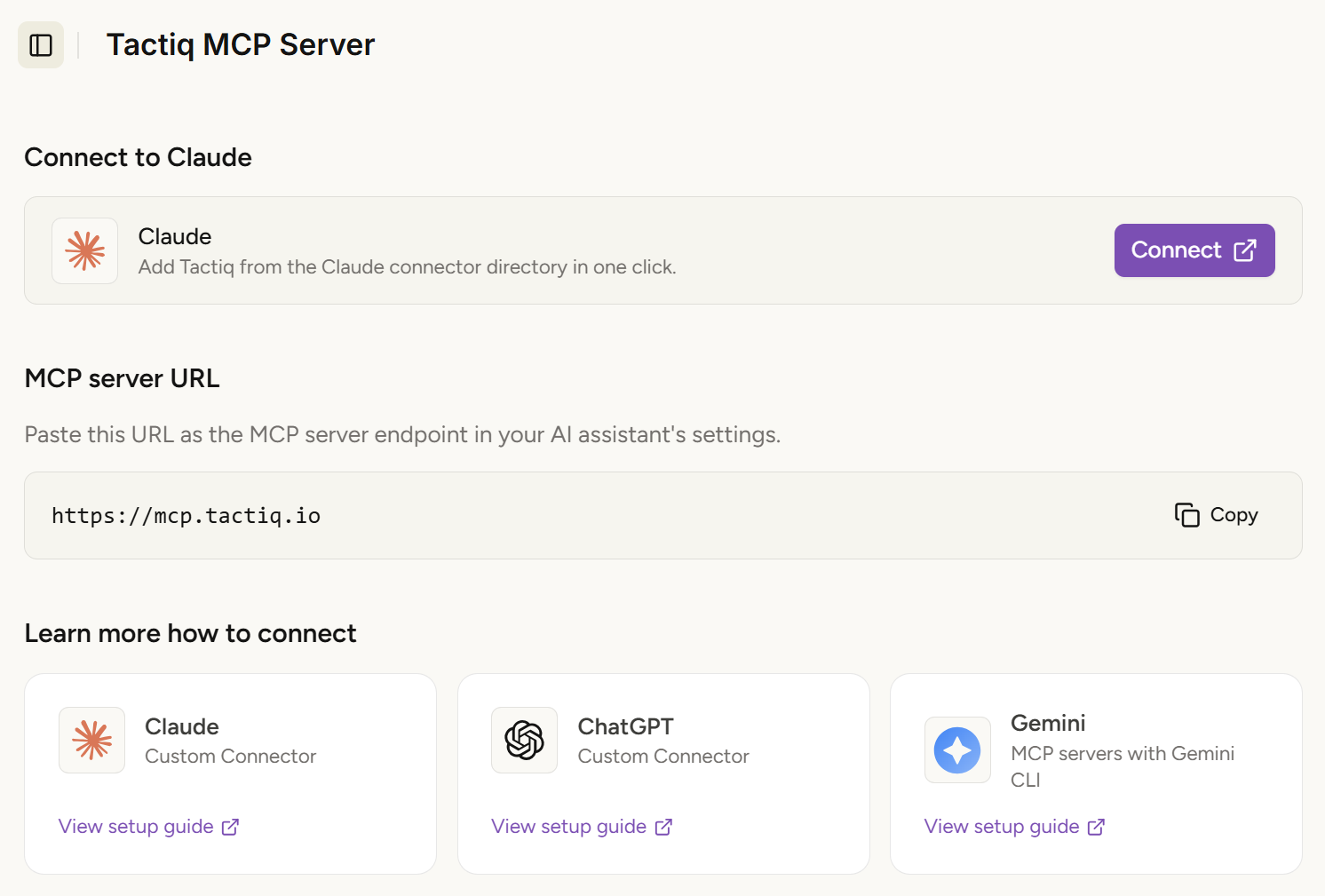
Tactiq’s browser extension transcribes what people say in Teams meetings. Its MCP connector lets supported AI clients search that meeting content.
The connection is simpler in two practical ways:
- In Claude, you can select Tactiq from the connector directory and connect your account. You do not need to enter an MCP server URL or obtain Microsoft Entra admin consent for Claude’s Microsoft 365 connector.
- Across meeting platforms, you use one Tactiq connection. You can search meetings transcribed through Tactiq on Teams, Zoom, and Google Meet from a supported MCP client.
Other MCP clients may require you to add Tactiq’s server URL. Access to meeting details, summaries, and full transcripts also depends on your Tactiq plan.
For a closer look, see how to connect meeting notes to Claude through Tactiq’s MCP.
Add Tactiq to Chrome to transcribe your next Teams meeting in the browser.
How to Connect Tactiq’s MCP Server
Tactiq’s MCP setup guide has the current server URL and instructions for different clients.
- For Claude: Find Tactiq in Claude’s connector directory, then select Connect and Allow. You do not need to paste a server URL.
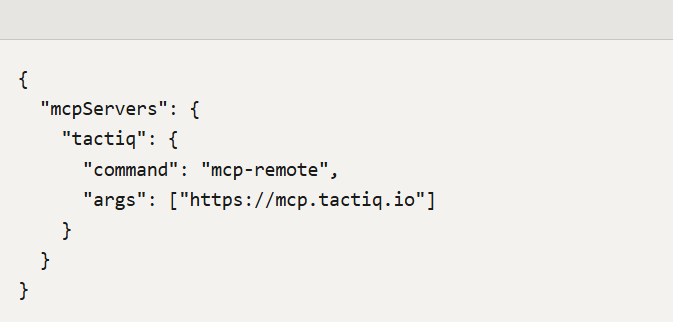
- For clients that support remote MCP servers: Add https://mcp.tactiq.io in the client’s server settings, then complete the browser-based sign-in when prompted.
- For manual Claude Desktop setup: Follow the configuration example in Tactiq’s setup guide.
- Check the connection: Ask your client to find a recent Tactiq meeting. For example, “Find my meetings with Sarah from last week.”
Tactiq uses OAuth for this connection, so you do not need a static API key.
{{rt_cta_ai-convenience}}
Which Microsoft Teams MCP Option Should You Choose?
Choose a Teams-focused MCP server for chats and channels. Claude’s Microsoft 365 connector is another option if your organization can approve access.
If you need spoken meeting content, a specialized community server can retrieve existing Teams transcripts through Microsoft Graph, though setup requires technical work and appropriate access.
For meetings across Teams, Zoom, and Google Meet, Tactiq offers one connector for the meetings you’ve transcribed.
Yes. Microsoft lists a Teams MCP server in preview. Its documented tools handle chats, messages, channels, and members; they do not retrieve meeting transcripts.
Capabilities vary by server. The current options can retrieve chat messages, manage channels and members, send messages, or schedule meetings. A separate community server can retrieve existing meeting transcripts.
Zoom’s connector for Claude provides access to Zoom meeting summaries, transcripts, recordings, and scheduling. Microsoft’s Teams MCP server documents chat and channel tools, but no meeting transcript tool.
Yes. Tactiq’s MCP connector works with meetings transcribed through Tactiq on all three platforms, giving a supported client one place to find that meeting content.
Tactiq’s pricing page lists MCP (beta) under the Business plan. Its Free plan includes meeting transcription, but does not list MCP.
Related articles








Want the convenience of AI summaries?
Try Tactiq for your upcoming meeting.
Want the convenience of AI summaries?
Try Tactiq for your upcoming meeting.
Want the convenience of AI summaries?
Try Tactiq for your upcoming meeting.