

Your meeting context, inside Claude.
Tactiq is a verified connector in Claude's directory. Connect once and Claude can search everything you've recorded — and quote it back with the source attached.
Trusted by teams at








Where it came from
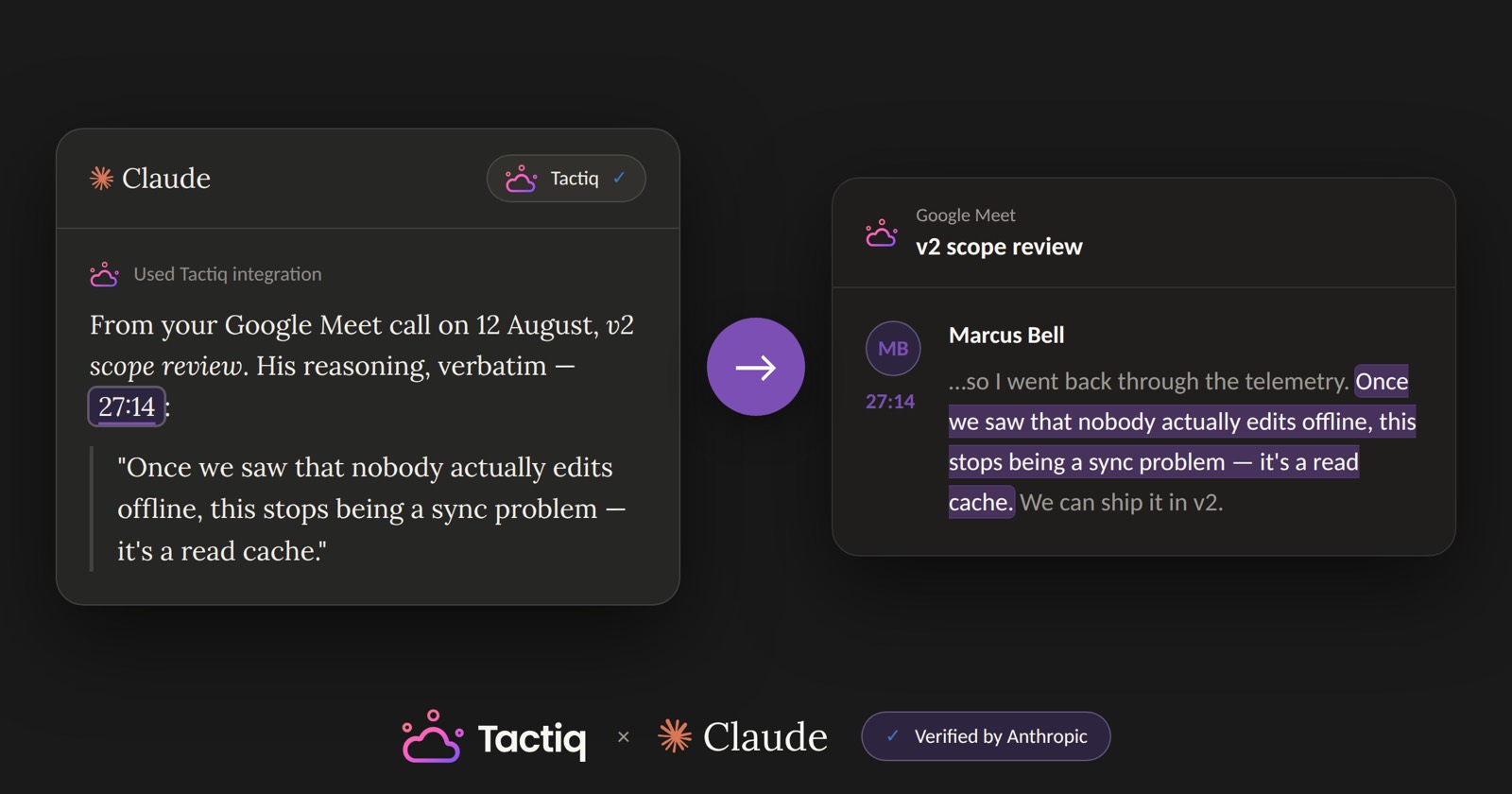
Every quote comes with its source.
Everyone can summarise a call. Ask for a quote and you get the source with it: who said it, when they said it, and a link that opens the call at that moment.
What you can ask
Turn your meeting notes into answers.
For you
Recall.
Stop scrolling a transcript for the thing you half-remember. Ask, and the answer comes back from the calls you were in.
- What did we agree about the launch date?
- Prep me for my 1:1 with Tom — what's still open?
For your team
Ask anything you've ever discussed.
Permissioned, so people only see what they already have access to. A new joiner inherits months of context on their first day.
- What did we promise this customer in March?
- Who decided to cut that feature, and why?
For your agents
Pull from the record, with sources.
Every agent you run can pull from your meeting record before it drafts a follow-up, updates the CRM or writes a spec.
- Draft the follow-up from what we actually agreed.
- Update the CRM with what changed on this account.
How it works for agents
A transcript isn't one thing.
Your meetings are exposed at five levels of resolution, and an agent descends only as far as the question requires. A 20,000-word transcript blows the context budget; a summary drops the reasoning that earned the decision. Cheap when it can be cheap, exact when it has to be.
Index
Metadata only — which calls exist, when they happened, who was on them. No content.
Summary
What happened and what was decided. Never the transcript itself.
Artifacts
Action items, drafts and the other outputs derived from a call.
Excerpt
The moments that answer the question, verbatim, with speaker and timestamp.
Raw
The full meeting transcript, paged — for when nothing less will do.
Setup
How to connect Tactiq to Claude.
 Claude
From the directory
Open the Tactiq listing in Claude, choose Connect, then Allow. Two clicks, and there's no server URL to paste.
For a whole team
A Claude workspace Owner adds Tactiq once for the organisation. Each member then connects their own Tactiq account.
As a custom connector
Adding it by hand instead? Point Claude at the Tactiq MCP server.
https://mcp.tactiq.ioSecurity and permissions
What it can see, and what it can't.
Reviewed by Anthropic
Anthropic reviewed Tactiq for quality and security before listing it in Claude's connector directory.
Access follows the person
Each user authorises with their own Tactiq account, so Claude only ever sees what that individual already has access to.
Nothing new is exposed
The connector reads the meeting record that already exists, under the permissions that already govern it.
No bot joins the call
Tactiq transcribes in the browser. Nothing dials into your meeting, and no audio is stored.
Works beyond Claude
Claude, Claude Code, Cursor, ChatGPT, Codex, n8n — one server. Your meeting memory isn't tied to one assistant, the same way it isn't tied to one meeting platform.
Common questions
What Tactiq can do inside Claude, and what it needs.
Does Tactiq work with Claude?
How do I connect Tactiq to Claude?
Can Claude read my full meeting transcripts?
Does this work on the free plan?
Is the Tactiq connector verified by Anthropic?
Can my whole team use it?
Does it work with ChatGPT or Cursor?
What can Claude actually see?
Your meetings,
in every agent you run.
Over a million people use Tactiq. Connect it to Claude and everything you've recorded becomes something you can ask.