
ChatGPT Meeting Minutes Generator
February 14, 2026
February 14, 2026
February 14, 2026
February 14, 2026

Do you spend too much time after meetings trying to remember key decisions and action items? Turning discussions into professional meeting minutes can eat up hours of your week. AI tools like ChatGPT help you create meeting minutes faster with less manual work.
ChatGPT works as a meeting minutes generator when you provide it with your meeting transcript. The AI chatbot can summarize conversations, extract key points, and create structured meeting notes in minutes instead of hours.
Here's what we'll cover:
- What a ChatGPT meeting minutes generator is and how it works
- Step-by-step instructions to generate meeting minutes with ChatGPT
- Best prompts for accurate meeting summaries and follow-up tasks
- How specialized tools can save time with automatic transcription
- When to use ChatGPT vs dedicated meeting solutions
What Is ChatGPT Meeting Minutes Generator?
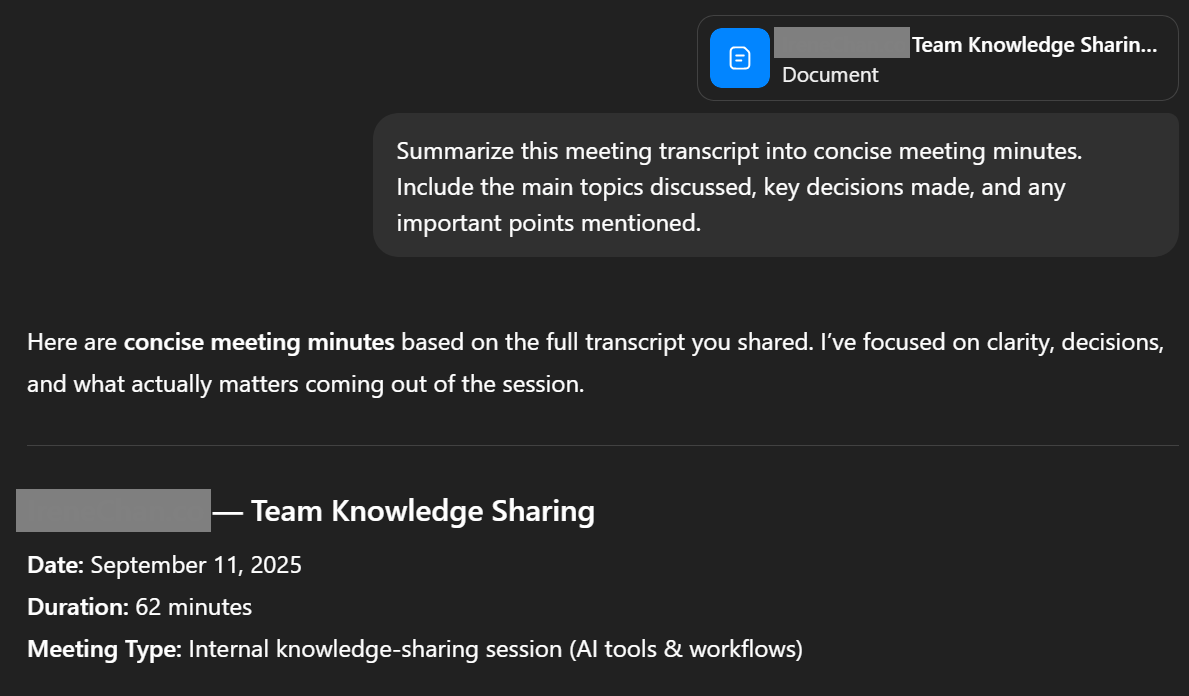
A ChatGPT meeting minutes generator uses AI to transform your meeting transcript into organized, professional meeting minutes. You copy your transcript into ChatGPT, and the AI chatbot analyzes the conversation to create structured summaries.
Here's what ChatGPT does with your meeting data:
- Pulls out key decisions, action items, and key topics from discussions
- Organizes information into a format that's easy to share with your team and stakeholders
- Generates different styles of meeting notes based on how you prompt it
- Creates bullet points of key takeaways or detailed notes with context
- Summarizes lengthy meetings into concise meeting minutes
ChatGPT doesn't record meetings or create transcripts on its own. You need to provide the meeting transcript from another source. Once you have that transcript, ChatGPT can quickly turn raw conversation data into clear summaries that help your team track next steps and stay organized.
The AI works best when you give it specific prompts about what you need:
- Focus on action points and follow-up tasks
- Extract key details from the agenda
- Highlight decisions made during discussions
- Format notes for different stakeholders
This flexibility makes ChatGPT helpful for different types of meetings and documentation needs.
💡 Pro Tip: ChatGPT needs a transcript to work. Most professionals spend 5-10 minutes after meetings uploading recordings and waiting for transcription. Tactiq solves this by transcribing your Zoom, Google Meet, or Microsoft Teams calls in real time. Your transcript is ready when the meeting ends.
How to Use ChatGPT to Generate Meeting Minutes
Turning your meeting transcript into professional meeting minutes with ChatGPT takes just a few simple steps. The process is straightforward once you have your transcript ready to go.
Step 1: Get your meeting transcript

You need a meeting transcript before ChatGPT can generate meeting minutes. The AI chatbot can't record meetings or transcribe audio files directly.
Get your transcript from your video platform's built-in transcription (Zoom, Google Meet, Microsoft Teams), a transcription service, or detailed notes you took during the meeting. Save it as a text file or copy it to your clipboard.
Step 2: Input your transcript into ChatGPT
Open ChatGPT and paste your meeting transcript into the chat. You can paste the entire conversation at once or break it into smaller sections if it's a lengthy meeting.
Step 3: Use effective prompts
Tell ChatGPT exactly what you need from your meeting notes. Use specific prompts to get structured summaries, extract action items, or focus on key decisions. We'll share sample prompts in the next section that you can copy and customize.
Step 4: Review and format the output
Check ChatGPT's generated meeting minutes for accuracy. Make sure key details are correct and the format works for your team. Copy the final notes into your preferred document format and share with stakeholders.
Best ChatGPT Prompts For Meeting Minutes
Using the right prompts helps you get better meeting summaries from ChatGPT. These prompts tell the AI exactly what information to extract and how to format your meeting notes.
Prompt for basic summary
"Summarize this meeting transcript into concise meeting minutes. Include the main topics discussed, key decisions made, and any important points mentioned."
This prompt works well when you need a quick overview of what happened in the meeting. ChatGPT will create a short summary that captures the essential information without too much detail.
Prompt for detailed minutes with action items
"Generate professional meeting minutes from this transcript. Include: 1) Meeting overview, 2) Key topics discussed, 3) Decisions made, 4) Action items with responsible parties, 5) Next steps and deadlines."
Use this prompt when you need structured meeting notes that clearly outline who needs to do what. The AI will organize your meeting data into sections that make it easy to track follow-up tasks.
Prompt for extracting decisions
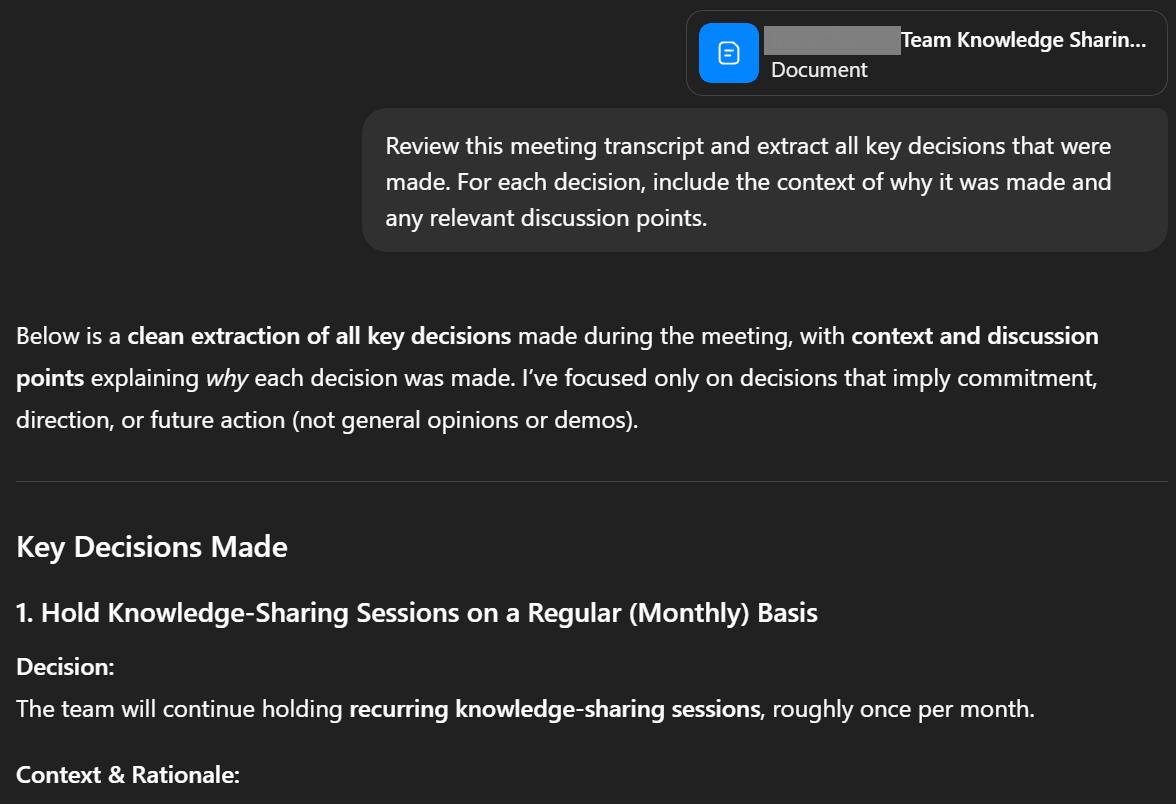
"Review this meeting transcript and extract all key decisions that were made. For each decision, include the context of why it was made and any relevant discussion points."
This prompt focuses ChatGPT on pulling out the moments where your team actually decided something. It's helpful when you need to document what was agreed upon during discussions.
Prompt for follow-up emails
"Based on this meeting transcript, write a follow-up email summarizing the meeting. Include key takeaways, action points assigned to each person, and next meeting details. Keep the tone professional but conversational."
This prompt generates meeting summaries formatted as an email you can send directly to stakeholders. ChatGPT will create clear summaries ready to share with your team.
Limitations of Using ChatGPT For Meeting Minutes
ChatGPT is a helpful tool for generating meeting minutes, but it has some practical limitations you should know about before relying on it for all your meeting documentation needs.
Requires manual transcript upload
You need to manually copy and paste your meeting transcript into ChatGPT every time. The AI chatbot doesn't connect to your meeting platforms or automatically pull in conversation data. This adds extra steps to your workflow after the meeting ends.
No real-time note-taking
ChatGPT can't join your meetings or take notes as discussions happen. You have to wait until the meeting ends, get a transcript, and then process it through the AI. This means you can't reference AI-generated summaries during the conversation.
Lacks integration with meeting platforms
ChatGPT doesn't integrate with Zoom, Google Meet, or Microsoft Teams. You can't start a recording or generate meeting minutes directly from your video platform. The entire process happens separately from where your team actually meets.
No speaker identification
ChatGPT struggles to identify who said what in your meeting transcript. Unless your transcript clearly labels each speaker, the AI can't attribute key points or action items to specific team members. This makes it harder to track who's responsible for follow-up tasks.
Limited context understanding
ChatGPT only sees the text you paste into it. The AI doesn't know about your previous meetings, ongoing projects, or team dynamics. It might miss important context that connects to earlier discussions or misunderstand industry-specific terms your team uses regularly.
These limitations don't make ChatGPT useless for meeting notes, but they do add friction to your workflow. Purpose-built meeting tools address these gaps with features designed specifically for capturing and organizing meeting data.
How Tactiq Automates Meeting Minutes Generation
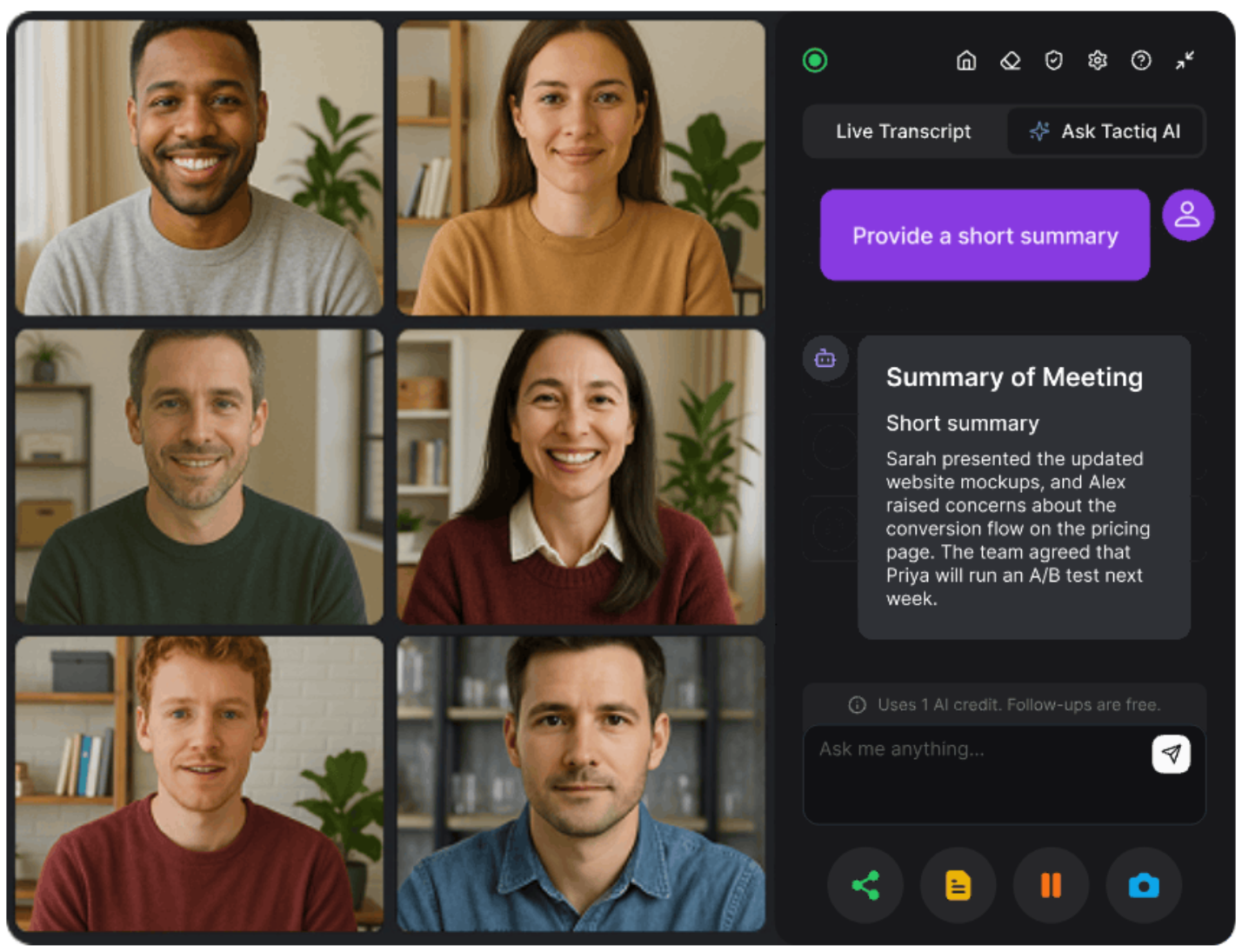
Tactiq is an AI-powered tool built specifically for meeting transcription and note-taking. It connects directly to your video platforms and handles the entire process from recording to generating structured meeting minutes.
Automatic real-time transcription
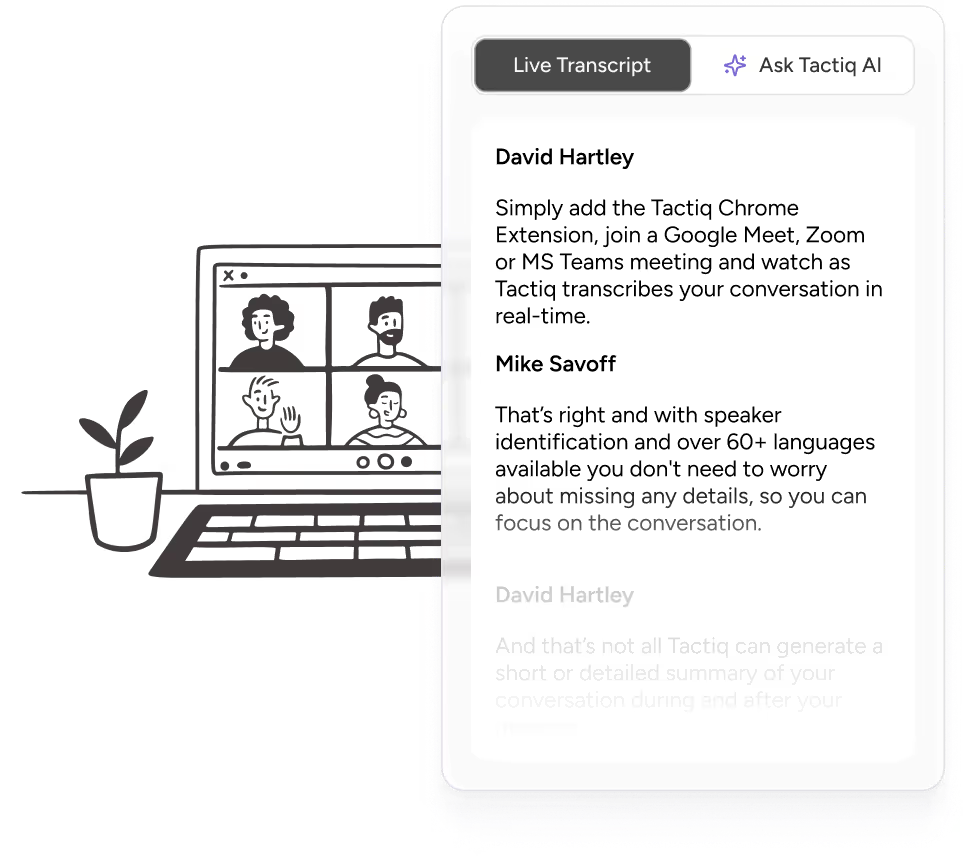
Tactiq transcribes conversations as they happen without using bots. You don't need to record separately or upload files manually. The tool captures every word in real time across Zoom, Google Meet, and Microsoft Teams.
AI-powered meeting summaries
Once your meeting ends, Tactiq's AI automatically generates meeting summaries with key decisions, action items, and next steps. You can choose from quick prompts or type your own custom prompts to focus on what matters most for your team. The AI handles organizing raw transcript data into professional meeting minutes.
Seamless integration with Zoom, Google Meet, and Teams
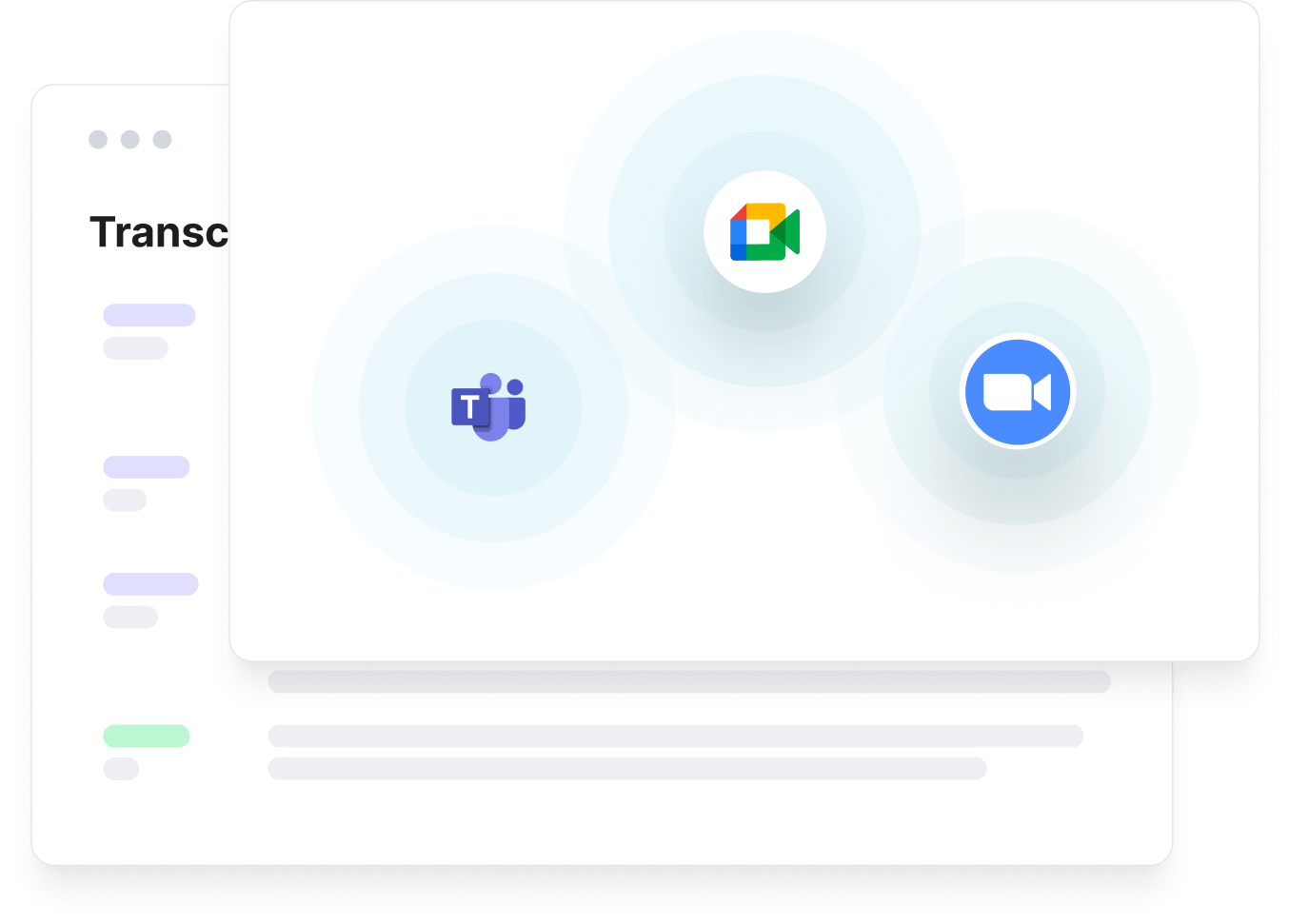
Tactiq works as a browser extension that integrates directly with your meeting platforms. Start a meeting, and Tactiq begins transcribing automatically. No switching between tools or copying transcripts between apps.
Speaker identification and timestamps
Tactiq identifies who said what during your meeting and adds timestamps to the transcript. This makes it easy to track action points by person and jump to specific moments in the conversation. You can assign follow-up tasks to the right team members.
Export and share easily
Download your meeting notes as PDF or TXT files, or use AI workflows to automatically share insights with your team and systems. Tactiq workflows can update your CRM, create tickets, send summary emails, and sync meeting data to your knowledge base right after the meeting ends.
Install the Tactiq Chrome extension to get started with real-time transcription and AI meeting summaries. You'll save time on note-taking and stay organized without manual work after every meeting.
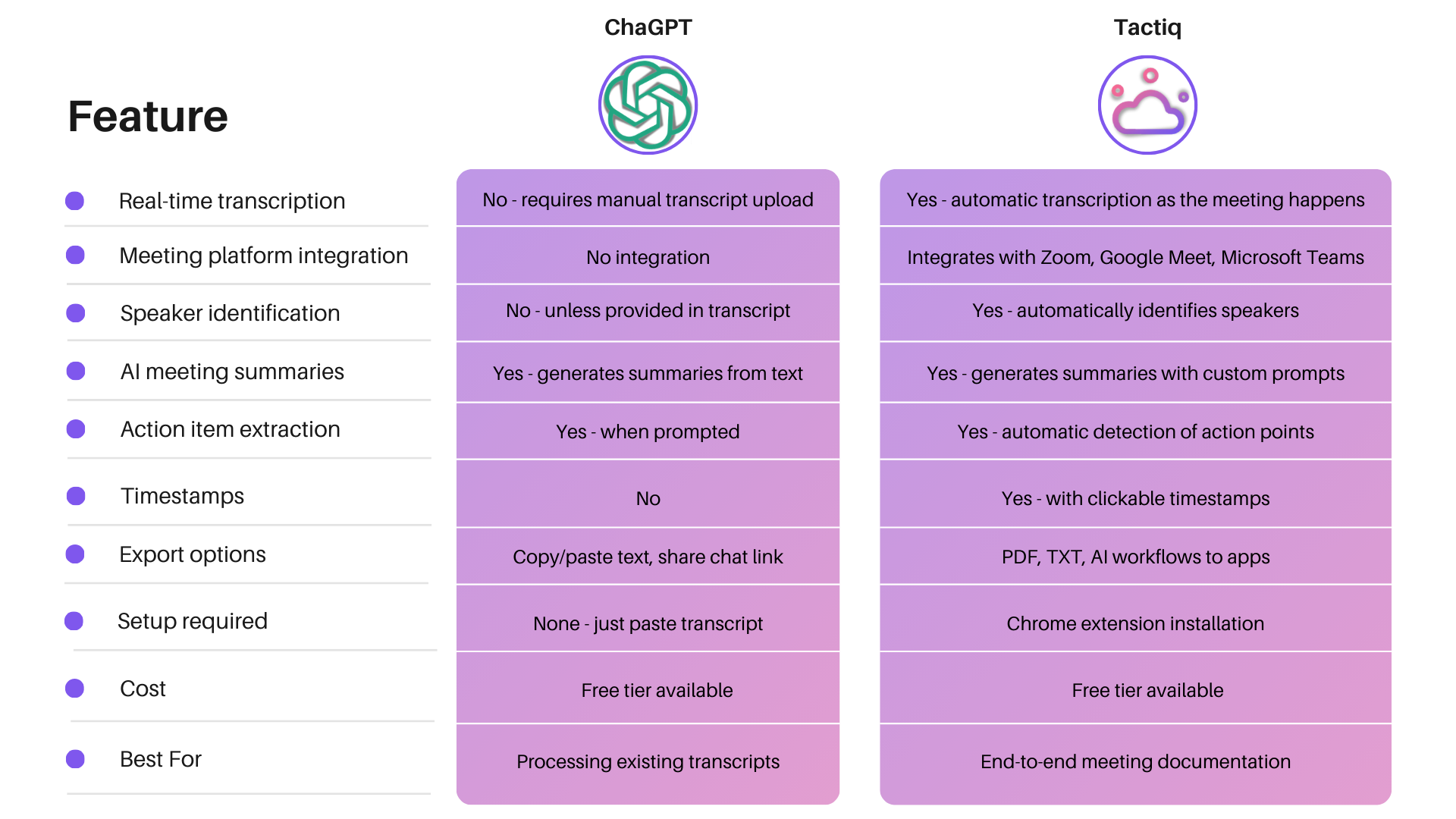
ChatGPT vs Tactiq: Which is Better For Meeting Minutes?
Both ChatGPT and Tactiq help you create meeting minutes, but they work differently and serve different needs. Here's how they compare for creating meeting minutes:
When to use ChatGPT
ChatGPT works well when you already have a meeting transcript and need to generate meeting minutes quickly. Use it when you want flexibility in how you prompt the AI or when you're processing notes from meetings that happened on platforms without built-in transcription.
When to use Tactiq
Tactiq is better when you want to streamline the entire process from start to finish. Use it when you need real-time transcription, automatic speaker identification, and the ability to share meeting data directly with your team through AI workflows. It saves time by eliminating manual steps.
{{rt_cta_ai-convenience}}
Wrapping Up
ChatGPT is a powerful AI assistant for turning meeting transcripts into professional meeting minutes. You can use it to summarize discussions, extract action items, and organize key decisions from your meeting data.
But ChatGPT requires you to manually handle transcripts and paste them into the chat after every meeting. You still need to record meetings separately and process everything once the meeting ends.
Tactiq offers a more streamlined solution built specifically for meeting notes. It transcribes conversations in real time, identifies speakers automatically, and generates AI-powered summaries without manual uploads. The Chrome extension integrates directly with Zoom, Google Meet, and Microsoft Teams.
Ready to save time on meeting documentation? Install the Tactiq and get automatic transcription and AI meeting summaries for free. Focus on your discussions while Tactiq handles the note-taking.
FAQs on ChatGPT Meeting Minutes Generator
Can ChatGPT write minutes of a meeting?
Yes, ChatGPT can write meeting minutes when you provide a meeting transcript. Paste your transcript into ChatGPT and use specific prompts to generate structured meeting notes with key decisions, action items, and key takeaways.
Which AI tool can create meeting minutes besides ChatGPT?
Tactiq creates meeting minutes automatically with real-time transcription across Zoom, Google Meet, and Microsoft Teams.
Can I upload my audio file to ChatGPT and have it transcribe it?
ChatGPT's web interface cannot transcribe audio files. However, ChatGPT Record Mode in the macOS desktop app can record audio and create summaries. For meeting transcription, you'll need a dedicated tool or your platform's built-in feature first.
How do I use ChatGPT to take notes during a meeting?
ChatGPT cannot take notes in real time during meetings. ChatGPT Record Mode (macOS app) can record audio and create summaries afterward. For live note-taking, you need a transcript first, then paste it into ChatGPT with prompts to extract key points.
What makes Tactiq better than ChatGPT for meeting minutes?
Tactiq handles everything automatically, from transcription to generating meeting minutes. It transcribes in real time, identifies speakers, adds timestamps, and creates AI summaries without manual work or uploading transcripts.
Related articles





Want the convenience of AI summaries?
Try Tactiq for your upcoming meeting.
Want the convenience of AI summaries?
Try Tactiq for your upcoming meeting.
Want the convenience of AI summaries?
Try Tactiq for your upcoming meeting.