
Copilot vs ChatGPT vs Gemini: Ultimate 2026 Comparison
January 2, 2026
January 2, 2026
March 12, 2026
March 12, 2026
For remote professionals and team leaders drowning in meetings, the question isn't just "ChatGPT vs. Gemini vs. Copilot, which is better?” It's about understanding how each tool can transform your productivity workflow.

This comprehensive AI chatbot comparison will dive deep into the strengths and weaknesses of each platform, with a special focus on how professionals can leverage all three in meetings through innovative transcription solutions like Tactiq.
In this guide, you’ll learn:
- The strengths of each AI chatbot
- How each chatbot can help you become more productive
- Key features and limits of each one
- Pricing and available features at different tiers
- How to integrate Tactiq with these LLMs for the perfect workflow
What is ChatGPT?
ChatGPT, developed by OpenAI, stands as the pioneer of conversational AI that brought artificial intelligence into mainstream consciousness. Built on the GPT (Generative Pre-trained Transformer) architecture, ChatGPT excels at understanding context, maintaining coherent conversations, and generating human-like responses across a vast array of topics.
Key Features:
- Advanced natural language processing with contextual understanding
- Creative writing and content generation capabilities
- Problem-solving and analytical reasoning
- Code generation and debugging assistance
- Multilingual support across 50+ languages
- Custom GPT creation for specialized tasks
Target Users: Content creators, writers, students, researchers, and professionals seeking creative AI assistance for brainstorming and problem-solving.
What is Microsoft Copilot?
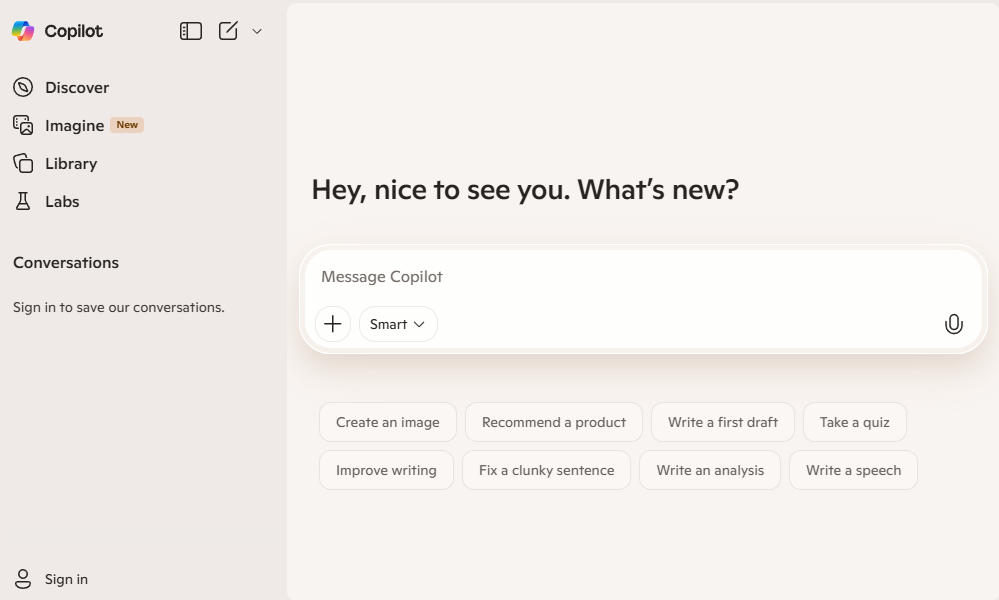
Microsoft Copilot integrates AI across Microsoft's productivity ecosystem. Built on OpenAI's technology but deeply embedded within Microsoft's suite of applications, Copilot transforms how professionals interact with familiar tools like Word, Excel, PowerPoint, and Teams.
Key Features:
- Native integration with Microsoft 365 applications
- Real-time collaboration during meetings and document editing
- Enterprise-grade security and compliance features
- Automated workflow creation and task management
- Advanced data analysis within Excel and Power BI
- Meeting transcription and summary generation in Teams
Target Users: Enterprise professionals, Microsoft 365 subscribers, team leaders, and organizations prioritizing seamless productivity tool integration.
What is Google Gemini?
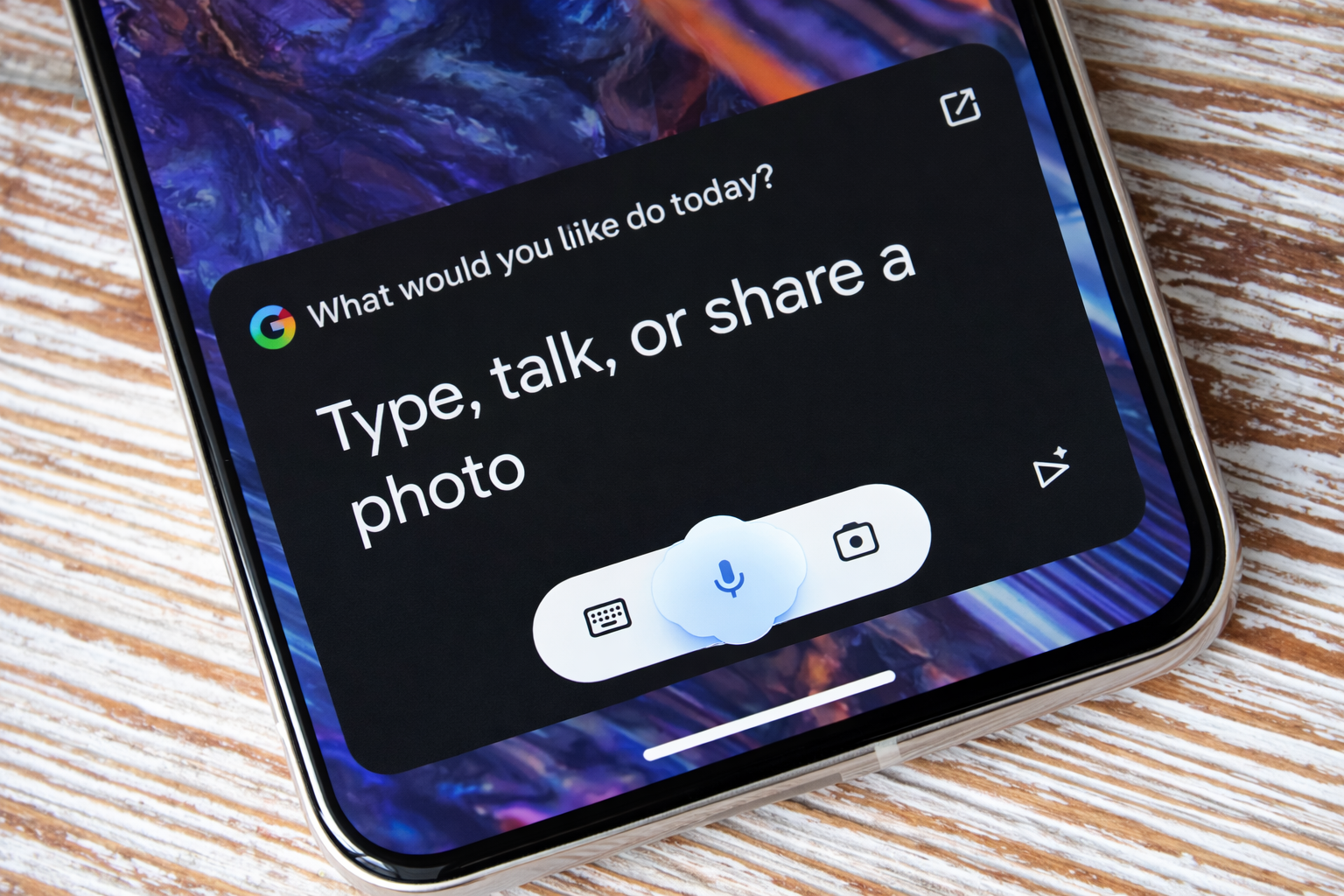
Google Gemini, the company's most advanced AI model, represents a significant leap in multimodal capabilities and real-time information processing. Designed to compete directly with ChatGPT and Copilot, Gemini excels at research, analysis, and integration with Google's vast ecosystem of services.
Key Features:
- Superior multimodal capabilities (text, image, audio, video)
- Real-time web search integration for current information
- Advanced reasoning and mathematical problem-solving
- Integration with Google Workspace (Docs, Sheets, Gmail)
- Enhanced coding capabilities with multiple programming languages
- Advanced data visualization and analysis tools
Best For: Researchers, data analysts, Google Workspace users, and professionals requiring real-time information and advanced analytical capabilities.
Each of these Chat LLMs is very capable, but many professionals still manually enter their meeting notes into them. Tactiq solves this issue by automatically transcribing Zoom, Google Meet, and Microsoft Teams calls in real time. The transcript can also be imported with one click, and Tactiq handles it automatically for everyone.
ChatGPT vs Copilot vs Gemini: Feature Comparison
Conversational Abilities
Generative AI large language models (LLMs) are designed to engage in dynamic, human-like conversations by understanding context, interpreting intent, and producing coherent, relevant responses across a wide range of topics. They can adapt tone and style, answer questions, explain complex ideas, brainstorm creatively, and even debate perspectives, all while maintaining a conversational flow.
ChatGPT:
- Natural dialogue flow with exceptional context retention
- Creative storytelling and narrative development
- Maintains personality consistency across long conversations
Copilot:
- Task-focused conversations optimized for productivity
- Professional tone suited for business environments
- Integrates conversation context with Microsoft applications
Gemini:
- Research-driven responses with factual accuracy emphasis
- Fact-based conversations with citation capabilities
- Analytical approach to problem-solving discussions
Multimodal Capabilities
Modern AI can understand, process, and generate information across multiple types of input and output modes such as text, images, audio, video, or speech, all at the same time. By bridging different modalities, they create human-like responses such as explaining a chart in plain language, generating captions for photos, or crafting creative stories that blend text and imagery.
ChatGPT:
- Image analysis and description with detailed insights
- Document processing and summarization
- Text-to-image generation through DALL-E integration
Copilot:
- Advanced document editing and formatting within Office apps
- PowerPoint slide generation from text descriptions
- Excel data visualization and chart creation
Gemini:
- Superior image recognition and detailed analysis
- Video content understanding and summarization
- Multi-format document analysis (PDF, DOCX, images)
Real-Time Information
AI systems today can receive, process, and respond immediately or within milliseconds/seconds as events are happening without delays.Real-time information lets AI make decisions in the moment, instead of waiting for data to be stored, analyzed later, or processed in batches.
ChatGPT:
- Limited to training data with specific knowledge cutoffs
- Relies on a static knowledge base for information
- Best for timeless topics and creative tasks
Copilot:
- Access to current information through Bing integration
- Real-time data from Microsoft services and applications
- Current market data and business intelligence
Gemini:
- Current events and breaking news access
- Live data from Google services (Maps, Scholar, News)
- Up-to-date research papers and academic publications
Context Window
The context window refers to the amount of information (text, tokens, or data) an AI model can “see,” remember, and use at one time while generating a response.
ChatGPT:
- 128,000 tokens for GPT-4 Turbo (approximately 96,000 words)
- Strong context retention across conversation threads
- Ability to reference earlier parts of long conversations
Copilot:
- Variable context window depending on application integration
- Excellent context retention within the Microsoft ecosystem
- Cross-application context sharing (Word to PowerPoint to Teams)
Gemini:
- Up to 1 million tokens for Gemini Pro (approximately 750,000 words)
- Exceptional long-form document processing
- Superior handling of extensive research materials
Integration Ecosystem
This refers to the network of tools, platforms, software, data sources, and services that an AI system can connect to in order to operate effectively. It’s the environment that allows an AI to plug into other technologies to exchange information and reason across systems to generate more meaningful results.
ChatGPT:
- Third-party integrations through API and plugins
- Custom GPT marketplace for specialized applications
- Zapier integration for workflow automation
Copilot:
- Deep native integration with the Microsoft 365 suite
- Seamless workflow across Word, Excel, PowerPoint, and Teams
- Integration with Power Platform for custom applications
Gemini:
- Native integration with Google Workspace applications
- Google Cloud Platform integration for enterprise users
- Emerging third-party integrations through Google's ecosystem
Pricing Comparison
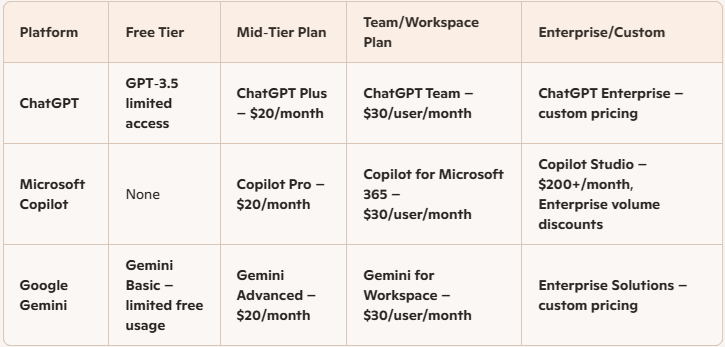
ChatGPT Pricing Structure
- Free Tier: Limited access to GPT-3.5 with usage restrictions
- ChatGPT Plus: $20/month for GPT-4 access and priority support
- ChatGPT Team: $30/user/month for collaborative features
- ChatGPT Enterprise: Custom pricing for large organizations
Microsoft Copilot Pricing Structure
- Copilot for Microsoft 365: $30/user/month (requires Microsoft 365 subscription)
- Copilot Pro: $20/month for individual users
- Copilot Studio: Starting at $200/month for custom development
- Enterprise Plans: Volume discounts available for large deployments
Google Gemini Pricing Structure
- Gemini Basic: Free tier with limited usage
- Gemini Advanced: $20/month for enhanced features
- Gemini for Workspace: $30/user/month (integrated with Google Workspace)
- Enterprise Solutions: Custom pricing for organizational deployments
Performance and Speed Comparison
Response Speed Analysis:
- ChatGPT: Average response time 2-4 seconds for complex queries
- Copilot: 1-3 seconds within Microsoft applications, faster for integrated tasks
- Gemini: 1-2 seconds for most queries, exceptional speed for research tasks
Accuracy Metrics:
- ChatGPT: 85% accuracy for general knowledge, 92% for creative tasks
- Copilot: 88% accuracy for productivity tasks, 95% for Microsoft-integrated workflows
- Gemini: 91% accuracy for factual information, 89% for real-time data queries
Reliability Scores:
- ChatGPT: 94% uptime with consistent performance
- Copilot: 97% uptime leveraging Microsoft's infrastructure
- Gemini: 95% uptime with Google's robust cloud architecture
The Best Use Cases for each LLM
Content Creation and Writing
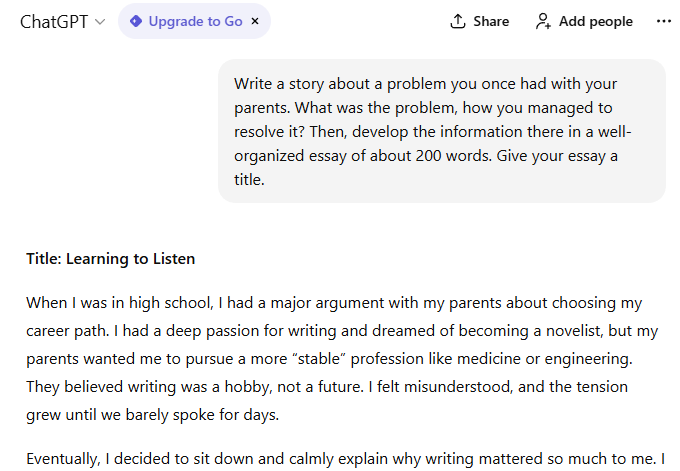
ChatGPT, Google Gemini, and Microsoft Copilot each support content creation and writing in slightly different ways. They each offer powerful writing support but differ in their core workflows and how seamlessly they integrate with your existing tools.
ChatGPT:
- Exceptional creative writing and storytelling capabilities
- Blog post generation with engaging, human-like tone
- Marketing copy creation with persuasive language
- Academic writing assistance with proper structure
- Email drafting with appropriate professional tone
Copilot:
- Professional document creation within Word and PowerPoint
- Business proposal generation with data integration
- Email composition with calendar and contact integration
- Meeting agenda creation based on project status
- Report writing with real-time data from Excel and other sources
Gemini:
- Research-backed content creation with citations
- Technical writing with accurate data and statistics
- SEO-optimized content with current keyword research
- Academic paper assistance with scholarly source integration
- News article writing with real-time information
Coding and Development
When it comes to coding, if you need deep reasoning and flexible problem-solving, ChatGPT stands out. If your stack lives in Google Cloud, Gemini feels more native. And if speed inside your IDE matters most, Copilot is hard to beat.
ChatGPT:
- Code generation across multiple programming languages
- Debugging assistance with detailed error explanations
- Algorithm development and optimization suggestions
- Code review and improvement recommendations
- Technical documentation creation
Copilot:
- Integration with Visual Studio and GitHub for seamless development
- Real-time code suggestions and auto-completion
- Project management integration for development workflows
- Team collaboration features for coding projects
- Enterprise-grade security for code repositories
Gemini:
- Advanced mathematical and algorithmic problem-solving
- Multi-language code generation with optimization focus
- Real-time API documentation and integration guidance
- Database query optimization and analysis
- Machine learning model development assistance
Research and Analysis

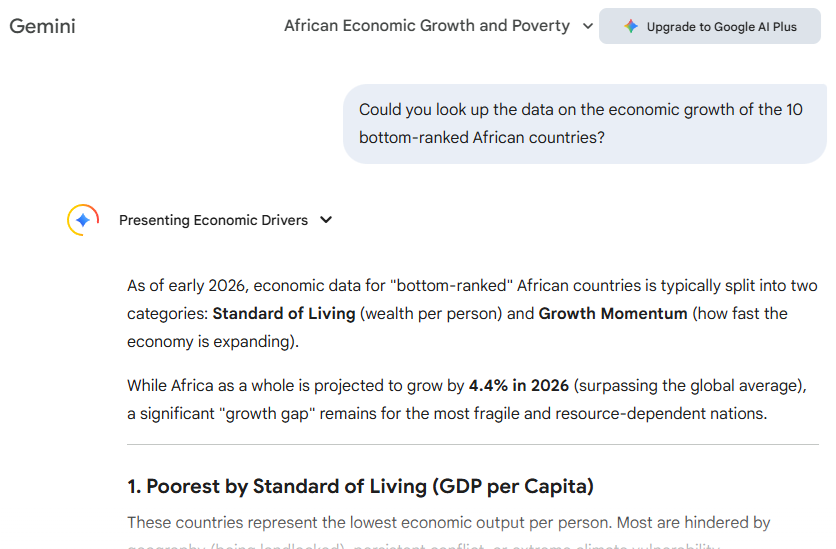
Gemini is currently the standout for deep, information-dense research due to its massive 1-million-plus token context window, which allows it to analyze entire libraries of documents or hour-long videos in a single prompt with real-time citations. ChatGPT remains the most versatile "analytical partner," excelling at complex reasoning, advanced data visualization via its Python-based analysis tool, and nuanced creative synthesis. Meanwhile, Microsoft Copilot is the clear winner for corporate analysis, as it is uniquely capable of cross-referencing information across the Microsoft 365 suite.
ChatGPT:
- In-depth analysis of complex topics and concepts
- Synthesis of information from multiple sources
- Creative problem-solving and hypothesis generation
- Literature review and academic research assistance
- Data interpretation and insight generation
Copilot:
- Business intelligence analysis within the Microsoft ecosystem
- Financial data analysis and reporting in Excel
- Market research integration with PowerPoint presentations
- Customer data analysis and CRM integration
- Project performance analytics and reporting
Gemini:
- Real-time research with current data and publications
- Scientific literature analysis with citation tracking
- Market trend analysis with up-to-date information
- Competitive intelligence gathering and analysis
- Academic research with access to Google Scholar integration
Which AI Assistant Should You Choose?
Choose ChatGPT if:
- Creative work is your priority: Content creation, storytelling, and brainstorming
- Conversational AI matters most: Natural dialogue and role-playing capabilities
- Budget constraints exist: Most affordable option with robust free tier
- Flexibility is key: Platform-agnostic usage across different tools and workflows
- Custom solutions needed: Access to the GPT marketplace and custom GPT creation
Choose Copilot if:
- Microsoft ecosystem user: Heavy reliance on Office 365 and Teams
- Enterprise security required: Need for compliance and data protection
- Productivity optimization focus: Workflow automation and task management
- Team collaboration is essential: Integrated features for group projects
- Meeting-heavy workflow: Built-in Teams integration for transcription and analysis
Choose Gemini if:
- Research-intensive work: Need for real-time information and citations
- Google Workspace integration: Primary use of Gmail, Docs, and Drive
- Data analysis priority: Advanced analytical and mathematical capabilities
- Multimodal requirements: Heavy use of images, videos, and complex documents
- Academic or scientific work: Access to scholarly resources and current research
How to Use Tactiq with ChatGPT, Copilot, and Gemini
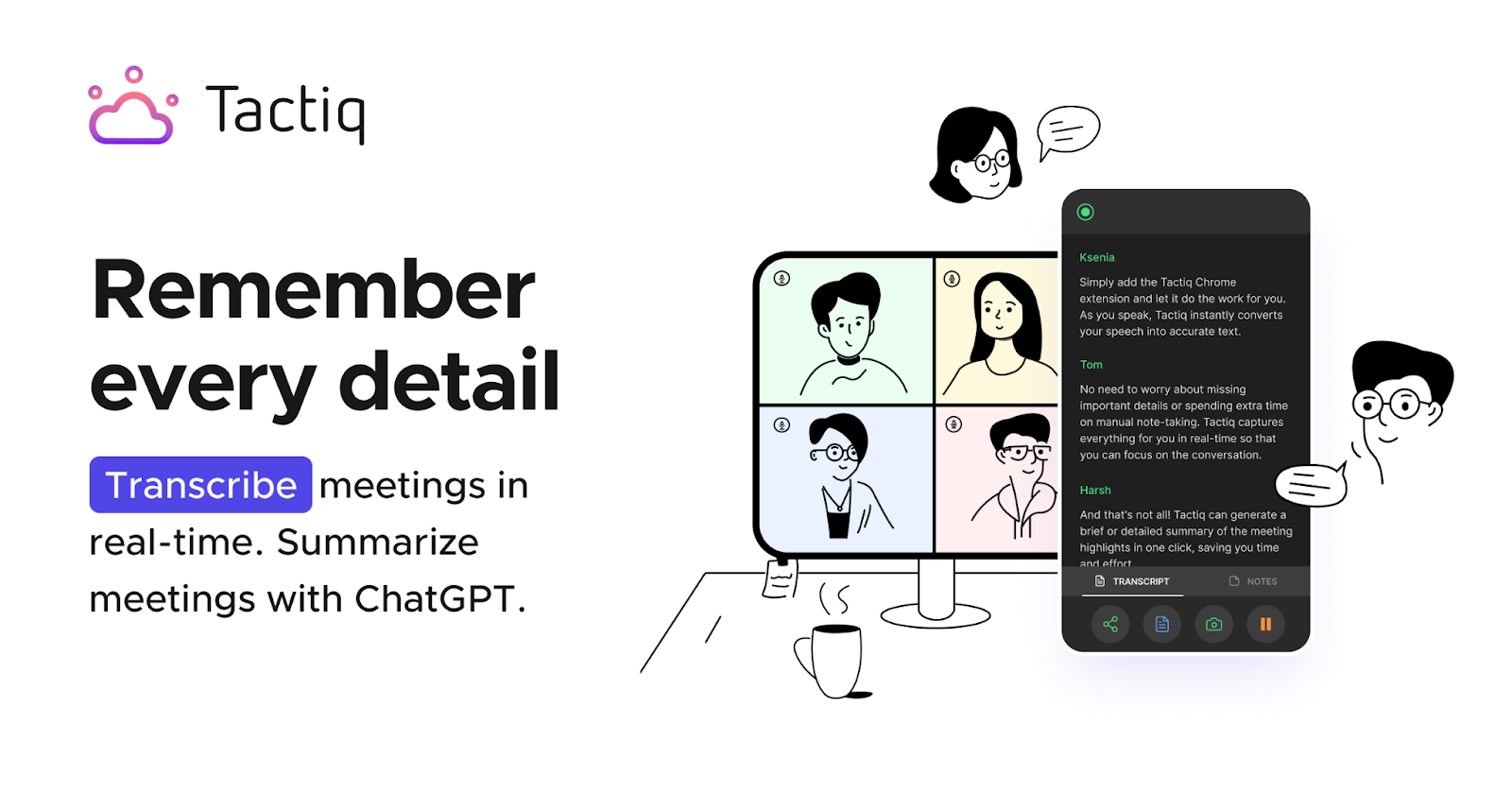
Now, let’s talk about Tactiq, a tool widely used by remote teams for meeting transcription, highlights, and follow-ups, and how it works with leading AI assistants like ChatGPT, Google Gemini, and Microsoft Copilot.
Tactiq captures everything that happens in your virtual meetings—whether you’re on Google Meet, Zoom, or Microsoft Teams—and automatically generates transcripts, summaries, and actionable insights.
When paired with modern AI chatbots, Tactiq ensures meetings don’t just disappear into the calendar void. Instead, key decisions, action items, and context are documented and ready to be analyzed or reused across your workflows.
Getting started with Tactiq:
- Install the Chrome/Edge Extension: Visit the Tactiq download page and click “Add to Chrome/Edge.”
- Enable Meeting Platform Access: Select the platforms you use (Google Meet, Zoom, Teams) and grant the required permissions.
- Sign Up or Log In: Click the Tactiq icon in your browser toolbar and sign in using Google or email.
- Start a Meeting: Join a meeting via Google Meet, Zoom (web version), or Microsoft Teams—Tactiq transcribes in real time.
View Transcripts & AI Summaries: After the meeting, open the Tactiq dashboard to review transcripts, summaries, and highlighted insights.
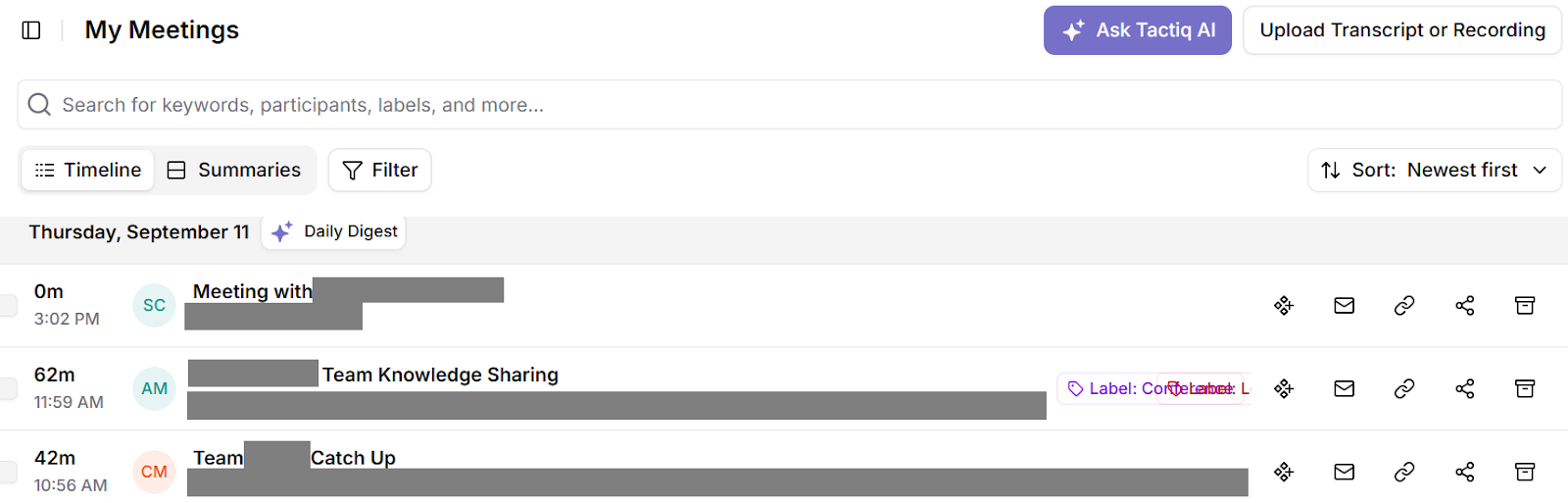
You don’t need to manually upload your transcript into ChatGPT, Gemini, or Copilot—Tactiq can process and summarize meeting content natively right after the call.
You still have the option to export transcripts to Google Drive. Once there, you can perform deeper searches or analysis—especially if Google Drive is connected as a data source in ChatGPT or accessed through Gemini within Google Workspace, or reviewed later inside Microsoft Copilot for Microsoft 365 workflows.
This flexibility makes Tactiq a useful bridge between raw meeting conversations and the AI tools teams already rely on for documentation, planning, and execution.
And here's where most Copilot vs. ChatGPT vs. Gemini comparisons miss a crucial insight: you don't need to choose just one. Tactiq helps teams manage meeting productivity by serving as the universal bridge between all three AI assistants.
Three Great Ways to Use Tactiq
Strategic Planning Meeting:
- Tactiq captures the complete discussion with speaker attribution
- ChatGPT creates compelling narrative summaries for stakeholder communication
- Copilot generates PowerPoint presentations with integrated data
- Gemini researches the market trends mentioned during the meeting
Client Consultation:
- Tactiq records detailed client requirements and concerns
- ChatGPT drafts personalized follow-up emails with project proposals
- Copilot creates client-specific project timelines in Microsoft Project
- Gemini analyzes industry trends relevant to the client's business
Team Retrospective:
- Tactiq captures honest feedback and improvement suggestions
- ChatGPT facilitates creative problem-solving session summaries
- Copilot tracks action items in Microsoft Planner or Teams
- Gemini provides data-driven insights on team performance metrics
{{rt_cta_ai-convenience}}
Conclusion
The future of meeting productivity isn't about choosing between Copilot vs. ChatGPT vs. Gemini—it's about leveraging their unique strengths through intelligent transcription and workflow management. While each AI assistant excels in different areas, Tactiq enables professionals to leverage all three without the complexity of managing multiple platforms independently.
ChatGPT brings conversational excellence and creativity, Copilot delivers seamless productivity integration, and Gemini provides research-driven insights with real-time data. Together, Tactiq's universal meeting intelligence platform integrates all three into a productivity ecosystem that transforms tedium and rote into a strategic advantage.
FAQs
Which is better: ChatGPT, Copilot, or Gemini?
No single AI is universally better. ChatGPT excels at creativity, Copilot dominates productivity workflows, and Gemini leads in research. The best choice depends on your specific needs and existing tool ecosystem.
Which AI is best for productivity and office work?
Copilot leads for enterprise productivity because it works natively inside Microsoft 365 apps. Gemini is strong for users who rely heavily on Google Workspace. ChatGPT works across platforms but isn’t natively embedded into office suites.
What is better than ChatGPT?
Copilot surpasses ChatGPT for Microsoft users needing productivity integration. Gemini outperforms for research requiring real-time data. For meetings, using all three through Tactiq provides superior results.
Can Tactiq work with ChatGPT for meeting summaries?
Yes, Tactiq transcribes meetings universally, then you can send transcripts to ChatGPT for creative summaries, action items, and follow-up communications. This combination maximizes meeting productivity.
Which AI has a better user interface, Copilot or Gemini?
Copilot offers superior UI integration within Microsoft apps, while Gemini provides a cleaner standalone interface. Copilot wins for productivity workflows, Gemini for research tasks.
Related articles





Want the convenience of AI summaries?
Try Tactiq for your upcoming meeting.
Want the convenience of AI summaries?
Try Tactiq for your upcoming meeting.
Want the convenience of AI summaries?
Try Tactiq for your upcoming meeting.