
Google Gemini 3 models and the latest GPT models now compete across research, writing, coding, and multimodal tasks. Our Copilot, ChatGPT, and Gemini comparison covers the wider market, but this guide focuses on the closest contest.
So, is Gemini better than ChatGPT?
The answer depends on the task, with each platform leading in different areas.
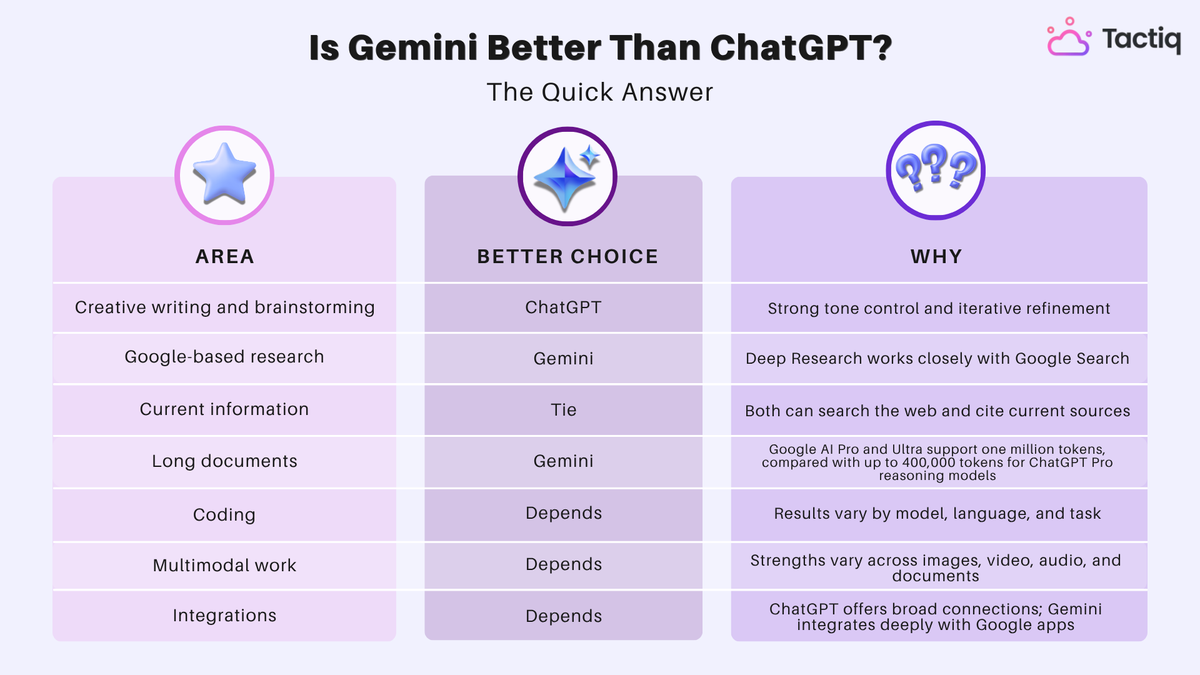
Is Gemini Better Than ChatGPT? The Quick Answer
Gemini is better for analyzing long documents, conducting Google-based research, and working across Google Workspace. ChatGPT is better for creative writing, brainstorming, and conversational problem-solving.
Both Gemini and ChatGPT can search the web, analyze files, write code, and process different media formats. Their main differences appear in how they handle each task.
💡 Pro tip: Use Tactiq to create a structured meeting transcript before sending it to ChatGPT or Gemini. Speaker labels and timestamps give both tools clearer context than unstructured notes.
When Gemini Is Better Than ChatGPT
Gemini is the stronger choice when your work depends on current research, large source files, or Google Workspace. Its advantages come from Google Search integration, a larger context window, and native access to Google apps.
Research with current information
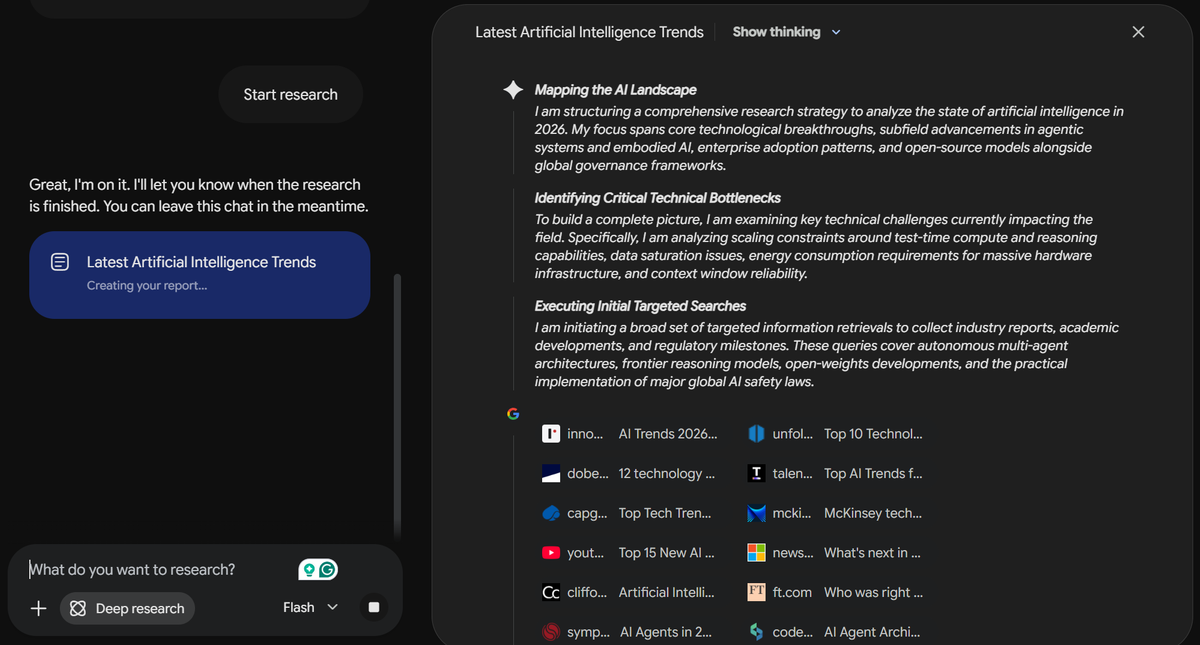
Both Gemini and ChatGPT can search the web. However, Gemini’s Deep Research includes Google Search as a default source.
It creates a research plan, analyzes multiple sources, and organizes its findings into a report. You can edit the plan or add sources before Gemini begins its research.
This workflow is useful for:
- Tracking recent industry trends
- Comparing products or competitors
- Finding current statistics
- Reviewing market developments
- Building reports from several sources
Deep Research can also use connected Gmail and Google Drive content, uploaded files, and NotebookLM notebooks. This flexibility helps when your research combines public information with internal materials.
Google Search integration does not guarantee factual accuracy. Check the original sources before using statistics, legal information, or other high-stakes claims.
Long-context document analysis
Gemini is also useful when you need to analyze several long files within one conversation. Its larger context window reduces the need to divide source material across multiple prompts.
You can use Gemini to:
- Compare several research papers
- Review lengthy contracts or reports
- Find patterns across multiple documents
- Analyze long videos with supporting files
- Summarize large collections of project materials
Keeping the source material together helps Gemini identify relationships between documents. This is valuable when details from one file affect the interpretation of another.
A larger context window does not guarantee better answers. Clear instructions and well-organized source files still affect analysis quality.
Google Workspace integration
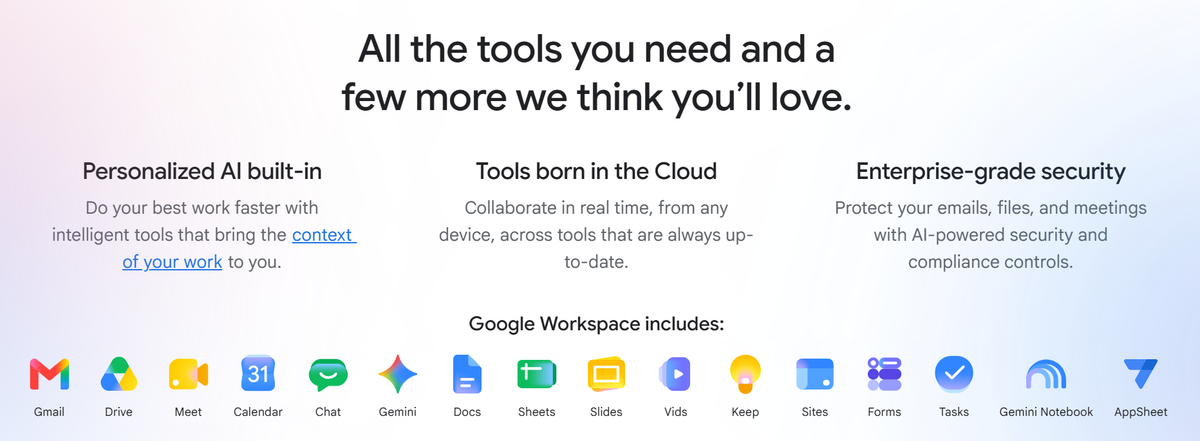
Gemini integrates natively with Google Workspace apps, including Gmail, Docs, Sheets, Drive, Slides, Calendar, and more. This deep integration reduces the need to copy information between separate AI tools.
Depending on your account and available features, Gemini can:
- Find and summarize information from Gmail
- Review documents stored in Google Drive
- Help draft or revise content in Google Docs
- Analyze information and create tables in Google Sheets
- Create and manage Google Calendar events
- Work with Tasks and Keep content
This makes Gemini a practical choice for Google Workspace users who already manage their files and communication within Google’s ecosystem.
Feature availability depends on account type, Workspace edition, administrator settings, language, and location. Check your plan before building a workflow around a specific integration.
If Google’s ecosystem is not central to your work, compare the top Google Gemini alternatives for other workflows.
When ChatGPT Is Better Than Gemini
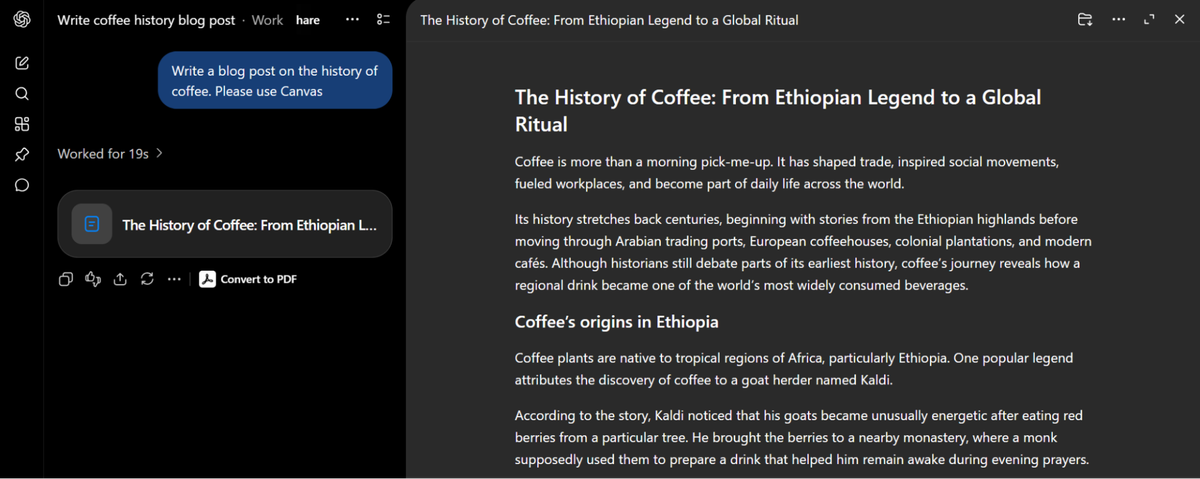
ChatGPT is often a better fit for creative writing, brainstorming, and conversational coding support. Its chat and Canvas tools support tasks that require several rounds of editing and refinement.
Creative writing and content
ChatGPT gives you detailed control over tone, structure, audience, and style. You can revise individual sections without restarting the entire draft.
This makes it useful for:
- Writing blog posts and marketing copy
- Revising emails and client communications
- Creating scripts, stories, or campaign concepts
- Adapting content for different audiences
- Turning rough notes into structured drafts
ChatGPT can act as a sounding board, editor, or writing partner. You can provide examples, request specific changes, and compare several versions.
Its output still requires review. Check facts, remove repetitive language, and adjust the final copy to match your brand voice.
Brainstorming and idea development
ChatGPT works well when an idea needs several rounds of creative exploration. It can build on earlier responses, challenge assumptions, and reorganize scattered thoughts.
For example, you can use it to:
- Generate several campaign angles
- Explore solutions to a product problem
- Develop interview or survey questions
- Turn a broad idea into an outline
- Compare different approaches to a project
The conversational format helps you move from broad possibilities to a practical direction. You can ask ChatGPT to rank ideas, identify risks, or expand the strongest option.
Coding and debugging
ChatGPT can explain code, identify possible errors, and suggest fixes through an ongoing conversation. You can share an error message, test its suggestion, and return with the result.
Common uses include:
- Explaining unfamiliar code
- Identifying possible causes of an error
- Generating or revising code snippets
- Refactoring existing functions
- Writing technical documentation
- Comparing implementation approaches
ChatGPT’s value comes from the iterative debugging process, not guaranteed accuracy. Generated code may contain errors, outdated dependencies, or security issues.
Test all code before using it in production. Developers should also review permissions, data handling, and external packages.
ChatGPT is not the best AI tool for every workflow. Our guide to ChatGPT alternatives in 2026 compares other options for research, documents, coding, and meetings.
Gemini vs ChatGPT: Which Has Better Features?
Gemini and ChatGPT share many features, but their strengths differ across media, context, search, and integrations.
Multimodal capabilities

Both platforms process text, images, audio, and documents.
ChatGPT supports image generation, image analysis, image editing (opens in a new tab), and editing existing images. Gemini supports visual data extraction, document analysis, and uploaded video processing.
Choose ChatGPT for conversational image creation and editing. Choose Gemini when your source material includes videos, charts, or mixed file types.
Context window
Gemini offers the larger maximum context window:
- Google AI Pro and Ultra: up to one million tokens
- ChatGPT Pro: up to 400,000 tokens with reasoning AI models
Limits vary by plan and selected model. Gemini’s larger context window helps when analyzing long documents, videos, or several files together.
Real-time information access
Both Gemini and ChatGPT can search the web and cite current sources. ChatGPT is no longer limited to its training data.
Gemini’s Deep Research uses Google Search by default. It can also include connected Gmail, Drive, uploaded files, and NotebookLM notebooks.
Gemini excels at research involving Google services. However, both platforms can find current information and create source-based reports.
Integrations and ecosystem
ChatGPT supports apps and connectors for services such as Slack, SharePoint, Google Drive, GitHub, HubSpot, and Asana. Availability varies by plan and workspace settings.
Gemini connects closely with Google Workspace apps, including Gmail, Docs, Sheets, Drive, Slides, and Calendar.
Choose ChatGPT when your work spans several platforms. Choose Gemini when most files and communication already live in Google’s ecosystem.
Pricing: Which Is Cheaper, Gemini or ChatGPT?
Gemini is cheaper at each comparable paid tier, although the difference is only one cent for most plans.
- Free plans: Both ChatGPT and Gemini offer free access.
- Lower-cost plans: ChatGPT Go costs $8 monthly. Google AI Plus costs $4.99.
- Standard plans: ChatGPT Plus costs $20 monthly. Google AI Pro costs $19.99.
- High-usage plans: ChatGPT Pro 5x costs $100 monthly. Google AI Ultra 5x costs $99.99.
- Highest-usage plans: ChatGPT Pro 20x costs $200 monthly. Google AI Ultra 20x costs $199.99.
Google AI plans bundle Gemini access with cloud storage and Google services. ChatGPT plans focus on model access, coding tools, and other ChatGPT features.
Price shouldn't decide between the standard and high-usage plans because the difference is minimal. Compare their features, ecosystems, and usage limits instead.
These are monthly US prices verified in September 2026. Regional prices, taxes, promotions, and availability may differ.
How Tactiq Works With Both ChatGPT and Gemini
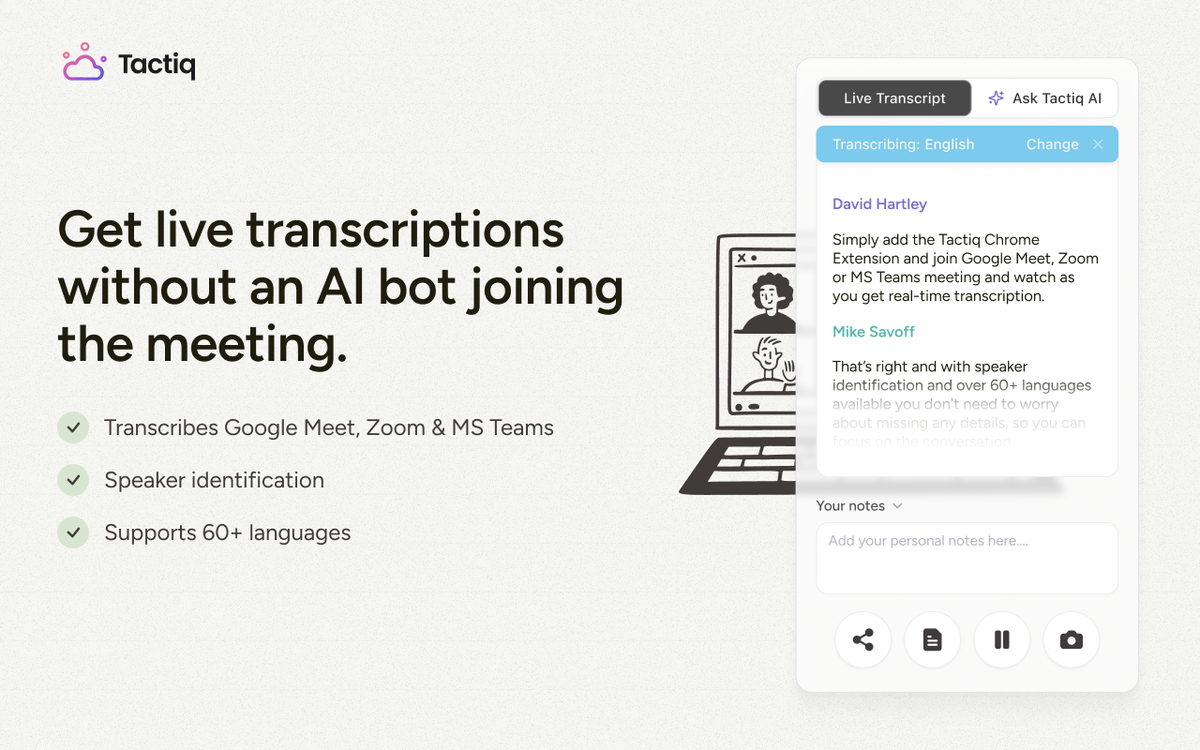
Tactiq transcribes meetings on Google Meet, Zoom, and Microsoft Teams. Its structured transcripts include speaker names, giving AI models clearer context than rough notes.
Connect the Tactiq MCP server to a compatible ChatGPT or Gemini client. Once authorized, you can ask the connected AI client to:
- Search past meetings
- Summarize calls and projects
- Surface decisions and action items
- Use meeting context in emails, reports, or other prompts
Tactiq MCP also works with Claude, Cursor, and other tools supporting Model Context Protocol. Setup and availability depend on the AI client, account, and permissions.
You can also export a transcript as a PDF or TXT file, then upload it manually to ChatGPT or Gemini. This option gives you more control over which meeting content enters the conversation.
For more options, read our guide to exporting ChatGPT conversations.
Want the convenience of AI summaries?
Try Tactiq for your upcoming meeting.
The Verdict
So, is Gemini better than ChatGPT? Gemini is better for Google-based research, long documents, and workflows across Google Workspace. ChatGPT is better for creative writing, brainstorming, and conversational problem-solving.
Neither AI tool wins every category. Your choice should depend on the tasks you complete most often and the ecosystem your team already uses.
Choose Gemini if you rely on Google apps or regularly analyze large files. Choose ChatGPT if you want flexible support for writing, coding, and idea development. You can also use both, selecting the stronger tool for each task.
FAQ
Your questions, answered.
If you have any further questions, Get in touch (opens in a new tab) with our friendly team
Is Gemini better than ChatGPT for research?
Is ChatGPT better than Gemini for writing and coding?
Which is cheaper, Gemini or ChatGPT?
Which has the bigger context window in 2026?
Can I use both with my meeting notes?
Related articles

Which AI Tool Uses ChatGPT for Meeting Data?

Best ChatGPT Alternatives in 2026 (Free & Paid)

How to Cancel ChatGPT Subscription in 2026: Step-by-Step Guide

How to Feed Data to ChatGPT

ChatGPT Meeting Minutes Generator

Copilot vs ChatGPT vs Gemini: Ultimate 2026 Comparison

How to Export ChatGPT Conversation (Full Guide)

Does Tactiq Work with the ChatGPT Atlas Browser?
Want the convenience of AI summaries?
Try Tactiq for your upcoming meeting.
Bringing AI into your meetings has never been so easy.
Add to Chrome - It's free!(opens in a new tab)Try Tactiq in your upcoming meeting!
Sign up now