
How to Use AI Chat in Meetings
October 2, 2025
October 2, 2025
October 28, 2025
October 28, 2025

Meetings generate constant conversation, but without structured support, important details, notes, and action items often get overlooked once the meeting ends. Manual note-taking and meeting transcriptions helped capture some of the content, but they left teams searching through pages of text to find the key points.
AI chat in meetings changes that. It combines transcription, meeting notes, and interactive chat so participants can ask questions, surface meeting data, and get summaries during the call. This shift turns raw conversation into actionable insights and keeps meeting participants focused on the discussion instead of documentation.
In this guide, you’ll learn:
- What is AI chat in meetings
- Its core features
- How to use it effectively
- The benefits and challenges teams should consider
What Is AI Chat in Meetings?
AI chat in meetings allows participants to interact with the transcript in real time. This approach transforms meetings into a space where information is instantly accessible. Meeting participants can:
- Ask about important details
- Clarify key points
- Request quick summaries without breaking the flow of the call
AI chat in meetings vs. real-time transcription
Real-time transcription creates a written record of the conversation. It ensures meeting transcripts are accurate and automatically transcribed, which helps teams revisit recent calendar meetings or share meeting transcriptions with others. But it often stops at capturing words.
AI chat in meetings adds context. By pulling from meeting data, it can answer questions, extract key insights, and highlight action items in the moment. Instead of passively recording, it acts like a meeting assistant that supports decision-making and engagement.
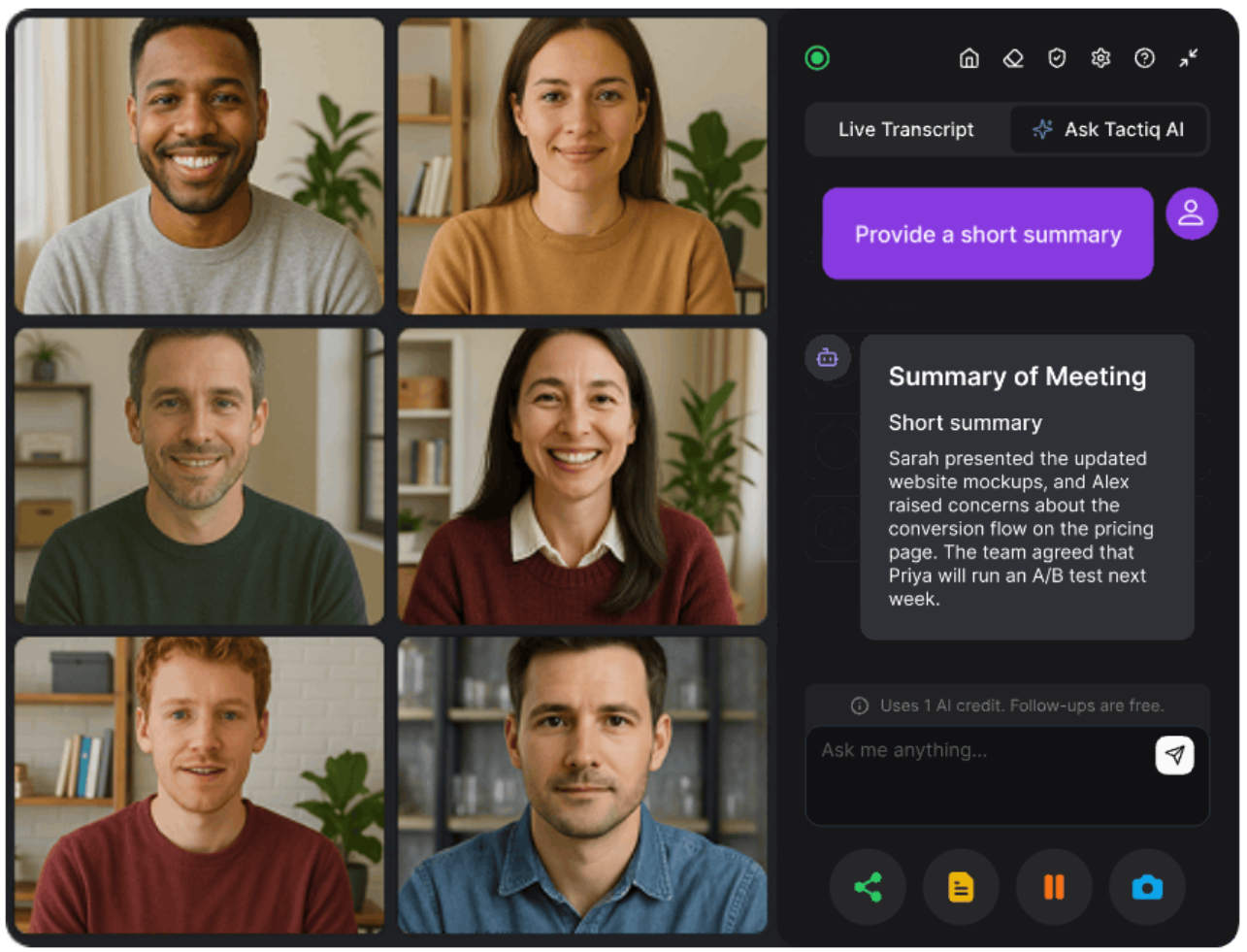
For example, with Tactiq, an AI-powered meeting note taker that works with Google Meet, Microsoft Teams, and Zoom, you can ask during a call, “What action items have been mentioned so far?”
The AI scans the meeting transcripts and instantly returns the key points. This helps meeting participants stay aligned and engaged without losing track of the conversation.
To see how AI assistants differ from more advanced AI agents, check out this guide on AI agents vs. AI assistants for meeting notes.
Core Features of AI Chat in Meetings
Here are the core features to look for when using an in-meeting AI:
Real-time action items & summaries
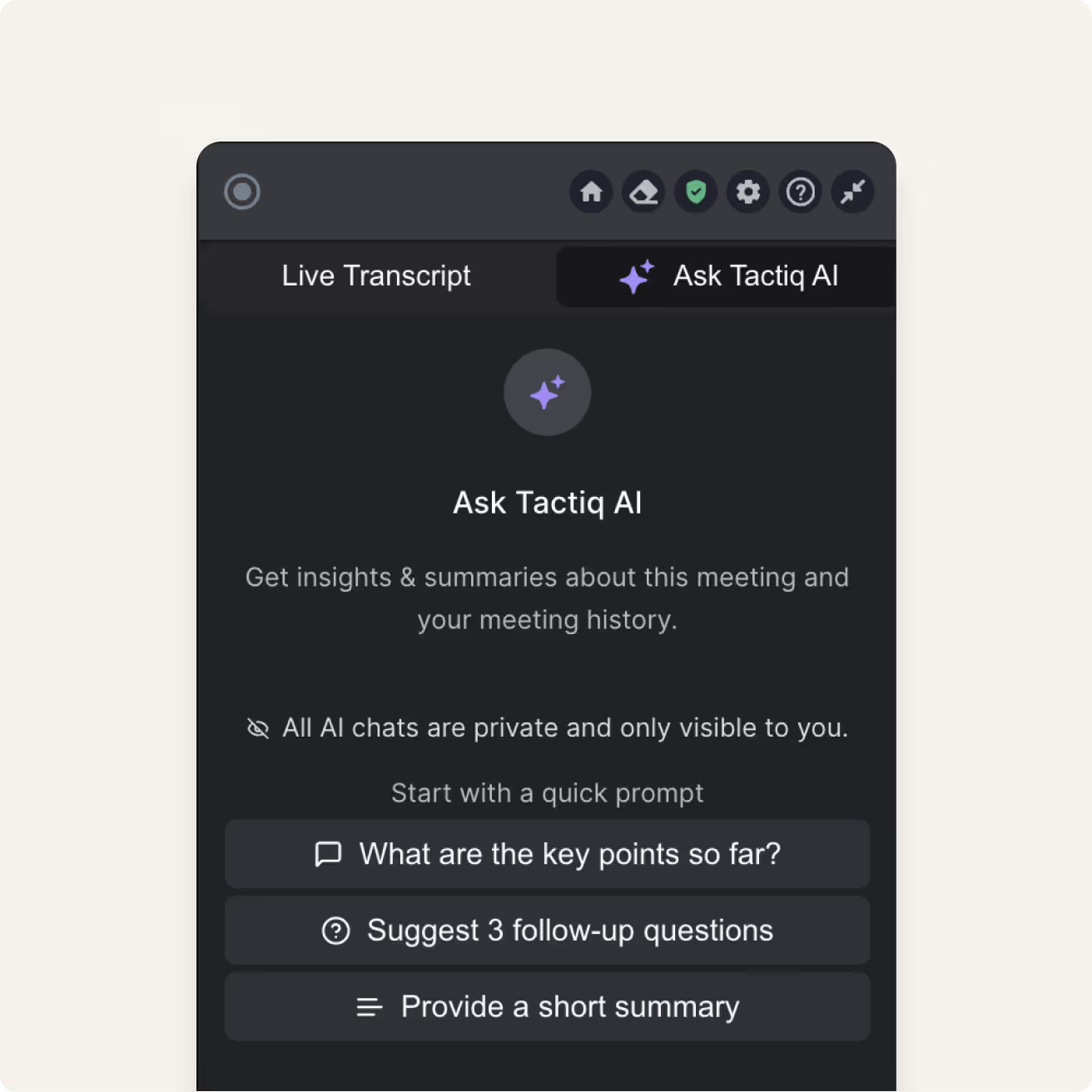
Instead of waiting for meeting recaps, teams get instant summaries while the conversation is still happening. AI highlights action items, important details, and key points so meeting participants know what to focus on before the meeting ends.
Context-aware answers to questions in real time
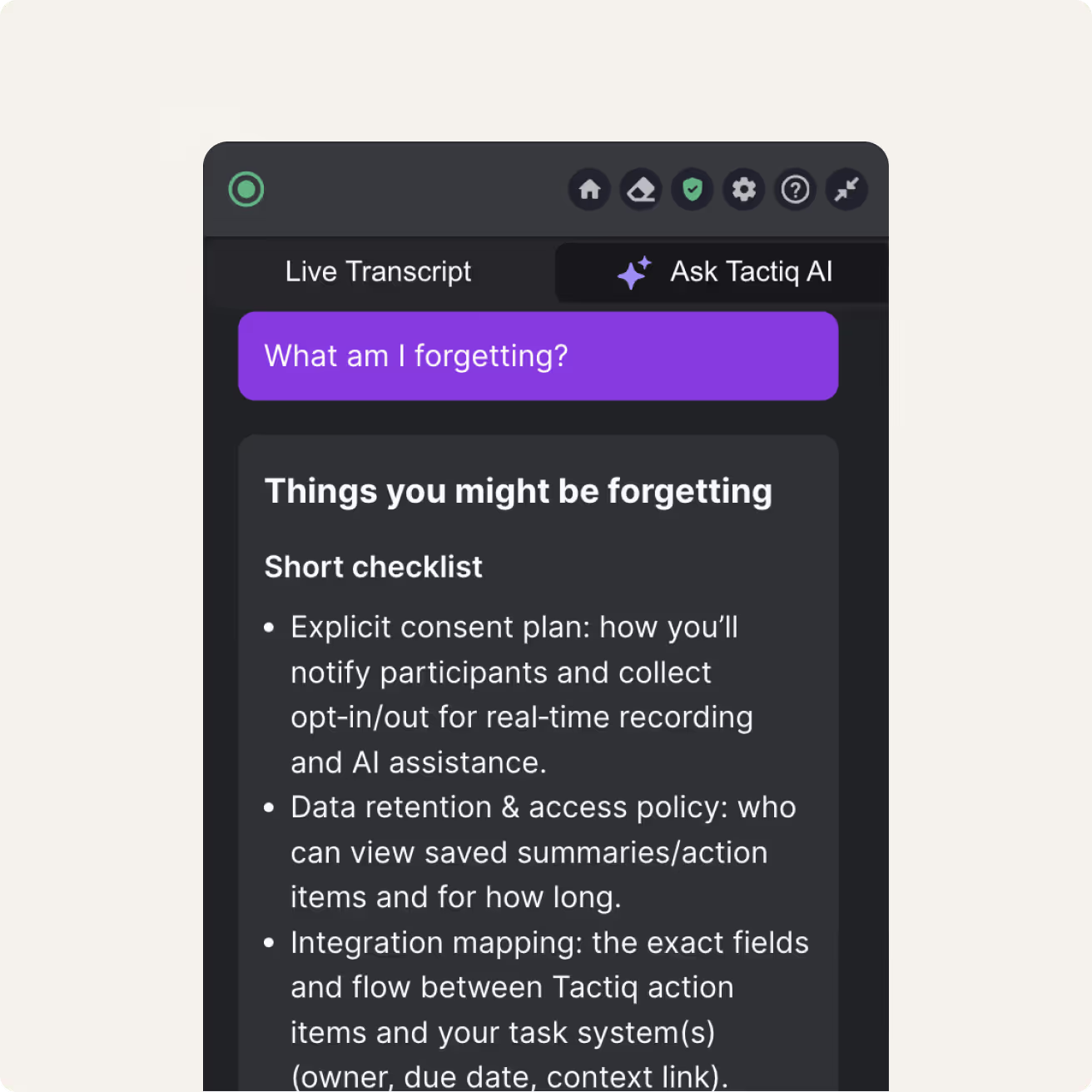
AI chat doesn’t just record. It can answer questions based on meeting data. For example, you can ask about customer calls, project deadlines, or decisions discussed earlier in the meeting. This feature helps extract key insights without interrupting the conversation flow.
Meetings thought partner
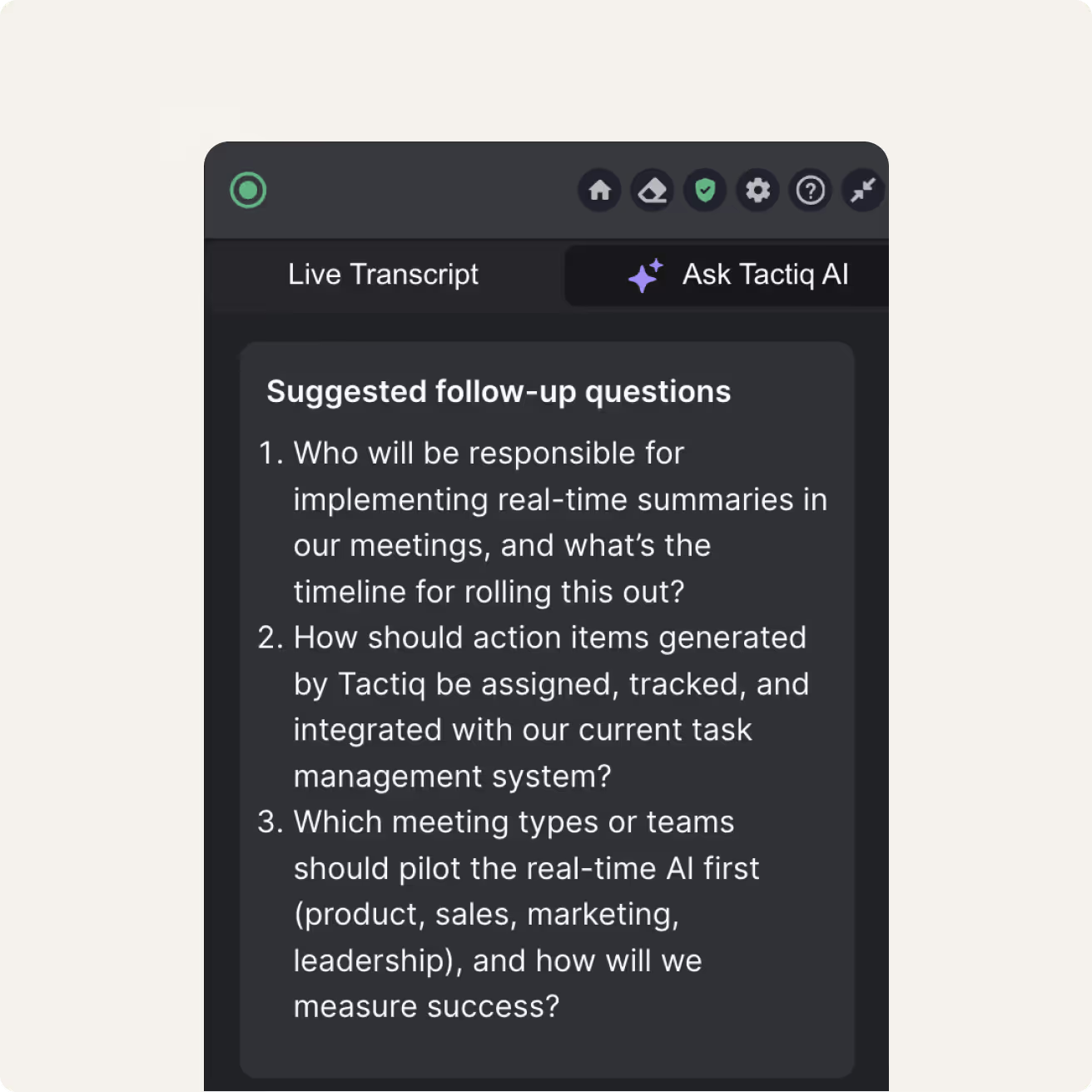
AI chat also works as a thought partner during internal meetings. It can suggest follow-ups, flag missing context, or summarize relevant information for multiple teams. This type of meeting intelligence keeps everyone aligned and reduces the risk of missed details.
Some teams even build custom agents to act as a meeting thought partner. Here’s how to build an AI agent for daily standups.
How to Use Tactiq’s AI Chat in Meetings
Getting started with AI chat in meetings doesn’t require a complex setup. With Tactiq, you can install the tool, capture meeting transcriptions, and interact with your meeting data in real time. Here’s how it works:
1. Install the Tactiq Chrome Extension
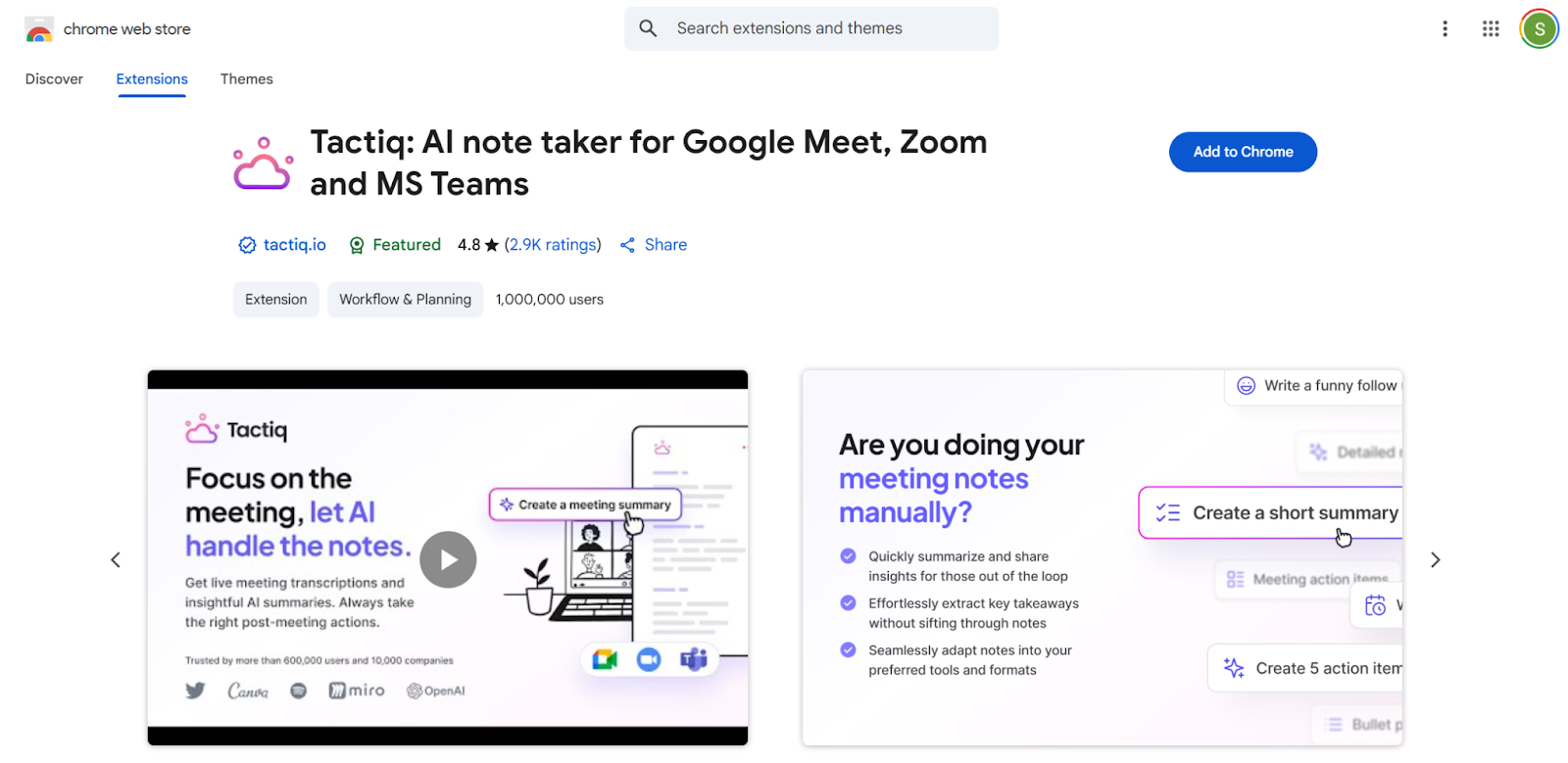
Begin by adding Tactiq to Chrome. It works with Google Meet, Microsoft Teams, and Zoom. Once installed, it automatically joins meetings and starts capturing accurate transcription as soon as the call begins.
2. Get real-time transcription
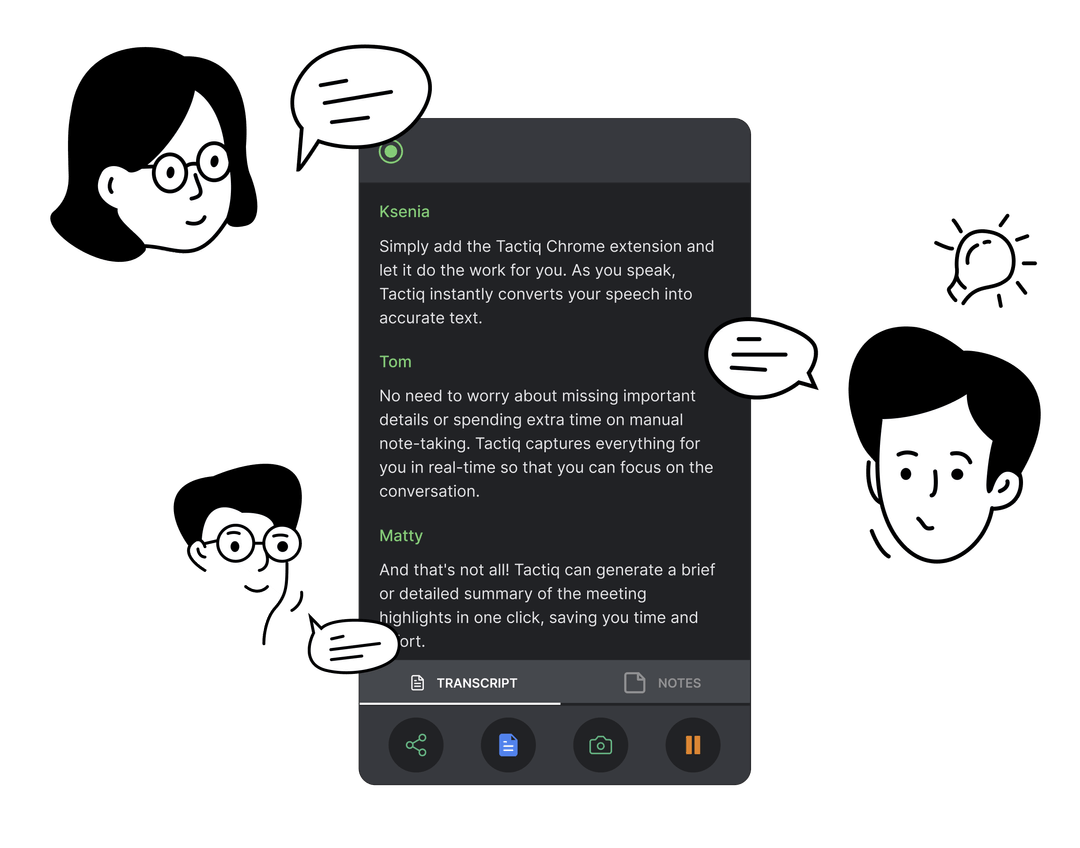
During the meeting, Tactiq provides a live transcript. Meeting participants can see notes built in real time to easily follow the conversation and capture important details without manual note-taking.
You can also see AI transcription in action to better understand how live transcripts improve focus during meetings.
3. Using AI chat to query meeting data (during the call)
.png)
On the Tactiq panel on the right, click the Ask Tactiq AI tab. While the call is active, you can ask questions like:
- “List the action items assigned to marketing.”
- “Summarize customer calls mentioned so far.”
- “What deadlines did we agree on?”
- “Highlight important details from the last 10 minutes.”
- “Which tasks require follow-up after the meeting ends?”
The AI scans the meeting content instantly, delivering relevant information before the meeting ends.
{{rt_cta_ai-convenience}}
The Future Of AI Chat In Meetings
AI chat in meetings is evolving fast, and we’ll see it do more than just transcribe and summarize. It’ll become a more active participant in meetings.
We expect:
- Voice-Driven Chatbots — Instead of typing prompts, participants will speak commands like “Show our open tasks” or “What was decided earlier?” and get instant answers.
- Cross-Platform Intelligence — AI models will link meeting data across Google Meet, Microsoft Teams, Zoom, and more, so insights are centralized and accessible no matter which conferencing tool was used.
- Inclusive Meeting Assistance — AI can detect silence or hesitation from participants and prompt facilitators to engage quiet attendees, improving equity in meetings.
As AI chat evolves, it’s shifting from a passive tool into an active meeting partner.
To explore what’s already available, here’s a list of the top AI meeting tools shaping this space today.
Wrapping Up
Meetings no longer need to end with scattered notes or missed key points. With AI chat in meetings, teams can capture accurate transcription, highlight action items, and query meeting data in real time. This transforms meetings into spaces where participants focus on the conversation, not documentation.
Adopting an AI meeting assistant helps teams improve decision-making, protect data security, and create reliable meeting recaps. As the technology grows, it will integrate even deeper into calendars, task management, and other apps that teams already rely on.
Try Tactiq to bring AI chat, real-time meeting transcripts, and actionable insights into Google Meet, Microsoft Teams, and Zoom. Start free and turn all your meetings into AI-powered knowledge hubs.
FAQs About How to Use AI Chat in Meetings
What’s the difference between an AI meeting assistant and AI chat in meetings?
An AI meeting assistant records and transcribes meetings. AI chat in meetings goes further, letting participants ask questions, extract key insights, and get action items in real time.
Why do I need AI chat in meetings?
AI chat captures notes, provides summaries, and delivers accurate transcription during the call. It keeps meeting participants focused while ensuring important details and action items are never missed.
What’s AI chat in meetings?
AI chat is a feature that combines transcription, meeting notes, and interactive prompts. It lets you query meeting data during calls, surface relevant information, and stay aligned across multiple teams.
Does AI chat work with Google Meet and Microsoft Teams?
Yes. Tools like Tactiq bring AI chat into Google Meet, Microsoft Teams, and Zoom, giving teams real-time meeting transcripts, summaries, and AI-powered note-taking across platforms.
Is AI chat secure for internal meetings?
Most AI meeting tools include data security features such as encryption, data retention controls, and user consent. Always review policies to ensure meeting content and notes stay protected.
Related articles








Want the convenience of AI summaries?
Try Tactiq for your upcoming meeting.
Want the convenience of AI summaries?
Try Tactiq for your upcoming meeting.
Want the convenience of AI summaries?
Try Tactiq for your upcoming meeting.