
Claude vs. Perplexity: Which AI Tool Is Right for Your Workflow?
March 2, 2026
March 2, 2026
April 28, 2026
April 28, 2026
Claude and Perplexity are two of the most popular AI tools right now. Both are powerful — but they're built for different jobs. This guide breaks down exactly when to use each one.

In this guide, you’ll learn:
- What Claude AI is, and where it shines
- What Perplexity is, and how it differs from traditional chatbots
- How they compare on performance, pricing, and key capabilities
- The best use cases for each tool
- How Tactiq helps you get even more value from both, especially in meeting workflows
- Clear answers to common questions like “Is Perplexity better than Claude?” and “Which is better for coding?”
Pro Tip 💡: One of the most powerful ways to maximize both Claude and Perplexity is by feeding them high-quality meeting transcripts from Tactiq. This combination transforms passive meeting participation into actionable intelligence.
What is Claude AI?
Claude AI is Anthropic’s family of AI models designed to be helpful, honest, and harmless. It’s known for strong reasoning, long‑context understanding, careful tone, and robust safety features. For many professionals, Claude feels like a thoughtful, reliable digital colleague.
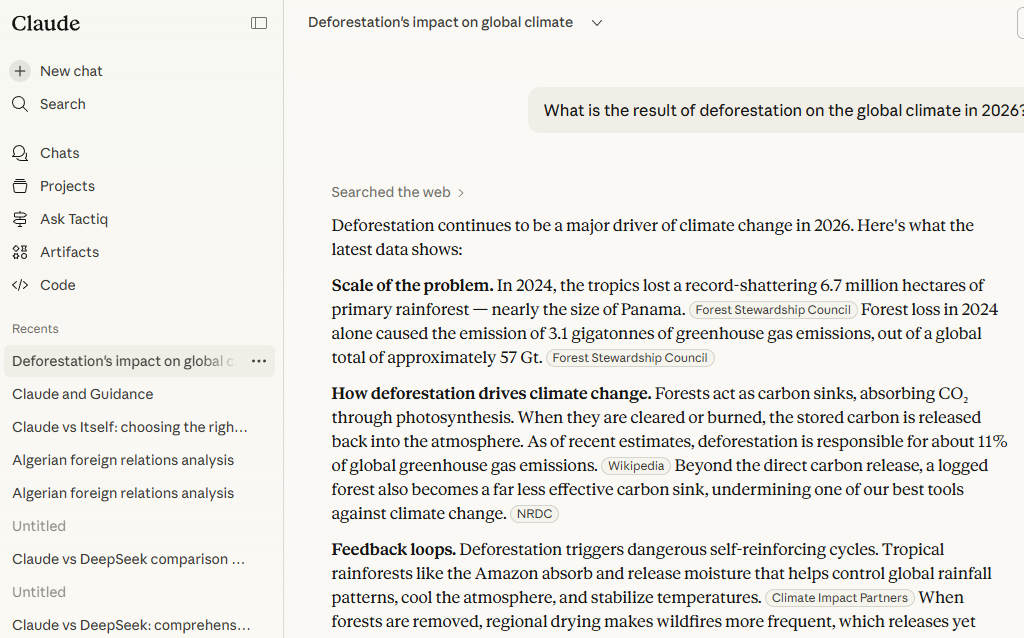
Features and Capabilities
1. Extended context windows (200K–1M tokens)
Claude’s standout advantage is its massive context window — the amount of information it can consider in a single conversation.
- Current Claude versions support 200K tokens by default, with some variants going up to 1M tokens
- Practically, this means Claude can process:
- Entire books or large legal contracts
- Long technical documentation sets
- Dozens of meeting transcripts or research articles at once
What this enables:
- Full‑document understanding: Instead of feeding snippets, you can provide entire reports and ask for cross‑document analysis
- Long‑term project threads: Keep a continuous conversation going about a complex project with lots of background material
- Rich summarization: Summarize, compare, and synthesize large bodies of information in one go
For example, you could give Claude multiple Tactiq transcripts from a quarter’s worth of sales calls and ask for patterns in objections, feature requests, and closing behaviors.
2. Multimodal understanding (text + images)
Claude can work with both text and images:
- Analyze screenshots, diagrams, charts, and PDFs
- Extract text from images (e.g., whiteboard photos, slide decks)
- Provide explanations, critiques, or summaries based on visual content
Combined with Tactiq, you can capture meeting transcripts and then upload supporting materials, such as screenshots from the call, for Claude to analyze in context.
3. Code generation and analysis
Claude is a strong coding assistant that can:
- Generate code in common languages (Python, JavaScript/TypeScript, Java, C#, Go, etc.)
- Explain complex code step‑by‑step
- Review and refactor code for clarity and performance
- Write tests, scripts, and automation utilities
- Help debug error messages and unexpected behavior
Because of its large context window, Claude is especially good for:
- Large codebase comprehension: Paste in multiple related files and ask for an architectural overview
- End‑to‑end reviews: Feed in a pull request and ask Claude to identify risks, edge cases, or missing tests
4. Extended thinking mode
Claude offers an extended thinking or “deep thinking” mode, where it spends more time reasoning before responding. This is particularly valuable for:
- Complex analytical or strategic questions
- Multi‑step logic and math problems
- Weighing pros and cons across different scenarios
- Drafting nuanced communication (e.g., sensitive internal memos)
You can think of this as the AI taking extra time to “think out loud” internally before it talks — often leading to more consistent, well‑structured answers.
5. Constitutional AI approach
Anthropic’s Constitutional AI approach means Claude is trained with an explicit set of principles that guide its behavior, such as:
- Avoiding harmful or deceptive outputs
- Honoring privacy and safety
- Providing balanced, transparent reasoning where possible
For professionals in regulated or reputation‑sensitive fields (healthcare, finance, legal, education), this can translate into:
- More careful handling of sensitive topics
- A reduced tendency to generate speculative or unsafe advice
- Safer use in client‑facing or public‑facing contexts (within your own compliance guardrails)
Claude Pricing
Claude offers multiple access options tailored to individuals and teams,1. Product tiers
- Free
- Web access with usage limits
- Access to recent Claude model(s) with basic capabilities
- Ideal for light, occasional use
- Pro – $20/month
- Priority access and higher usage limits
- Faster responses and better availability during peak times
- Best for power users who rely on Claude daily
- Max – $100/month
- Access to the most capable Claude models and features
- Higher context limits and more intensive usage
- Suited to heavy professional users, advanced creators, and independent consultants who run many large tasks
- Team - varies per team requirements
- Shared billing and administration for groups
- Centralized workspace and policies
- Ideal for small–midsize teams that want consistent access for multiple users
- Enterprise - varies per enterprise requirements
- Custom SLAs, security, and compliance options
- Advanced administration and integration features
- Best for large organizations and regulated industries
Exact limits and benefits can change over time, but this is the typical structure.
What is Perplexity?
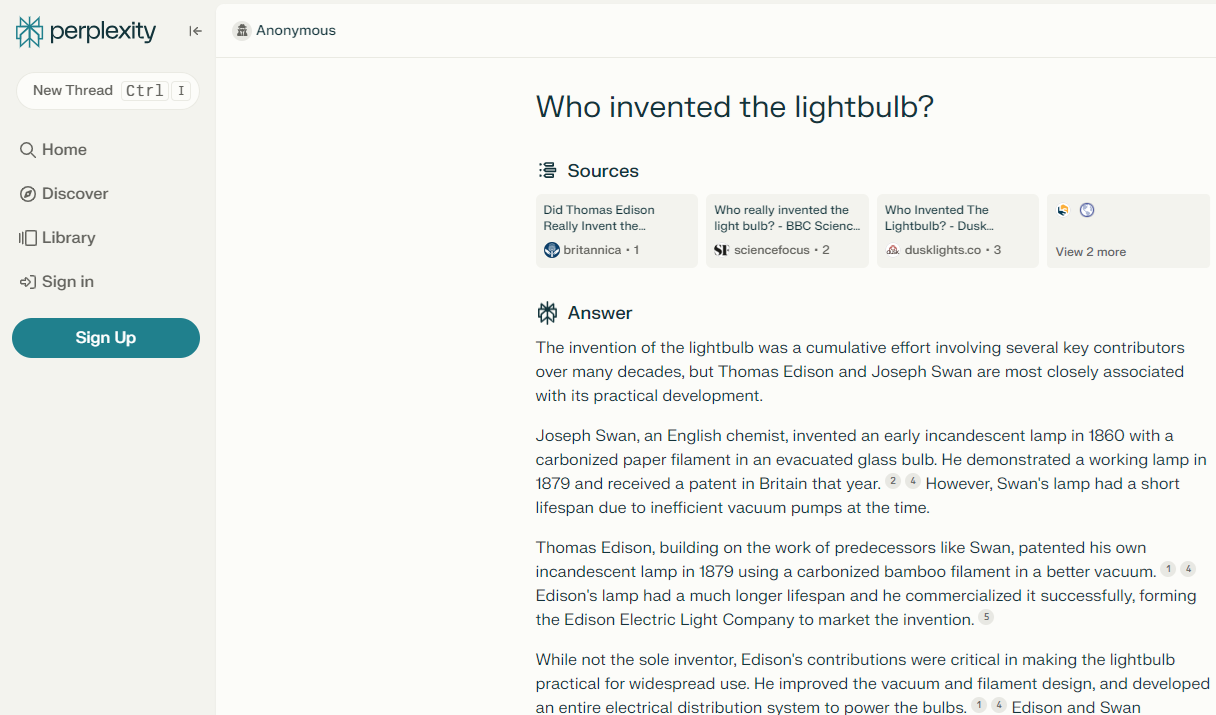
Perplexity is an AI‑powered answer engine that blends large language models with real‑time web search. Instead of just generating text from its training data, Perplexity actively queries the web, then summarizes and cites its sources.
It’s best thought of as a research‑first AI assistant — halfway between a search engine and a chatbot.
Features and Capabilities
1. Real‑time web search with citations
Perplexity’s core strength is its integration with the live web:
- Every answer is grounded in real‑time search results
- It provides citations so you can see where information came from
- You can click through sources to verify claims or dive deeper
This is especially powerful for:
- News and current events
- Market and competitor research
- Changing datasets (e.g., pricing pages, product documentation, regulations)
- Fact‑checking statements made in meetings or documents
When combined with Tactiq, you can:
- Pull out a claim from a meeting transcript (e.g., “Our competitor just doubled their prices”)
- Ask Perplexity to verify it and show the current pricing from the web
- Get a synthesized, sourced summary you can share with your team
2. Multi‑model access (GPT‑4, Claude, DeepSeek, etc.)
Perplexity doesn’t rely on a single model. It can route queries through multiple top‑tier models, such as:
- GPT‑4 and other OpenAI models
- Claude models from Anthropic
- Models like DeepSeek and others, as they’re integrated
This gives you flexibility:
- Use Perplexity as a hub to tap different models without juggling multiple subscriptions
- Let Perplexity’s routing decide which model is best for a given query type
- Sometimes you get better performance on specialized tasks by switching models
3. Pro Search for deep research
Perplexity’s Pro Search is designed for more intensive, multi‑step investigation:
- Reads more sources and explores deeper than a standard search
- Better for comprehensive reports rather than quick answers
- Ideal when you need:
- Literature overviews
- Market landscapes
- Policy and regulation summaries
- Competitive intelligence reports
This can transform a lengthy manual research process (hours of browsing and note-taking) into a structured, sourced summary that you can review and refine.
4. Source attribution and transparency
Perplexity emphasizes transparency:
- Each answer lists sources with URLs
- You can inspect where specific claims originated
- Often shows snippets from source pages alongside its synthesis
This is crucial for:
- Academic and professional settings where citations are required
- Auditing information before sharing it with stakeholders
- Reducing the risk of accepting hallucinated or outdated claims at face value
5. Spaces for organized research
Perplexity includes Spaces — persistent, shareable research workspaces:
- Group related queries, answers, and sources into one space
- Collaborate with teammates or share with stakeholders
- Build reusable research hubs (e.g., for an industry, topic, or client)
Example workflows:
- Build a market analysis space with all your competitor overviews and trend reports
- Maintain a regulatory tracking space for your compliance team
- For internal strategy projects, link Tactiq meeting transcripts with external research synthesized by Perplexity (you can reference findings from calls, then gather supporting data in the Space)
Perplexity Pricing
Perplexity offers multiple plans tailored to different usage levels.
1. Product tiers
- Free
- Unlimited basic searches
- 5 Pro Searches per day (deep research queries)
- Access to core capabilities and citations
- Ideal for light personal use and quick lookups
- Pro – $20/month
- Higher Pro Search limits
- Access to more powerful models and features
- Priority performance and early access to new tools
- Best for professionals who rely on AI for regular research
- Enterprise Pro – $40/user/month
- Designed for teams and organizations
- More generous usage limits and administrative controls
- Better for departments that use Perplexity as a primary research engine
Exact limits and entitlements may change as Perplexity evolves, but this is the typical structure.
2. API pricing
Perplexity also provides API access, which is especially useful if you:
- Want to embed Perplexity‑style web‑grounded answers into your own apps
- Need programmatic access to its research features
- Are building products that rely on live data plus LLM reasoning
Pricing typically:
- Varies by model and endpoint
- Follows a usage‑based model (similar to other LLM APIs)
- May include tiers or custom plans for large‑scale use
Claude vs Perplexity: Key Differences
Understanding when to use Claude versus Perplexity requires looking beyond surface-level features to examine how each platform approaches fundamental aspects of AI assistance. Both are powerful, but they’re optimized for different things. Claude is a long‑context, reasoning‑first assistant; meanwhile, Perplexity is a research‑first answer engine.
Performance Comparison
1. Coding capabilities
When evaluating coding capabilities, Claude demonstrates significant advantages for complex development work. The system's extended context windows allow it to understand entire codebases at once, making it particularly effective for large-scale refactoring, architectural decisions, or debugging issues that span multiple files.
Claude writes clean, idiomatic code across numerous languages, explains its reasoning clearly, and can engage in back-and-forth conversations to refine implementations.
Perplexity, while capable of answering coding questions and providing code snippets, focuses more on helping you find existing solutions, documentation, and best practices rather than generating extensive custom code. If you're building something new and complex, Claude is typically the stronger choice.
If you're trying to understand how to use a specific library or debug a known issue, Perplexity's ability to search current documentation and Stack Overflow discussions can be invaluable.
- Claude
- Strong at code generation, explanation, and refactoring
- A large context window is a major advantage for big codebases
- Extended thinking mode helps with complex logic and multi‑file reasoning
- Perplexity
- Can generate and explain code, especially when using powerful models
- Better suited to quick coding tasks and documentation lookup than deep codebase analysis
- Useful for researching libraries, frameworks, or patterns, then synthesizing guidance
Verdict: For serious coding and large‑scale code analysis, Claude is usually the better primary tool. Perplexity is strong as a research sidekick for documentation and examples.
2. Research and citations
Claude’s strength in research is in analyzing documents, but it doesn't perform real-time web searches or provide citations in a systematic way. When your work requires demonstrable sources and current information, Perplexity's approach provides significant advantages.
For research and citations, Perplexity clearly takes the lead through its design philosophy. Every response includes direct citations to current sources, making it trivial to verify claims or dive deeper into topics. The platform excels at synthesizing information from multiple recent sources, ensuring you're working with current information rather than potentially outdated training data.
- Claude
- Excellent at synthesizing and reasoning over documents you provide
- Can be used for research if you paste in sources, but it doesn’t natively browse the web (as of this writing)
- Strong for internal knowledge bases, reports, and static documents
- Perplexity
- Built from the ground up for live, cited research
- Continuously draws from web sources, showing you exactly where information comes from
- Pro Search excels at deep dives and comprehensive overviews
Verdict: For web‑based research with citations, Perplexity clearly leads. For analysis of internal documents and long materials, Claude excels.
3. Context window and memory
Context window and memory capabilities heavily favor Claude, which can maintain context across extraordinarily long conversations or process massive documents in single interactions. This proves useful when working with lengthy contracts, comprehensive research papers, entire books, or any situation where you need the AI to remember and reference extensive information throughout your conversation.
Perplexity maintains conversation history and can reference earlier queries, but its context handling focuses more on sequential searches rather than deeply understanding massive single documents.
- Claude
- Extended context windows (200K–1M tokens)
- Ideal for large documents, multi‑doc analysis, and long conversations
- Great for project threads that build over time
- Perplexity
- Has a reasonable working context for conversational queries
- Better optimized for chunked, question‑and‑answer style interactions
- Not designed to hold huge volumes of your proprietary text in a single prompt, the way Claude can
Verdict: For long or complex internal content, Claude’s context window is a major differentiator.
4. Speed and response time
Performance can vary based on current load, plan, and query complexity. Claude's response time depends heavily on the complexity of your request and whether you're using extended thinking mode, but for most queries, it provides responses at a pace that feels conversational rather than laborious.
Perplexity often delivers initial responses quickly, particularly for straightforward questions where it can immediately surface relevant sources. However, Pro Searches that involve multiple web queries and synthesis can take longer:
- Claude
- Very fast for short to medium prompts, especially on Pro and Max
- Extended‑thinking mode can be slower but more thorough
- Large context prompts naturally take longer
- Perplexity
- Typically fast for standard searches
- Pro Searches can take longer because they explore more sources
- Web access can introduce variable latency depending on the number and type of sites queried
Verdict: For quick answers or short creative tasks, both are fast. For heavy research, Perplexity may take a bit longer but gives you citations; for heavy, long‑context analysis, Claude will take longer but offers deeper reasoning.
5. Multimodal features
Multimodal features currently favor Claude, which offers robust image understanding capabilities alongside its text processing. Perplexity has begun incorporating some multimodal capabilities, but its primary strength remains text-based question answering with citations.
- Claude
- Strong image understanding is integrated into its core experience
- Great for:
- Explaining charts or graphs
- Reading screenshots, whiteboards, UI mockups
- Mixed text + image analysis in one conversation
- Perplexity
- Has been adding multimodal capabilities over time, but its primary power remains text + web search
- Image handling is generally not its central differentiator vs. its search capabilities
Verdict: For rich image analysis combined with long text, Claude has the edge.
Pricing Comparison
From a pure cost perspective, both platforms offer free tiers that provide genuine value, making it possible to explore their capabilities before committing financially. Both platforms also offer advanced capabilities at higher tiers. Here’s the value proposition for different use case scenarios.
Cost analysis by use case
- Individual power users
- Heavy writing, coding, and internal document work → Claude Pro or Max
- Heavy research and fact‑checking needs → Perplexity Pro
- Teams
- Engineering, research, or documentation teams with lots of internal content → Claude Team/Enterprise
- Market research, strategy, and competitive intelligence groups → Perplexity Enterprise Pro
Value for different workflows
- Content + strategy workflows
- Drafts, memos, and reports → Claude
- Supporting external data → Perplexity
- Research‑heavy roles (analysts, consultants, product marketing)
- Discovering and synthesizing sources → Perplexity
- Refining and expanding on those findings into polished deliverables → Claude
- Meeting‑centric workflows (sales, success, leadership)
- Summarize, extract insights, and create follow‑up materials → Claude
- Validate statements and add market/competitive context → Perplexity
- Tactiq is best for capturing the transcript and highlights to feed into both
In many professional settings, the most cost‑effective approach is not either/or but using both for what they’re best at, especially if you’re already paying for one and can justify the other for high‑impact tasks.
Best Use Cases for Claude
1. Long‑form content creation and creative writing
Claude is particularly strong at:
- Structuring long documents (reports, whitepapers, ebooks)
- Maintaining tone, voice, and consistency over many pages
- Generating creative ideas, narratives, and examples
- Assisting with rewriting, polishing, and localization
When you're drafting articles, reports, white papers, or marketing copy, Claude doesn't just generate text—it understands narrative flow, maintains consistency in voice, and can adapt style based on your guidance.
2. Complex coding projects and code review
Claude’s large context and reasoning skills make it valuable for:
- Understanding multi‑file architectures
- Refactoring or modernizing old codebases
- Designing APIs, schemas, or system components
- Reviewing pull requests for logic issues and edge cases
You can, for instance, paste in a core portion of your backend plus logs or error traces and ask Claude to diagnose likely failure points.
3. Document analysis and summarization
Claude shines when you can give it a lot of text:
- Legal documents and contracts
- Technical specs and product requirement documents
- Research reports and whitepapers
- Multi‑meeting transcripts exported from Tactiq
Feed Claude a hundred-page contract, a dense academic paper, a comprehensive market research report, or a collection of meeting transcripts, and it will extract key points, identify important implications, highlight potential concerns, and answer specific questions about the content.
4. Strategic planning and decision‑making
Claude is excellent at structured thinking and “thinking with you”:
- Scenario analysis (pros/cons, risk assessment, trade‑offs)
- Business model exploration and refinement
- Roadmap prioritization and impact assessment
- Internal policy drafting and refinement
Feeding it detailed context (numbers, constraints, previous discussions from Tactiq) lets it function more like a strategy partner than a simple chatbot.
5. Professional communication
Claude can quickly elevate the quality and clarity of communications:
- Drafting emails, memos, proposals, and RFP responses
- Turning raw notes or transcripts into clear docs
- Adapting messaging for different audiences (executives, customers, partners)
- Maintaining a consistent, professional tone
A powerful pattern is: Tactiq transcript → Claude summary → Claude‑drafted follow‑up email tailored to each stakeholder.
Best Use Cases for Perplexity
1. Real‑time research with citations
Perplexity is ideal when you need:
- Up‑to‑date information on markets, competitors, regulations, or trends
- Answers you can back up with sources
- Quick scanning of multiple perspectives
When you need current information about events, technologies, companies, or any rapidly evolving topic, Perplexity searches the web in real-time and synthesizes findings with proper attribution.
2. Market analysis and competitive intelligence
Perplexity can:
- Summarize product offerings and positioning of competitors
- Track pricing strategies and recent announcements
- Consolidate analyst reports and expert commentary
- Provide region‑specific insights and trends
This turns it into a lightweight but powerful CI assistant, especially when used regularly and organized inside Spaces.
3. Fact‑checking and verification
Because Perplexity cites its sources, it’s excellent for:
- Verifying claims before including them in reports
- Spotting outdated or incorrect data in existing documents
- Double‑checking numbers, statistics, and quotes
Combined with Tactiq, you can:
- Highlight key claims from a meeting (“We’re the only vendor doing X”)
- Ask Perplexity to check if that’s still true and provide evidence
- Share the verified findings back with the team
4. Academic research
For students, researchers, and academics, Perplexity is useful for:
- Quickly scanning literature on a topic
- Surfacing relevant papers, books, and credible sources
- Summarizing and comparing research findings
- Getting citations you can trace back to original materials
It’s not a replacement for primary reading or expert review, but it dramatically speeds up the initial discovery and orientation phases. The citations make it easy to locate and access original papers for deeper study.
5. Quick knowledge lookup with sources
Beyond deep research, Perplexity is also great for:
- Defining unfamiliar terms or concepts
- Getting overviews of niche topics
- Looking up company backgrounds or product overviews
- Checking basic “how does X work?” questions
The difference from a normal search engine is the structured, synthesized answer plus citations, saving you from manually compiling information from multiple tabs. This makes it ideal for the dozens of small research tasks that punctuate professional work—the moments when you need accurate information quickly without falling into the rabbit hole of traditional web searching.
Improve your Meeting Workflows with Tactiq
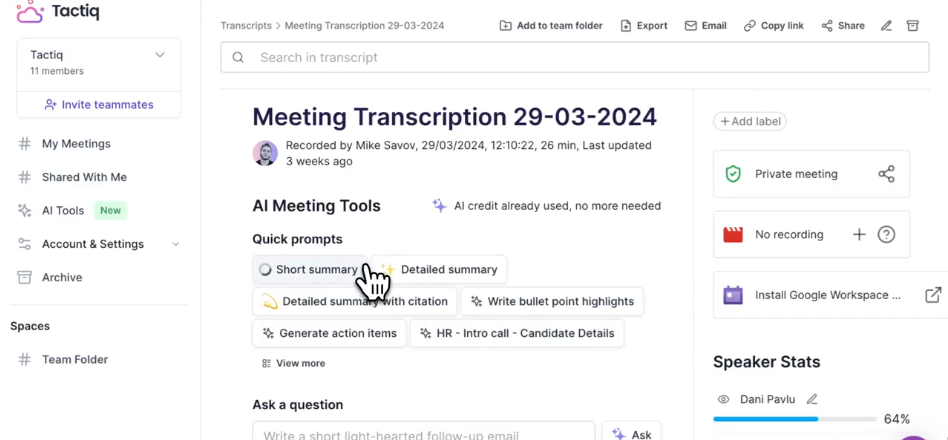
Meetings remain where many of the most important decisions, insights, and commitments live — but traditionally, that information is scattered across people’s memories, rough notes, and partial recordings.
Tactiq solves this by capturing and organizing meeting transcripts from platforms like Zoom, Google Meet, and Microsoft Teams. It then adds automation and integrations that turn raw conversation into actionable knowledge.
Tactiq’s key features
- Automatic transcription
- Captures spoken content from calls in real time
- Works across major conferencing platforms
- Speaker identification and structure
- Distinguishes who said what
- Breaks the meeting into readable sections
- AI‑powered summaries and highlights
- Generates summaries, action items, and decisions
- Let's you quickly scan what happened without rewatching
- Searchable meeting history
- Find past discussions by keyword or topic
- Revisit decisions or commitments weeks later
- Integrations and exports
- Export transcripts and summaries to tools like:
- Google Docs, Notion, Slack, and others
- External LLMs like Claude via copy/export
Tactiq can handle your meeting workflow
Tactiq captures the meeting content reliably and makes it available in formats that work with the tools you prefer. The automated summaries provide a quick refresh for participants, the action items ensure follow-through happens, and the searchable transcripts make it easy to reference what was said when questions arise later. Tactiq users save time on note-taking and can search past meetings by keyword in seconds.
Connect Tactiq to advanced LLM workflows
Some workflows demand more advanced capabilities—custom analysis, integration with specific tools, or unique processing of meeting content. For these scenarios, Tactiq makes it remarkably easy to export transcripts to large language models like Claude or use them with research tools like Perplexity.
Whether you want to use Tactiq's built-in automation for routine tasks or export to Claude and Perplexity for specialized work, the platform supports both approaches seamlessly. Tactiq’s easy export to any LLM ensures you’re not locked into a single AI stack.
{{rt_cta_ai-convenience}}
Conclusion
The choice between Claude AI and Perplexity AI isn’t about which platform is universally better—it’s about which one aligns with your professional priorities. Claude stands out as a versatile, high-capacity assistant suited for complex, sustained work. Perplexity, on the other hand, excels at research and information retrieval. Its search-first design, real-time information access, and transparent citations make it ideal when accuracy, verification, and up-to-date knowledge are critical. Professionals can benefit from using both tools alongside Tactiq.
Ready to make your meetings work harder for you? Try Tactiq free today and discover how automatic transcription and AI-powered summaries can transform your meeting workflows, while seamlessly connecting with the AI tools you already use. With Tactiq handling the capture and organization, you can focus on what matters most—meaningful participation in meetings and intelligent application of AI to the work that follows.
FAQs
Is Perplexity better than Claude?
Neither platform is universally better. Perplexity is superior for research tasks requiring current information and citations, so it’s ideal for research-heavy work. Claude is better suited for creative work, complex analysis, coding projects, and tasks requiring extensive context.
Which AI is better for coding, Claude or Perplexity?
Claude is substantially better at coding tasks. Its large context windows allow it to understand entire codebases and create code that works close to what is requested. Perplexity is more about finding existing solutions than generating custom code.
Is Claude more accurate than Perplexity?
Claude's knowledge is trained on data current up to January 2025, so it is not the best for current events and knowledge. However, it is good at providing a nuanced analysis of that data. Perplexity is more up-to-date as it searches the web in real-time and gives responses based on current sources.
Can Claude analyze images better than Perplexity?
Yes, Claude currently offers more robust image analysis capabilities. You can upload photographs, diagrams, charts, screenshots, or technical documentation, and Claude will interpret visual content intelligently. Perplexity’s strength lies in text-based search and synthesis.
Which AI is better for research, Claude or Perplexity?
Perplexity is generally better for research requiring current information, multiple sources, and proper attribution. Claude excels at different aspects of research—analyzing lengthy documents you provide, synthesizing information across materials, or reasoning about research questions in depth.
Related articles








Want the convenience of AI summaries?
Try Tactiq for your upcoming meeting.
Want the convenience of AI summaries?
Try Tactiq for your upcoming meeting.
Want the convenience of AI summaries?
Try Tactiq for your upcoming meeting.