
Is Claude or Gemini Better for Your Meetings and Workflow?
- Published:
- March 3, 2026
- Updated:
- August 29, 2026
Meetings are where the real work happens: decisions get made, ideas get shaped, action items get assigned. The problem is what happens after. Notes get lost, action items slip, and the details that matter fade fast.
Claude and Gemini handle that job differently, and the gap matters most right after the meeting ends, when you're deciding whether to draft, search, or just get notes into your existing tools. One is built for careful writing and reasoning. The other is built to work inside the apps you already use.
Picking the right one depends on how your team runs meetings and what you do with them afterward.
TL;DR: Is Claude or Gemini Better for Your Meetings?
If you want one AI tool built for meetings, choose Tactiq (opens in a new tab). It transcribes meetings across Zoom, Google Meet, and Microsoft Teams, summarizes them on a Team plan, and connects directly to Claude through MCP (opens in a new tab).
Claude is the stronger pick for turning transcripts into polished summaries and follow-up drafts. Gemini fits better if your team lives in Google Workspace and wants notes flowing straight into Docs, Sheets, or Gmail.
What Claude and Gemini Are Built For
Claude and Gemini take different approaches to getting work done. Here's what each one is actually built for.
What Claude is built for
Claude is built for careful, iterative work: writing that needs real editing, code that needs to hold up across a whole project, and long documents that need to stay consistent from start to finish.
Anthropic's current lineup has four tiers:
- Claude Sonnet 5 – the default model, balancing speed and quality for everyday writing and coding
- Claude Opus 5 – built for complex, multi-step work like large codebases or long research projects
- Claude Haiku 4.5 – handles fast, simple tasks like quick summaries
- Claude Fable 5 – Anthropic's most capable model, sitting above Opus. See how it compares in Fable 5 vs. Opus 5 (opens in a new tab) if you're deciding between the two
Claude Sonnet 5 runs $2 input / $10 output per million tokens, and Claude Opus 5 runs $5/$25, both with a 1 million token context window.
Claude Pro costs $20 a month, or $17 a month billed annually.
Best for: long documents, agentic coding, and iterative writing that benefits from careful revision.
What Gemini is built for
Gemini is built to work where your team already spends its day: Gmail, Docs, Sheets, and Meet. It handles multimodal input well, reading images, documents, and video without extra setup.
Google's current lineup includes:
- Gemini 3.1 Pro – the flagship model, built for complex reasoning and multi-step problem solving
- Gemini 3.7 Flash – the faster, lower-cost model for everyday tasks like coding and quick agentic work
Gemini 3.1 Pro runs $2 input / $12 output per million tokens with a 1 million token context window. Gemini 3.7 Flash runs $0.75/$3.75 per million tokens through December 31, 2026, rising to $1.50/$7.50 after that.
Google AI Pro costs $19.99 a month.
Best for: teams already working inside Google Workspace who want speed and native app integration over deep editing control.
💡 Pro tip: Tactiq (opens in a new tab) captures transcripts from Zoom, Google Meet, and Microsoft Teams. Its MCP server (opens in a new tab) then connects those transcripts to any MCP-compatible AI tool, including Claude.
Claude or Gemini: Which One Fits Your Work?
There's no single winner in the Claude vs Gemini comparison. The right tool depends on the task in front of you, not which one wins a side-by-side comparison on paper.
Complex reasoning tasks and multi-step reasoning tasks
Both hold up well here. Benchmark results shift by version and task type, so don't treat either as a settled winner. Claude's extended thinking mode works through complex code and analytical tasks in visible reasoning steps before answering. Useful when you want to check its logic on a multi-step task, not just the output.
Real-time research
Gemini has an edge here through its native Google Search integration and Deep Research feature, which can browse hundreds of sources and synthesize a cited report. Claude also has web search built into the API and chat app, but it's a more conversational, single-answer tool rather than a multi-page research report.
Very large documents
Both offer a massive context window on their flagship tiers, so this is close. For documents that need real analysis rather than just retrieval, output quality tends to matter more than raw context size.
Multimodal tasks
Gemini's multimodal capabilities cover image generation, image understanding, and image analysis natively, without extra setup.
Google Workspace teams
Gemini's ties to Google Docs, Google Sheets, and Google Cloud remove steps Claude can't skip without a connector.
Cost and speed at scale
Gemini Flash is the cheaper, faster option for high-volume, lower-complexity work. Claude Sonnet 5 stays competitive for most everyday production tasks.
Deep research and research synthesis
Gemini's Deep Research feature pulls from many sources at once, which suits broad research synthesis better than a single long conversation.
AI agents and agent mode
Both support agent-style workflows. Which one performs better depends heavily on the specific task, so test with your own real-world examples rather than relying on a single benchmark.
For a broader look at where each AI tool fits, see our roundup of top AI tools for productivity and time management (opens in a new tab).
Using Claude or Gemini With Your Meeting Transcripts
The tool you pick matters less if the meeting itself never made it out of the room.
Tactiq (opens in a new tab) solves that first: it automatically captures transcripts across Zoom, Google Meet, and Microsoft Teams. What happens next depends on which assistant you're using.
Claude has the more direct path. Tactiq is listed in Claude's Connectors Directory (opens in a new tab), so there's no manual MCP URL to enter; just connect once and ask Claude to search or summarize your meeting history. For the full setup, see how to connect meeting notes to Claude (opens in a new tab).
Gemini works differently. Its consumer app doesn't support open MCP custom connectors the same way, since that's gated to Gemini Spark tasks and Gemini Enterprise, not standard Pro or Ultra plans. The practical path is to save your Tactiq transcript to Google Drive, then work with it directly inside Gemini or Docs.
Either way, the transcript is the raw material both tools depend on. Capture it once with Tactiq, and it's ready for whichever assistant fits the task.
Add the Tactiq Chrome extension (opens in a new tab) to start capturing your next meeting automatically.
Want the convenience of AI summaries?
Try Tactiq for your upcoming meeting.
Is Claude or Gemini Better?
Neither tool wins across the board. Claude is the stronger pick when the work is writing, code, or anything that benefits from careful revision. Gemini is the stronger pick when your team already runs on Google Workspace and wants meeting notes flowing into Docs and Gmail with less manual handling.
The better question is which one fits the work you're actually doing this week. And for most teams, that answer starts with what happens to the meeting transcript right after the call ends.
FAQ
Your questions, answered.
If you have any further questions, Get in touch (opens in a new tab) with our friendly team
Is Claude or Gemini better overall?
How does Claude Opus 5 compare to Gemini 3.1 Pro today?
Is Claude Pro or Google AI Pro better value?
Which is better for meeting notes and follow-ups?
Can I use Tactiq with both Claude and Gemini?
Related articles

Gemini 3.5 Transcribe: Google Transcript Model Explained
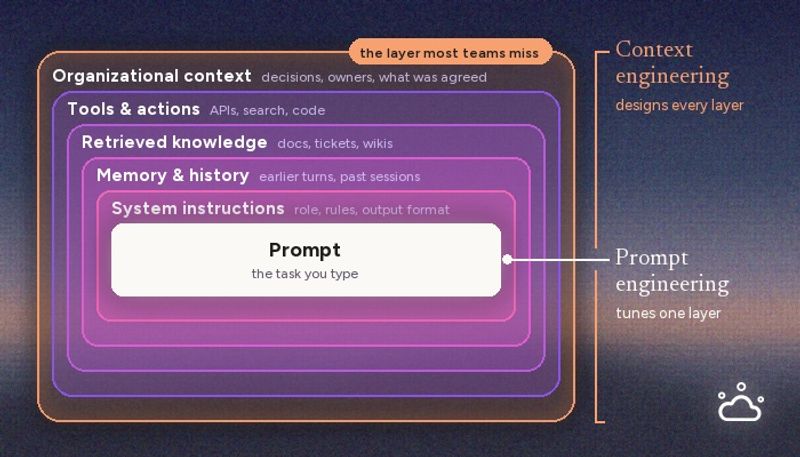
Context Engineering vs Prompt Engineering: What Your AI Agents Are Missing

Claude Memory: How to Import and Manage Your AI Context

Claude Cowork Connectors: Automate Recurring Work

Google Gemini MCP Support: Where It Works and Setup Tips

Best Claude Skills: Top Picks for Meetings, Content, and Code

5 Best AI Scheduling Assistants

Microsoft Teams MCP: How to Access Meeting Content With AI
Want the convenience of AI summaries?
Try Tactiq for your upcoming meeting.
Bringing AI into your meetings has never been so easy.
Add to Chrome - It's free!(opens in a new tab)Try Tactiq in your upcoming meeting!
Sign up now