
Claude Skills vs MCP: What’s the Difference?
- Published:
- November 7, 2026
- Updated:
- November 7, 2026

Claude Skills tell Claude how to complete a task. Model Context Protocol (MCP) connects Claude to external data and tools.
Think about preparing minutes after your weekly product sync. You need the meeting transcript, plus instructions for organizing decisions, assigning action items, and keeping the recap short. An MCP connector can retrieve the transcript. A custom skill saves your formatting rules so you don’t repeat them each week.
The Claude Skills vs MCP comparison depends on what your workflow needs: instructions, access, or both.
This guide covers:
- How Claude Skills and MCP differ
- When to use each, with practical examples
- How to combine them for meeting minutes
- How to connect Tactiq transcripts and add a minutes skill
Claude Skills vs MCP: The Core Difference
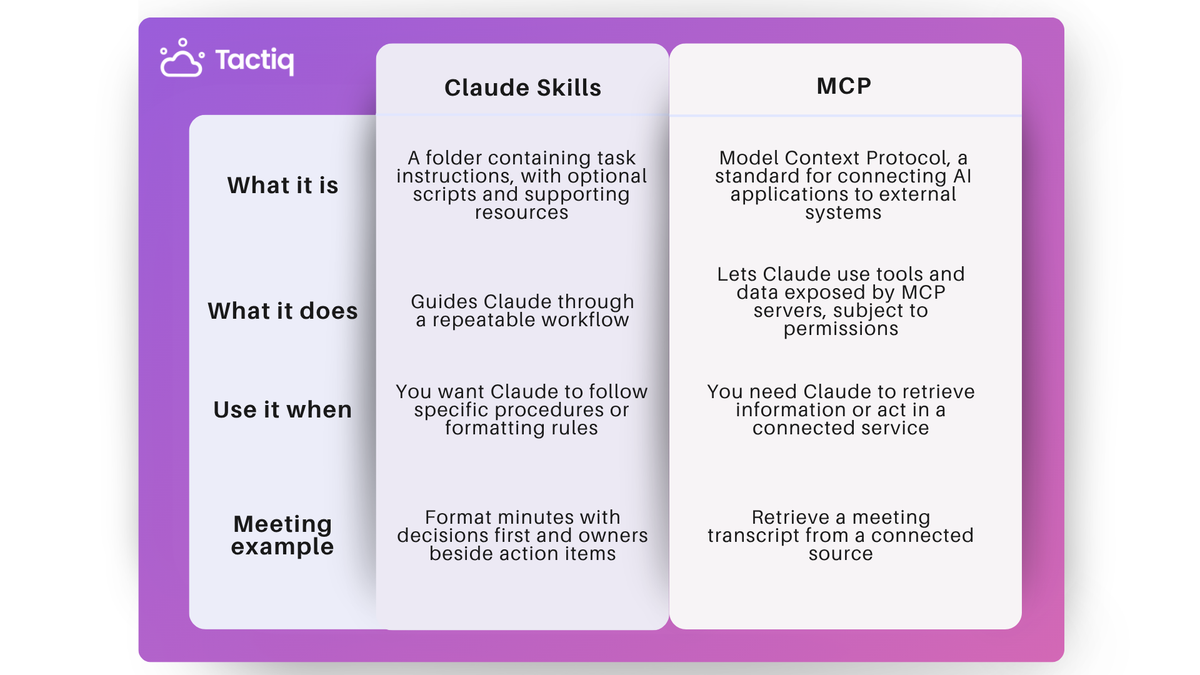
Skills provide procedural knowledge: how to complete specific tasks according to your standards.
MCP provides connectivity: access to external services and their available tools. A skill can guide Claude through using several MCP servers within one workflow.
MCP servers can also include prompts and tool instructions. Skills add guidance for your particular process, including sequencing, formatting, and quality standards.
For example, you might change your meeting-minutes format without changing the transcript connector. You could also use that same connector to retrieve transcripts for customer follow-ups, project updates, or meeting preparation.
💡 Pro tip: Tactiq’s MCP connector lets Claude retrieve meeting transcripts without copy-pasting. Reading full transcripts requires a Tactiq Team plan or higher.
What can you do with Claude Skills?
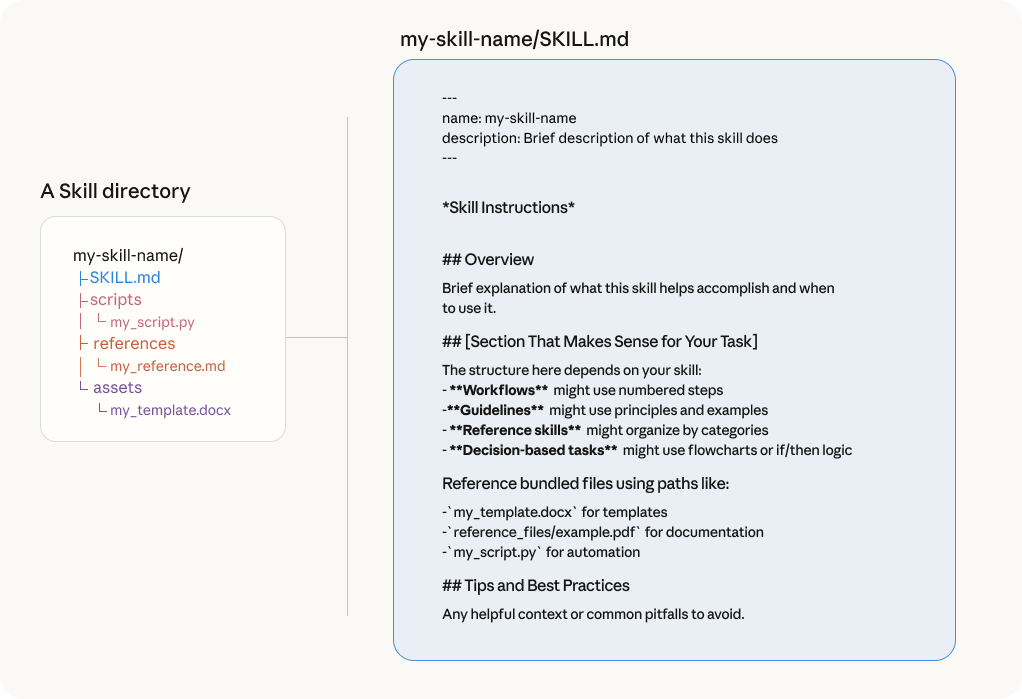
If you keep correcting the same output, you can save those requirements in a custom skill for future tasks. Practical examples include:
- Prepare meeting minutes: Put decisions first, include action owners, and flag missing deadlines.
- Create branded documents: Apply your company’s tone, terminology, and formatting rules to reports and presentations.
- Standardize data analysis: Follow a defined process for cleaning files, analyzing data, and explaining findings.
- Guide coding work: Give Claude Code project conventions and review checklists to follow when writing code.
A skill folder contains a SKILL.md file with instructions and a description explaining when to use it. You can add reference documents, Markdown files, templates, and optional scripts for specialized tasks. Simple skills don’t require coding.
Claude loads relevant instructions when needed, rather than loading every supporting file upfront. This approach lets you package detailed workflows without adding all their content to every conversation.
For examples across documents, Excel, meetings, and code, explore these Claude skills by use case.
What can you do with MCP?
When the answer sits in another app, MCP lets Claude retrieve it through a connected service. Depending on the tools available, you can:
- Find project context: Search connected documents for requirements, previous decisions, or background information.
- Check business data: Query a connected database before analyzing data or answering a question.
- Act on a discussion: Create a GitHub issue or update a project record through supported MCP tools.
- Work with design files: Use a Figma MCP connection to bring design context into a development task.
Available actions depend on what individual MCP servers expose and the permissions you grant. Connecting a service doesn’t give Claude unrestricted access to everything inside it.
In Claude, you’ll encounter these connections as co
nnectors. Our guide to Claude connectors explains how they bring external services into your chat.
Tactiq + Claude: Connect Your Meeting Transcripts and Add a Minutes Skill
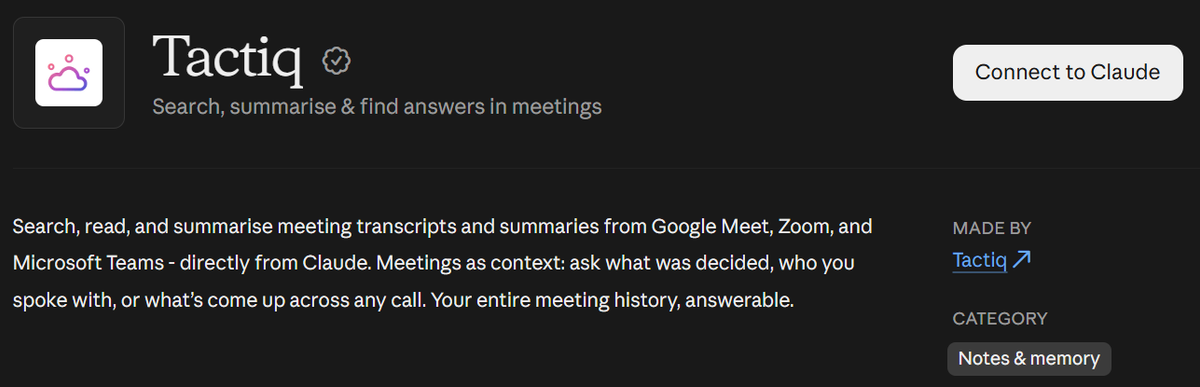
Tactiq brings the transcript side of this workflow into Claude. It transcribes Google Meet, Zoom, and Microsoft Teams meetings. Connect it through MCP, then add your minutes skill to apply your team’s preferred format.
Reading full transcripts requires a Tactiq Team plan or higher.
- Connect Tactiq. Open Customize → Connectors → Browse connectors, search Tactiq, and click Connect. Authorize the connection.
- Create your skill. Ensure Create and edit files is enabled under Settings → Capabilities. Copy the instruction block under “A Claude skill for meeting minutes” into Claude. Then ask: “Package these instructions as a product-sync-minutes skill. Include SKILL.md with name and description metadata inside a zipped skill folder.” Download and review the ZIP.
- Upload the skill. Open Customize → Skills, click +, then Create skill → Upload a skill. Select the ZIP and toggle the uploaded skill on.
- Generate your minutes. Ask: “Find my latest product sync in Tactiq and write minutes using my product-sync-minutes skill.”
On Claude Team and Enterprise plans, your organization’s settings may require an owner to enable connectors or skill creation.
Check decisions, owners, and deadlines against the transcript before sharing. For manual setup, follow our custom connector guide.
Connect Tactiq to Claude and use your next meeting to test your minutes skill.
Want the convenience of AI summaries?
Try Tactiq for your upcoming meeting.
Choose Skills for the Process, MCP for Access
The Claude Skills vs MCP decision starts with what’s missing from your workflow. Use skills to save repeatable instructions. Use MCP to connect Claude to the data and tools those instructions require.
For meeting minutes, start with one clear format and one transcript source. Test the result, then refine your skill when you spot missing details or unnecessary sections.
Connect Tactiq to Claude and pair your meeting transcripts with a minutes skill you can reuse each week.
FAQ
Your questions, answered.
If you have any further questions, Get in touch (opens in a new tab) with our friendly team
Do Claude Skills replace MCP?
Can Claude Code skills use MCP?
When should you use MCP vs skills?
Can Claude Skills invoke other Claude Skills?
How do I get my meeting transcripts into Claude with a skill?
Related articles

Claude Memory: How to Import and Manage Your AI Context

Claude Cowork Connectors: Automate Recurring Work

Best Claude Skills: Top Picks for Meetings, Content, and Code

AI Meeting Notetaker with Claude Connector: Top 6 Picks

Which Claude Model Is Best for Writing and Research?

What is Claude Mythos? Is It for Remote Professionals?

Is Claude Fable 5 Better Than Opus 5?

15 Best connectors for Claude
Want the convenience of AI summaries?
Try Tactiq for your upcoming meeting.
Bringing AI into your meetings has never been so easy.
Add to Chrome - It's free!(opens in a new tab)Try Tactiq in your upcoming meeting!
Sign up now