
Best Claude Skills: Top Picks for Meetings, Content, and Code
- Published:
- October 5, 2026
- Updated:
- October 13, 2026

There are thousands of community-made Claude skills, agents, and commands. Finding one you’ll use regularly takes more than browsing a directory.
This guide groups the best Claude skills by what they help you do:
- Work with meetings, documents, spreadsheets, and presentations
- Create marketing content, build interfaces, and present research
- Turn a repeatable team process into a custom skill
TL;DR: What Are the Best Claude Skills?
Claude skills are reusable instruction folders for tasks such as creating documents, spreadsheets, slides, and code. The best picks also include marketing workflows and a skill for building your own.
For meetings, Tactiq transcribes Zoom, Google Meet, and Teams calls, then connects their data to Claude through MCP. You can create a separate custom skill to guide Claude’s follow-up work.
What Are Claude Agent Skills?
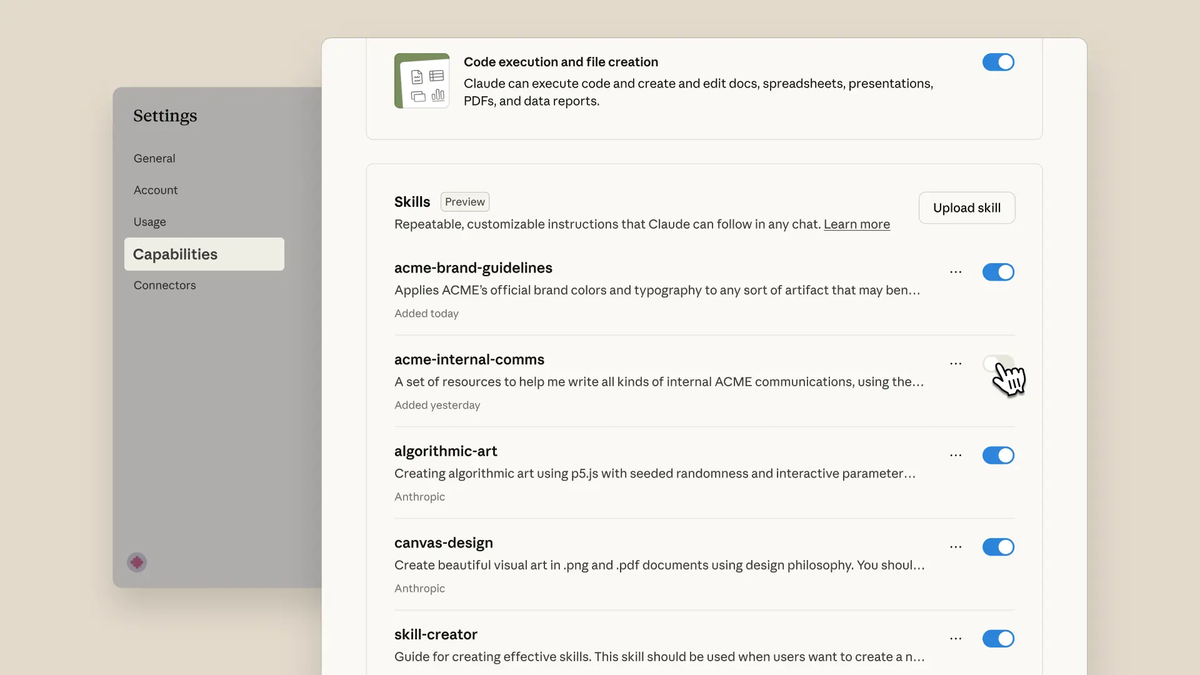
If you use Claude for recurring tasks, you may find yourself repeating requirements and referencing the same document each time. Claude skills save those instructions in a folder for relevant tasks.
A Claude connector gives Claude access to external data; a skill guides how Claude completes a task.
For example, you can create a writing skill with your tone, formatting rules, and brand guidelines as supporting files. With the skill enabled, Claude can consult those guidelines across chats without you repeatedly uploading the PDF.
To create a basic skill, make a folder and add a SKILL.md file. Include its name, when to use it, and the steps Claude should follow. For a starting point, browse Anthropic’s example skills, including several featured below.
The Best Claude Skills By Use Case

The list includes published skills and custom workflows. Choose the one that fits a task you do often.
1. Meetings - custom skill with Tactiq: turn calls into Claude-ready context
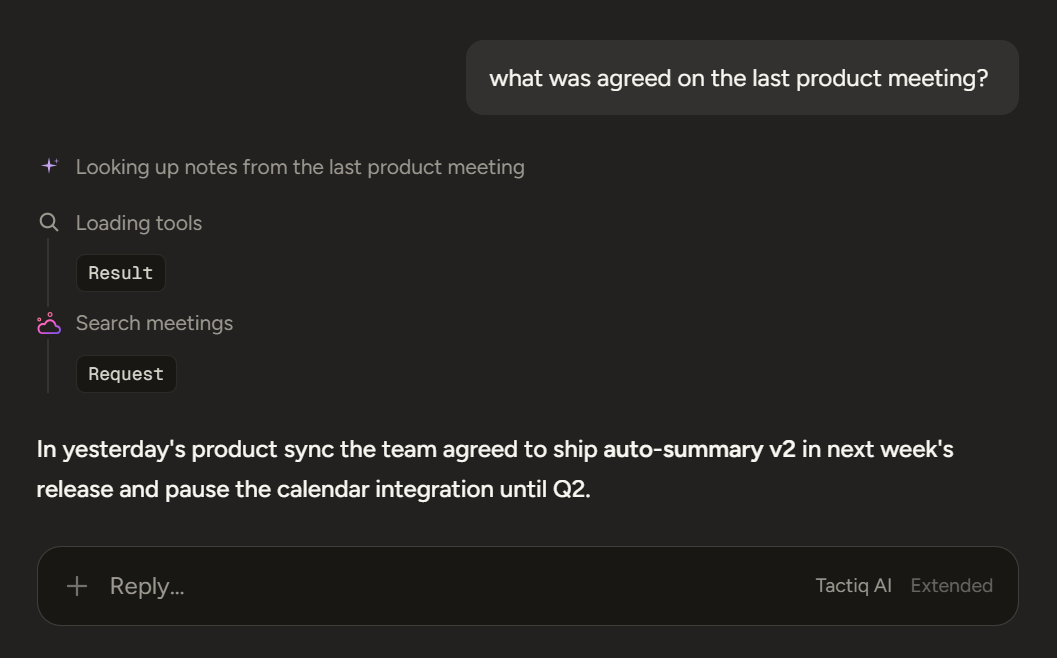
Best for: Turning meeting discussions into consistent follow-up work.
This pick is a custom Claude skill you create for processing meeting transcripts. Its SKILL.md file defines the steps and output format Claude should follow.
For example, a client-call skill could instruct Claude to:
- Separate confirmed decisions from open questions.
- List action items with owners and deadlines.
- Draft a follow-up email using your team’s preferred format.
You can create the custom skill and use it with transcripts you supply. Tactiq’s Chrome extension transcribes Zoom, Google Meet, and Microsoft Teams calls live with speaker labels. Its MCP connector lets Claude access those meetings without you manually copying transcripts into a chat.
Trade-off: Free and Pro Tactiq plans support meeting search. Reading meeting details and transcripts requires a Team or higher Tactiq plan.
💡 Pro tip: Define your follow-up format first, then connect your meeting notes to Claude.
Want the convenience of AI summaries?
Try Tactiq for your upcoming meeting.
2. Documents - docx and pdf
Best for: Creating and updating Word documents and working with PDF forms.
Anthropic’s docx skill helps Claude work with Word structure, including headings, tables, comments, and tracked changes. Its pdf skill covers tasks such as extracting text, combining files, and filling forms.
Use docx to turn a rough policy draft into a reviewable Word document, or pdf to complete a supplied form. These skills include instructions for working with the file formats, rather than treating them as plain text.
Trade-off: Check the finished file in Word or a PDF viewer, especially when layout, comments, or form fields matter.
3. Spreadsheets - xlsx
Best for: Cleaning messy exports and building spreadsheets with formulas.
Anthropic’s xlsx skill helps Claude create, edit, and format Excel workbooks. It can turn an exported task list into an action-item tracker with owners, deadlines, and formulas that update when the data changes.
The skill’s instructions also call for recalculating formulas and checking the finished workbook for errors.
Trade-off: Review the formulas and source data before sharing a workbook, especially when decisions depend on its totals.
4. Presentations - pptx
Best for: Creating and updating slide decks.
Anthropic’s pptx skill helps Claude create presentations and edit existing PowerPoint files. You could use it to turn a research summary into a client deck or make a LinkedIn carousel as a slide deck.
It can also work from an existing template, which helps when your team needs a consistent look.
Trade-off: Review every slide before sharing. Check that the text fits, visuals render correctly, and the deck makes sense without your prompt.
5. Marketing and SEO - draft-content
Best for: Drafting blog posts and other marketing content from a clear brief.
Anthropic’s draft-content skill provides a concrete example. It covers blog posts, newsletters, landing pages, and other formats. For web content, its instructions include keyword placement, internal link opportunities, and a meta description.
Give it your audience, source material, and brand guidance so the draft has a useful starting point.
Trade-off: Its SEO suggestions still need an editor to check search intent, sources, and whether the copy matches your brand voice.
6. Coding workflow - frontend-design
Best for: Building a distinctive interface with Claude Code.
Anthropic’s frontend-design skill guides Claude Code when creating pages and interface components. It instructs Claude to commit to a clear visual direction before generating code, including choices about typography, color, layout, and interaction.
Trade-off: A polished interface still needs browser review for usability, accessibility, and behavior across screen sizes.
7. Research and analysis - web-artifacts-builder
Best for: Presenting findings in a tool people can explore.
Anthropic’s web-artifacts-builder skill helps Claude build interactive HTML artifacts. For example, you could turn survey findings into a dashboard where your team filters responses by group. That gives readers a way to inspect the results instead of scanning a static report.
The skill handles the artifact’s structure; you still need to supply the research and decide which comparisons matter.
Trade-off: This skill is designed for complex, interactive artifacts. A straightforward written summary may be quicker for a small set of findings.
8. Build your own - skill-creator
Best for: Turning a process your team repeats into a custom skill.
Anthropic’s skill-creator helps you define when a skill should run, write its instructions, and test it with sample requests. You might create a personal skill for your writing preferences or a project skill for your team’s review checklist.
The key insight: describe the task and expected result clearly, then test whether Claude uses the skill when it should. You can revise the instructions based on what those tests reveal.
Trade-off: A custom skill needs upkeep when your process changes, especially if several people use it.
How to Install a Claude Skill
The steps depend on where you use Claude. In Claude, you can add a skill from the directory or upload one you created.
In Claude Code, skills can come through plugins or a skill folder you add yourself.
In Claude
- Go to Customize → Skills.
- Browse the skills directory and add a published skill.
- To add a custom skill, choose Add → Upload a skill and select the ZIP file containing its folder.
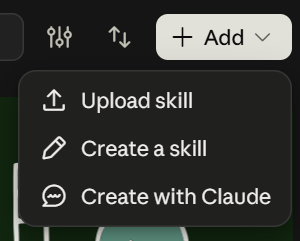
The skill appears in your list, where you can turn it on or off. Code execution must be enabled to use skills in Claude.
In Claude Code
You can add an individual skill by placing its folder and SKILL.md file in your personal or project skills directory. Some skills also come bundled in plugins, which you can browse and install using /plugin.
See Anthropic’s Claude Code skills guide for the folder setup.
Using Your Meeting Transcripts With Claude Skills
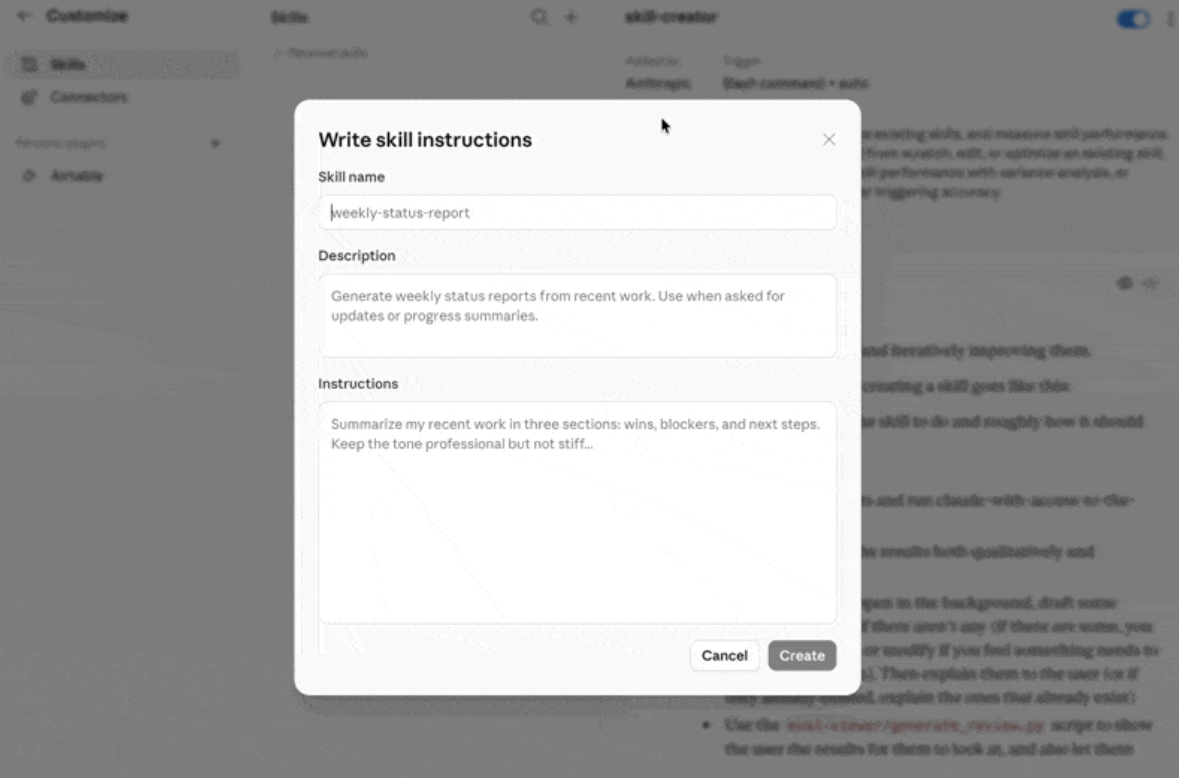
After each weekly project meeting, you might prepare a status update covering progress, blockers, and next steps. Tactiq’s connector gives Claude access to the transcript with a Tactiq Team plan or higher. A custom skill saves your reporting instructions, such as grouping updates by project and flagging blockers that need a decision.
You can also use existing skills to turn that discussion into other deliverables:
- Use the xlsx skill to create an action-item tracker with owners and deadlines.
- Use the docx skill to format decisions and open questions as a report.
- Use the pptx skill to prepare a project update deck for stakeholders.
Review the results against the transcript before sharing them, especially names, commitments, and deadlines.
For setup steps, example meeting skills, and plan access, see Tactiq’s guide to using its MCP connector with Claude.
Which Claude Skill Should You Try First?
Choose a skill for a task you do often, not based on how many people have installed it. Start with one, test it on a real task, and check the result before adding more.
Documents, spreadsheets, code, and research are useful starting points. Meetings deserve a place on that list too: one conversation can provide context for several follow-up tasks when you need it.
FAQ
Your questions, answered.
If you have any further questions, Get in touch (opens in a new tab) with our friendly team
Are Claude Skills free?
How do I install Claude Skills?
What are the best Claude Code skills for developers?
Are third-party Claude Skills safe to install?
Can I use a Claude Skill with my meeting transcripts?
Related articles

Claude Memory: How to Import and Manage Your AI Context

Claude Cowork Connectors: Automate Recurring Work

Google Gemini MCP Support: Where It Works and Setup Tips

Best Claude Skills: Top Picks for Meetings, Content, and Code

5 Best AI Scheduling Assistants

Microsoft Teams MCP: How to Access Meeting Content With AI

How Do I Turn Off Google Gemini?

AI Meeting Notetaker with Claude Connector: Top 6 Picks
Want the convenience of AI summaries?
Try Tactiq for your upcoming meeting.
Bringing AI into your meetings has never been so easy.
Add to Chrome - It's free!(opens in a new tab)Try Tactiq in your upcoming meeting!
Sign up now