
What is in-meeting AI? The Future of Smarter Calls
September 30, 2025
September 30, 2025
September 30, 2025
September 30, 2025

Online meetings move quickly. By the time a meeting participant writes down notes, the conversation has already shifted. Instead of waiting for a meeting summary, an in-meeting AI question feature lets you ask AI during the current meeting.
This means you can clarify details, highlight action items, and capture key points while still engaged in the discussion. It works in both virtual and in-person meetings, helping meeting attendees stay aligned without juggling note-taking.
Here’s what we’ll cover in this guide:
- What in-meeting AI questions are and why they matter
- How they work in Zoom, Microsoft Teams, and Google Meet
- Challenges of waiting for post-call AI summaries
- Features, benefits, and real-world use cases
What Are In-Meeting AI Questions?
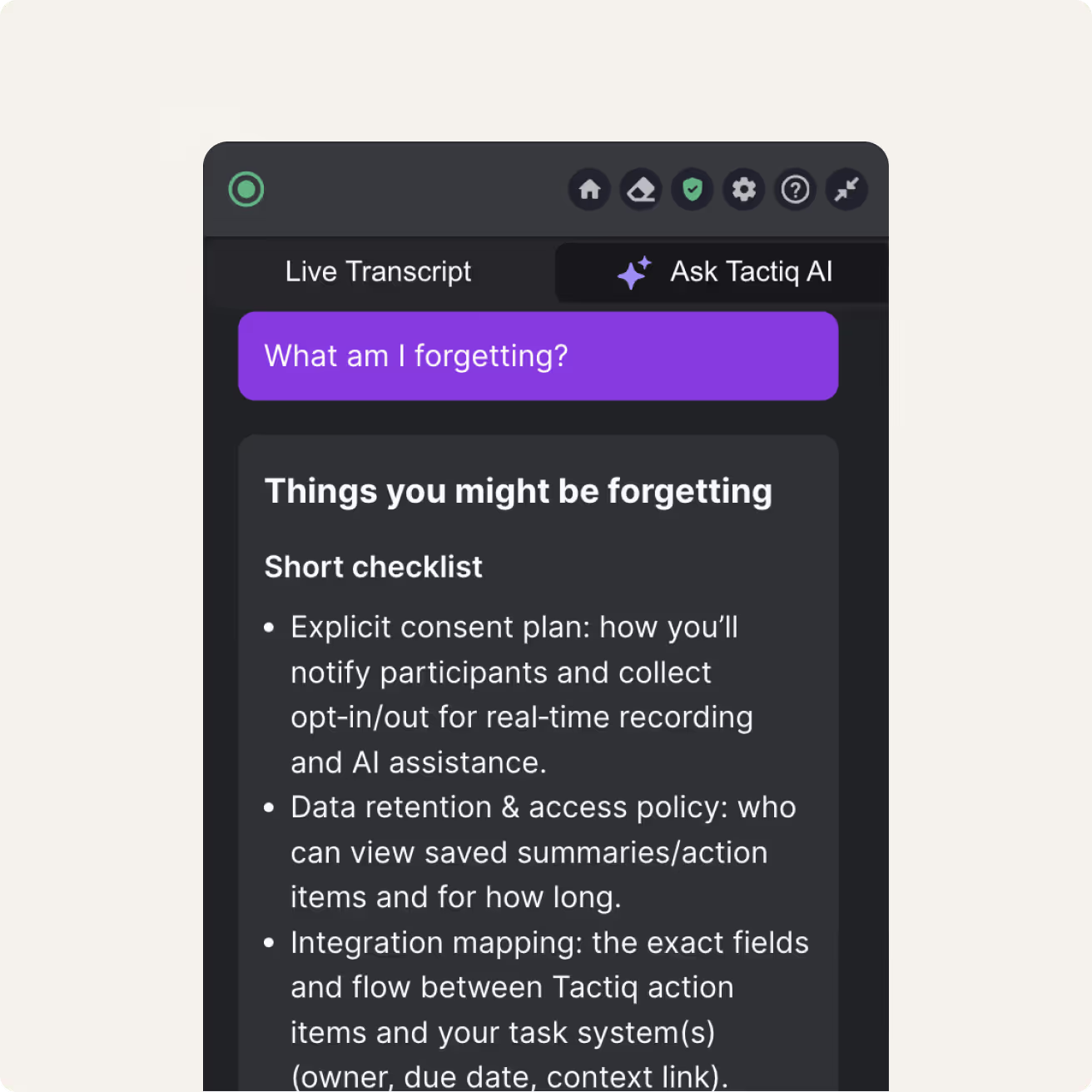
Tactiq’s in-meeting AI involves asking the AI directly during the current meeting, rather than waiting for a post-call meeting summary. Think of it as having an AI assistant join your call. It:
- Listens to the meeting conversations
- Tracks meeting context
- Helps you instantly pull out the important stuff
Why does this matter? In fast-paced meetings with numerous participants, it’s easy to overlook details. In-meeting AI fills that gap by answering questions in real time so meeting attendees stay aligned.
You can:
- Catch up on missed key points if you join late
- Clarify details without interrupting the discussion
- Ask for action items or meeting notes while the talk continues
This type of AI-powered Q&A is reshaping how virtual meetings and hybrid teams handle note-taking, meeting transcripts, and meeting data.
How Do In-Meeting AI Questions Work?
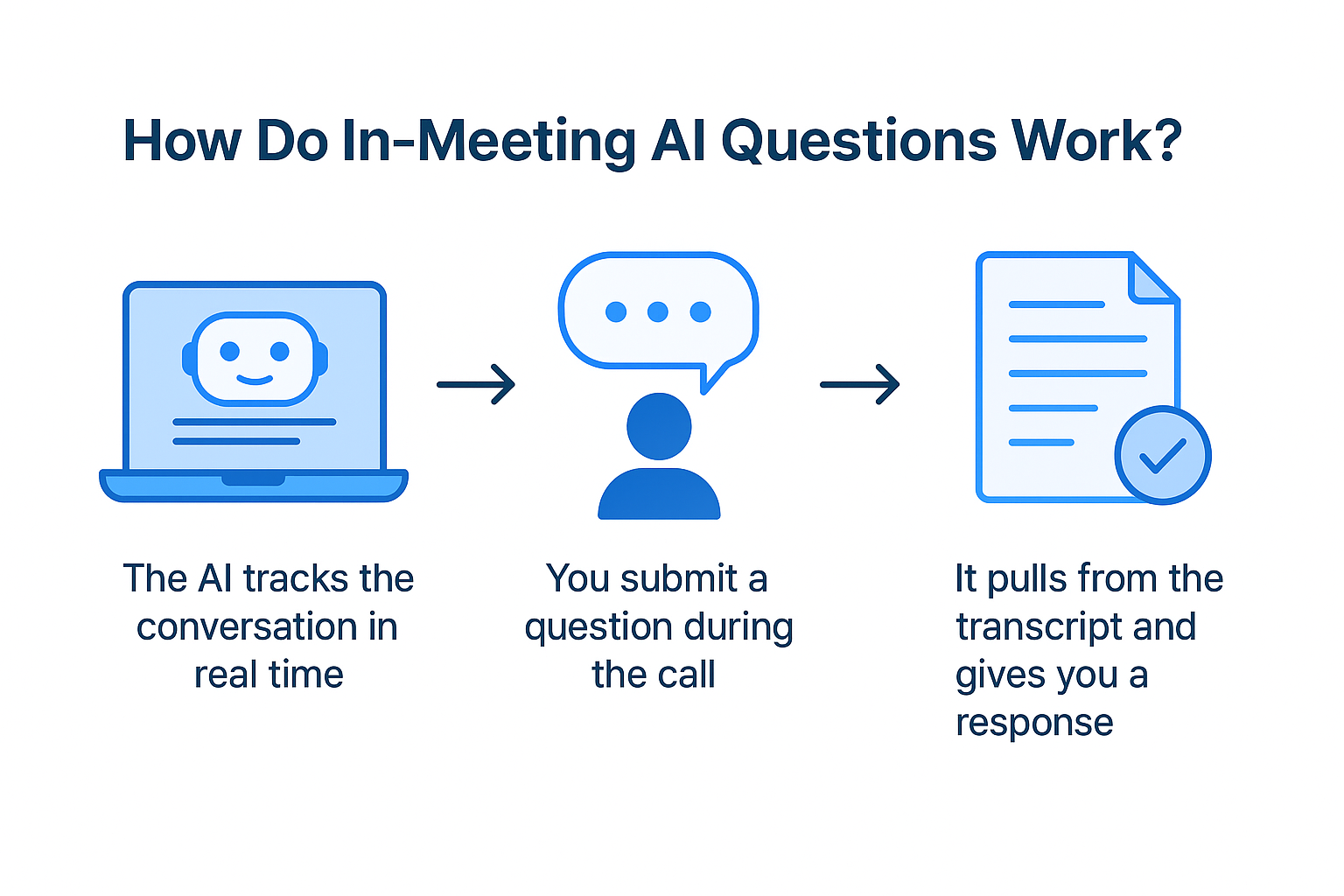
There are AI meeting assistants built into tools like Zoom, Microsoft Teams, and Google Meet. Here’s how they answer your in-meeting questions:
- The AI tracks the conversation in real time
- You submit a question during the call
- It pulls from the transcript and gives you a response
This way, the meeting host and meeting participants can clarify details without waiting for meeting recordings or a delayed meeting summary.
Challenges of Waiting for the AI Summary after the Meeting
Relying only on a post-call meeting summary has its drawbacks. While helpful, it often comes with delays and gaps that slow down follow-ups.
Technical & processing delays
Most AI meeting assistants generate summaries only after analyzing the full meeting transcription. That means a lag between when the meeting ends and when the notes appear. If the meeting participants require quick action items or follow-up emails, waiting hours can stall progress. For fast-moving teams, this delay reduces the value of the notes.
Accuracy & context issues
AI summaries rely heavily on meeting transcripts. If the audio quality is poor or the tool struggles with accents and background noise, errors can creep in. Without the chance to clarify in real time, the summary may miss key points or misinterpret the meeting context. This creates extra work for the meeting host to correct or re-share information later.
Configuration & access problem
Some platforms limit access to summaries based on account settings or plan type. The meeting host might have access, but not every meeting attendee. This can cause bottlenecks in sharing and make it harder to distribute notes across the team.
In some cases, only the person who scheduled the meeting can see the data. That slows collaboration and puts all responsibility on one person.
Features and Benefits of AI Meeting Q&A
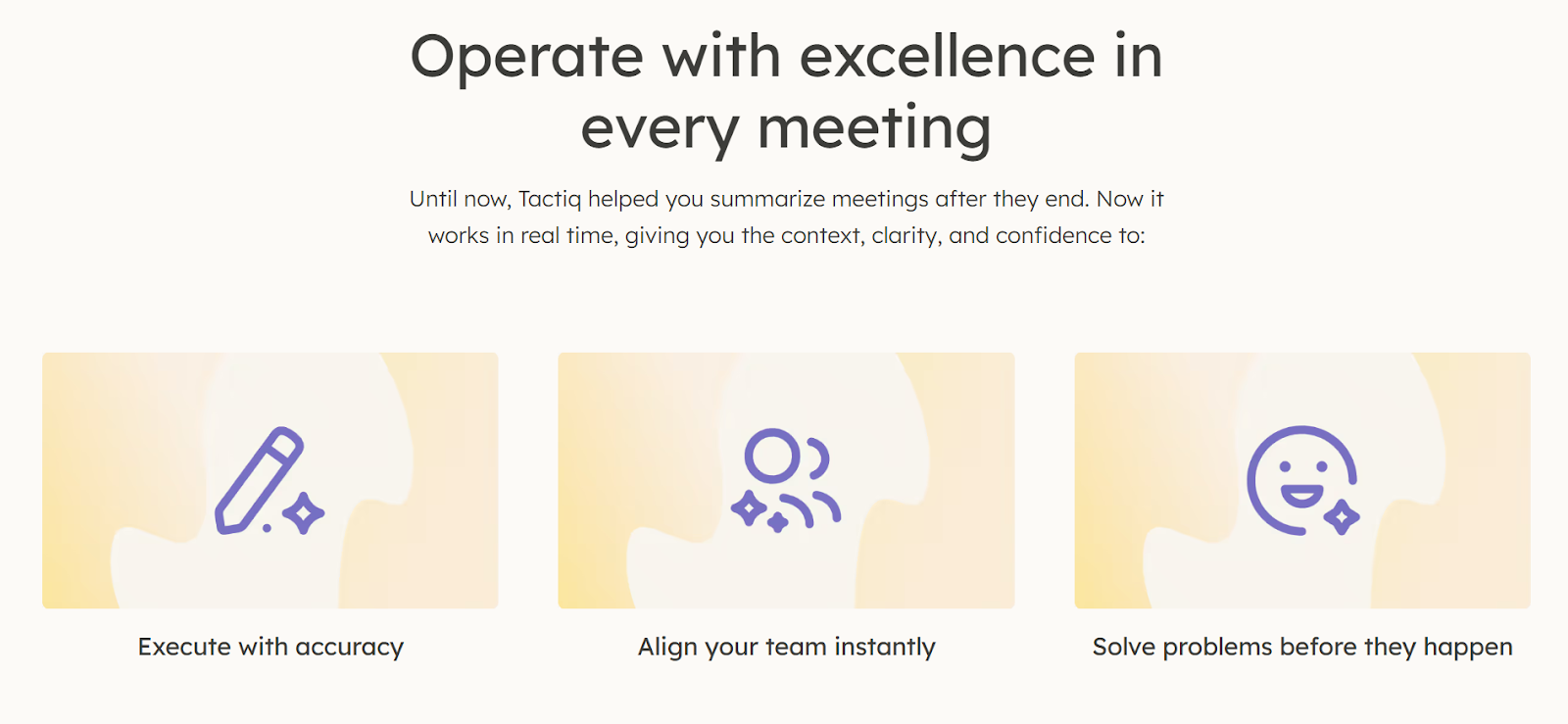
Here are the main advantages of using AI Q&A during your current meeting and how it helps teams stay aligned.
- Real-time clarification and catch-up - Late joiners or distracted meeting participants can ask AI what was said and instantly get the missing key points. This reduces interruptions and helps everyone stay in sync.
- Action item extraction - The AI can listen to meeting conversations and pull clear action items as they’re discussed. This saves the meeting host from manually tracking responsibilities.
- Accessibility and inclusivity for participants - In virtual meetings or in-person meetings, in-meeting AI supports inclusivity. For example, it helps non-native speakers by referencing meeting transcripts and supports accessibility needs by offering clarity in real time.
- Automated meeting notes and summaries - Instead of relying only on post-call summaries, in-meeting AI can generate draft meeting notes during the session. That means quicker meeting recaps, easier note-taking, and less risk of missing information.
💡 Pro tip: With Tactiq’s In-Meeting AI, you can ask questions during Zoom or Google Meet and get instant AI answers pulled from the live transcript.
Use Cases: When to Use In-Meeting AI Questions
In-meeting AI is most useful in calls with fast discussions or many topics, where teams need clarity, action items, and key points captured in real time.
Brainstorming
Creative sessions can generate dozens of ideas within minutes. Instead of relying on memory, in-meeting AI tracks the conversation and highlights standout suggestions. It also helps identify overlapping thoughts and ensures nothing gets lost before teams refine them into plans.
Project kickoff
Kickoff calls are packed with scope, deliverables, and responsibilities. In-meeting AI ensures the meeting host and meeting participants leave with an accurate record of roles and deadlines. This reduces miscommunication and gives teams a reliable starting point.
Retrospectives
Retro discussions often uncover recurring blockers or process issues. In-meeting AI helps surface themes from the meeting transcripts and organizes feedback into categories. This gives the meeting attendees a clear picture of what needs improvement, not just a list of raw comments.
Daily stand-ups
Because stand-ups are fast, details can slip by. An in-meeting AI note-taker captures blockers, progress, and next steps without slowing the team down. Late joiners can instantly catch up, and the group can use the notes to prepare for the next online meeting.
Board or leadership reviews
Leadership meetings require accountability. In-meeting AI can also answer questions about financial figures, strategy points, or decisions while the current meeting is live. This provides clarity that traditional meeting summaries alone can’t match.
Sales updates
Sales calls demand precision, since targets and pipeline updates affect revenue. In-meeting AI pinpoints key points such as next steps with prospects or action deadlines. Teams leave with accurate records that can be turned into follow-up emails or CRM updates immediately.
Team meetings
Team syncs vary in scope, covering projects, updates, or blockers. In-meeting AI provides structure by linking meeting context with outcomes. It helps the meeting attendees prioritize tasks and reduces the need to revisit the same discussion in future calls.
Step-by-Step: Using Tactiq for In-Meeting AI Questions
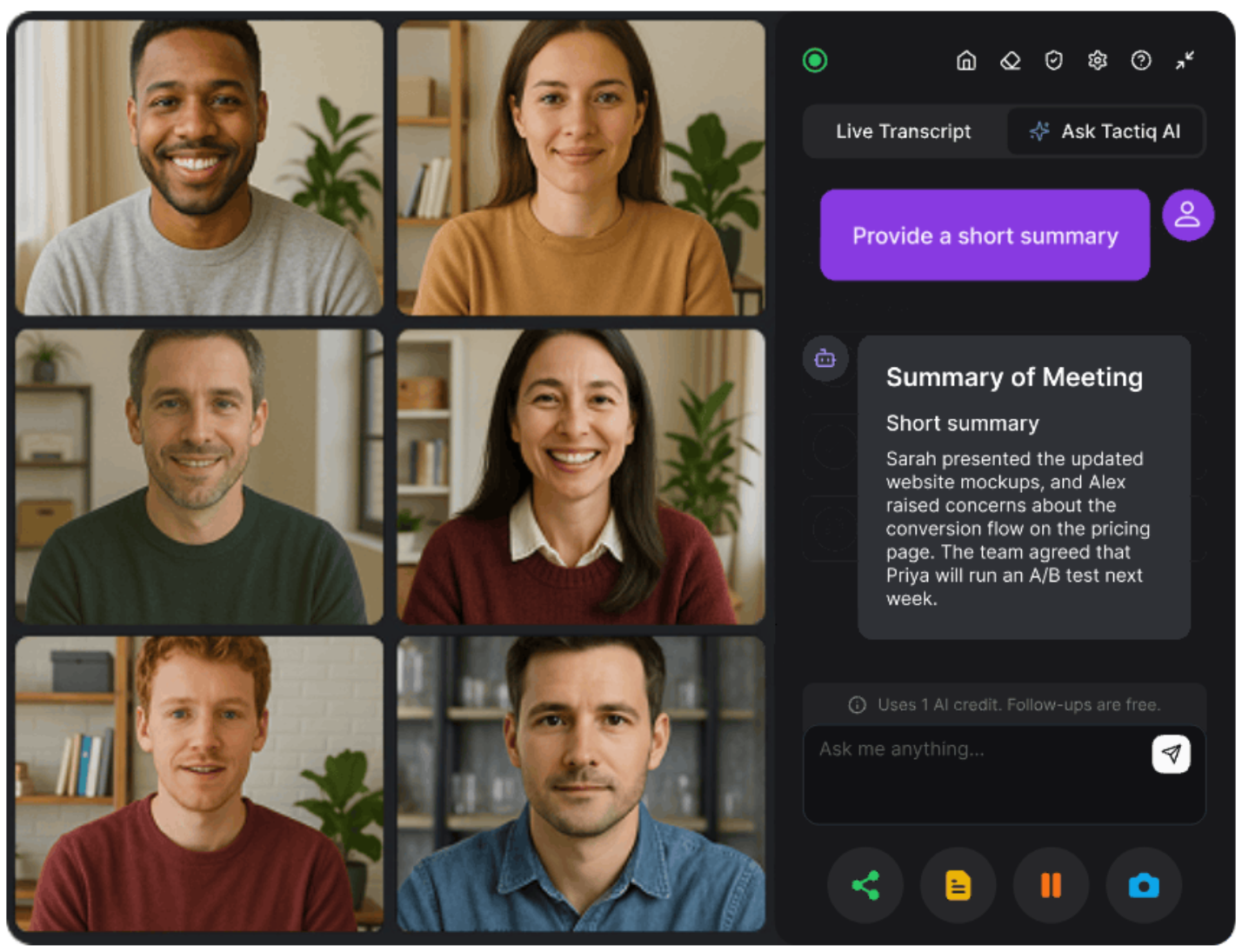
Now that you’ve seen where in-meeting AI is most valuable, let’s look at how to put it into practice.
With Tactiq, you don’t just capture meeting notes after the call. You can ask AI questions during the current meeting, get answers instantly, and save them alongside your meeting transcripts.
Step 1: Install Tactiq.
Download the free Tactiq Chrome extension and connect it with your video platform. It works with Google Meet, Microsoft Teams, and Zoom.
Step 2: Join your meeting.
When the meeting starts, Tactiq automatically begins transcribing the conversation. This ensures you always have accurate meeting transcriptions and context.
Step 3: Ask your AI a question
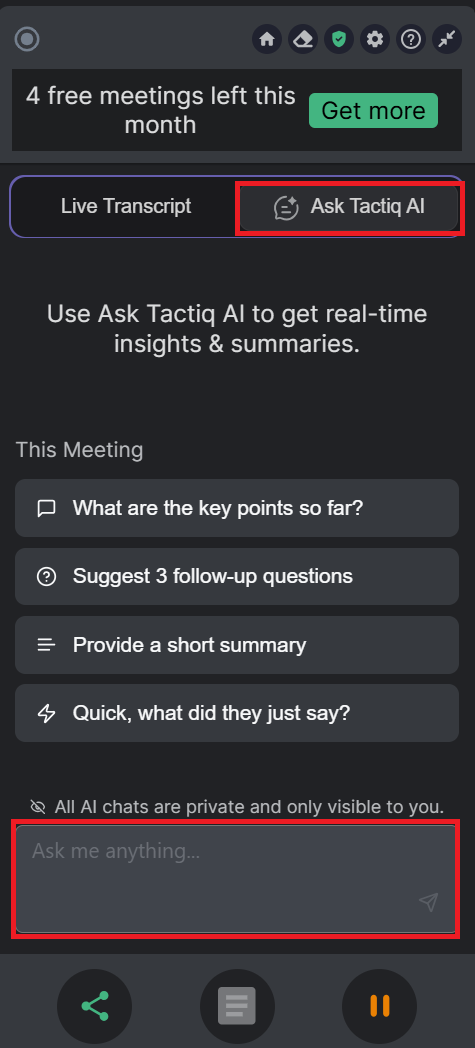
Use the “Ask Tactiq AI” feature to submit a question during the call. The AI references the live transcript to answer in context, helping meeting participants get instant clarity.
Step 4: Review answers and action items
The AI provides quick responses, highlights key points, and extracts action items. This makes it easier for the meeting host and meeting attendees to stay aligned without pausing the flow.
Step 5: Save your notes
Once the call ends, you’ll have access to the transcript, meeting notes, and any AI-generated answers. These can be shared with meeting participants, stored, or used for follow-up emails.
👉 Start asking smarter questions during your calls today with Tactiq’s in-meeting AI.
{{rt_cta_ai-convenience}}
Wrapping Up
In-meeting AI questions are changing how teams handle online and in-person meetings. Instead of waiting for delayed meeting summaries or relying on incomplete meeting notes, AI gives instant clarity while the current meeting is still running. This means fewer missed key points, faster action items, and better collaboration among meeting participants.
Tactiq brings these benefits into your workflow with real-time answers, live meeting transcripts, and smart AI meeting notes. By integrating AI directly into your calls, you can stay focused on the conversation while the tool handles note-taking and insights.
FAQs about In-Meeting AI
What are Zoom AI meeting questions?
They are AI-powered prompts you can ask during a Zoom call. The tool references live meeting transcripts to provide context, highlight key points, and pull action items while the meeting is still active.
How do you use AI during a Teams meeting?
In Microsoft Teams, you can use an AI meeting assistant like Tactiq. It provides live meeting transcriptions, lets you ask questions mid-call, and generates meeting notes and meeting summaries for meeting participants.
How does in-meeting AI work?
In-meeting AI listens to the conversation, captures meeting transcripts, and answers questions in real time. It helps meeting attendees stay aligned, making both virtual meetings and in-person meetings more productive.
What is a free AI to ask questions during a meeting?
Tactiq offers a free plan that supports note-taking, real-time Q&A, and meeting transcripts in Google Meet, Zoom, and Microsoft Teams. It’s a simple way for any meeting host or meeting participant to try in-meeting AI.
Related articles








Want the convenience of AI summaries?
Try Tactiq for your upcoming meeting.
Want the convenience of AI summaries?
Try Tactiq for your upcoming meeting.
Want the convenience of AI summaries?
Try Tactiq for your upcoming meeting.