
What is an AI Note Taker that Doesn't Join Meetings?
October 14, 2025
October 14, 2025
May 20, 2026
May 20, 2026

Bot-based AI note takers have been around for years, but they come with real drawbacks. They appear as visible participants in your call, raise privacy concerns, and often create friction before a meeting even starts. More teams are moving away from meeting bots in favor of tools that work quietly in the background.
Here's what this guide covers:
- Why teams are moving away from AI note takers that join meetings
- How privacy laws and compliance requirements factor in
- The best bot-free AI note taker for your meetings
- How to choose the right AI meeting assistant for your workflow
What Is an AI Note Taker That Doesn't Join Meetings?
An AI note taker that doesn't join meetings is a tool that captures meeting transcripts, generates AI summaries, and identifies key points without appearing as a visible participant in your call. It runs directly in your browser, capturing meeting transcripts from what you see and hear as a participant. Tactiq is a leading example, working silently across Google Meet, Zoom, Microsoft Teams, and Webex without ever joining as a meeting bot.
Why Avoid AI Note Takers that Join Meetings

AI note takers that automatically join meetings raise real issues for teams. When a bot appears as a visible participant, it changes how people communicate and creates uncertainty around privacy, compliance, and control.
💡 Pro tip: Tactiq is a browser-based AI meeting note taker that captures real-time transcripts across Google Meet, Zoom, and Microsoft Teams. No bot joins the call, and no audio is stored.
Privacy and compliance
Bots that enter video calls often begin recording without full consent from everyone present. This is a problem in internal meetings and customer calls where sensitive information is shared.
Consent laws add another layer to consider:
- US: California, Illinois, and Florida require all-party consent before recording a conversation.
- EU: Tools that capture meeting data must align with GDPR requirements.
This isn't legal advice, but it's worth knowing which rules apply before choosing a recording tool. Tactiq handles transparency by automatically posting a short message in the chat, so all participants know AI note-taking is active.
User experience and technical barriers
Meeting bots can create unnecessary friction:
- They appear as a visible participant in the call
- They can be removed accidentally or blocked by platform security settings
- On some platforms, they arrive before other participants, confusing hosts
Browser-based AI note-taking tools eliminate these issues. They work quietly during virtual meetings and deliver accurate AI meeting notes.
Compatibility and platform limitations
Some AI note-taking apps struggle to work consistently across Google Meet, Zoom, or Microsoft Teams. They rely on permissions or APIs that change frequently, leading to errors or connection failures.
More teams are switching to browser-based tools with no bots, no disruptions, and full control over meeting data. The next section covers the most reliable bot-free option available.
Tactiq: The Best AI Note Taker That Doesn't Join Meetings
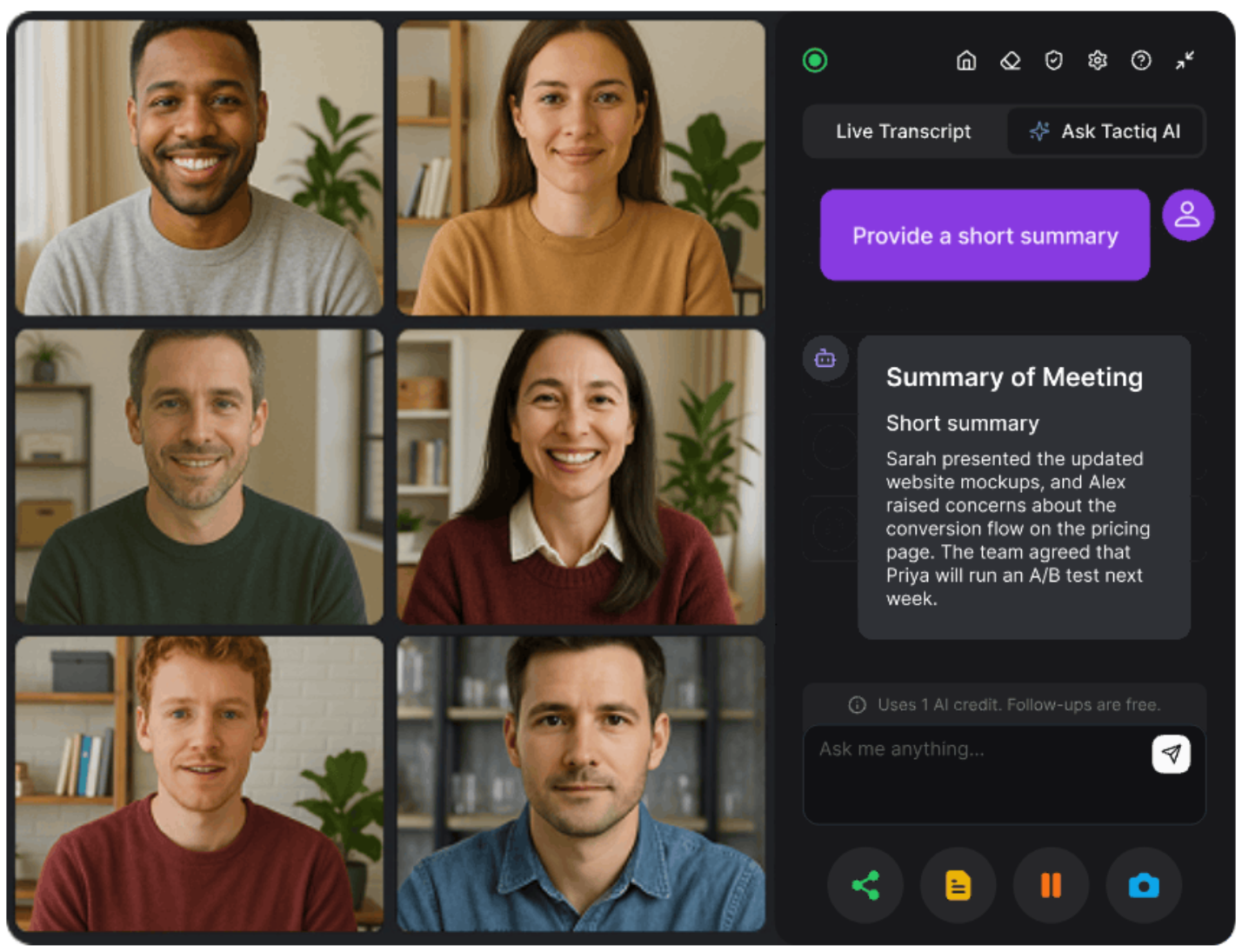
Tactiq is a Chrome extension that captures meeting transcripts directly from your browser. There's no bot, no separate participant, and no audio stored on Tactiq's servers. It works across Google Meet, Zoom, Microsoft Teams, and Webex, and is certified SOC 2 Type II, GDPR, and ISO 27001 compliant.
As soon as you join a call, Tactiq starts transcribing in real time. It automatically posts a short message in the chat so all participants know AI note-taking is active, keeping every meeting transparent and compliant.
How it works
- Install the Tactiq Chrome Extension.
- Join your call. Tactiq detects your platform and starts transcribing automatically.
- Once the meeting ends, you'll get structured AI summaries, key points, and meeting recaps you can share with your team. AI Workflows then push insights directly to Slack, HubSpot, or Linear, so follow-ups happen without any extra steps.
Key features
- Real-Time Transcription: Capture every word as it happens across all your meetings.
- In-Meeting AI: Ask live questions mid-call and get instant answers without leaving the meeting.
- AI Summaries: Get concise meeting recaps and key insights with one click.
- AI Workflows: Route action items and insights to Slack, HubSpot, or Linear automatically after every meeting.
- Custom Prompts & AI Chat: Turn meeting transcripts into follow-ups, agendas, or next-step actions.
- 60+ Languages: Transcribe meetings in over 60 languages with speaker recognition built in.
- Integrations: Sync meeting notes with Google Docs, Notion, Slack, ChatGPT, or Google Drive.
- Privacy-First Design: Tactiq transcribes in real time and stores only text; no audio is ever captured or saved.
Tactiq's free plan includes 10 transcripts and 5 AI credits per month, with no credit card required. The Pro plan starts at $8/month (billed annually) and unlocks unlimited transcripts, unlimited AI summaries, full AI workflows, and integrations with Slack, HubSpot, and Linear.
Install the Tactiq Chrome Extension for free →
{{rt_cta_ai-convenience}}
How to Choose the Right AI Note Taker For Your Workflow
The right AI note taker should fit naturally into your daily video calls and support your team's communication style. Here's what to look for when choosing one:
1. Privacy and transparency
Make sure the tool doesn't automatically join meetings or record audio without consent. Look for AI note-taking tools that work from your browser and post visible transparency messages in the chat. This builds trust and keeps your meeting data private during internal meetings and customer calls.
2. Platform compatibility
Choose an AI meeting assistant that supports every platform your team uses, like Google Meet, Microsoft Teams, or Zoom. This ensures consistent meeting notes, AI summaries, and meeting transcripts across your entire team. You can also check out these guides for more information:
3. Integration with your tools
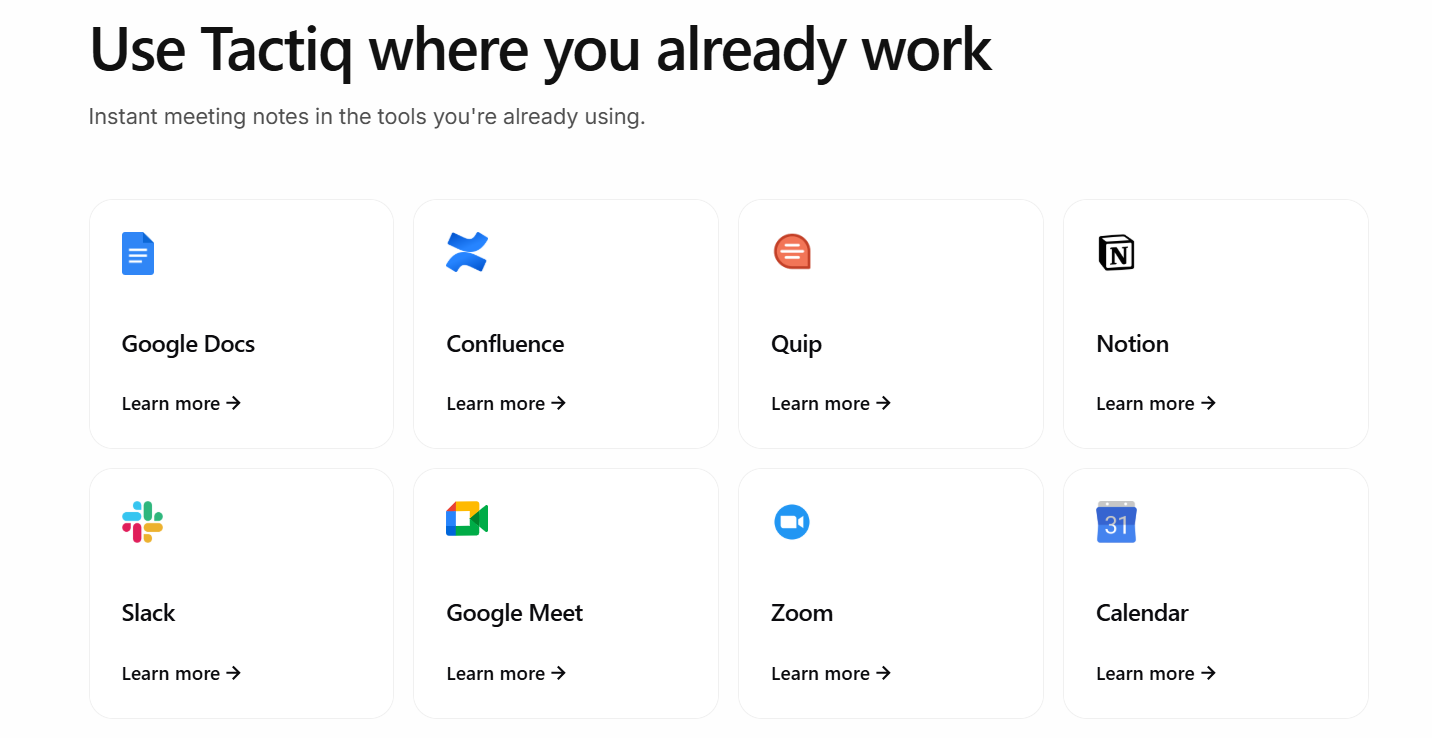
Your note-taking process should connect smoothly with your existing workflow. Look for integrations with Google Docs, Notion, ChatGPT, Slack, and other project management tools to keep all your AI meeting notes in one place.
For customer-facing teams, CRM integrations with HubSpot, Salesforce, and Pipedrive are especially useful for logging call insights and tracking follow-ups.
4. Free plan and upgrade options
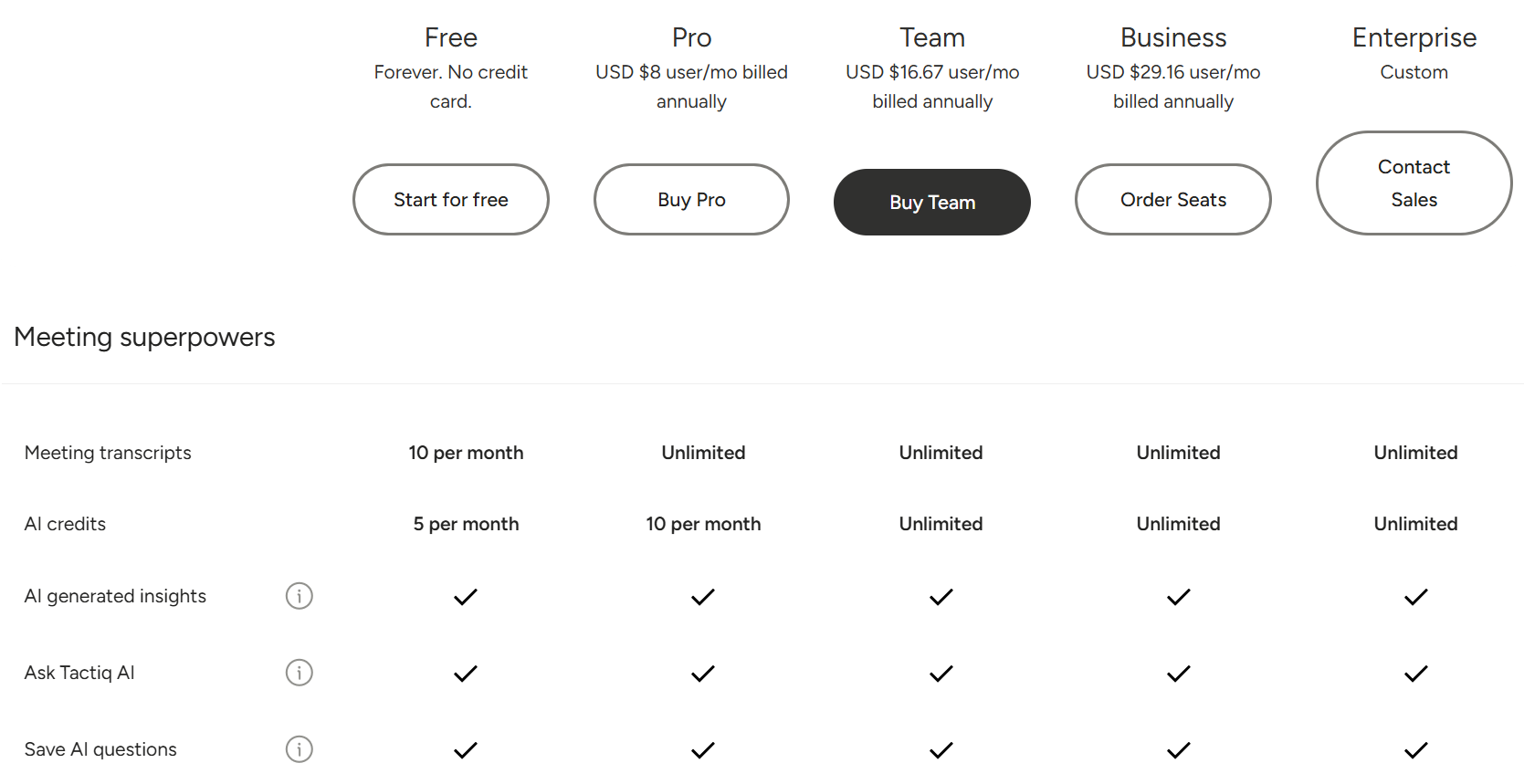
Many AI note taker apps offer a free plan with limited features. Check what's included before upgrading to paid plans. Tools like Tactiq provide a generous free plan with 10 transcripts and 5 AI credits per month, with advanced AI features available on paid plans for larger teams.
5. In-meeting features and in-person support
Modern AI meeting assistants go beyond transcription. Features like AI chat, meeting recaps, and AI summaries help you capture key insights in real time. Some tools also support in-person meetings by letting you upload voice recordings for instant transcription, keeping all your meeting notes in one place.
Explore our best AI note-taking app roundup to compare your options.
6. Compliance and data governance
Enterprise teams often need to verify SOC 2, GDPR, and ISO 27001 certification before IT will approve a new tool. It's also worth noting that tools that store audio create different compliance obligations than those that store only text. Tactiq stores only transcribed text and meets all three standards, making it easier to clear procurement requirements without additional security reviews.
For larger organizations, explore enterprise AI for meeting transcription to see what governance features to look for.
Wrapping Up
Hybrid work has made meeting overload a real problem, and bot-based note takers only add friction. AI note takers that don't join meetings offer a more transparent, secure alternative that keeps your team focused on the conversation.
Tactiq captures real-time transcription, AI summaries, and meeting recaps without a visible bot on your call. If you're comparing options, the best AI note-taking app comparison is a good place to start.
Tactiq is a top choice for teams that want accurate, bot-free AI meeting notes. It offers real-time transcription, AI summaries, and secure text storage across Google Meet, Zoom, and Microsoft Teams.
Yes, as long as all participants are informed. In the US, states like California, Illinois, and Florida require all-party consent before recording. EU tools must align with GDPR. Tactiq's automatic chat notification handles transparency so every meeting stays compliant.
They capture transcripts directly from your browser session, not the meeting server. The extension reads what you see and hear as a participant. It then generates AI summaries, action items, and key insights in real time.
Bot-based tools join as a visible participant, often recording before the meeting starts. Bot-free tools like Tactiq run locally in your browser, capturing only what you see and hear with no participant slot needed.
No. Tactiq is a Chrome extension that starts transcribing automatically when you join a call. No calendar invite or meeting participant slot required.
Related articles








Want the convenience of AI summaries?
Try Tactiq for your upcoming meeting.
Want the convenience of AI summaries?
Try Tactiq for your upcoming meeting.
Want the convenience of AI summaries?
Try Tactiq for your upcoming meeting.