
Perplexity vs. Gemini (2026): A Comparative Look
- Published:
- October 25, 2025
- Updated:
- July 2, 2026
Perplexity and Gemini are two of the most widely used AI tools in 2026, but they're built for very different jobs.
Perplexity focuses on research. It helps users find accurate information, verify facts, compare sources, and stay up to date on current events. Gemini focuses on productivity and creation. It is deeply integrated into Google's ecosystem and helps users write, organize, automate, and create content across Gmail, Docs, Sheets, Chrome, Android, and more.
Before getting into these two, it’s best to look at the broader AI landscape. Check out our guide on LLM vs Generative AI to grasp the fundamentals of how these tools work.
If you're trying to decide between them, here's what you need to know.
TL;DR
- Perplexity: Best for research-driven work — real-time web search, source citations, multi-model cross-checking, and a free AI browser (Comet).
- Gemini: Best for creative tasks and Google users — deep Workspace integration, video generation, and a proactive personal agent across Google's ecosystem.
- Pricing: Both have free tiers; paid plans start around $20/month, though Google now offers a $4.99 entry tier and Perplexity's browser is free.
- Key Difference: Perplexity = research assistant with citations; Gemini = ambient work system that creates and acts on your behalf.
- For meeting workflows: Neither is purpose-built — Tactiq handles transcription, summaries, and action items across Zoom, Meet, and Teams without needing either tool.
What Is Perplexity? How Is It Different from Gemini?
Perplexity is an AI-powered search and research platform that combines conversational AI with live web search.
Unlike traditional chatbots that rely mainly on training data, Perplexity actively searches the web and provides sources for its answers. Every response includes citations, making it easy to verify information. This transparency is one of its biggest advantages. Instead of simply trusting an AI answer, you can check where the information came from.
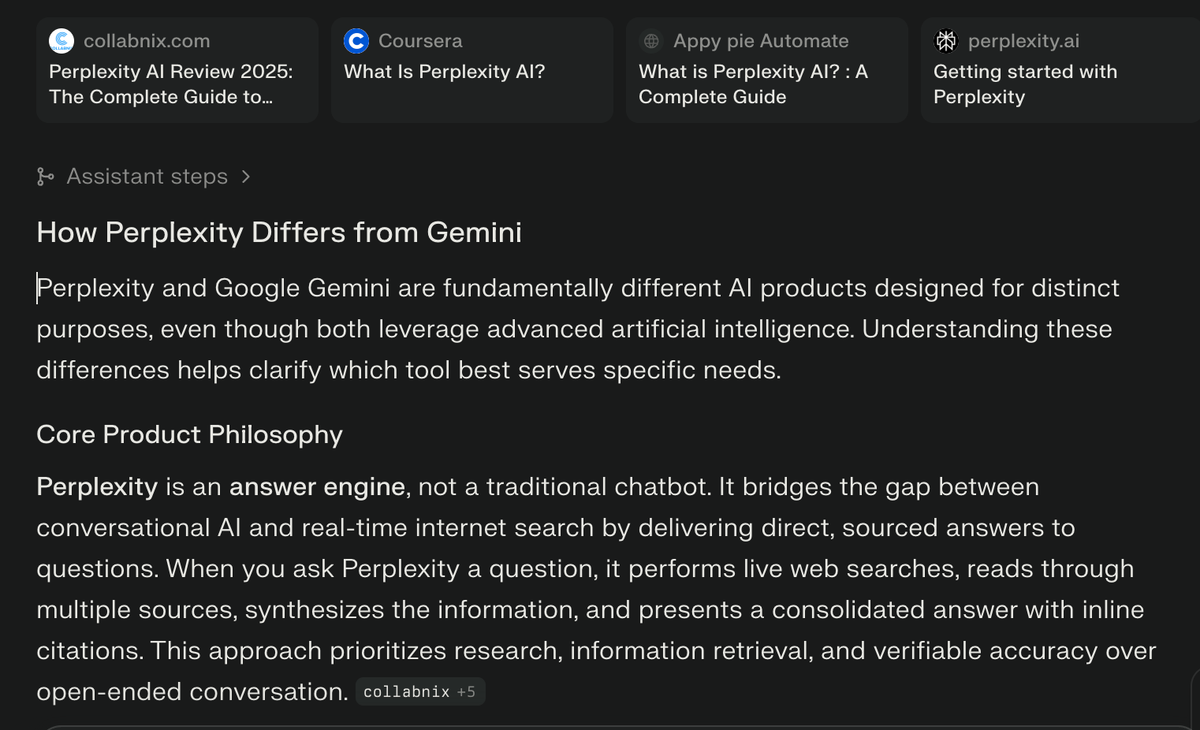
The difference from Gemini? Perplexity is built as a research tool first. It's designed for people who need to verify facts, compare sources, and stay current with rapidly changing information. Journalists, researchers, students, and remote professionals doing competitive analysis find this invaluable. In 2026, it has pushed further into agentic territory — a browser, scheduled monitoring, and background assistants — but the citation-first DNA remains the core.
Pro tip 💡: If you’re looking for an AI tool specifically for your meeting workflows, try Tactiq. It automatically transcribes and summarizes your meetings (across Google Meet, Zoom, and Microsoft Teams). This eliminates the manual step of exporting transcripts to Perplexity and ensures you have a comprehensive, organized record of every discussion.
Perplexity Key Features
Real-time web search with citations:
Every Perplexity response includes numbered footnotes linking directly to sources. You can click any citation to verify the information instantly. This transparency makes it reliable for professional work where accuracy matters.
Model Council:
Launched February 5, 2026, Model Council lets you ask one question and see answers from several frontier models side by side — GPT-5.4, Claude Opus 4.6, and Gemini 3.1 Pro, with Grok and Perplexity's own models (Sonar for fast cited search, R1 1776 for reasoning) also selectable. A "chair" model then synthesizes the responses, flagging where the models agree, where they diverge, and what each uniquely surfaced. It's built for high-stakes questions — reports, investment prep, deep research, fact-checking — rather than quick lookups, and it's available to Max and Enterprise Max subscribers on the web.
Deep Research:
Deep Research automates large-scale research projects. Rather than performing a single search, it conducts numerous searches, reviews many sources, and produces a detailed report. As of the May–June 2026 rollout, it runs on Claude Opus 4.6, reaching Max users first and rolling out to Pro. Tasks that previously required hours of manual research can often be completed in minutes.
Comet Browser:
Comet is Perplexity's free, Chromium-based AI browser. It went free on desktop in October 2025 and launched on iOS in March 2026, completing its reach across iOS, Android, Mac, and Windows. (It arrived as one of the top free apps on the U.S. App Store at launch.) Comet summarizes pages, answers questions about whatever you're reading, and automates multi-step web tasks like filling forms or comparing prices. It's free on every plan.
Scheduled Searches:
A Pro-and-up feature that turns Perplexity from reactive to proactive. You can create recurring searches and receive updates when information changes. Useful for competitive monitoring, regulatory tracking, or a morning news brief that lands in your inbox automatically.
Connectors:
For Pro and up, Perplexity can connect to services such as Gmail, Slack, and Google Drive (among others) so it can incorporate information from your own files, emails, and conversations when answering questions.
Background Assistant:
Available on Max, Background Assistants run tasks across apps asynchronously, without supervision. You can assign a task and let the assistant complete it while you focus on other work.
File analysis capabilities:
Upload PDFs, text files, CSVs, or images and ask questions about them. Perplexity can analyze documents, extract key information, and cite specific sections within your uploaded files.
Perplexity Pros and Cons
Pros:
- Source transparency: Every claim is backed by clickable citations.
- Current information: Real-time web search means today's data, not stale training information.
- Research efficiency: Deep Research can replace hours of manual searching.
- Multi-model cross-checking: Model Council surfaces agreement and disagreement across top models in one place.
- Free AI browser: Comet brings agentic browsing to every plan at no cost.
Cons:
- Limited creative capabilities: Not designed for content generation or creative brainstorming.
- Comet is still maturing: The browser has drawn security scrutiny (prompt-injection and phishing demonstrations), and some features are uneven.
- The best agents are gated: Background Assistant and sustained Computer-agent access are Max-only at $200/month.
- Team features cost more: Spaces, file repositories, and admin controls require Enterprise Pro at $40/seat — they aren't on individual Pro.
- Citation quality varies: It sometimes links to a homepage rather than the specific source.
What Is Gemini? How Is It Different from Perplexity?
Gemini is Google's multimodal AI, and after Google I/O 2026 it's best understood as an ambient work system that runs across Google's entire ecosystem — not just a chatbot competitor. It reads your screen, connects your apps, drafts and creates, and increasingly acts on your behalf in the background.
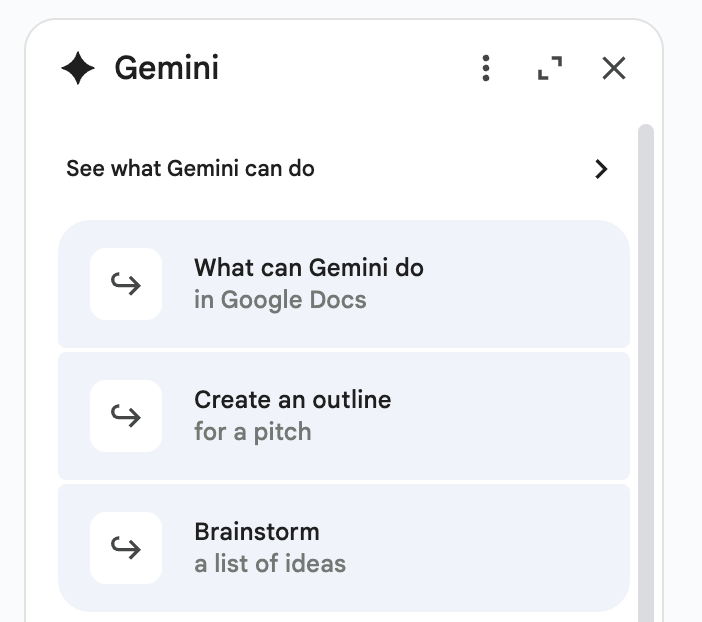
When you open Gmail, Google Docs, or Google Sheets, Gemini appears there as a side panel ready to help. Need to draft an email response? Done. Summarize a long document, build a formula, generate a video clip, or hand off a multi-step errand to a personal agent? Gemini now handles all of those.
The core difference from Perplexity is purpose. Gemini lives inside your workflow and is built to help you create and produce — and, more and more, to delegate. Perplexity asks "What do the sources say?" Gemini asks "What do you want to make, and what can I take off your plate?"
Gemini Key Features
Native Google Workspace integration:
Gemini appears as a side panel in Gmail, Docs, Sheets, Drive, and Meet. Summon it with a keyboard shortcut and get help without context switching.
Video generation with Veo 3.1 + Gemini Omni:
Gemini's video toolkit now includes Gemini Omni, announced at Google I/O 2026 (May 2026), alongside Veo. Omni generates and edits cinematic video from any input — text, images, audio, or video — through a conversational interface. Omni Flash is rolling out to Google AI Plus, Pro, and Ultra subscribers in the Gemini app, Google Flow, and YouTube Shorts.
Daily Brief:
Announced at I/O 2026, Daily Brief is a proactive morning digest. It works overnight, analyzing your inbox, calendar, and tasks to surface the most important items, prioritize them, and suggest next steps. It's rolling out to Google AI subscribers in the U.S.
Gemini Spark:
Also from I/O 2026, Spark is Google's 24/7 personal AI agent. Unlike traditional assistants that wait for instructions, Spark can continue working on tasks in the background and help manage longer-term projects. It runs on dedicated cloud VMs (powered by Gemini 3.5 and Google's Antigravity harness), so it keeps working even when your device is closed. It's rolling out to Google AI Ultra subscribers in the U.S. first.
Gemini in Chrome (Android):
Launching at the end of June 2026 (U.S. first, Android 12+), Gemini comes to Chrome on Android. Tap the Gemini icon to summarize the page you're on, ask questions, and connect to Calendar, Keep, and Gmail in-browser. For AI Pro and Ultra subscribers, "auto browse" can complete repetitive web tasks like booking parking or reordering supplies.
Multimodal capabilities:
Gemini handles text, images, audio, and video natively. This makes it useful for a wide variety of creative and productivity workflows.
Take Notes in Meet:
Gemini automatically captures meeting notes, action items, and summaries during Google Meet calls — but note this only works in Google Meet, and only for paid Workspace users.
Gemini Pros and Cons
Gemini Pros:
- Seamless integration: Works directly inside Gmail, Docs, Sheets, Chrome, and Android.
- Multimodal creation: Handles text, images, audio, and video — including native video generation via Omni.
- Proactive agents: Daily Brief and Gemini Spark move Gemini from on-demand to ambient.
- Storage included: Paid plans bundle generous Google Cloud storage.
- Strong value at entry: A new $4.99 tier and a halved top Ultra price make it cheaper to get in.
Gemini Cons:
- Citation limitations: Doesn't provide transparent source citations the way Perplexity does.
- Ecosystem dependency: Most valuable features assume you live in Google's ecosystem.
- Real-time research gaps: Not built primarily for current, cited web research.
- Developer tools in transition: Gemini Code Assist was deprecated for individuals in June 2026, with Antigravity CLI as the replacement.
- Hallucination risk: Can generate confident but incorrect information without sources.
When to Use Perplexity
Use Perplexity when your work demands accuracy, current information, and verifiable sources.
Research-intensive projects:
For reports, articles, or presentations that require factual accuracy and citations, Deep Research synthesizes dozens of sources into a comprehensive brief in minutes.
Fact-checking and verification:
Perplexity provides sources for every statement, making it easy to confirm accuracy before publishing.
Staying current with industry trends:
For competitive intelligence, market shifts, or regulatory changes, Perplexity's real-time search pulls today's information. And Scheduled Searches can automate that monitoring — set a recurring query and get alerted when the landscape moves, so you're not re-running the same search by hand.
Comparing options or vendors:
When evaluating tools, services, or solutions, Perplexity pulls recent reviews, pricing, and feature analyses with verifiable sources. Model Council takes this further: cross-check the same question across multiple frontier models before you commit to a decision. For detailed AI tool comparisons, see our guide on Comparing Prices: ChatGPT, Claude AI, DeepSeek, and Perplexity.
Academic and technical research:
Literature reviews and technical investigations benefit from Perplexity's ability to surface relevant papers and sources with proper attribution.
Quick answers with proof:
Need a fast answer you can trust? Perplexity delivers it with citations in seconds.
When to Use Gemini
Use Gemini when you're creating content, automating workflows, or working deep inside Google's ecosystem.
Daily Google Workspace users:
If your work happens in Gmail, Docs, Sheets, and Meet, help is just one click away. With Daily Brief organizing your morning and Gemini Spark handling tasks in the background, Gemini is increasingly ambient — working for you, not just waiting for prompts.
Content creation and drafting:
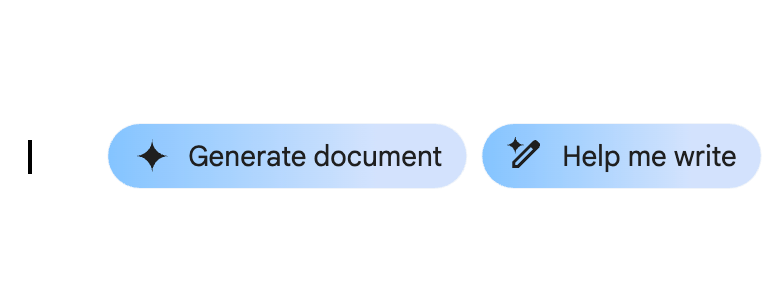
Writers and marketers benefit from "Help Me Write" across Gmail and Docs — drafting emails, posts, and proposals with AI that understands tone and context.
Meeting documentation:
Teams in Google Meet can use Gemini to capture notes, action items, and summaries automatically (within Meet, on paid Workspace plans).
Data analysis and visualization:
Ask Gemini to build formulas, analyze trends, or generate charts inside Google Sheets without leaving the app.
Creative brainstorming and video:
For ideation, campaign concepts, or short-form video, Gemini's generative tools — now including Omni for video — are built for production rather than fact-finding.
Workflow automation:
With Spark and Chrome's auto-browse, Gemini can automate multi-step tasks across Google apps and the open web in ways Perplexity approaches differently.
For more AI tool comparisons to optimize your workflow, explore our articles on Grok vs ChatGPT and Gemini vs Copilot.
Get Meeting AI Without Perplexity or Gemini (Introducing Tactiq)
Here's the gap neither tool fills cleanly: Gemini's meeting notes only work inside Google Meet, and only for paid Workspace users. Perplexity has no meeting functionality at all. If your meetings happen across Zoom, Teams, and Meet, as most teams do, neither tool covers you end to end.
That's where a purpose-built tool like Tactiq comes in:
- Real-time transcription across Meet, Zoom, and Teams — accurate, live transcripts with no bot joining the call.
- One-click summaries with action items — concise recaps that capture key decisions and assign follow-ups.
- Automatic save to Google Drive — transcripts and summaries land in your existing file structure, organized and shareable.
You get specialized AI for the one workflow general-purpose tools handle worst — and you keep your Google ecosystem benefits without paying for Gemini specifically to do it.
Add Tactiq to Chrome — it's free!
Pricing Comparison
Prices change often — always check each provider's site for the latest.
Perplexity (June 2026)
- Free — $0: Basic search with citations, plus the Comet browser. (Public query limits on the free plan aren't disclosed; see Perplexity Plans)
- Pro — $20/month (or $200/year): Unlimited Pro Search, multi-model access (GPT-5.4, Claude Opus 4.6, Gemini 3.1 Pro), connectors, Perplexity Computer agent (on credits), and daily Deep Research.
- Max — $200/month (or $2,000/year): Model Council, Background Assistant, recurring Computer credits, and Deep Research on Claude Opus 4.6.
- Education Pro — $10/month: Pro features for verified students.
- Enterprise Pro — $40/seat/month: Team features, admin controls, enhanced security.
- Enterprise Max — $325/seat/month: Everything in Max at organization scale.
The Comet browser and its core AI features are free on every plan; Comet Plus (premium publisher content) is $5/month and bundled into Pro and Max.
Google AI / Gemini (June 2026, post-I/O 2026)
- Free — $0: Gemini 3.5 Flash (the new default) with limited Pro access, 5 Deep Research reports/month, and 15 GB storage. See Gemini Subscriptions.
- Google AI Plus — $4.99/month: Recently cut from $7.99, with storage doubled to 400 GB. Includes higher limits, Gemini 3.1 Pro access, Daily Brief, and Omni Flash.
- Google AI Pro — $19.99/month: Gemini 3.1 Pro (1M-token context), Gemini Omni for video, and 5 TB storage.
- Google AI Ultra — $100/month: A new lower Ultra tier from I/O 2026 with roughly 5× Pro usage limits, Gemini Spark, and 20 TB storage.
- Google AI Ultra (top tier) — $200/month: Up to 20× Pro limits — down from $250.
Note: Gemini is now bundled into Google Workspace Business Standard and above, with no separate add-on required.
Value Analysis
For individual users, the comparison has shifted. Perplexity Pro and Google AI Pro both sit at ~$20/month, and Perplexity remains the better value for research-focused work. Gemini is the better value if you also need cloud storage — its paid tiers bundle 5–20 TB — and its entry point is now far cheaper at $4.99.
The headline change worth flagging for budget-conscious readers: Google AI Ultra dropped from $249.99 to a $100–$200 range, making frontier Google features dramatically more accessible than they were a few months ago.
For teams, the decision still depends on your existing stack. If you're already on Google Workspace, Gemini is increasingly baked in. If you're not, Perplexity's Enterprise tiers ($40–$325/seat) are priced for organizations that lean hard on research and agents.
Which One Should You Choose?
There's no one-size-fits-all answer. Here's the framework:
Choose Perplexity if you:
- Need verifiable sources and citations for professional work.
- Do research, competitive analysis, or market intelligence regularly.
- Need to cross-check answers across multiple AI models.
- Work outside Google's ecosystem.
- Value real-time, current information.
Choose Gemini if you:
- Work primarily in Google Workspace (Gmail, Docs, Sheets, Meet).
- Focus on content creation, drafting, and video.
- Want AI integrated directly into your daily tools and browser.
- Value proactive agents and workflow automation.
Consider both if you:
- Have complex needs spanning research and creation.
- Need the best tool for each specific task.
Consider Tactiq instead if your main need is AI for meetings — transcription, summaries, and action items. It works across all three major platforms (Meet, Zoom, Teams), saves to Google Drive, and is free to start.
The Bottom Line
Perplexity and Gemini solve different problems. Perplexity is your research system — fast, accurate, transparent with sources, and now equipped with a free browser and background agents. Gemini is your ambient work layer — integrated, multimodal, and built to create and act across Google's ecosystem.
Match the AI to the task. Use Perplexity when you need to know something. Use Gemini when you need to create or delegate something. And for meetings specifically — the workflow neither handles well — a purpose-built tool like Tactiq removes the manual work of moving transcripts between platforms so you can focus on getting work done.
FAQ
Your questions, answered.
If you have any further questions, Get in touch (opens in a new tab) with our friendly team
Is Perplexity better than Gemini AI?
Which AI is better than Perplexity?
Why did Google shut down Gemini?
Is Gemini really better than ChatGPT?
Does Perplexity work for meeting notes?
Related articles

Claude Memory: How to Import and Manage Your AI Context

Claude Cowork Connectors: Automate Recurring Work

Google Gemini MCP Support: Where It Works and Setup Tips

Best Claude Skills: Top Picks for Meetings, Content, and Code

5 Best AI Scheduling Assistants

Microsoft Teams MCP: How to Access Meeting Content With AI

How Do I Turn Off Google Gemini?

AI Meeting Notetaker with Claude Connector: Top 6 Picks
Want the convenience of AI summaries?
Try Tactiq for your upcoming meeting.
Bringing AI into your meetings has never been so easy.
Add to Chrome - It's free!(opens in a new tab)Try Tactiq in your upcoming meeting!
Sign up now