
Grok vs ChatGPT - Which AI Chatbot Is Right for You?
July 18, 2025
July 18, 2025
May 28, 2026
May 28, 2026
Introduction
Two AI assistants dominate the conversation in 2026: ChatGPT and Grok. OpenAI's ChatGPT is so dominant that the brand is practically a synonym for "AI assistant." xAI’s Grok has spent the past year closing the gap with a faster release cadence, real-time data, and an irreverent personality.
This article compares Grok 4 and ChatGPT (GPT-5) in the tasks people do every day, from coding and content creation to research and collaboration. You’ll see what works best for your style of work.
TL;DR: Grok 4 vs ChatGPT — Which AI Chatbot Is Right for You?
Pick ChatGPT (GPT-5) if you want the most consistent all-rounder for coding, structured writing, and deep research, with the widest ecosystem of integrations. Pick Grok 4 if you need real-time awareness of news and trends, a more playful tone, or the multi-agent reasoning of Grok 4 Heavy. Many professionals end up using both — ChatGPT for polish, Grok for currency.
Grok vs ChatGPT: Quick Comparison Table
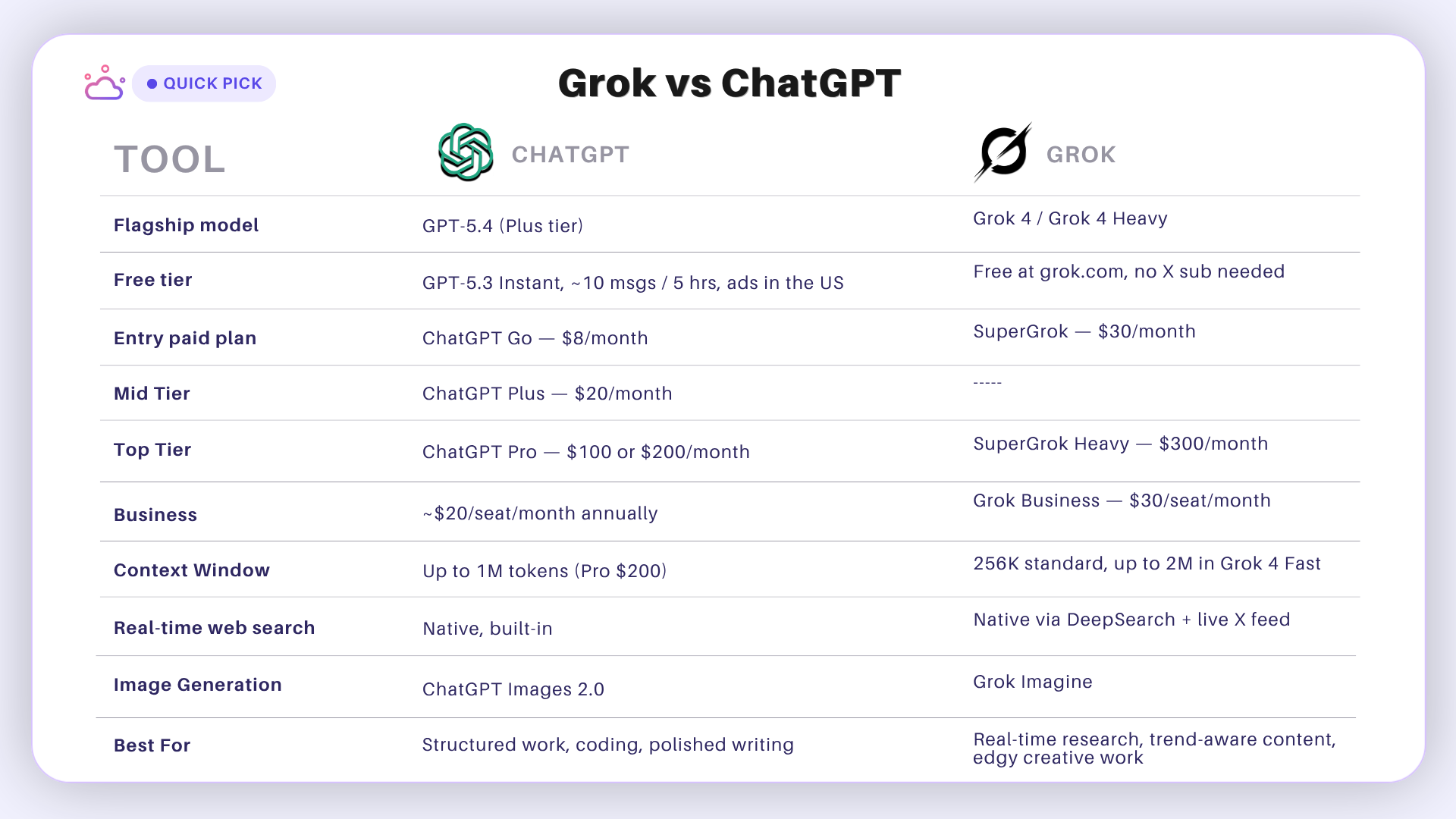
Overview: Grok vs ChatGPT
What is Grok?
Grok is a large language model developed by Elon Musk's xAI in 2023, designed as an AI assistant integrated with the X platform (formerly Twitter). It was built to rival ChatGPT but with a twist: Grok has a more irreverent, cheeky personality and direct access to X's data firehose, giving it up-to-the-minute awareness of trends and news. Its integration into X even includes an "Ask Grok" button on posts to instantly summarize or comment on them.
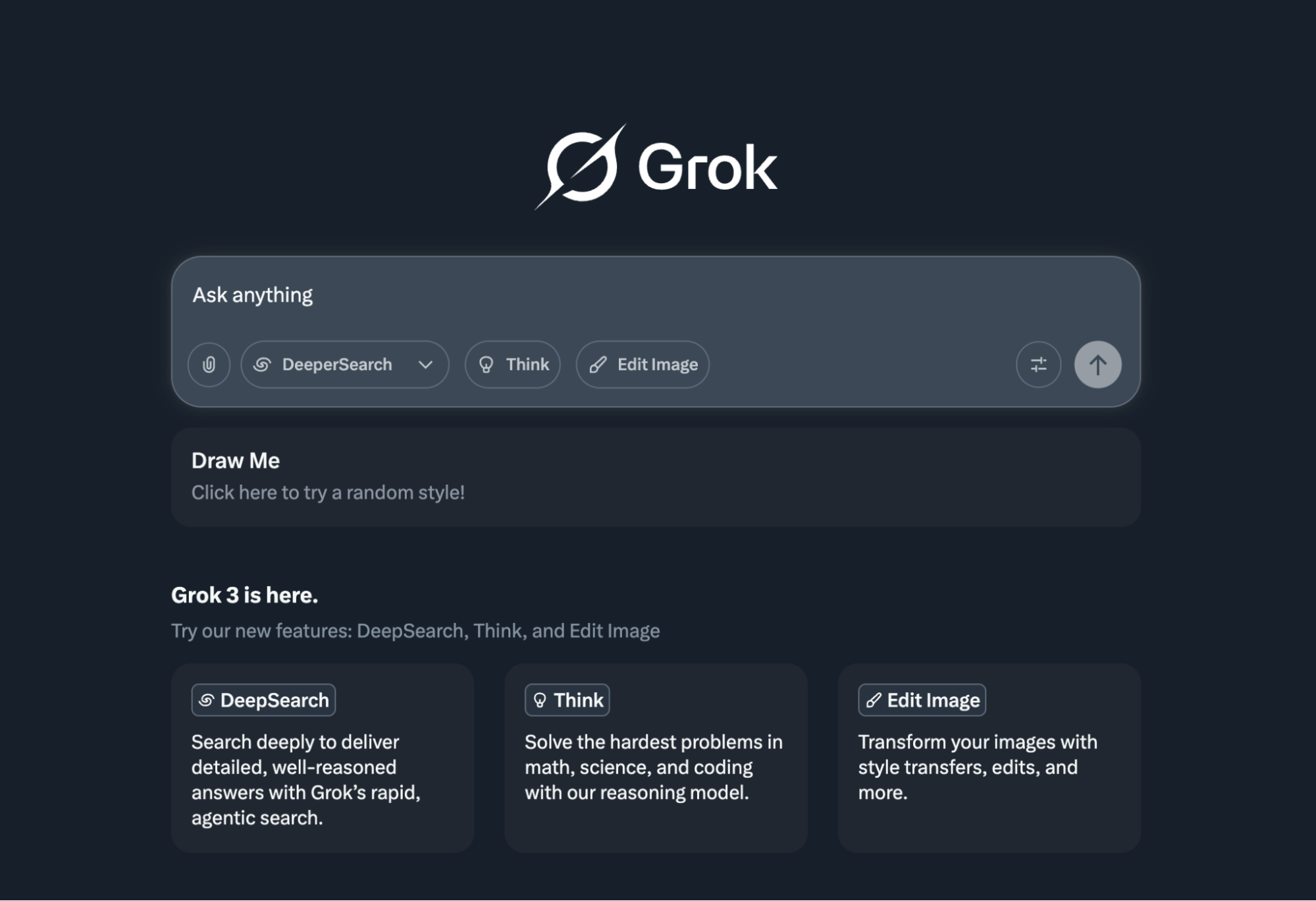
Grok 4 is the current flagship, originally launched in July 2025 and steadily upgraded since. It brings stronger reasoning, enhanced multimodal processing, and a dedicated Grok 4 Code variant tuned for software engineering.
At the top of the lineup sits Grok 4 Heavy, a multi-agent configuration where several AI specialists work on a problem in parallel — one plans, one verifies, one drafts — producing higher-quality output on complex reasoning tasks.
What is ChatGPT?
ChatGPT, created by OpenAI, is the original breakthrough AI chatbot that set the standard for conversational AI. It's powered by OpenAI's GPT series, and the flagship most paying users interact with is GPT-5.4, available on ChatGPT Plus and above.
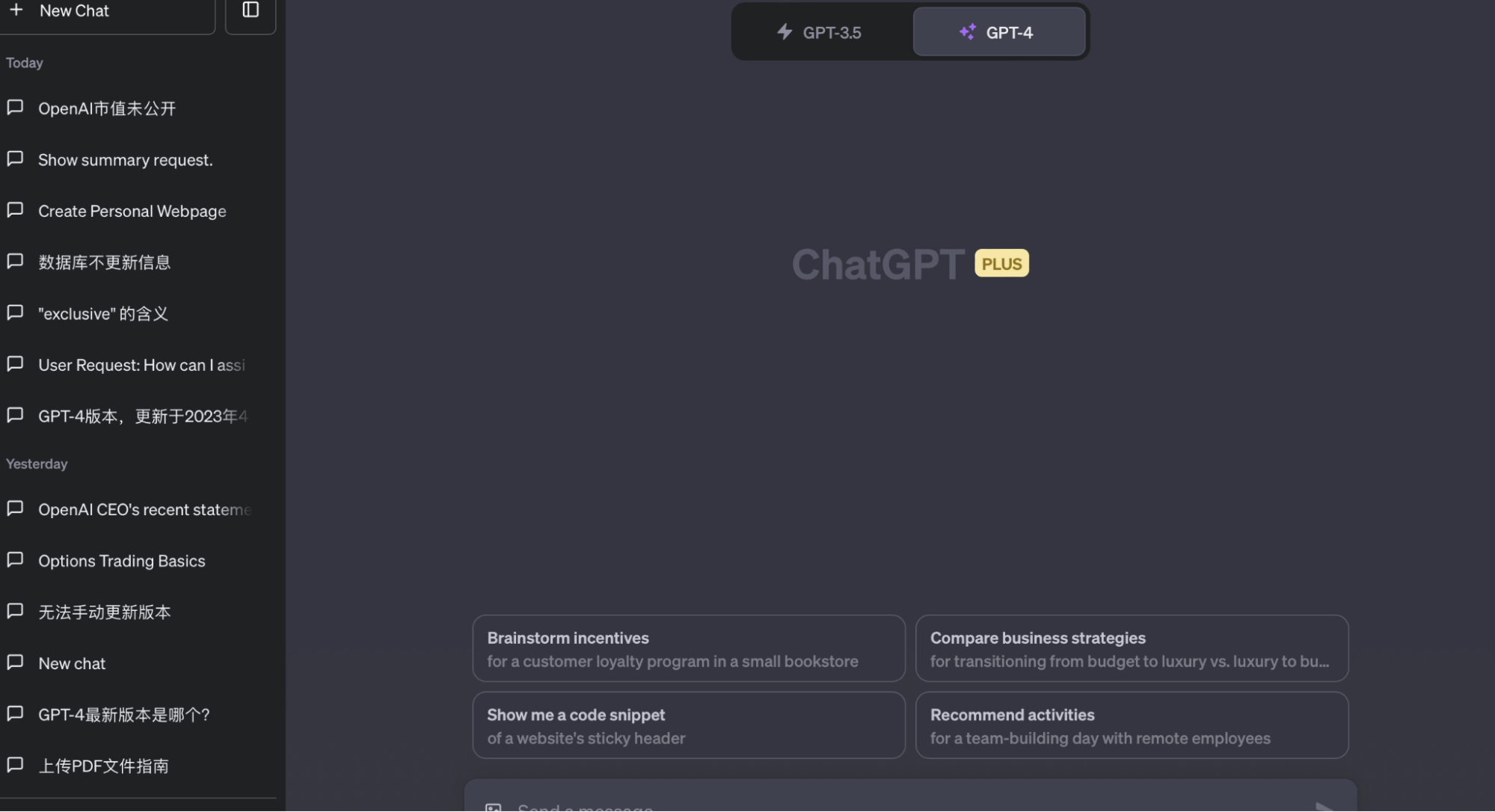
GPT-5.4 is a substantial step up from the GPT-4 era: better instruction-following, stronger reasoning, much larger context, native web search, meeting integration, and noticeably more accurate code generation.
In practice, this means ChatGPT has gotten meaningfully better at writing tight code, producing coherent long-form content, and handling multi-step problems, like extracting useful data from spread-out meeting conversations, without losing the thread.
💡 Pro tip: If you need a quick way to summarize meeting transcripts, use Tactiq. It transcribes in real time during the call and delivers a full transcript plus AI summaries the moment the meeting ends.
Feature Comparison: Grok vs ChatGPT
Real-Time Data and Research Capabilities
Staying current is one of the clearest differentiators between the two assistants. Both can now search the web natively, but they approach it differently.
Grok: built for real-time awareness
- Live access to X: continuously pulls in trending posts, breaking news, and live commentary.
- DeepSearch agent: scans across web sources to compile research-grade responses.
- Web search included: pulls current news from the web in real time.
- Citations included: often references tweets, articles, or pages directly — useful for fact-checking.
ChatGPT: native web search and structured research
- Native web search: GPT-5 searches the web on demand without any plugin setup.
- Deep Research mode: runs longer, multi-step research tasks and returns a structured report.
- Bing-backed retrieval: uses Microsoft's search engine.
- Source citations: included inline in browsing and Deep Research responses.
For a journalist or social media manager who lives inside the news cycle, Grok's X integration is genuinely hard to beat. For a consultant or analyst who needs a clean, sourced briefing, ChatGPT's Deep Research is the more polished tool.
Coding, Math, and Technical Tasks
Both assistants are strong coding partners, but they emphasize different strengths.
ChatGPT (GPT-5) for coding
GPT-5 has cemented ChatGPT as a top-tier coding assistant. It generates code across virtually every popular language, debugs errors, walks through complex algorithms step by step, and produces fewer syntactic mistakes than the GPT-4 generation. OpenAI's internal benchmarks show meaningful gains on coding tasks, and many developers use it as a primary pair-programmer alongside Copilot or Cursor.
Grok 4 (and Grok 4 Code) for coding
Grok 4 has narrowed the coding gap considerably, and xAI now ships a dedicated Grok 4 Code variant aimed at software engineering tasks. It's particularly strong on:
- Quickly surfacing bugs and gotchas that are actively being discussed in developer communities.
- Working with new or rapidly evolving libraries where training-cutoff dates would hurt other models.
- Casual, conversational debugging — explaining what's wrong in plain English without ceremony.
For mission-critical code, ChatGPT is still the safer default. For staying on top of brand-new frameworks or quick prototyping, Grok 4 Code is increasingly competitive.
Creative Writing and Content Generation
Both models are capable creative assistants, but they shine in different lanes.
ChatGPT strengths
- Polished, structured writing: blogs, whitepapers, long-form storytelling.
- Custom GPTs: build reusable writing assistants (legal translator, brand voice bot, etc.).
- Accurate summaries: turns dense source material into digestible insights.
- Tone flexibility: switches cleanly between professional, casual, and creative registers.
Grok strengths
- Real-time cultural awareness: references memes, current events, and trending topics.
- Witty, entertaining default tone: more playful and often funnier in casual writing.
- Native image generation: produces visuals, memes, and character scenes on the fly via Grok Imagine.
- Less filtered outputs: will tackle bolder or edgier creative briefs that ChatGPT routes around.
- Source-aware summaries: frequently cites tweets or links when summarizing news.
Integration with Apps and Workflows
ChatGPT is the more deeply embedded of the two. The OpenAI API powers features inside Notion, Canva, Slack, Microsoft 365, and thousands of smaller tools, and any team using Zapier can wire ChatGPT into 5,000+ apps with no custom code.
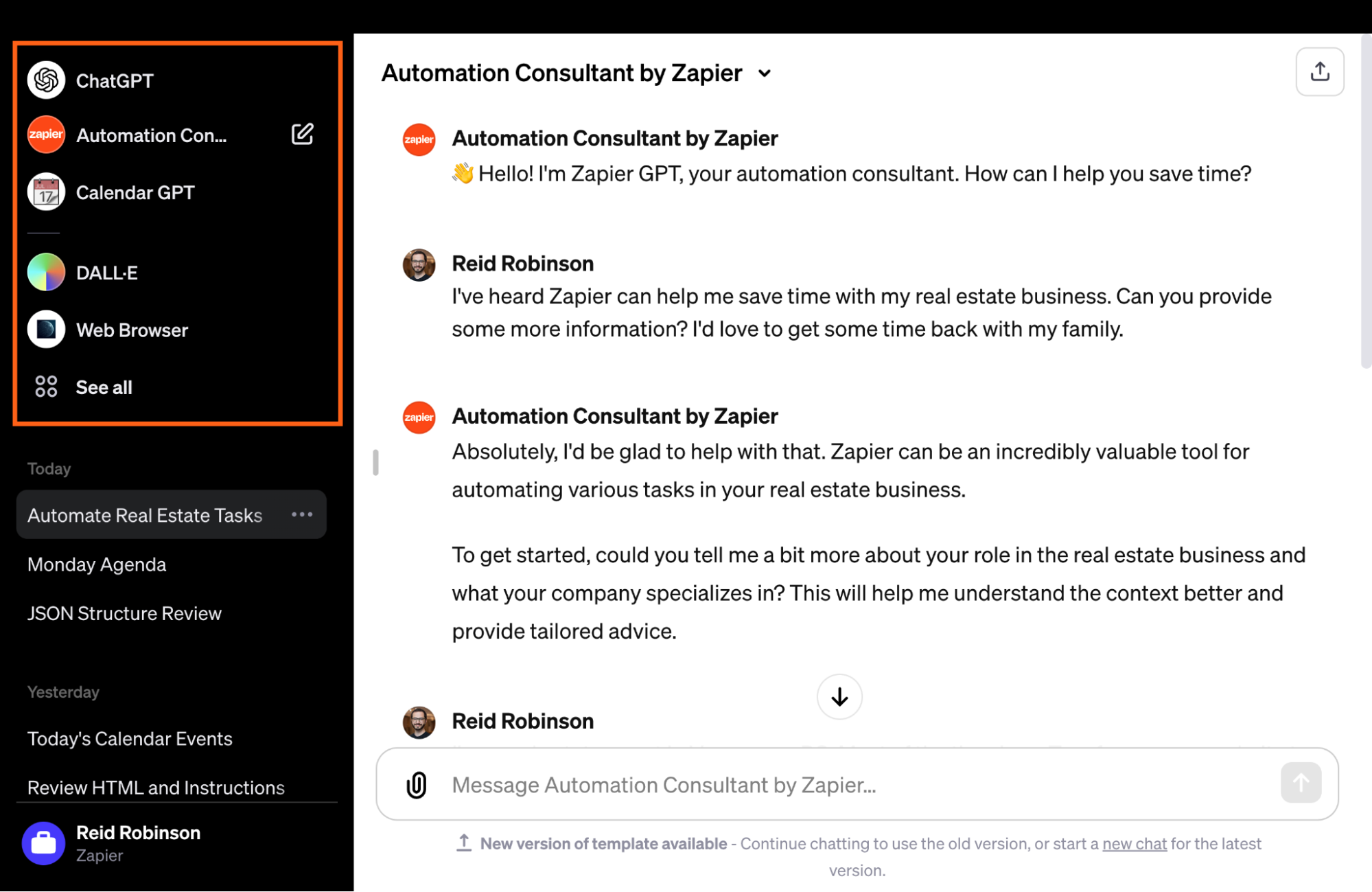
ChatGPT integrations
- Zapier: automate across thousands of apps (Asana, Slack, Gmail, etc.).
- Slack + Microsoft 365: native support for thread summaries, Copilot tools, and meeting recaps.
- OpenAI API: standard plumbing in tools like Notion, Canva, and most modern SaaS.
- Custom workflows: developers and teams build bespoke automations on top of GPT-5.
Grok started inside X and has expanded outward fast. Native integration with Telegram turns it into a real-time assistant in chat, and via Zapier and Albato, Grok can now interact with hundreds of apps — automating reports, summarizing trending X content, and feeding live data into team workflows.
Grok integrations
- X (Twitter): native AI chatbot with live content and posting features.
- Telegram: real-time assistant inside chat.
- Grok API: developers can connect Grok to third-party apps and dashboards.
- Flexible automations: daily reports, trend summaries, and file analysis.
User Experience and Customization
ChatGPT offers a polished and highly customizable interface, built for users who want control over tone, structure, and output format. You can chat on web or mobile, use voice, switch to Canvas view for side-by-side editing, and shape behavior with Custom Instructions and Custom GPTs. It feels like a general-purpose productivity tool tuned for both casual queries and complex workflows.
ChatGPT UX highlights
- Clean web + mobile interface: includes voice input/output and Canvas view.
- Custom Instructions: persistent preferences for tone, formatting, and context.
- Custom GPTs: build and reuse persona-based assistants (Grammar Coach, Python Tutor, etc.).
- Voice assistant capability: works like Siri or Alexa, but smarter.
- Long context (GPT-5): handles extended documents and long-form tasks comfortably.
Grok emphasizes personality and simplicity. It's built into X but also available standalone at grok.com. The default tone is witty and informal, with easy toggles like "Think" and "DeepSearch" to control reasoning depth and research breadth. It feels less like a corporate tool and more like a clever colleague.
Grok UX highlights
- Casual, conversational tone: feels like chatting with a friend who happens to read everything.
- "Think" + "DeepSearch" toggles: adjust output depth and research thoroughness.
- Adaptive style: may tailor tone and length to your habits over time.
- Massive context window: 256K tokens on standard Grok 4, and up to 2 million tokens in Grok 4 Fast — enough to hold entire books, codebases, or large research corpora in a single session.
Grok vs ChatGPT Pricing
ChatGPT pricing
OpenAI now runs a tiered structure designed to cover everyone from casual users to enterprise teams.
- Free: GPT-5.3 Instant, ~10 messages per 5 hours, ads shown to US users.
- ChatGPT Go: $8/month (launched January 2026) — more volume than Free, still without the advanced feature set.
- ChatGPT Plus: $20/month — the mainstream tier, unlocks GPT-5.4, Deep Research, Codex, Sora, Agent Mode, and Canvas.
- ChatGPT Pro: $100/month (launched April 2026) for heavy individual users, or $200/month for true power users who need 20× Plus usage and a 1M-token context window.
- ChatGPT Business: ~$20/seat/month billed annually, with shared workspaces, SAML SSO, admin controls, and SOC 2 compliance.
For most professionals, Plus at $20/month is still the sweet spot. Go is best treated as a stepping stone, and the Pro tiers only pay off if you genuinely exhaust Plus limits week in, week out.
Grok pricing
xAI has shifted toward standalone subscriptions, so you no longer need to subscribe to X to use Grok.
- Free: available at grok.com — no X subscription required. Modest rate limits (roughly 10 prompts every 2 hours) but full access to Grok's distinctive features for sampling.
- SuperGrok: $30/month (or $300/year) — full Grok 4 access, DeepSearch, Big Brain mode, Voice mode, Grok Imagine image generation, and significantly higher rate limits.
- SuperGrok Heavy: $300/month — unlocks Grok 4 Heavy, xAI's multi-agent reasoning model, plus the highest rate limits across the platform and early access to new releases.
SuperGrok at $30/month is the right call for most individual users who want Grok as a daily driver. SuperGrok Heavy is a niche tier — it earns its price for researchers, quants, and engineers whose work directly benefits from multi-agent reasoning. For most people, that's overkill.
Use Cases — Which AI Fits Your Workflow?
For research and staying updated
If your work revolves around current events, market intelligence, or fast-moving topics, Grok is almost tailor-made for the job. Its real-time access to X and the broader web means you can treat it like a personal analyst that never sleeps. A market researcher can ask Grok each morning what's been said about renewable energy in the last 24 hours and get a digest with tweet and article references.
ChatGPT is equally capable for research with a different shape. With native web search and Deep Research mode, GPT-5 produces longer, more structured analyses — the kind of thing you'd hand to a stakeholder. Paste in an earnings report, a legal summary, or a research paper, and ChatGPT will break it down, surface key points, and produce comparative tables or executive summaries with minimal prompting.
Choose Grok if you need real-time data, trend awareness, and live cultural context.
Choose ChatGPT if you need a structured, polished, long-form analysis you can hand off.
Use both if you want intel speed from Grok and synthesis quality from ChatGPT — a common combo for solo creators and small research teams.
For team collaboration and meetings
Remote teams spend a lot of time in meetings and chat, and AI can help make sure decisions and action items actually get captured.
ChatGPT in team settings pairs well with tools like Tactiq for converting meeting transcripts into clear summaries and action lists. It works across Microsoft Teams, Zoom, and Slack, and it's strong at producing structured outputs — labeled Decisions, Owners, Next Steps — that teams can paste straight into project management tools.
Grok in team settings is most useful when plugged into chat platforms like Slack or Telegram. It can fact-check live during discussions, summarize long threads on demand, and answer "what did we decide about Project X" questions later. It also adds personality, which can help in long collaboration sessions where the energy is flagging.
Verdict: For maximum accuracy and clean formatting, ChatGPT is the safer bet. For trend-aware context and a lighter touch, Grok adds genuine value.
For coding and technical support
ChatGPT (GPT-5) for coding
GPT-5 functions like a senior pair programmer — strong at code generation, debugging, refactoring, and explaining tricky logic to junior developers. Code Interpreter lets it actually execute scripts inside a chat, which is invaluable for data work, quick prototypes, and verifying that generated code actually runs.
Grok 4 and Grok 4 Code for coding
Grok 4 holds its own on most coding tasks, and the dedicated Grok 4 Code variant is specifically tuned for software engineering — code generation, debugging, and working across larger codebases via its massive context window. Its real edge remains real-time awareness: bugs being actively discussed in dev communities, new library releases, and emerging frameworks tend to surface in Grok's answers before they do in models trained on a fixed cutoff.
Ideal setup
- Solo devs: ChatGPT for everyday coding, Grok 4 Code for cutting-edge libraries and quick trend checks.
- Teams: a shared #ask-AI channel where ChatGPT handles accuracy-critical work, and Grok handles speed and currency.
For writing and creative tasks
ChatGPT for writing
Excellent for drafting, editing, and refining across formats. Custom GPTs let you build dedicated assistants for specific tones, brand voices, or formats. Canvas mode is particularly strong for inline revisions on long-form work.
Grok for creative tasks
Thrives in social-first, trend-driven work. If you need copy that sounds like it was written this week — current memes, current slang, current references — Grok is hard to beat. It can also generate visuals on demand via Grok Imagine, which makes it useful for reactive social content.
Combined approach
- ChatGPT drafts and polishes long-form or formal content.
- Grok injects freshness, humor, and visuals — ideal for promotional or reactive content.
Tactiq and AI Chatbots
To bring it all together, let's talk about Tactiq. It's a meeting transcription tool many remote teams use, and it pairs cleanly with both Grok and ChatGPT.
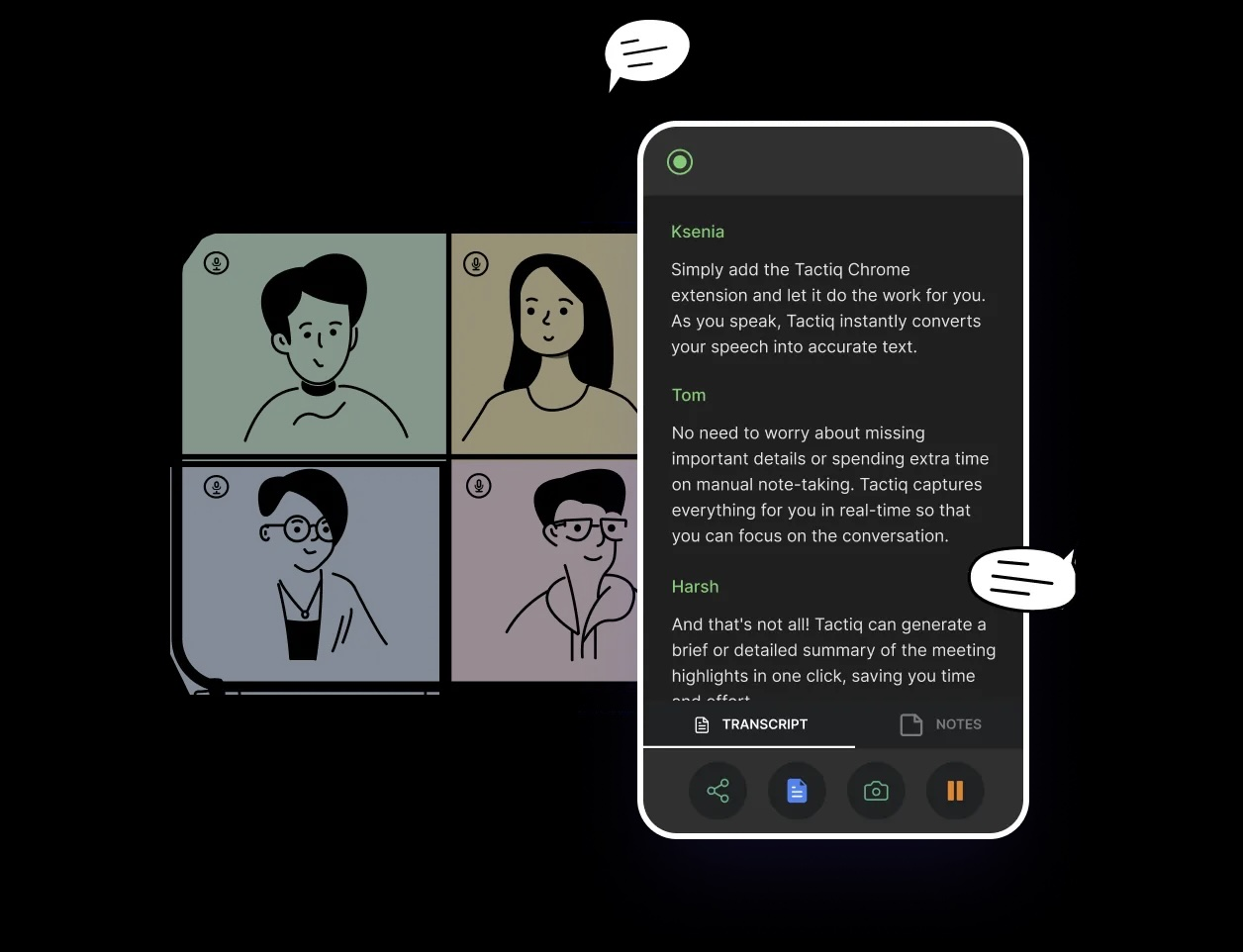
Tactiq captures what happens in your virtual meetings (Google Meet, Zoom, or Teams) and produces transcripts, summaries, and follow-up tasks. Combined with an AI chatbot, this means meetings aren't just talked into the void — outcomes get documented and acted on.
How to set it up
- Install the Chrome/Edge extension: visit the Tactiq download page and click "Add to Chrome/Edge."
- Enable meeting platform access: choose Google Meet, Zoom, or Teams and grant the necessary permissions.
- Sign up or log in: click the Tactiq icon and create an account via Google or email.
- Start a meeting: join via your chosen platform, and Tactiq will transcribe in real time.
- View transcripts and AI summaries: open the Tactiq dashboard for transcripts, summaries, and highlights.
You don't need to upload transcripts to ChatGPT or Grok manually — Tactiq generates summaries natively right after the call. If you'd rather work in your AI tool of choice, you can also send transcripts to Google Drive and pull them into ChatGPT via its Drive connection.
Grok 4 vs ChatGPT in 2026: Which One Should You Use?
Choosing between Grok 4 and ChatGPT in 2026 isn't about picking a "winner." It's about matching the tool to the work.
Solo users who want a dependable all-purpose assistant for writing, coding, and structured thinking will find ChatGPT (GPT-5) to be a seasoned expert — consistent, deeply knowledgeable, and integrated with virtually every productivity tool you already use. It's the safer choice for accuracy-critical work and polished deliverables.
Users who live closer to the news cycle, social media, or fast-moving research areas will get more out of Grok 4 — it feels like an AI plugged directly into the world, with real-time data, a sharper personality, and Grok 4 Code as a strong coding companion. For research teams, quants, and engineers tackling genuinely hard reasoning problems, Grok 4 Heavy's multi-agent architecture — where multiple AI specialists work in parallel on different parts of a task — is the most distinctive capability either platform currently offers.
The pragmatic answer for many professionals is: use both. ChatGPT for the bulk of structured work, Grok for the moments when currency, edge, or multi-agent reasoning matter more than polish.
xAI’s Grok excels at real-time info, trend-aware content, and casual creativity, while OpenAI’s ChatGPT is stronger for deep reasoning, polished long-form work, and integrations. Both are strong daily tools; the choice depends on freshness vs. consistency.
OpenAI’s GPT-5 generally leads in structured reasoning, coding accuracy, and long-form writing. xAI’s Grok 4 excels with real-time data, while Grok 4 Heavy can outperform GPT-5 on some complex reasoning tasks using parallel verification agents.
OpenAI’s ChatGPT (GPT-5) is typically more reliable for step-by-step math and proof-based reasoning. xAI’s Grok performs well on applied quantitative tasks but can make minor arithmetic errors, making ChatGPT — or Grok 4 Heavy with verification agents — the safer choice for precision-critical math.
xAI’s Grok stands out for real-time data and deep integration with X, where news and trends emerge first. It excels at live updates, trend tracking, reactive content, and bold creative tasks where speed and freshness matter more than polished output.
xAI’s Grok 4 Heavy is a $300/month AI model using multiple specialized agents working in parallel for planning, verification, and drafting. It delivers stronger reasoning for research, technical analysis, and large-document tasks, aimed at professionals needing top-tier output.
Related articles





Want the convenience of AI summaries?
Try Tactiq for your upcoming meeting.
Want the convenience of AI summaries?
Try Tactiq for your upcoming meeting.
Want the convenience of AI summaries?
Try Tactiq for your upcoming meeting.