
ChatGPT for Content Creation: A Guide for Marketing Agencies
July 8, 2023
July 8, 2023
October 29, 2025
October 29, 2025

Writing a blog post, planning social media posts, and managing marketing campaigns all take time and energy.
The good news is you don’t have to do it all alone anymore.
AI tools like ChatGPT are changing the way content creators work, helping you generate ideas, write drafts, and repurpose call transcripts into engaging content.
In this guide, you’ll learn how to:
- Use ChatGPT prompts for content creation
- Build content workflows to streamline marketing tasks
- Turn meeting transcripts into blog titles, video scripts, and more with Tactiq
How Can ChatGPT Help Content Writers?

ChatGPT is more than a tool for quick drafts. It can support every step of your content creation process. Here’s how it helps:
- Idea generation: Get new topic ideas, descriptive blog titles, and even a full list of post ideas for your target audience.
- Content drafting: Use ChatGPT to write a blog post, video script, or even subject lines for your next email. You can also ask it to generate bullet points that you expand later.
- Editing and improving: Refine grammar, tone, and flow to make your content more engaging.
- Repurposing content: Turn call transcripts into social media posts, newsletters, or a YouTube video script.
- Keyword support: Use AI for keyword research, then ask ChatGPT to include keywords related to your industry in SEO-friendly drafts.
- Summarizing calls: Get the transcript of the call and ask ChatGPT to summarize it or use it as part of your idea generation.
💡 Pro tip: Why juggle multiple tools for transcripts and summaries? With Tactiq, you can capture, summarize, and share insights – all in one place.
How Do You Use ChatGPT as A Content Creator?
Depending on how you set it up, ChatGPT can connect to your data, act as your agent, run custom GPTs, or organize entire campaigns in Projects.
I’ve personally used it to:
- Plan monthly content calendars
- Write email sequences for my lead magnet
- Turn livestream transcripts into full blog posts
Here’s how each mode can help with content creation:
Connectors
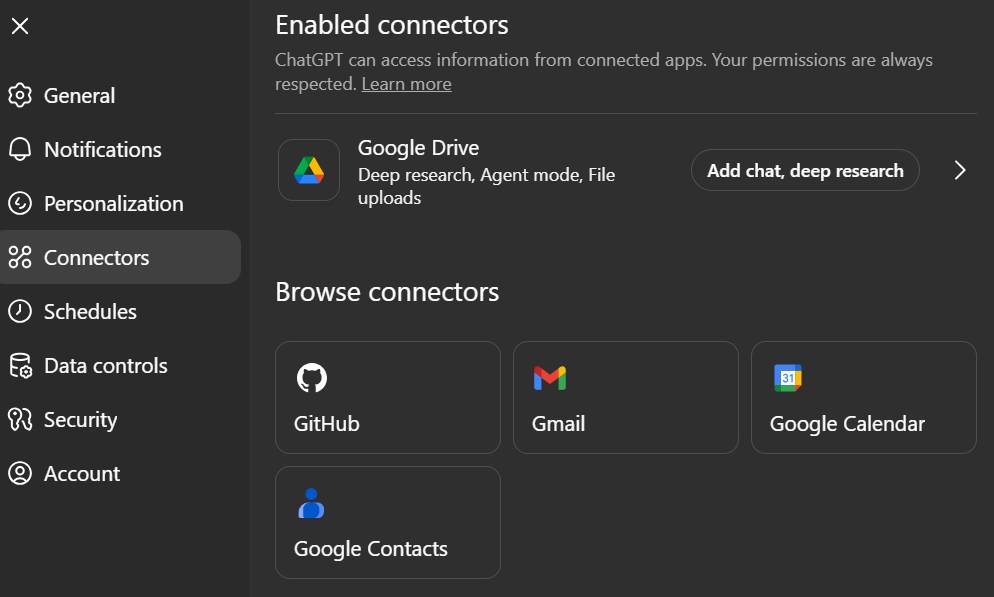
Connectors let ChatGPT pull from your apps and files (Google Drive, Notion, or SharePoint), so it has the context it needs to draft better content.
Instead of starting from scratch, you can ask it to create a blog post based on last quarter’s reports, or generate social media posts using your brand guidelines stored in Drive. It can even run deep research across multiple sources and return a summary with citations.
For example, I’ve used it to analyze the common questions leads ask when they email me for the first time.
Agent
Agent mode gives ChatGPT the ability to think and act through its own virtual computer. It can browse websites, analyze competitors, or create editable slides and spreadsheets.
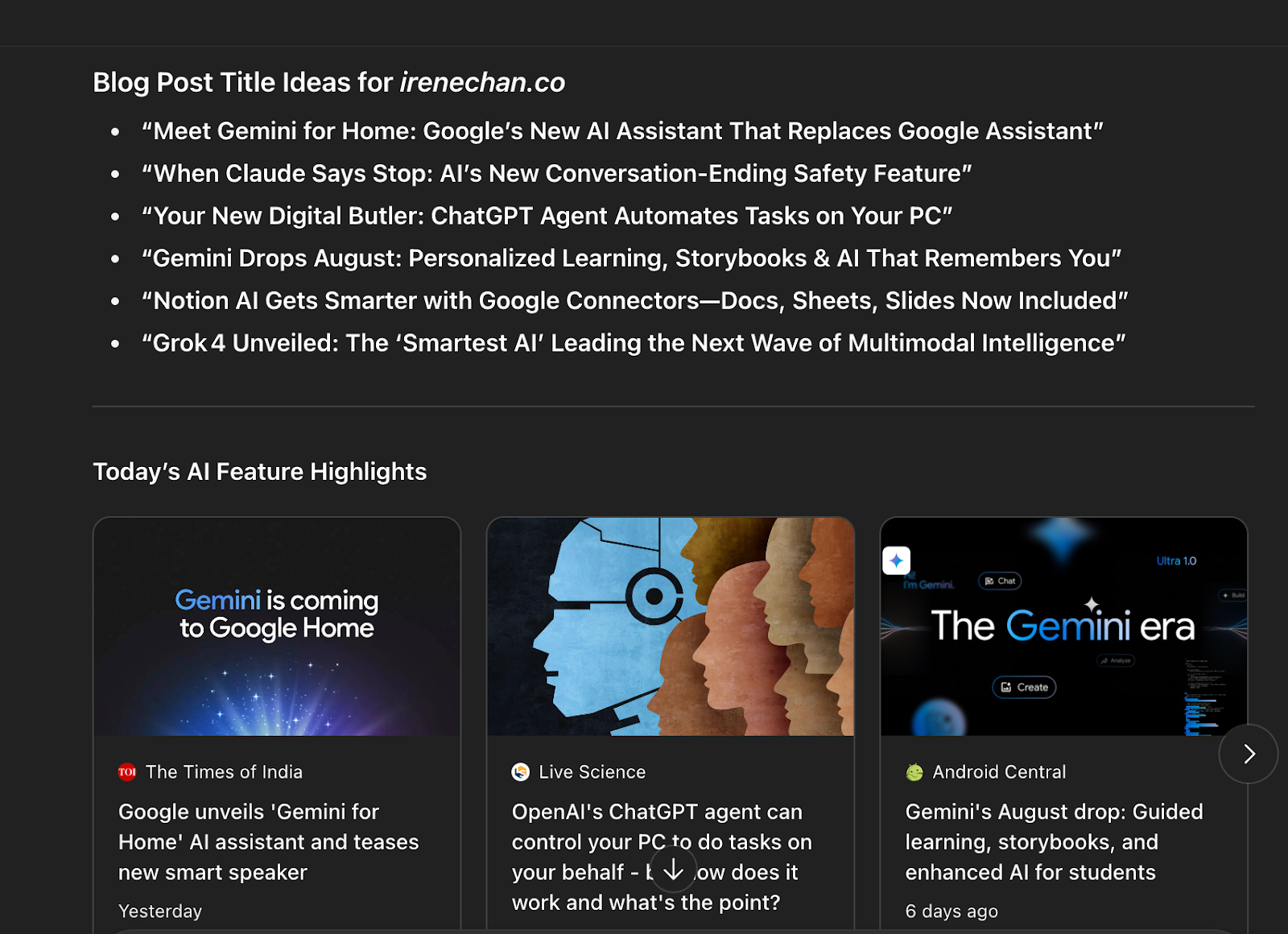
For example, I use an AI agent to scan daily news on ChatGPT and other AI tools, then generate potential blog or LinkedIn titles each morning as a scheduled task.
GPT
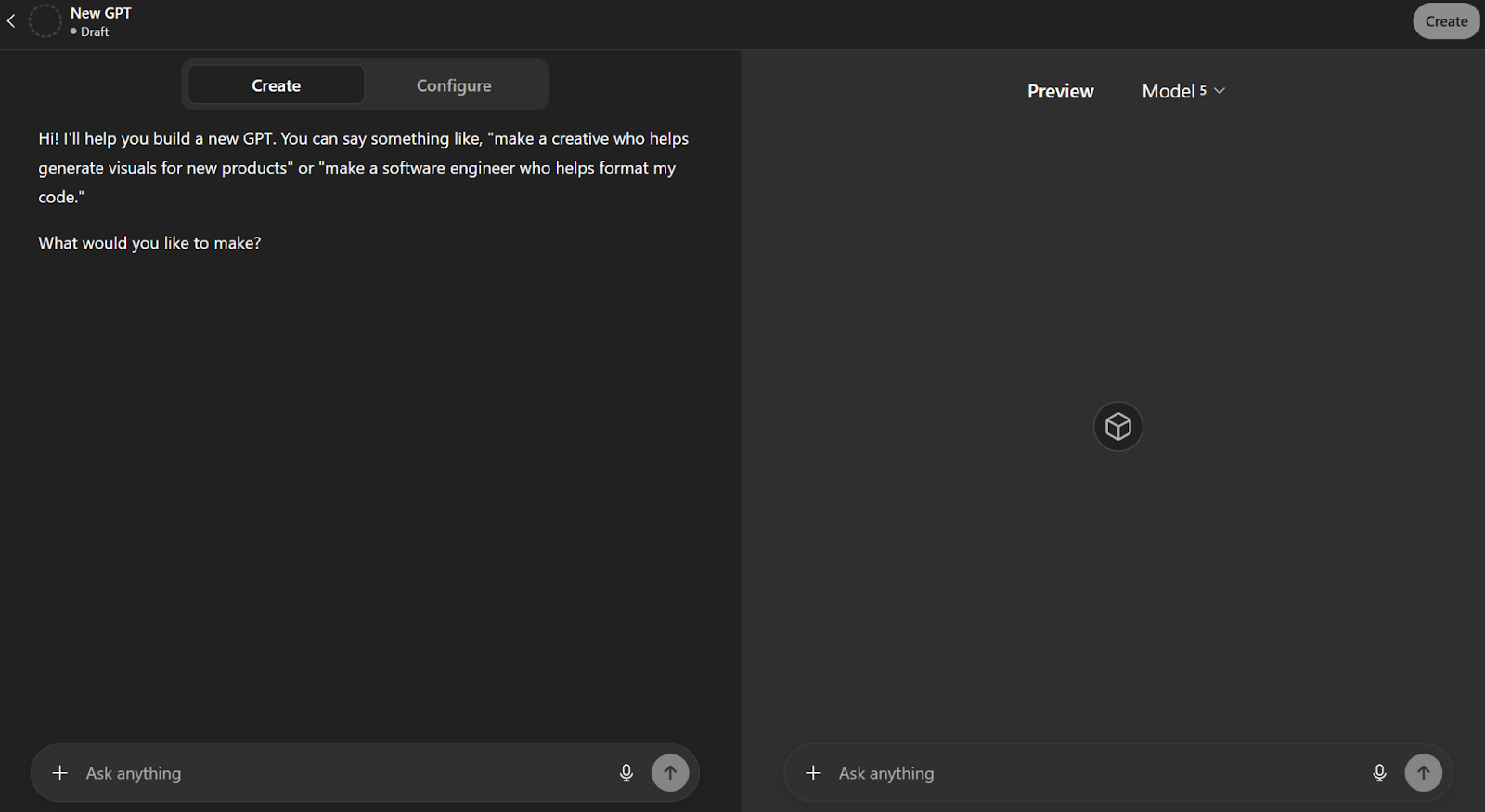
GPTs are custom versions of ChatGPT you design for specific tasks. No coding required. You can upload brand guides, set custom instructions, and build a GPT that always produces content in your style.
Imagine one GPT that writes blog titles and subject lines in your tone. Another that drafts YouTube video scripts, and another that suggests post ideas for your content calendar.
There’s also a growing library of GPTs you can explore and use, covering everything from marketing assistants to design helpers. This makes it easy to find ready-made GPTs that fit your content workflows without starting from scratch.
Project
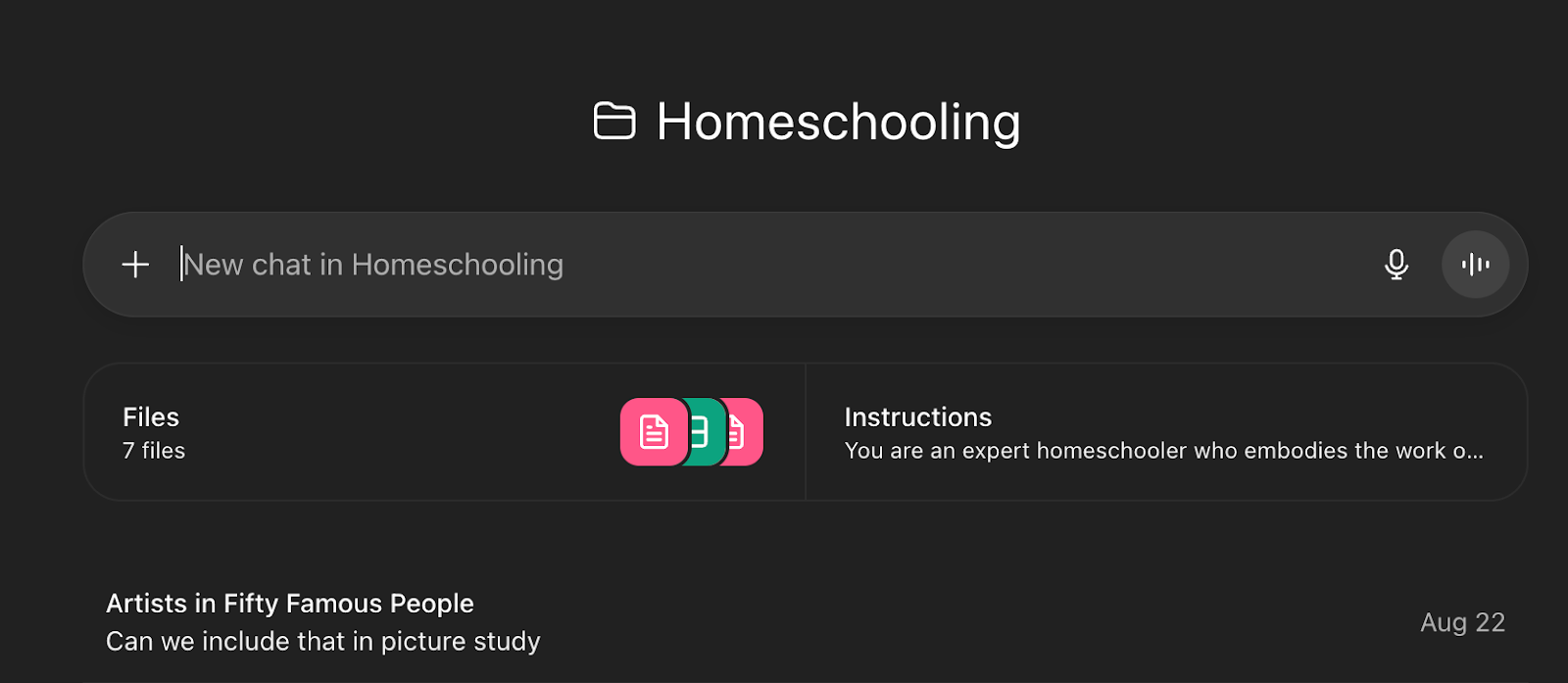
Projects act as smart workspaces where you can group chats, files, and instructions together. They’re perfect for long-running campaigns because ChatGPT remembers past work and builds on it.
I personally use Projects for non-work goals, like planning a homeschool curriculum and organizing daily lesson plans.
You can also learn about content workflows using Claude instead of ChatGPT if you’re curious about how other AI tools handle creative tasks.
What Are Some Good ChatGPT Prompts?
The quality of ChatGPT’s output depends on the quality of your input. A good ChatGPT prompt is specific, clear, and gives enough context to deliver useful results.
✅ Example of a good prompt:
Write a LinkedIn post using the AIDA structure for [your target audience]. Include a CTA to promote [your offer]. Use a [3 adjectives] tone.
❌ Example of a bad prompt:
Write a LinkedIn post.
Here are some of the best ChatGPT prompts for content creation:
- Generate 10 blog post ideas around [insert topic].
- Write a descriptive blog title with keywords related to [topic].
- Draft a blog post outline that includes supporting arguments and SEO title suggestions.
- Create a list of subject lines for a newsletter promoting [specific offer].
- Write a YouTube video script introducing [product/service].
- Summarize this meeting transcript into bullet points I can use for social media posts.
- Write a Facebook ad campaign promoting [product] with different versions for A/B testing.
- Generate an X (Twitter) thread with 7 posts breaking down [industry trend].
- Do keyword research for [topic] and suggest terms with high search intent.
- Create a content calendar with blog titles, social media posts, and video scripts for the next 30 days.
Remember that these are only starting prompts, and you can ask ChatGPT to expand or elaborate on the outputs.
Best ChatGPT prompts for SEO
ChatGPT can support your search engine optimization efforts by helping you draft content that ranks and speaks to your target audience. While it won’t replace proper keyword research tools, it can give you strong starting points for blog posts, meta descriptions, and more.
Here are some of the best ChatGPT prompts for SEO:
- Write an SEO-friendly meta description for a blog post about [topic].
- Create an engaging, SEO-optimized blog post draft about [subject] that includes keywords related to [industry].
- Generate a list of potential keywords for a website selling [product/service].
- Rewrite the following paragraph to include the keyword “[your keyword]” naturally while keeping it clear for readers.
- Suggest 5 SEO-friendly blog titles that match the search intent for [topic].

Remember that these prompts are only for generating ideas. If your strategy rests on SEO, you need to verify keyword volume with other SEO tools. ChatGPT gives you ideas based on topics, not based on search data.
How to use ChatGPT for social media
Social media thrives on fresh, engaging content, and ChatGPT can help you create posts that capture attention. You can use it to draft captions, brainstorm campaign ideas, or adapt existing content into shareable formats.
Here are some useful prompts for social media:
- Write a catchy Instagram caption for a product launch.
- Generate 5 LinkedIn post ideas to share insights from [insert topic].
- Draft an X (Twitter) thread that breaks down [industry trend] into 7 posts.
- Write a YouTube Shorts script introducing [product/service].
- Suggest Instagram carousel post ideas for [campaign or topic].

Most times, ChatGPT will give you amazing lists of hashtags. But some of them are made up. You’ll have to check on Instagram and type the hashtags to see the actual data, such as how many people are using the hashtags and who is using them.
How to Turn Meeting Transcripts into Content
Meetings are often full of insights you can repurpose into content. Instead of letting those discussions fade, you can use transcripts as raw material for blog posts, newsletters, or social media posts.
How to use ChatGPT with your meeting transcript
Here are some prompts you can try after pasting in your transcript:
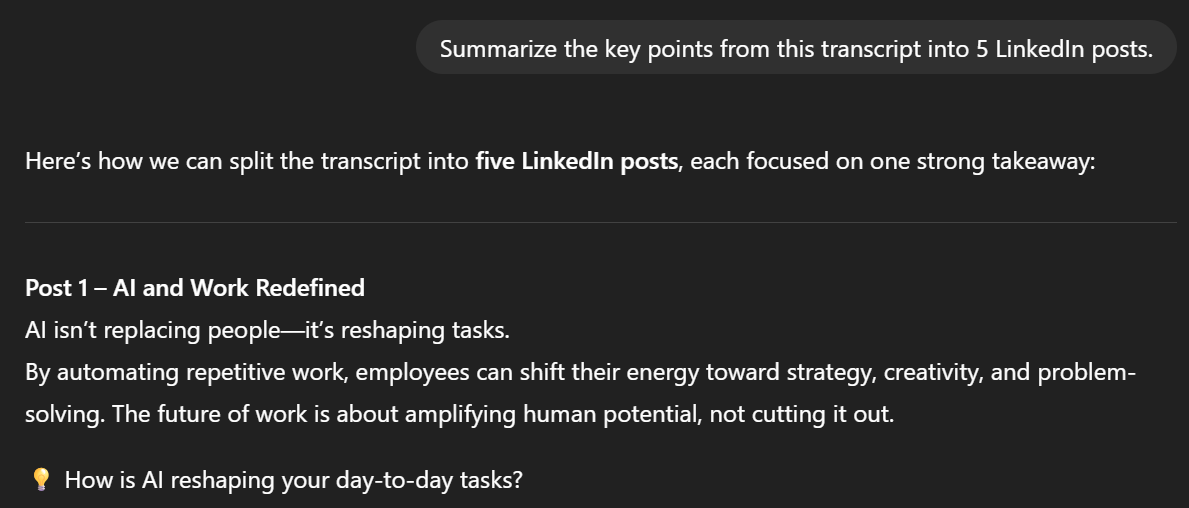
- Summarize the key points from this transcript into 5 LinkedIn posts.
- Turn this client call transcript into a blog post draft with descriptive blog titles.
- Write a subject line and follow-up email based on this meeting discussion.
- Create a YouTube video script that highlights the main project updates from this transcript.
- Rewrite this brainstorming transcript into a clear outline with bullet points I can use for a presentation.
A better alternative with Tactiq
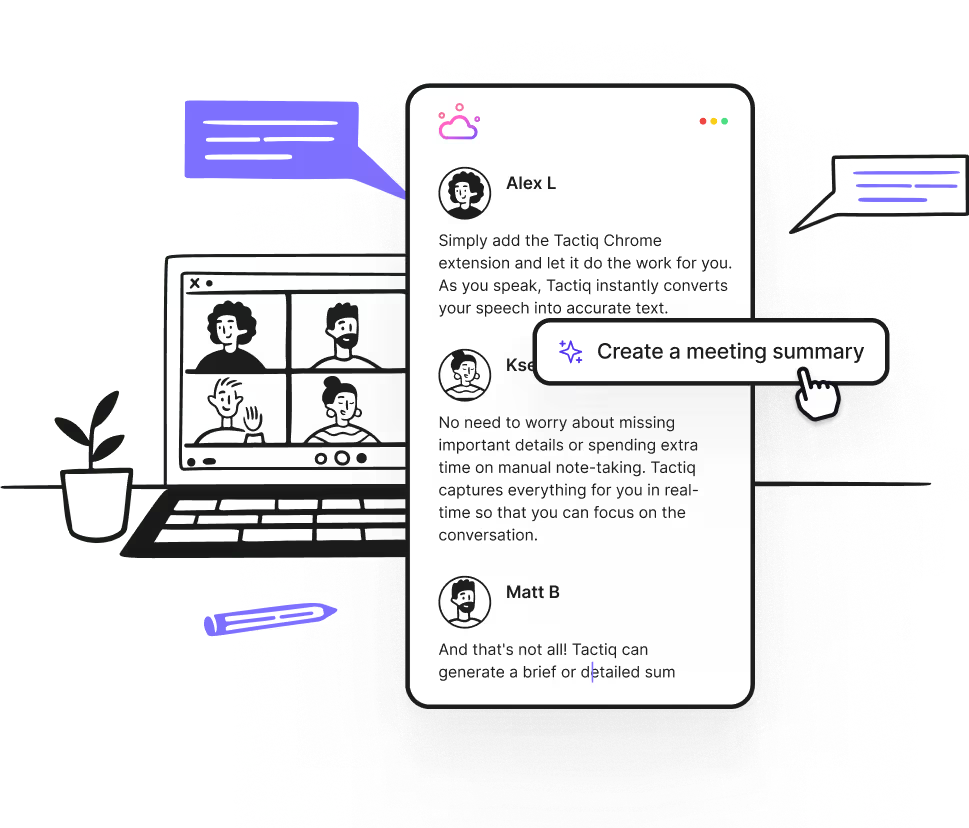
While ChatGPT can turn meetings into content, Tactiq makes the process faster by capturing and organizing transcripts in real time. Instead of copying text into ChatGPT manually, you get ready-to-use notes the moment your call ends. You can then apply AI-powered features to turn those transcripts into actionable content.
Tactiq now includes:
- Real-time transcription – Capture every key point during Zoom, Google Meet, or MS Teams calls.
- Meeting kits & custom prompts – Standardize content workflows so every meeting output is consistent.
- Repurpose call transcripts – Turn raw notes into blog posts, social media posts, or newsletters instantly with its built-in AI assistant.
- Export options – Send transcripts and summaries directly to Google Docs, Notion, or project boards.
- AI workflows – Automatically extract insights from meeting transcripts and send them to your CRM, project tools, or team channels in just a few clicks.
👉 Download the free Tactiq Chrome Extension today to capture every meeting detail and instantly turn discussions into content your team can use.
{{rt_cta_ai-convenience}}
With real-time transcripts, AI summaries, and workflows built for creators, you’ll spend less time on manual notes and more time building content that engages your audience.
Embrace the future of content creation with AI
ChatGPT has become more than just a writing assistant: it’s now a connector, agent, and customizable tool that adapts to how you create. It can support every stage of the content process – from researching and drafting to refining.
The real advantage comes when you pair it with tools like Tactiq. Instead of letting meeting ideas sit in transcripts, you can turn them into blog posts, video scripts, or campaign updates automatically.
Start with Tactiq today for free and see how quickly your everyday conversations can become ready-to-share content.
FAQs about ChatGPT for Content Creation
Can ChatGPT write entire blog posts for me?
Yes, but it works best as a co-creator. You can generate drafts, outlines, or headlines, then refine them with your own voice.
What are GPTs and how can I use them for content?
GPTs are custom versions of ChatGPT. You can create one trained on your brand style, so every blog, script, or caption matches your tone.
How does Tactiq support content creation?
Tactiq transcribes meetings, then uses AI to turn transcripts into summaries, blog drafts, emails, or project updates with workflows.
What’s the difference between ChatGPT connectors and agents?
Connectors link ChatGPT to your apps like Gmail or Notion. Agents go further. They can act on tasks like research, analysis, or making slides.
Can I use ChatGPT for SEO tasks?
Yes. Prompts can generate meta descriptions, blog titles, and keyword-rich outlines to help boost your site’s visibility.
ChatGPT helps you generate ideas, draft content, improve grammar, and expand on existing material, so you can produce engaging content faster and with less stress. By automating repetitive writing tasks, you save time and boost your creative output.
You can use ChatGPT by providing clear, specific prompts to generate drafts, rewrite emails, plan content calendars, and turn transcripts into blog posts or social media content. This approach lets you scale your content production and focus on refining ideas rather than starting from scratch.
A good prompt is specific, clear, and gives enough context for ChatGPT to deliver relevant results. For example, asking for a LinkedIn post using a certain structure and tone yields better content than a vague request. Well-crafted prompts ensure you get tailored, high-quality outputs, saving you time on revisions.
You can use ChatGPT to summarize meeting transcripts, create blog posts, case studies, or social media updates from your discussions. This lets you repurpose insights from meetings into actionable content, so no good idea goes to waste.
Tactiq integrates with video conferencing tools to capture real-time transcripts and uses AI to instantly generate summaries, action items, and agendas. You eliminate manual note-taking and prompt crafting, making it easy to turn meetings into actionable insights and organized knowledge bases.
Related articles





Want the convenience of AI summaries?
Try Tactiq for your upcoming meeting.
Want the convenience of AI summaries?
Try Tactiq for your upcoming meeting.
Want the convenience of AI summaries?
Try Tactiq for your upcoming meeting.