
Meeting Management Software: Complete Guide for 2026
- Published:
- April 28, 2026
- Updated:
- June 12, 2026

Most teams use a video conferencing tool and call it meeting management. But according to Flowtrace's State of Meetings Report (opens in a new tab), 64% of recurring meetings have no agenda, and 67% of meetings are deemed unproductive. The problem isn't the meeting itself. It's everything before and after it.
Meeting management software supports the entire meeting lifecycle: before, during, and after the call. Tactiq is a full-lifecycle platform covering transcription, AI summaries, custom prompts, and automated workflows, with enterprise options (opens in a new tab) for larger teams.
This guide covers:
- What meeting management software does (and how it differs from video conferencing tools)
- Key features to look for
- Tactiq and the best alternatives for different use cases
- How to choose the right meeting management software for your team
What Is Meeting Management Software?
Video conferencing tools handle the call. Meeting management software handles everything else.
The difference shows up before and after the meeting:
- Before: structured agenda creation, pre-meeting prep, and calendar coordination
- During: real-time transcription, note capture, and decision tracking
- After: AI summaries, action item assignment, and automatic sync to your project management software
Most teams skip the first and last layer entirely. They show up without a clear agenda, take scattered notes, and leave with no system to track follow-up tasks. That's how bad meetings stay bad, not because the conversation was poor, but because nothing before or after it was structured.
For hybrid meetings in particular, that gap is costly. Remote participants can't rely on hallway follow-ups. The tools have to do that work instead.
Looking for a broader roundup? The best AI meeting manager apps (opens in a new tab) guide covers the top options across different use cases.
Pro Tip: Use Tactiq (opens in a new tab) to auto-generate structured meeting minutes and push action items to Slack or Notion the moment your call ends. That means no manual notes, and no follow-up tasks slipping through the cracks
Key Features to Look for in Meeting Management Software
Not all meeting management tools are built the same. Some focus on note-taking. Others on scheduling or project management. The right software covers the full lifecycle and connects to the tools your team already uses. Enterprise project management software (opens in a new tab) often integrates with meeting management tools to align discussions with tasks, timelines, and team-wide execution.
Here's what to look for.
Agenda creation and pre-meeting prep
A clear agenda is the difference between a focused meeting and an hour of circular discussion. Good meeting management software lets you build collaborative agendas, share them with attendees before the call, and assign agenda items to specific people.
Look for:
- Templates for recurring meeting types (standups, kickoffs, reviews)
- The ability to invite people to contribute agenda items before the call
- AI-assisted agenda generation based on previous meeting content
- Calendar integration so agendas attach directly to scheduled meetings
Tactiq's team meeting agenda templates (opens in a new tab) cover the most common meeting types. Free to use and editable in Google Docs.
Real-time transcription and AI note-taking
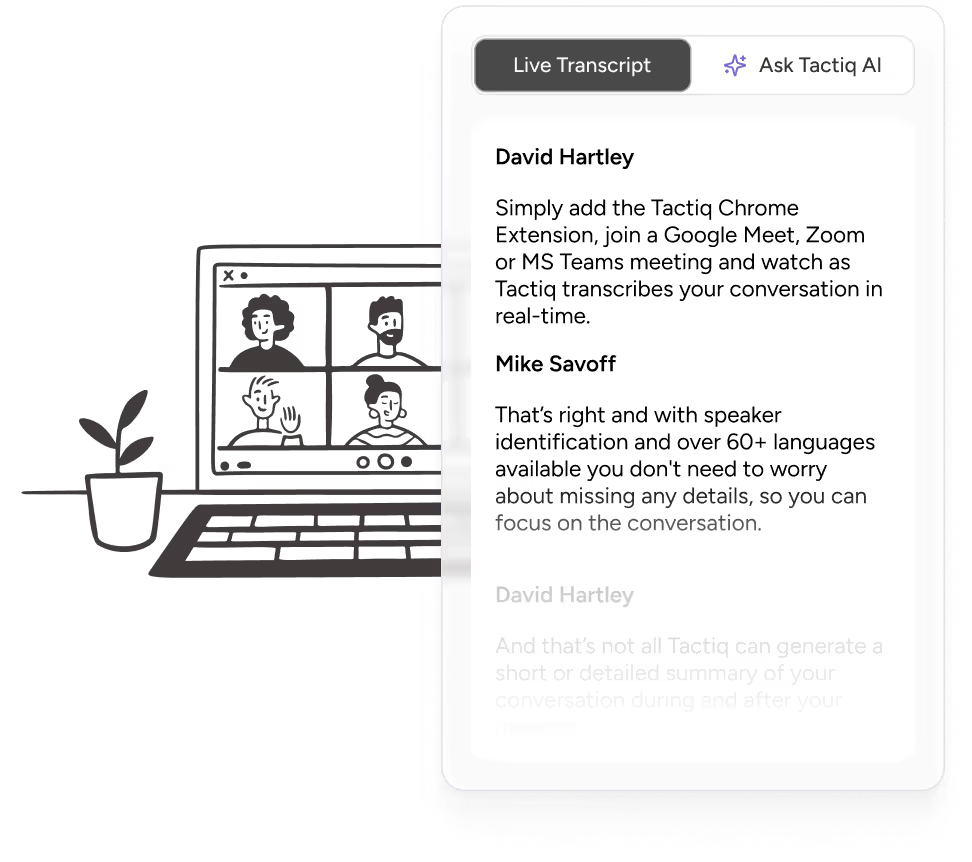
Manual note-taking splits your focus. The best meeting management tools automatically transcribe the conversation so everyone can stay present and engaged.
Look for:
- Speaker identification in the transcript
- Support for hybrid meetings and in-person meetings
- Multi-language transcription for global teams
- No-bot architecture (opens in a new tab); transcription runs directly in your browser without disrupting the call.
Meeting summaries and action item tracking
A transcript alone isn't enough. The right meeting management tool turns raw conversation into structured meeting minutes with action items, owners, and next steps clearly surfaced.
Look for:
- One-click AI summaries are generated the moment the meeting ends
- Automatic action item extraction with assignees and due dates
- Customizable summary formats for different meeting types
- Searchable archive so past meeting content stays accessible
Need a starting point? These meeting minutes templates (opens in a new tab) cover 20 formats for different meeting types.
Workflow integrations
Meeting content shouldn't live in a silo. The right management software pushes action items, summaries, and decisions directly into the collaboration tools your team already uses without manual copy-paste. For operational teams, this can also include CRM platforms, project management tools, and invoicing software (opens in a new tab) that rely on accurate meeting follow-ups and client updates.
Key integrations to look for:
- Slack for immediate post-meeting updates
- HubSpot or Salesforce for CRM-connected teams
- Linear, Asana, or ClickUp for action item tracking
- Google Drive (opens in a new tab) or Notion for meeting documentation
Enterprise controls
For larger organizations, meeting management software needs to do more than take notes. It needs to support compliance, data governance, and admin oversight across the whole team.
Look for:
- Admin dashboard with user management
- SSO and access controls
- Data residency and compliance options (SOC 2, GDPR)
- Shared workspaces and organization-wide search
Analytics and meeting insights
The best meeting management tools surface patterns across your meetings, not just within them. Analytics help teams identify where time is being spent, which meetings drive decisions, and where the process can improve.
Look for:
- Meeting frequency and duration tracking
- Action item completion rates
- Participation and engagement data
- Insights that connect meeting activity to broader project management workflows
Tactiq: Best Meeting Management Software
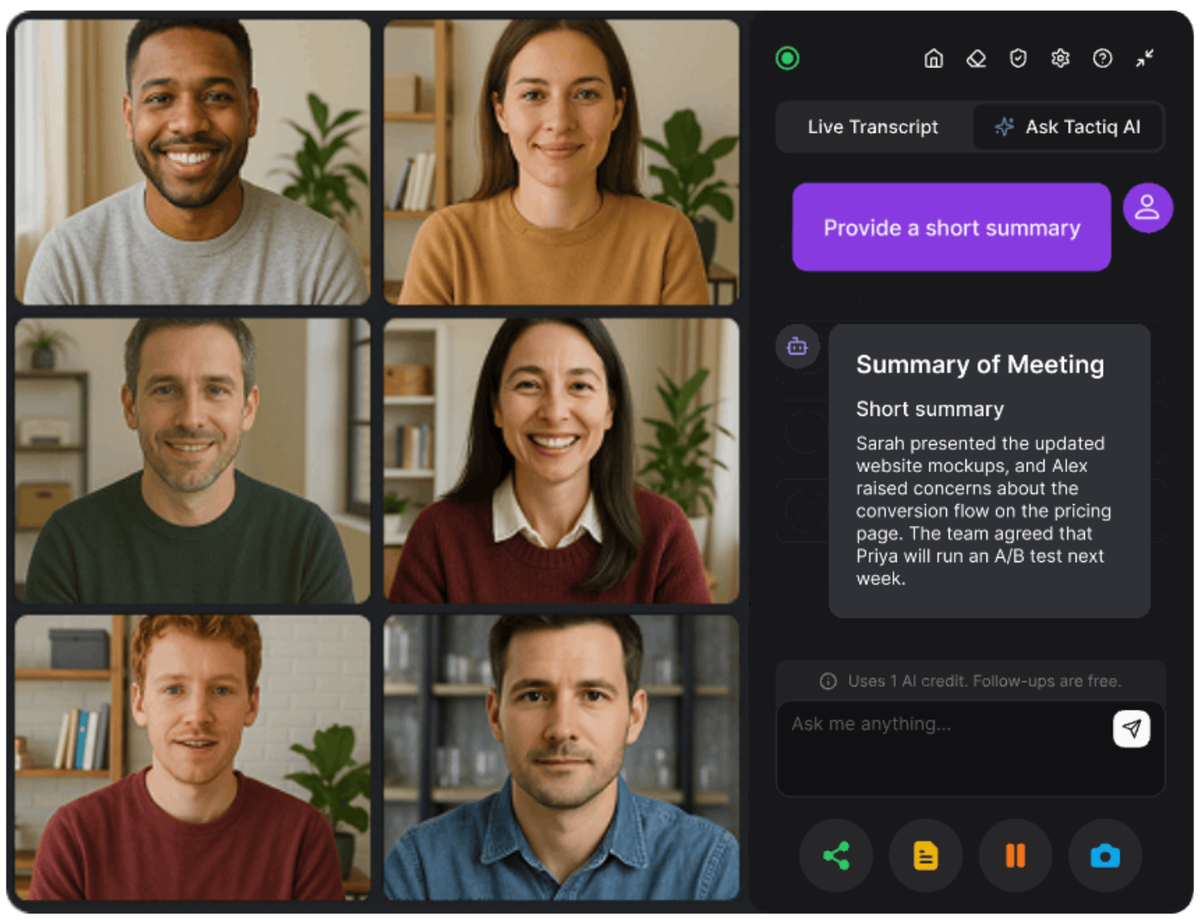
Tactiq covers the full meeting lifecycle, from agenda prep before the call to automated workflows after it ends. It runs as a Chrome extension across Google Meet, Zoom, and Microsoft Teams. No bot joins the call.
Here's a quick look at how it works in practice:
Before the meeting: agenda prep and scheduling context
Tactiq's team meeting agenda templates (opens in a new tab) give teams a structured starting point before the call. Use them to build a clear agenda, share it with attendees in advance, and keep discussions focused from the first minute.
Pair Tactiq with a smart scheduling (opens in a new tab) tool, so your calendar and meeting summaries stay connected across every session.
During the meeting: real-time transcription with no bot
Tactiq transcribes directly in the browser. No recording, bot, or disruption. During the call, it:
- Captures a full transcript with speaker identification
- Auto-highlights key sentences as the conversation unfolds
- Supports transcription in 60+ languages
- Lets you run in-meeting AI prompts to surface decisions on the spot
After the meeting: summaries, prompts, and automated workflows
The moment the meeting ends, Tactiq generates structured meeting minutes and pushes outputs into your stack:
- One-click AI summaries with action items and next steps
- Custom AI prompts for follow-up emails, project updates, wiki entries, and more
- Automatic sync to Slack (opens in a new tab), HubSpot, Linear, and Notion (opens in a new tab) via AI Workflows
- Searchable transcript archive across all past meetings
Need a starting point for outputs? These meeting minutes templates (opens in a new tab) cover 20 formats for different meeting types.
Tactiq Enterprise: meeting management at scale
For organizations with 200+ users, Tactiq Enterprise (opens in a new tab) adds:
- Customizable SAML SSO and advanced data retention
- AI meeting agents for automated post-meeting workflows
- Dedicated account manager and customer success support
- SOC-2 Type II compliance and centralized admin controls
Tactiq offers a free plan with 10 transcripts and 5 AI credits per month. No credit card required. Paid plans start at $8/user/month, billed annually. Try Tactiq free (opens in a new tab) or contact the team (opens in a new tab) for enterprise options.
Want the convenience of AI summaries?
Try Tactiq for your upcoming meeting.
Other Meeting Management Software Tools
No single tool works for every team. Here's how the main alternatives compare, and which use cases each one fits best.
Microsoft Teams + Copilot
Microsoft Teams + Copilot (opens in a new tab) offers real-time summaries, action item extraction, customizable recap templates, and deep integration across Microsoft 365.
Where it falls short: full AI features require a Microsoft 365 Copilot license or Teams Premium add-on, both at extra cost. It also only works inside the Microsoft ecosystem, so mixed-platform teams lose coverage on Zoom or Google Meet calls.
Best for: Organizations already running on Microsoft 365.
Zoom + AI Companion
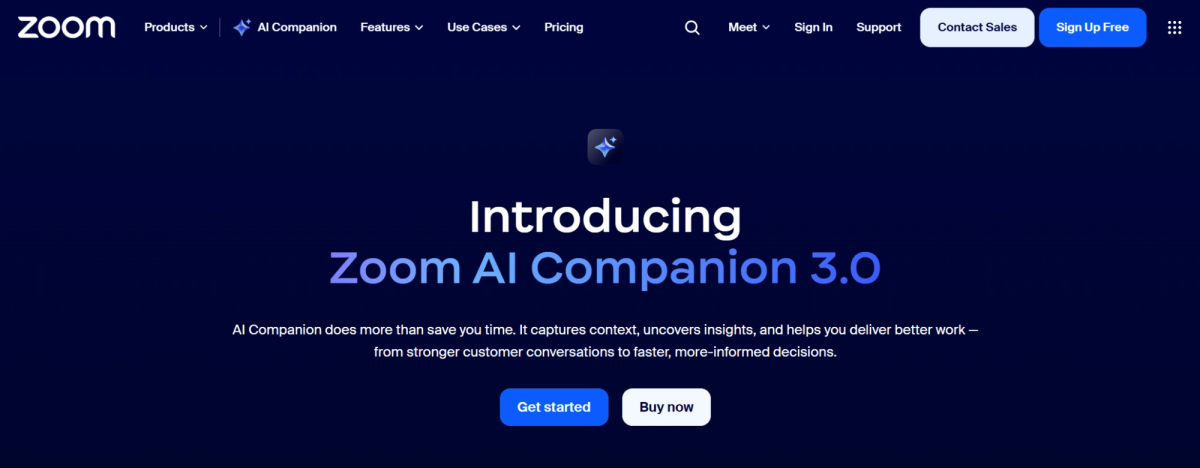
Zoom AI Companion 3.0 (opens in a new tab) covers the full meeting lifecycle, agenda prep, real-time transcription, and automated follow-up tasks, included at no extra cost on paid Zoom Workplace plans.
Where it falls short: the free Zoom tier is excluded, and cross-platform capture on Meet or Teams is more limited than its native Zoom experience.
Best for: Teams that run most meetings on Zoom.
Notion / ClickUp
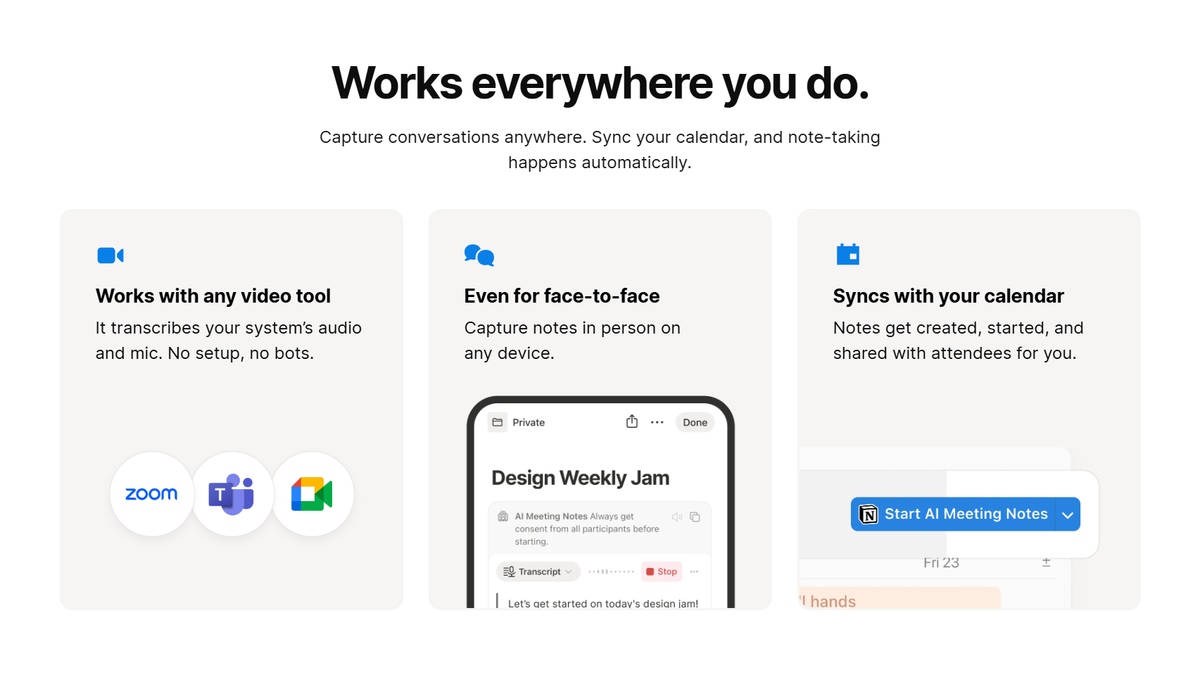
Notion (opens in a new tab) and ClickUp (opens in a new tab) connect meeting notes directly to your project management workspace. Notion AI Meeting Notes transcribes system audio, generates instant summaries, and turns action items into tasks inside your existing workspace.
Where they fall short: Notion's AI Meeting Notes is locked to the Business plan and above, and supports only 16 languages. ClickUp has no native transcription at all.
Best for: Teams already living in Notion or ClickUp who want meeting notes connected to their existing boards and docs.
For a broader look, the top 20 AI meeting tools (opens in a new tab) guide covers the full landscape.
How to Choose the Right Meeting Management Software for Your Team
The right meeting management software depends on how your team works, not just which tool has the longest feature list. Here are the four questions worth asking before you decide.
Team size and meeting volume
Small teams with lightweight meeting schedules can get a lot of value from a free plan. Larger teams running high volumes of meetings need unlimited transcripts, centralized billing, and admin controls.
If you're managing 200+ users, enterprise-grade security and a dedicated account manager matter more than any individual feature.
Integration with your existing stack
The best meeting management tool is the one that fits where your team already works. If your team lives in HubSpot, you need a tool that automatically pushes meeting content there. If you run projects in Linear or Asana, action items should land there without manual copy-paste. Check native integrations before committing. Zapier workarounds add friction.
Do you need enterprise-grade security and compliance?
For teams in regulated industries, security isn't optional. Look for SOC 2 Type II, GDPR compliance, SAML SSO, and configurable data retention. Not every tool offers all of these, and some lock compliance features behind the highest-tier plan.
Hybrid and remote considerations
In-person meetings have built-in accountability. Hybrid meetings don't. The right tools create that structure artificially with shared agendas before the call, real-time transcription during the call, and automated follow-up tasks after. If your team spans time zones, multi-language transcription support is also worth checking before you buy.
What Great Meeting Management Looks Like
Most teams have a conferencing tool. Few have a system that connects everything: agenda to transcript to action item to the tool where work actually gets done. That's the gap that meeting management software closes.
Tactiq covers the entire meeting lifecycle across Google Meet, Zoom, and Microsoft Teams. No bot, no recording, no friction. Transcripts are searchable. Summaries are instant. Action items land in your stack automatically.
For larger teams, Tactiq Enterprise adds SSO, advanced data retention, AI meeting agents, and a dedicated account manager.
Your next meeting is happening whether you're ready or not. Try Tactiq free (opens in a new tab) and leave it with something to show for it. Running a larger team? Talk to us about enterprise (opens in a new tab).
FAQ
Your questions, answered.
If you have any further questions, Get in touch (opens in a new tab) with our friendly team
What is meeting management software?
What are the most important features in meeting management software?
How does meeting management software improve team productivity?
Can meeting management software support hybrid and remote teams?
Does Tactiq work as enterprise meeting management software?
Related articles
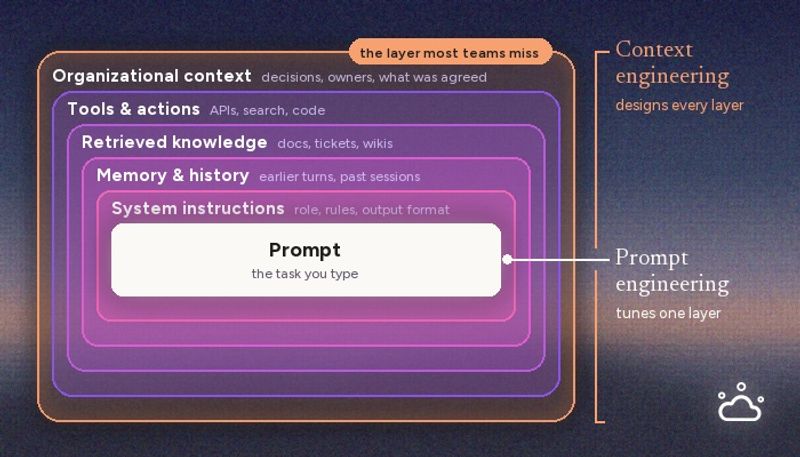
Context Engineering vs Prompt Engineering: What Your AI Agents Are Missing

Claude Memory: How to Import and Manage Your AI Context

Claude Cowork Connectors: Automate Recurring Work

Google Gemini MCP Support: Where It Works and Setup Tips

Best Claude Skills: Top Picks for Meetings, Content, and Code

5 Best AI Scheduling Assistants

Microsoft Teams MCP: How to Access Meeting Content With AI

How Do I Turn Off Google Gemini?
Want the convenience of AI summaries?
Try Tactiq for your upcoming meeting.
Bringing AI into your meetings has never been so easy.
Add to Chrome - It's free!(opens in a new tab)Try Tactiq in your upcoming meeting!
Sign up now