
AI tools to Convert Transcripts into Summary Videos
October 28, 2025
October 28, 2025
September 25, 2026
September 25, 2026

Long meetings can be tough to revisit. Instead of rewatching an hour-long recording, imagine creating a short recap video that highlights the most important moments.
AI tools can now help you turn your meeting transcript into an engaging summary video. It’s an easy way to share insights, action points, or updates with your team in minutes.
Here’s what we’ll cover in this guide:
- How to get your meeting transcript using Tactiq
- The best AI tools to turn transcripts into summary videos
- Tips for creating engaging recaps without editing skills
How To Get A Transcript Of Your Meeting (Using Tactiq)
.png)
Before you can create a summary video, you’ll need a transcript of your meeting.
Tactiq makes this process simple and automatic. It works with popular video conferencing platforms like Google Meet, Zoom, and Microsoft Teams.
Here’s how to do it step-by-step:
- Install the Tactiq Chrome Extension
- Go to the Chrome Web Store and install the free Tactiq Chrome Extension. Once installed, sign up or log in to your Tactiq account.
- Join Your Meeting
- Connect your preferred video conferencing tool under Integrations. Open your meeting in Google Meet, Zoom, or Microsoft Teams. Tactiq automatically starts capturing real-time transcriptions as soon as the call begins.
- View and Edit Your Transcript
- When the meeting ends, you’ll see the transcript saved in your Tactiq dashboard. You can review, edit, and organize it by speaker.
- Save or Export Your Transcript

Export the transcript as a PDF or TXT file, or connect Tactiq to Google Drive to have all transcripts automatically as Google Docs.
💡 Pro Tip: You can upload recorded audio or video files to Tactiq to generate transcripts and summaries even after the meeting ends.
Once you've got your transcript, you're ready to turn it into a short, engaging summary video using AI. Higgsfield handles that step with an AI Video Generator that turns the finished script into the finished clip.
- Want to learn how to turn online videos into summaries instead? Check out How to Get Summary of YouTube Video.
- To learn more about tools that convert spoken words into text for meetings, interviews, or videos, check out tips for using Audio to Text Converters.
{{rt_cta_ai-convenience}}
What AI Tools Can You Use To Convert Meeting Transcripts Into Summary Videos?
Now that you’ve got the transcript, let’s explore the best AI tools that can turn your meeting transcripts into short, engaging videos.
1. Quso.ai (formerly vidyo.ai)

Image from Quso.ai
If you’ve got a long meeting recording and want to turn it into bite-sized highlight clips, Quso.ai makes that easy. The platform uses AI to detect key segments from your video, helping you create short, engaging summaries in minutes using an ai video clip maker.
Simply upload your meeting video (or paste a link), and Quso.ai automatically trims, captions, and repurposes the best moments. You can then edit and share your clips across internal channels or social media.
Key Features:
- Automatic Clip Detection: Finds the best moments from long videos based on content and engagement cues.
- AI Captions & Subtitles: Adds subtitles automatically, so your clips are accessible and ready to share.
- Brand Customization: Apply your logo, colors, and fonts to keep clips on-brand.
- AI Video Generator: Turn ideas or text prompts into short videos for announcements or summaries. Beyond creating short clips, tools like a free ai video generator let creators build complete videos from scripts or prompts --using ready-made templates and adding voiceovers or music --without needing to work with a traditional editing timeline.
- Multi-Platform Output: Export clips in formats optimized for YouTube Shorts, LinkedIn, or TikTok.
Pricing:
- Free Plan: $0/month — 75 credits per month, 720p render quality, AI clips and captions, YouTube chapters, TikTok publishing (with watermark).
- Lite Plan: $24/month (billed annually) — Includes AI clips, AI video generator, resizing options, unlimited 1080p exports.
- Essential Plan: $33/month (billed annually) — Adds premium access to 10+ AI tools, filler & silence removal, AI content planner, and social scheduling.
- Growth Plan: $33/month (billed annually) — Includes everything in Essential, plus bulk publishing, advanced analytics, custom templates, and priority support.
If you often deal with long meetings or recorded sessions, you’ll find this guide on How to Summarize a Video Using AI especially useful for getting concise takeaways from any video.
2. Descript
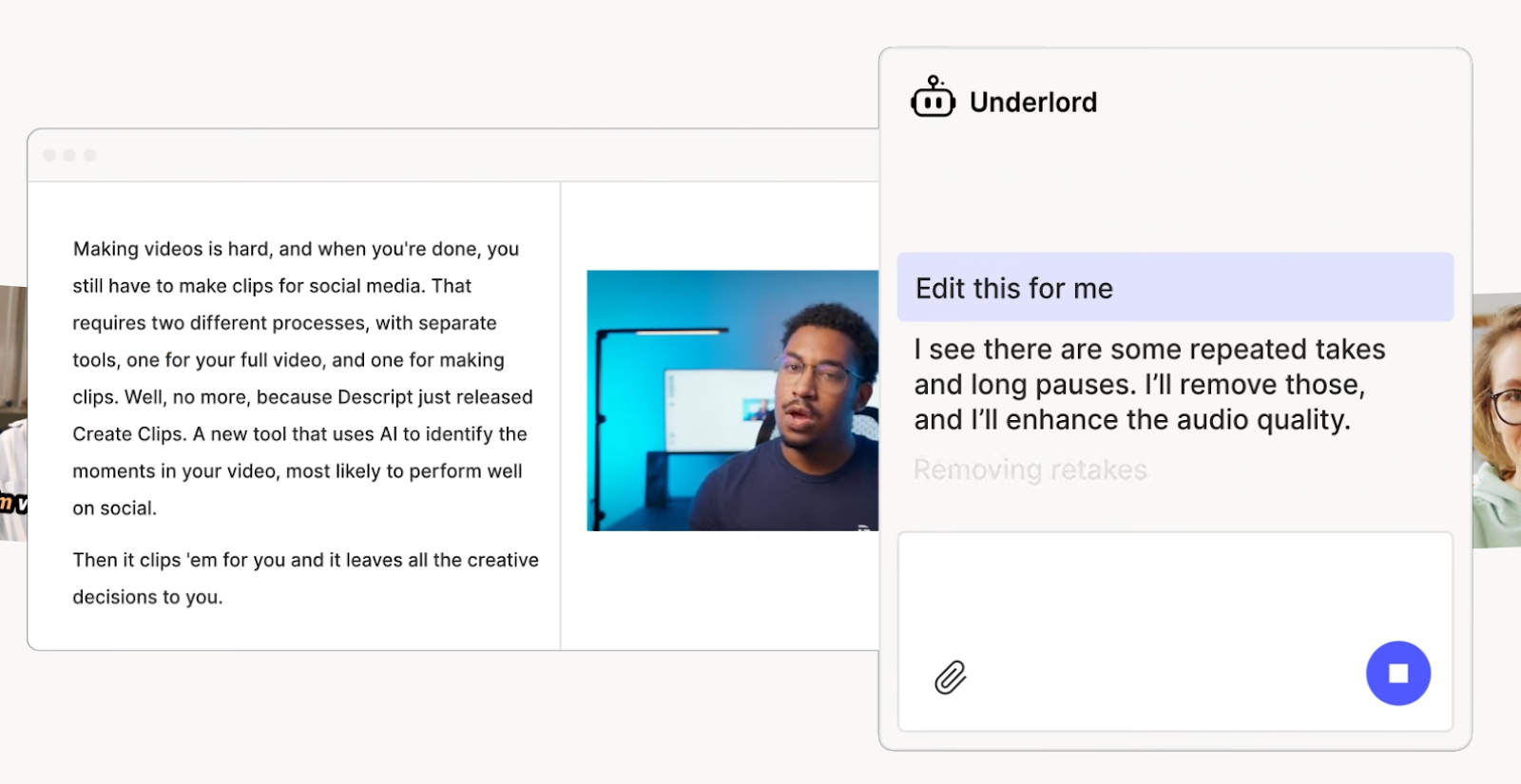
Image from Descript
Descript is an all-in-one AI video editor that makes creating summary videos as simple as editing text. It’s powered by an AI co-editor called Underlord, which can generate, edit, and refine your videos based on your transcript or script.
If you already have a meeting transcript from Tactiq, you can import it into Descript, turn it into a video script, and let the AI generate visuals, captions, and voiceovers. It’s designed for anyone who wants to skip complex timelines and still produce polished results.
Key Features:
- Text-Based Editing: Edit videos just like a document. Delete filler words, rearrange sections, or rewrite sentences, and Descript automatically adjusts the visuals.
- AI Co-Editor (Underlord): Generate scripts, make edits, or get feedback on your video ideas with natural AI assistance.
- Auto Captions & Transcription: Drag in any audio or video file. Descript instantly creates a transcript and captions.
- Voice & Video Regeneration: Fix mistakes or replace words by typing new text. Descript clones your voice and syncs the video.
- Avatars & Generative Video: Turn written scripts into talking-head videos or B-roll visuals using built-in avatars and prompts.
Pricing:
- Free Plan — Includes 1 media hour, 100 AI credits, and 720p exports with watermark.
- Creator Plan: $24/month — Unlocks 4K export, 800 AI credits, and full access to Underlord’s AI tools.
- Business Plan: $50/month — Adds 24+ language dubbing, custom avatars, and team collaboration tools.
3. Clueso
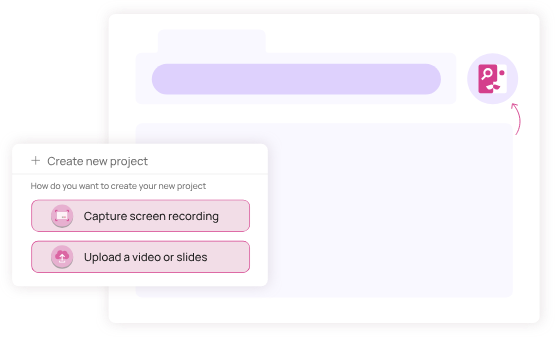
Image from Clueso
Clueso helps you turn raw screen recordings, videos, or slides into professional, studio-quality videos without advanced editing skills. It’s perfect for product demos, tutorials, and customer education videos created directly from your browser.
Key Features:
- AI Script Polishing: Automatically transcribes and refines your narration for smoother delivery.
- AI Voice Narration: Select from 35+ languages and multiple accents for natural, professional sound.
- Animated Captions & Visual Effects: Add zooms, highlights, and motion captions to guide attention.
- InvisiBlur: Instantly blur sensitive or private details in your recordings.
- Custom Branding: Keep every video consistent with your logos, colors, and fonts.
If you often reuse meeting or training content, see how to repurpose call transcripts into videos, articles, or learning materials.
Pricing:
- Free Trial: 7 days with up to 15 minutes of exports for 2 users.
- Starter Plan: $120/month (billed yearly) — 2 users, 6 hours of annual exports, 2K video quality, watermark-free.
- Growth Plan: $200/month (billed yearly) — 4 users, 12 hours of annual exports, 4K quality, chat support.
- Enterprise Plan: Custom pricing for large teams with advanced admin tools and enterprise security.
Wrapping Up
Turning meeting transcripts into summary videos is one of the fastest ways to keep your team aligned and engaged. Instead of reading through pages of notes or rewatching full recordings, AI tools can help you highlight key moments and share them visually.
Tools like Quso.ai, Descript, and Clueso each bring something unique to the table, from clipping highlights and editing by text to transforming screen recordings into professional tutorials. Combined with a clear transcript from Tactiq, you can turn any meeting into a short, shareable story.
FAQ About AI Tools That Convert Transcripts into Summary Videos
How to use AI to create a summary from a video?
You can use AI tools like Quso.ai or Descript to analyze a long video, detect key moments, and automatically create short highlight clips. These tools can also add captions, transitions, and branding to make your summary more engaging.
Which AI tool can generate a meeting transcript?
Tactiq generates real-time transcripts for Google Meet, Zoom, and Microsoft Teams. You can also upload recorded video or audio files to get an instant transcript and use AI prompts to summarize discussions or create meeting notes.
How to turn a meeting transcript into a video?
Once you have your transcript from Tactiq, you can paste it into Descript to create a text-based video or upload your meeting recording to Quso.ai or Clueso to generate summary clips with subtitles and narration.
Related articles








Want the convenience of AI summaries?
Try Tactiq for your upcoming meeting.
Want the convenience of AI summaries?
Try Tactiq for your upcoming meeting.
Want the convenience of AI summaries?
Try Tactiq for your upcoming meeting.