
Top Gemini Use Cases for Remote Teams (with Examples)
February 12, 2026
February 12, 2026
February 12, 2026
February 12, 2026

Companies use Gemini AI for everything from customer service to software development. The AI writes code, generates marketing copy, analyzes spreadsheets, and assists with research. For teams in Google Workspace, it integrates directly into Gmail and Google Docs.
Different workflows benefit from different tools. Understanding how Gemini works and where it fits in your tech stack helps you make smarter decisions about automation and productivity.
In this article, you'll discover:
- How Google Gemini works and its key capabilities
- Top use cases across marketing, data analysis, customer service, and development
- How Gemini handles meeting documentation
- How Tactiq complements your workflow for meeting-focused tasks
What Is Google Gemini?
Google Gemini is Google's most advanced AI model designed to understand and process multiple types of information at once. Unlike traditional AI tools that focus on text alone, Gemini can work with images, video, audio, and code simultaneously. This makes it versatile for tasks that require a deeper understanding across different formats.
The AI model powers various Google services and integrates directly into Google Workspace tools. You can access Gemini through:
- The Gemini app
- Google AI Studio
- AI Mode in Search
- Familiar applications like Gmail and Google Docs
Gemini stands out for its advanced reasoning capabilities and ability to handle complex, multi-step tasks. The model can synthesize information from different sources and generate responses that match your specific needs. Gemini adapts to the task at hand, whether you're analyzing data, writing code, or creating content.
How to get started with Gemini
You can access Gemini through your browser via the Gemini app at gemini.google.com. If you already use Google Workspace, you'll find Gemini integrated into the tools you use daily.
For developers, Google AI Studio provides a more technical environment to work with the Gemini API. This platform offers several benefits:
- Test prompts and experiment with different models
- Build applications that leverage Gemini's capabilities
- Start with free access before scaling to paid plans
AI Mode in Google Search offers another entry point. This feature uses Gemini to answer complex questions with interactive elements and visual layouts. You don't need any special setup. Just search as you normally would, and Gemini enhances your results.
Watch this tutorial to see how Gemini handles research tasks from start to finish:
How to Use Gemini for AI Research
💡 Pro Tip: If your primary need is meeting documentation across different platforms, consider Tactiq. While Gemini requires Google Workspace and only works in Google Meet, Tactiq transcribes meetings in real time across Google Meet, Zoom, and Microsoft Teams, with a free plan to get started.
Gemini's multimodal capabilities
Gemini's multimodal capabilities set it apart from other AI models. The system can process text, images, video, audio, and code in a single prompt. This means you can upload a video of a presentation and ask for feedback, or share a diagram and request an interactive version.
The model uses a 1 million-token context window, allowing it to handle large amounts of information at once. Key capabilities include:
- Analyzing up to an hour of video content
- Identifying relevant content while filtering out noise
- Providing actionable insights based on visual and audio input
- Understanding spatial relationships and visual context
This multimodal approach enables new ways to interact with AI. Instead of describing something in words, you can show Gemini exactly what you mean. The AI understands how different elements connect across formats.
Different Gemini plans (Free, Plus, Pro, Ultra)
Google offers tiered subscription plans that provide varying levels of access to Gemini's capabilities. Each plan balances features and usage limits based on your needs.
Free Plan gives you everyday access to Gemini through a Google Account:
- Access to Gemini Flash and varying access to Gemini Pro
- Image generation, Deep Research, and Gemini Live
- 50 daily AI credits
- 15 GB of storage
Google AI Plus ($7.99/month) provides enhanced access to Gemini Pro and advanced features:
- 200 monthly AI credits
- Access to Gemini in Gmail and other Google apps
- Enhanced access to Gemini Pro
- 200 GB of storage
Google AI Pro ($19.99/month) offers higher access limits for professionals and developers:
- 1,000 monthly AI credits
- Developer tools like Gemini Code Assist and Jules for coding
- Higher access to Gemini Pro and Deep Research
- 2 TB of storage
Google AI Ultra ($249.99/month) unlocks the highest level of access for enterprise users:
- 25,000 monthly AI credits
- Access to Deep Think and Gemini Agent
- Highest limits across all features
- 30 TB of storage
Top Gemini Use Cases Across Business Functions
Beyond understanding how Gemini works, the real value comes from seeing it in action across different teams and departments.
The following sections explore how different business functions use Gemini to achieve their goals.
Content creation and marketing

Marketing teams use Gemini to accelerate content production and refine their messaging. The AI helps brainstorm campaign ideas, draft copy variations, and tailor messaging for different audience segments.
Common marketing applications include:
- Generating fresh angles from existing campaign assets
- Creating multiple ad copy variations for A/B testing
- Developing content calendars based on trending topics
- Revitalizing older marketing materials for new channels
The model excels at adapting tone and style for different platforms. A single product description can become social media posts, email copy, and blog content. Nano Banana Pro creates detailed infographics and visual explanations that make complex concepts more engaging.
Gemini can also turn static images into interactive experiences. A napkin sketch becomes a functional website, or a simple diagram transforms into an interactive lesson that users can explore.
Data analysis and insights
Gemini helps teams make sense of large datasets and identify patterns that drive decisions. The AI processes spreadsheets, financial reports, and transaction data to surface actionable insights.
Finance teams use Gemini to:
- Analyze financial statements and calculate key ratios
- Detect anomalies in transaction data
- Draft narrative sections for financial reports
- Summarize earnings call transcripts
The model handles both structured and unstructured data. You can upload tables alongside written documents and ask Gemini to find connections. It identifies trends, calculates averages, and presents findings in clear language.
HR departments use Gemini to analyze internal salary data and ensure compensation remains competitive. This helps maintain fairness and improve employee satisfaction.
Customer service and support
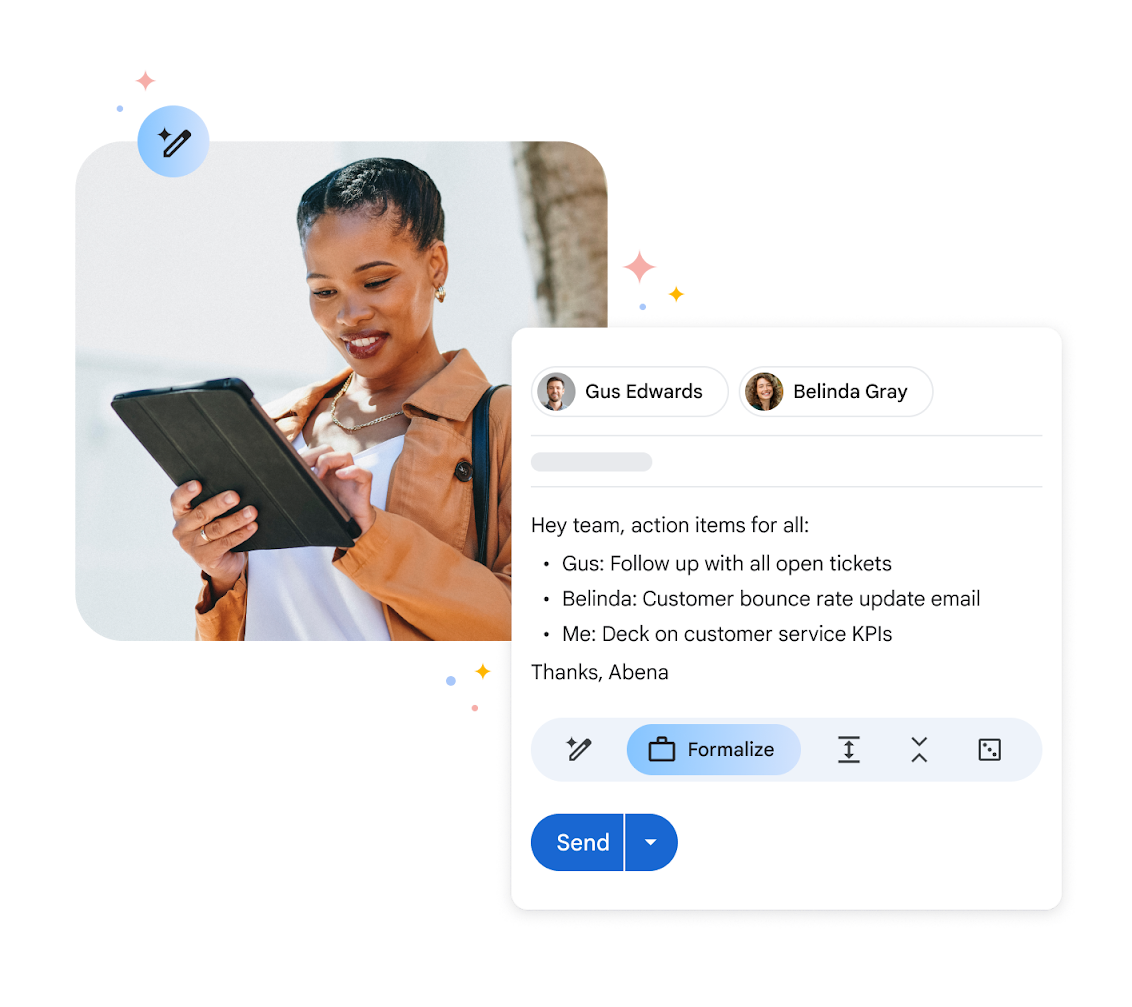
Customer service teams deploy Gemini to handle routine requests and provide faster responses. The AI understands user behavior patterns and can resolve common IT issues without human intervention.
Gemini can:
- Answer frequently asked questions with consistent accuracy
- Troubleshoot technical issues with step-by-step solutions
- Streamline onboarding and training for new customers
- Generate personalized responses based on customer history
The model maintains context across conversations, creating a more natural experience. Support teams also use Gemini to analyze customer feedback at scale, identifying common complaints and tracking sentiment trends to achieve improved customer satisfaction.
Software development and coding
Developers use Gemini to write, debug, and optimize code more efficiently. The AI handles repetitive coding tasks and quicklyhelps troubleshoot errors.
Gemini's coding capabilities include:
- Generating code from natural language descriptions
- Debugging existing code and suggesting fixes
- Refactoring code for better performance
- Creating test cases and optimizing processing time
The model understands multiple programming languages and can translate code between them. Google Antigravity uses Gemini to build intelligent agents that operate across your editor, terminal, and browser, generating code complex enough to work in real-world applications.
Meeting documentation and collaboration
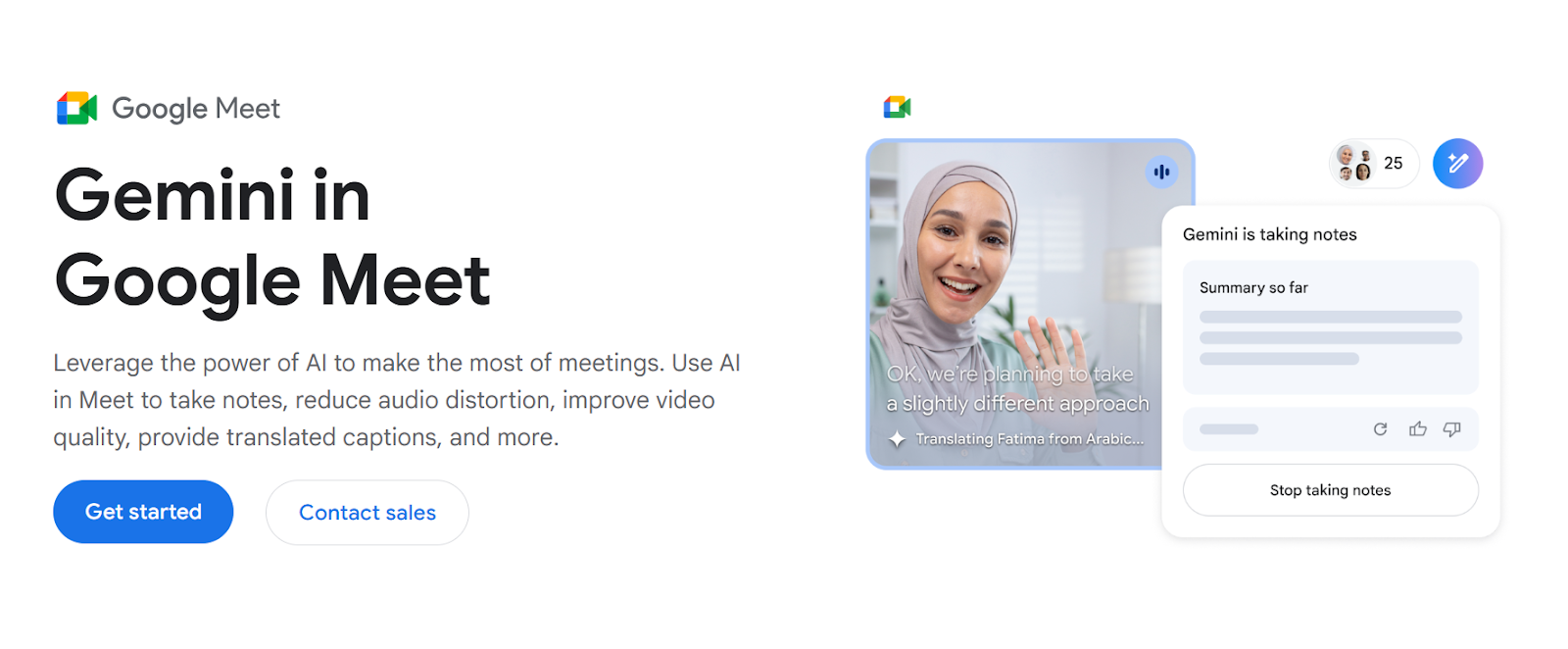
Teams use Gemini to document meetings and extract key information from discussions. The AI processes meeting recordings, identifies important points, and creates summaries.
Gemini can:
- Generate meeting summaries from audio or video recordings
- Identify action items and assign them to team members
- Create follow-up materials based on discussion points
- Extract decisions made during meetings
The model integrates with Google Workspace to streamline documentation. However, its meeting capabilities work primarily within the Google ecosystem, with limited cross-platform support for Zoom or Microsoft Teams.
Research and knowledge management
Gemini accelerates research by synthesizing information from multiple sources. The AI analyzes research papers, legal documents, and technical specifications to provide comprehensive overviews.
Research applications include:
- Conducting legal research and summarizing case law
- Analyzing scientific concepts and research methodologies
- Reviewing design standards and technical documentation
- Preparing for depositions and drafting legal correspondence
Scientists and engineers use Gemini to accelerate materials discovery and analyze experimental data. Its ability to process technical diagrams alongside written content makes it valuable for R&D teams.
Gemini For Meeting Workflows
While Gemini excels across many business functions, meeting documentation deserves a closer look, given how much time teams spend in virtual meetings.
Meeting transcription with Gemini
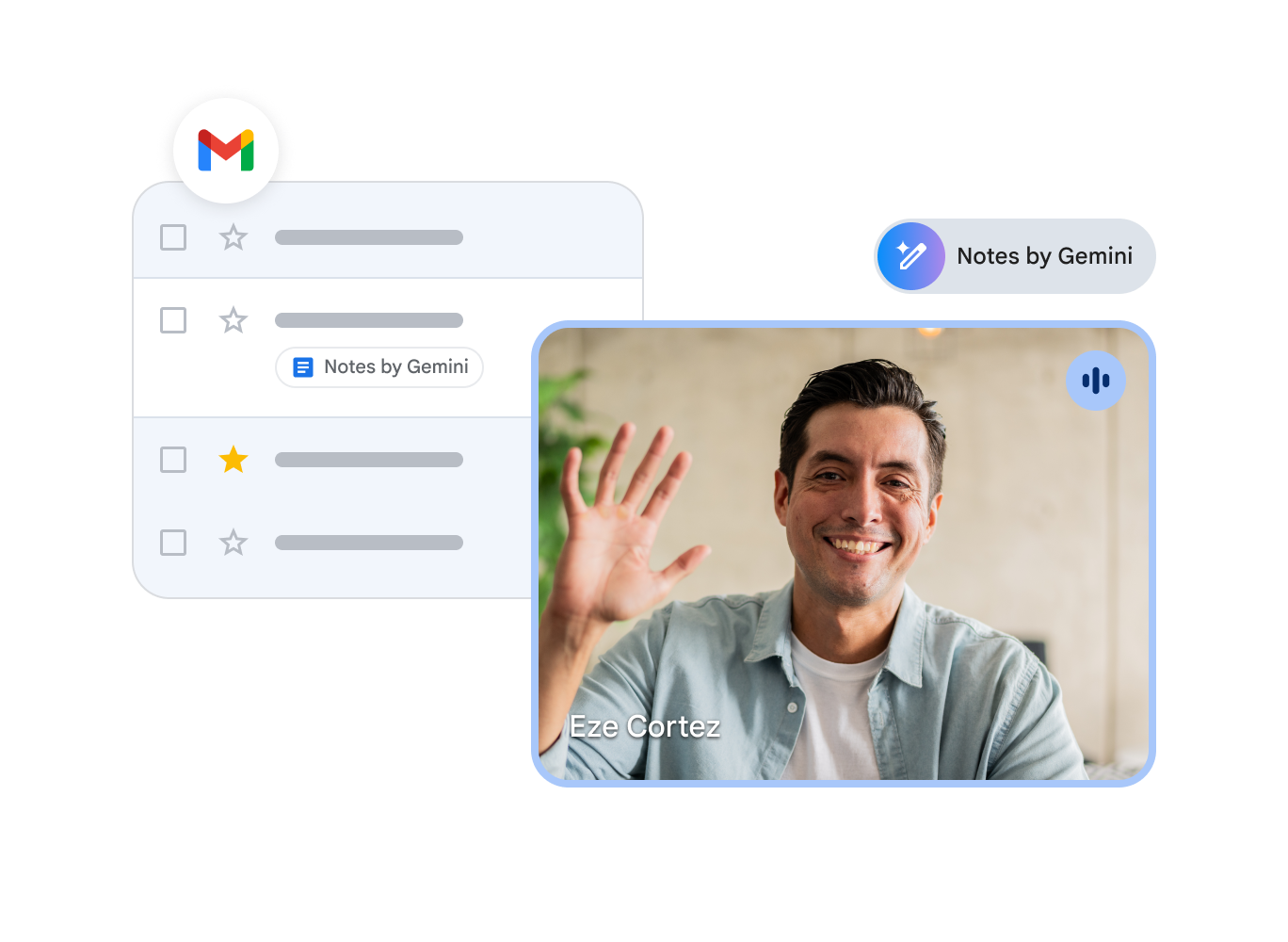
Gemini integrates directly into Google Meet to provide AI-powered note-taking. During a meeting, you can ask Gemini to "take notes for me," and the AI captures key points as the conversation unfolds.
The note-taking feature:
- Records important discussion points in real time
- Works natively within Google Meet
- Sends completed meeting notes to Gmail automatically
- Provides translated captions for over 60 languages
Gemini also enhances audio and video quality during meetings. Studio sound delivers clear audio even with Bluetooth headsets, while the studio look polishes your video feed.
Generating meeting summaries
After your Google Meet session ends, Gemini automatically sends meeting notes to your Gmail. These summaries capture main discussion points and outcomes without requiring manual review of recordings.
The AI uses its multimodal capabilities to understand context beyond spoken words. It considers discussion flow, participant interactions, and visual elements to create comprehensive summaries.
Limitations of Gemini for meeting workflows
Gemini's meeting features work exclusively within Google Meet. Teams using other conferencing platforms can't access the same automatic note-taking and summary features.
Platform constraints include:
- No native support for Zoom meetings
- No integration with Microsoft Teams
- Limited functionality outside the Google ecosystem
- Requires a Google Workspace subscription with Gemini access
Teams using multiple video conferencing tools need different documentation processes for each platform. This creates workflow friction and makes it harder to maintain organized meeting records.
Tactiq: A Better Alternative For Meeting-Focused Use Cases
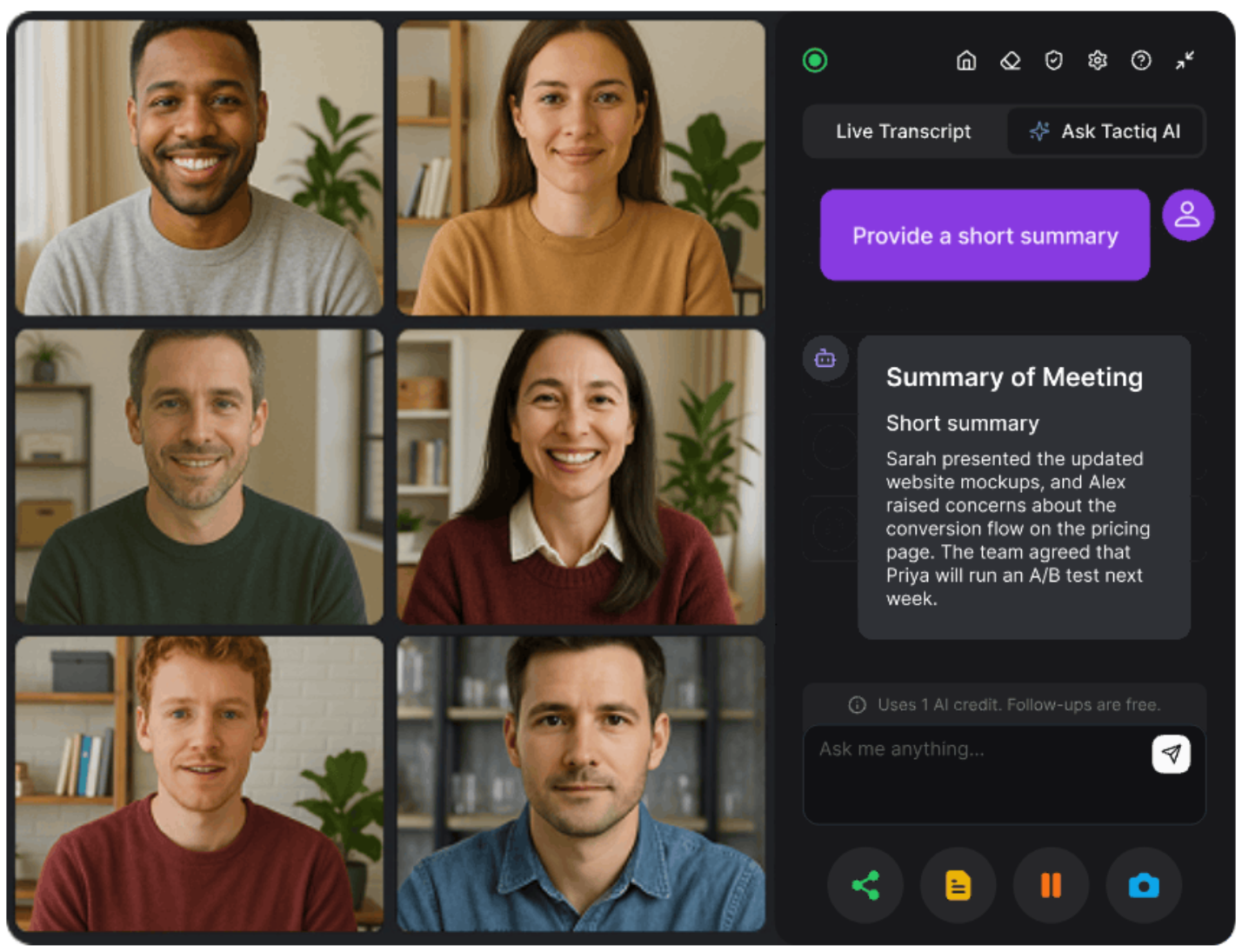
Teams that rely on multiple conferencing platforms need a solution that works everywhere. Tactiq delivers real-time transcription and AI-powered summaries across Google Meet, Zoom, and Microsoft Teams, completely free to get started.
Why Tactiq works better for cross-platform meetings
Tactiq specializes in meeting workflows with automatic transcription and AI summaries. Unlike Gemini, which requires a Google Workspace subscription, Tactiq offers its core features for free. The tool connects to meetings automatically and captures conversations in real time across all platforms.
Cross-platform meeting support (Google Meet, Zoom, Teams)
Tactiq works seamlessly across Google Meet, Zoom, and Microsoft Teams. The browser-based extension means no separate apps to download and unified transcripts stored in one place.
Real-time transcription without platform limitations
Tactiq transcribes meetings as they happen, displaying text while people speak. You get immediate access to what was said without waiting for post-meeting processing.
AI-powered summaries and action items
After each meeting, Tactiq's AI automatically generates summaries and extracts action items. It identifies key decisions and highlights important discussion points.
Seamless integration with your workflow
Tactiq connects with tools your team uses daily. Export transcripts to Google Drive, save action items to project management systems, or share summaries via Slack.
Install the Tactiq extension today and transform how you document meetings.
{{rt_cta_ai-convenience}}
Google Gemini vs. Tactiq for Meeting Documentation
Google Gemini offers versatile AI capabilities across business functions. From content creation and data analysis to software development, the model helps teams automate tasks and gain actionable insights. Its advanced reasoning and multimodal capabilities make it valuable for companies looking to work more efficiently.
For meeting-specific workflows, specialized tools deliver better results. Tactiq provides real-time transcription and AI summaries across Google Meet, Zoom, and Microsoft Teams. You get instant access to transcripts and automatic summaries without file uploads or subscriptions. Install the Tactiq extension free to transform how you document meetings.
FAQs on Gemini Use Cases
What are the main use cases for Google Gemini?
Gemini serves multiple business functions, including content creation, data analysis, customer service, software development, and research. It processes text, images, video, audio, and code to automate tasks and generate insights across marketing, finance, HR, legal, and R&D teams.
How can I use Gemini for my business?
Access Gemini through the Gemini app, Google AI Studio, or within Google Workspace tools like Gmail and Google Docs. Use it for drafting documents, analyzing data, generating code, summarizing research, and creating marketing content. Developers can build custom apps using the Gemini API.
What can Google Gemini do?
Gemini writes and debugs code, analyzes financial data, creates marketing copy, generates visual content, and summarizes documents. It processes up to an hour of video, translates languages, creates custom interfaces, and provides advanced reasoning for complex problems using its 1 million-token context window.
Is Gemini good for meetings?
Gemini offers automatic note-taking within Google Meet and sends summaries to Gmail. However, it only works with Google Meet and requires a Google Workspace subscription. It doesn't support Zoom or Microsoft Teams, limiting its use for cross-platform meeting documentation.
Can I use Tactiq with Gemini for better meeting workflows?
Yes. While Gemini excels at content creation and analysis, Tactiq specializes in meeting documentation across Google Meet, Zoom, and Teams. Tactiq provides real-time transcription and AI summaries free to get started. Install the Tactiq extension for professional meeting documentation.
Related articles








Want the convenience of AI summaries?
Try Tactiq for your upcoming meeting.
Want the convenience of AI summaries?
Try Tactiq for your upcoming meeting.
Want the convenience of AI summaries?
Try Tactiq for your upcoming meeting.