
What Is the Best AI Note Taker for Sales Calls?
June 16, 2026
June 16, 2026
July 17, 2026
July 17, 2026

According to Salesforce's State of Sales report, sales reps spend 60% of their time on non-selling tasks, including manual CRM updates and post-call notes. The best AI note taker for your sales team cuts that admin down significantly.
The right tool depends on your stack, your call volume, and how much setup friction you'll tolerate. This article breaks down what to look for and how Tactiq approaches it.
This article covers:
- How to choose the right AI note taker for sales calls
- A comparison of top tools and what each does best
- How to use Tactiq to capture, extract, and route call intelligence
- The difference between bot-based and bot-free capture
- Answers to the most common AI note-taking questions for sales
TL;DR: What Is the Best AI Note Taker for Sales Calls?
Not every AI note taker is built for sales. The best ones transcribe calls, summarize what matters, and get notes into your CRM fast. Tools like Tactiq, an AI meeting transcription on Chrome, do this without a bot joining the meeting. Choosing the right one comes down to your CRM stack, call volume, and whether bots are a dealbreaker.
How to Choose the Right AI Note Taker for Your Sales Team

Before you pick an AI note taker, it helps to know what actually matters for sales calls versus internal meetings.
Solo rep vs. team lead needs
A solo rep needs fast transcripts, clean summaries, and quick follow-up drafts. A team lead needs more: rep performance visibility, shared call libraries, and coaching features. Some tools offer conversation analytics and sentiment analysis designed for managers.
Others are lightweight by design, better suited to individual reps who just need accurate notes without the overhead.
CRM stack considerations
Your CRM is the most important compatibility check. If your team runs on Salesforce or HubSpot, confirm that your AI note taker offers a native integration, not just a Zapier workaround.
Native integrations push deal context directly to contact records and deal stages without extra configuration. Tools that rely on Zapier for CRM sync add a dependency that can break quietly and create gaps in your customer data.
Free vs. paid: what you actually get
Most AI note takers offer a free plan, but free tiers vary widely. Some cap transcription minutes. Others limit AI credits or delete recordings after 90 days. For sales teams running back-to-back calls, a free tier with limited AI credits will run out fast. Look for a generous free plan that lets you test the tool across real sales conversations before committing to a paid plan.
Bot-based vs. bot-free: when it matters
Most AI note takers join calls as a visible bot. That works fine for internal team meetings, but it changes the dynamic on client calls. Some prospects ask who the bot is. Others decline to speak freely when they see an unfamiliar participant. Bot-free capture, where the tool runs silently in your browser, removes that friction entirely. For discovery calls, demos, and sensitive conversations, bot-free capture is worth prioritizing.
💡 Pro tip: Tactiq runs as a Chrome extension and never joins your call as a bot, so your prospect only ever sees you.
How to Use Tactiq as Your AI Note Taker for Sales Calls
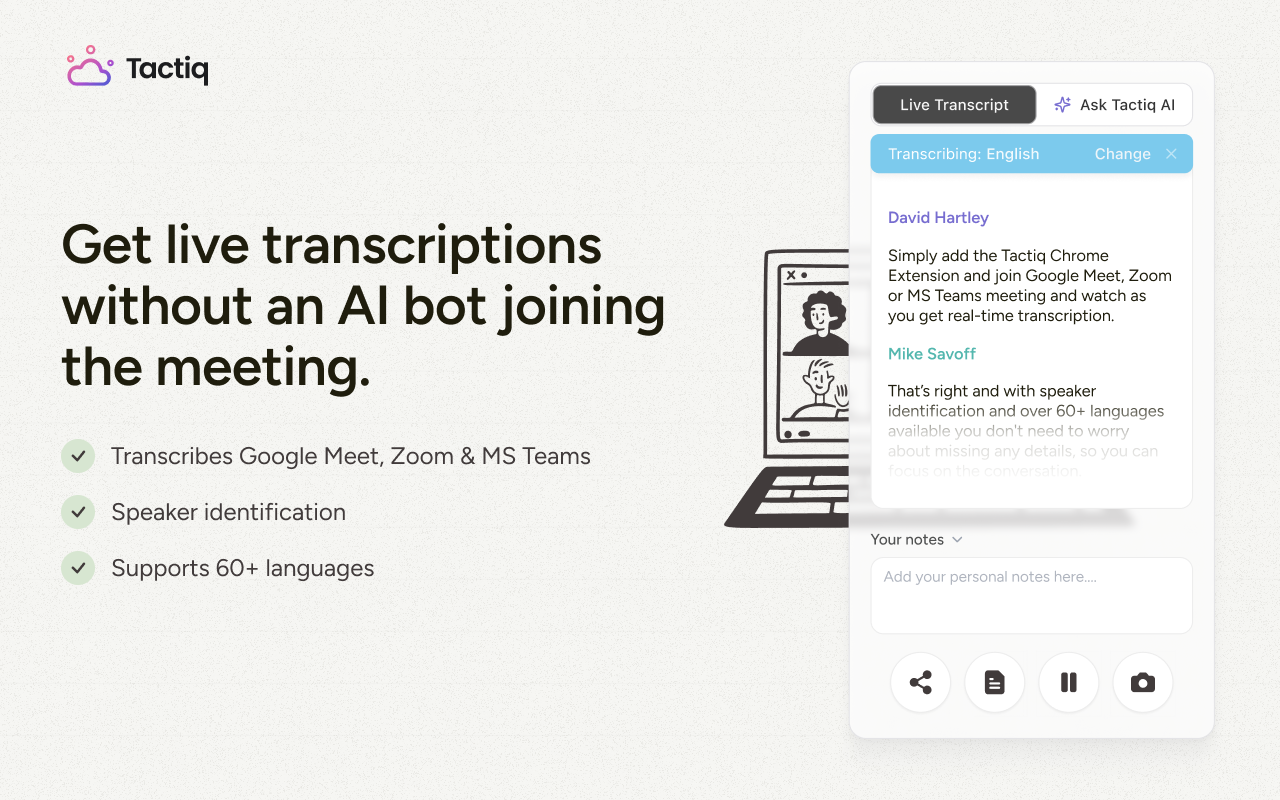
Tactiq is a Chrome extension that transcribes and summarizes your calls in real time; no bot joins the meeting. Install it once, and it runs automatically across Google Meet, Zoom, and Microsoft Teams.
Install the Chrome extension
After installing the Tactiq Chrome Extension and granting permissions, choose the meeting platforms you use and grant the necessary permissions when prompted. Pin the extension to your toolbar so it's easy to access during calls. Tactiq starts transcribing automatically the moment your next call begins.
Capture transcripts during sales calls
Tactiq captures real-time transcription directly in your browser as the conversation happens. It works across discovery calls, demos, and follow-up calls- any video call where deal context matters.
Transcripts are private by default and only visible to you, but you can share them with teammates or export them when needed. Every call builds a searchable record of sales conversations you can reference before your next meeting.
Use AI prompts to extract what matters
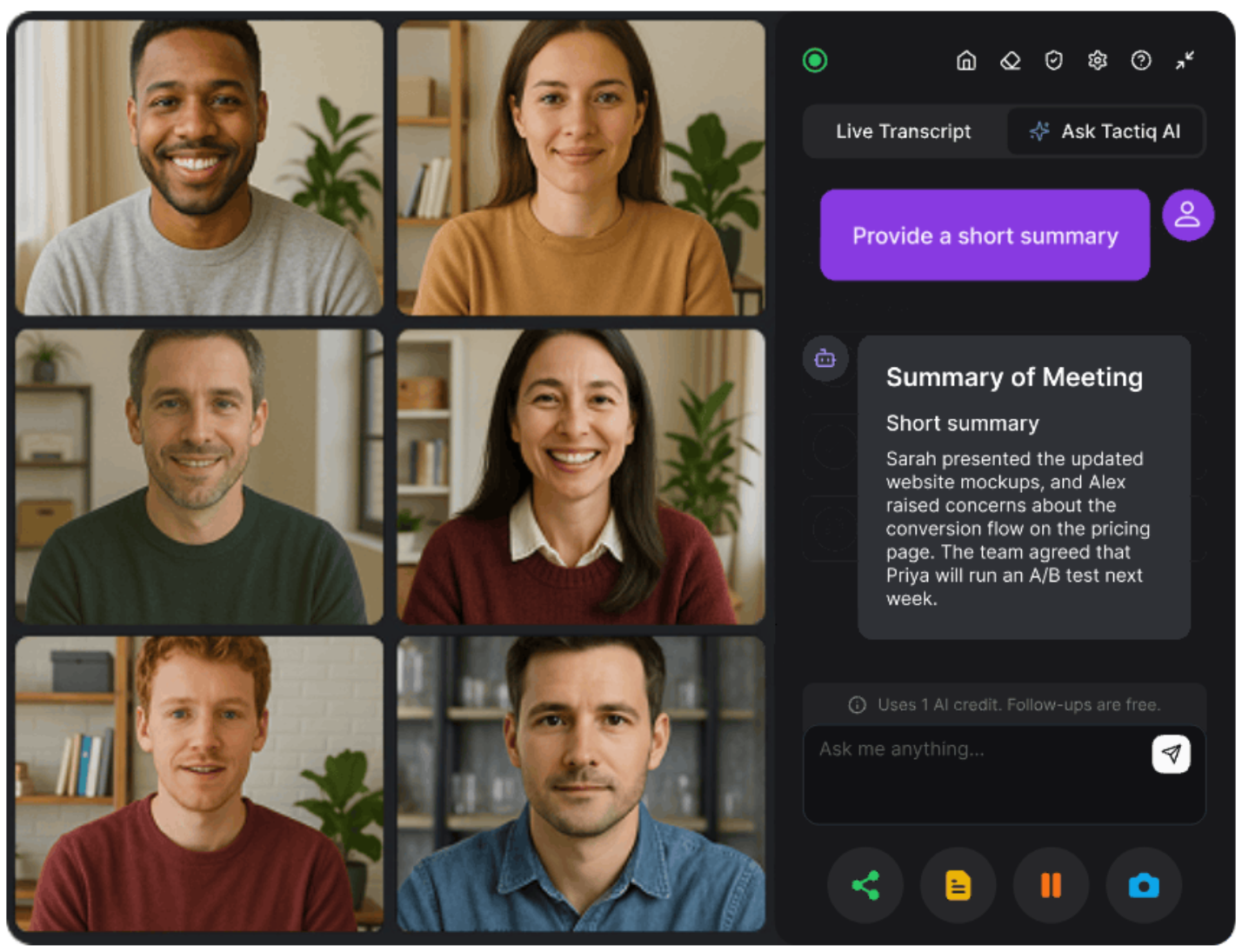
Tactiq's built-in AI works both during and after the call. During a discovery call, for example, you can open the Tactiq widget mid-conversation and ask it to surface objections raised so far, summarize what the prospect has said about their budget, or suggest follow-up questions before you wrap up. Once the call ends, you can generate:
- A call summary with key discussion points
- A list of objections raised and how they were handled
- Next steps and action items with clear ownership
- A follow-up email drafted from the conversation
- Custom AI prompts saved and reused across all your meetings
These aren't generic AI summaries. They're structured notes built from the actual transcript of your sales conversation.
Routing call insights to HubSpot or Slack with AI Workflows
This is where Tactiq closes the loop between the call and your CRM. AI Workflows let you configure exactly what gets sent where without manual copy-paste. After each call, Tactiq can:
- Push meeting notes, summaries, and action items directly to a HubSpot contact record
- Post a structured call recap to the right Slack channel
- Route deal context to Notion, Linear, or other tools your team uses
For teams on the Business plan, Tactiq MCP takes this further. It connects your meeting transcripts directly to AI tools like Claude, so you can query call data, generate outputs, and trigger actions, all without leaving your workflow. Workflows and Tactiq MCP are available on paid plans. See Tactiq's pricing page for details.
No manual CRM entry or post-call admin backlog. The deal context lands where your team needs it before your next call even starts.
{{rt_cta_ai-convenience}}
Stop Losing Deals to Lost Notes
Every sales call produces information that should move a deal forward. When that context lives in scattered notes or fading memory, it doesn't make it into your CRM and deals slip.
The right AI note taker closes that gap. It captures every sales conversation in real time, extracts what matters, and routes deal context to the tools your team already uses.
For sales reps who want clean transcripts, no bots on client calls, and one-click CRM updates, Tactiq is a great starting point. The free plan covers 10 meetings per month with no credit card required.
Install Tactiq for free and start transcribing your sales calls today.
The best AI note taker for sales calls captures real-time transcripts, extracts objections and next steps, and automatically syncs deal context to your CRM. Tactiq does this without a bot joining your call, making it a strong fit for client-facing sales teams.
Yes. Tactiq offers a free plan with 10 transcripts and 5 AI credits per month. No credit card required. It includes real-time transcription, AI summaries, and action item extraction across Google Meet, Zoom, and Microsoft Teams.
Most paid AI note takers integrate with Salesforce and HubSpot, but the depth varies. Some use native integrations that push structured data directly to contact and deal records. Others route through Zapier, which adds a dependency that can break quietly.
After a call ends, the tool generates a summary and pushes it to the relevant CRM record via a configured workflow or native integration. Tactiq's AI Workflows let you define exactly what gets sent (meeting notes, action items, or summaries) and automatically map them to the right HubSpot contact.
Yes. Tactiq runs as a Chrome extension and never joins your call as a visible participant. It captures transcripts directly in your browser, so your prospect only ever sees you on the call.
Related articles








Want the convenience of AI summaries?
Try Tactiq for your upcoming meeting.
Want the convenience of AI summaries?
Try Tactiq for your upcoming meeting.
Want the convenience of AI summaries?
Try Tactiq for your upcoming meeting.