
Smart Meeting Room: A Guide to Better Hybrid Collaboration
March 27, 2026
March 27, 2026
August 25, 2026
August 25, 2026

Most companies spend thousands on screens, cameras, and sensors. They still walk out with scattered notes and missed action items. The problem isn't the room. It's everything that happens after the meeting ends.
A truly smart meeting room combines physical infrastructure with the right software layer. Together, they help your team run hybrid meetings smoothly and leave with clear notes and next steps.
This guide covers everything you need to know about smart meeting rooms:
- What a smart meeting room is and how it differs from a traditional setup
- The key technology components to look for
- The benefits of upgrading your meeting spaces
- How to set one up from scratch
- How to add an AI layer that captures transcripts, summaries, and action items automatically
What Is a Smart Meeting Room?
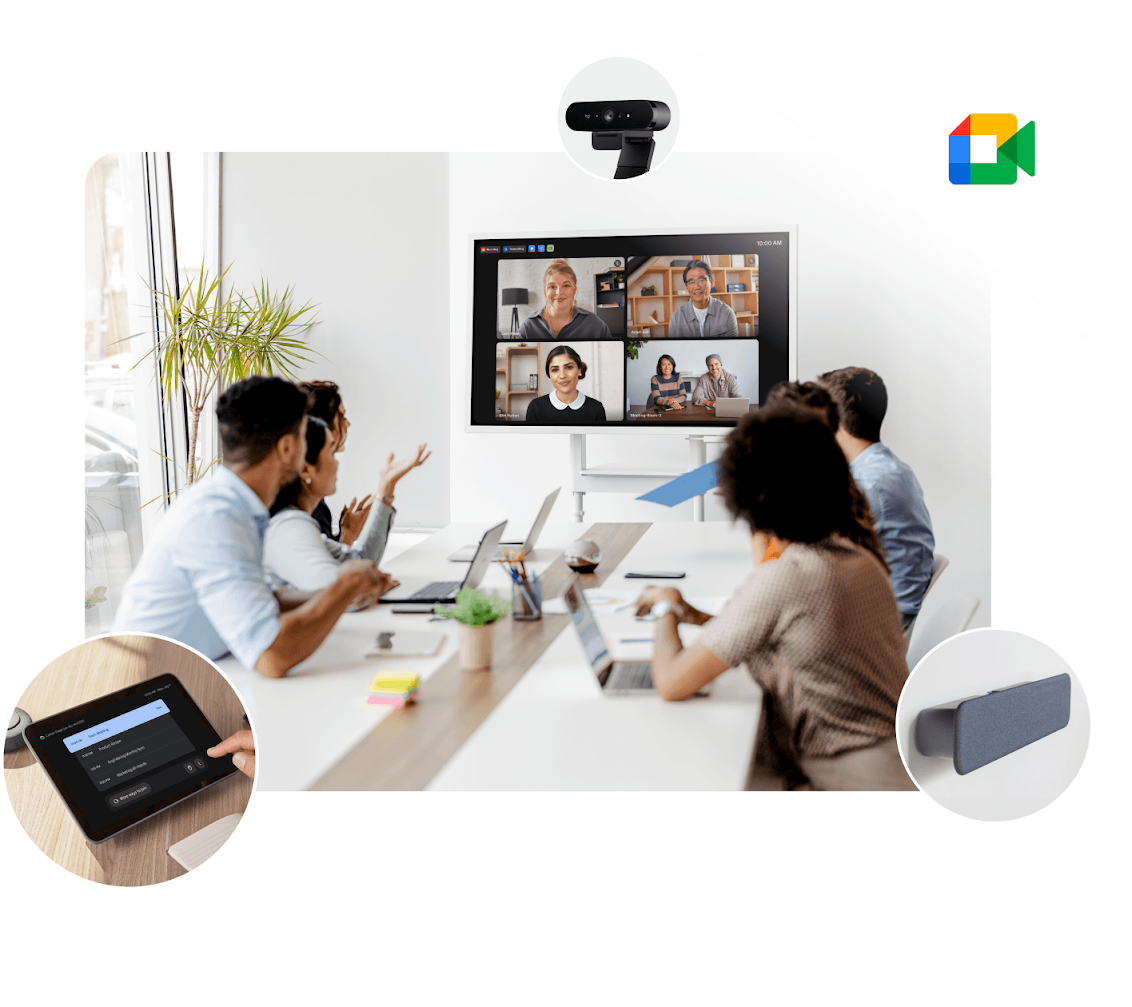
A smart meeting room combines hardware and software to support easy collaboration. It serves both in-room and remote participants equally. This goes well beyond a standard conference room setup.
Smart meeting room technology connects audio-visual equipment, room automation, and video conferencing software. As organizations adapt to hybrid work models, demand for smarter meeting spaces keeps growing.
A well-designed smart meeting room delivers:
- Reliable audio and video for remote participants
- Automated room controls that reduce setup friction
- Software integrations that keep hybrid work running smoothly
- A consistent meeting experience regardless of location
Smart meeting room vs. traditional meeting room
Traditional conference rooms were built for in-person attendance only. Remote participants dialed in on a speakerphone with poor audio. They had no visibility into the room.
Smart meeting rooms are built for different locations from the start. The shift is about rethinking how teams connect, not just about new hardware.
Key Features of a Smart Meeting Room
The best meeting room solutions combine multiple technologies into one cohesive setup. Here are the core components that make a smart meeting room work.
Audio-visual technology
Audio and video quality make or break hybrid meetings. Poor sound cuts off remote participants. A bad camera angle makes in-room attendees feel disconnected.
Key audio-visual components include:
- Video conferencing cameras with automatic framing to keep speakers in view
- Noise cancellation microphones that filter out background distractions
- Interactive displays or smart whiteboards for real-time annotation
- Multiple displays to show both content and remote participants simultaneously
- Wireless content sharing so anyone can present without cables
Note: For large conference rooms, use a camera with a wide-angle lens and automatic framing. It keeps all in-room participants visible without manual adjustments.
Room automation and IoT
Smart meeting technology extends beyond screens and speakers. Sensors and automation reduce friction before the meeting even starts.
Common room automation features include:
- Occupancy sensors that detect when a room is in use
- Automated lighting that adjusts when a meeting begins
- Climate control tied to room occupancy
- Usage analytics that help facilities management track room utilization
- Scheduling displays outside the room to prevent scheduling conflicts When these systems run containerized workloads across many offices, edge device management can centralize monitoring and updates.
Video conferencing and collaboration software
Hardware alone isn't enough. The right software ties everything together and keeps remote employees connected. Popular platforms like Zoom, Microsoft Teams, and Google Meet are the backbone of most smart meeting room setups.
Look for software that offers:
- Seamless integration with your existing calendar and productivity tools
- A user-friendly interface that doesn't create technical barriers
- Support for Zoom Rooms or equivalent room management systems
- Digital whiteboards for brainstorming sessions across locations
- Reliable performance for large conference rooms and small huddle spaces alike
If you're figuring out how to record virtual meetings across popular platforms, this guide covers the key options.
AI-powered meeting tools
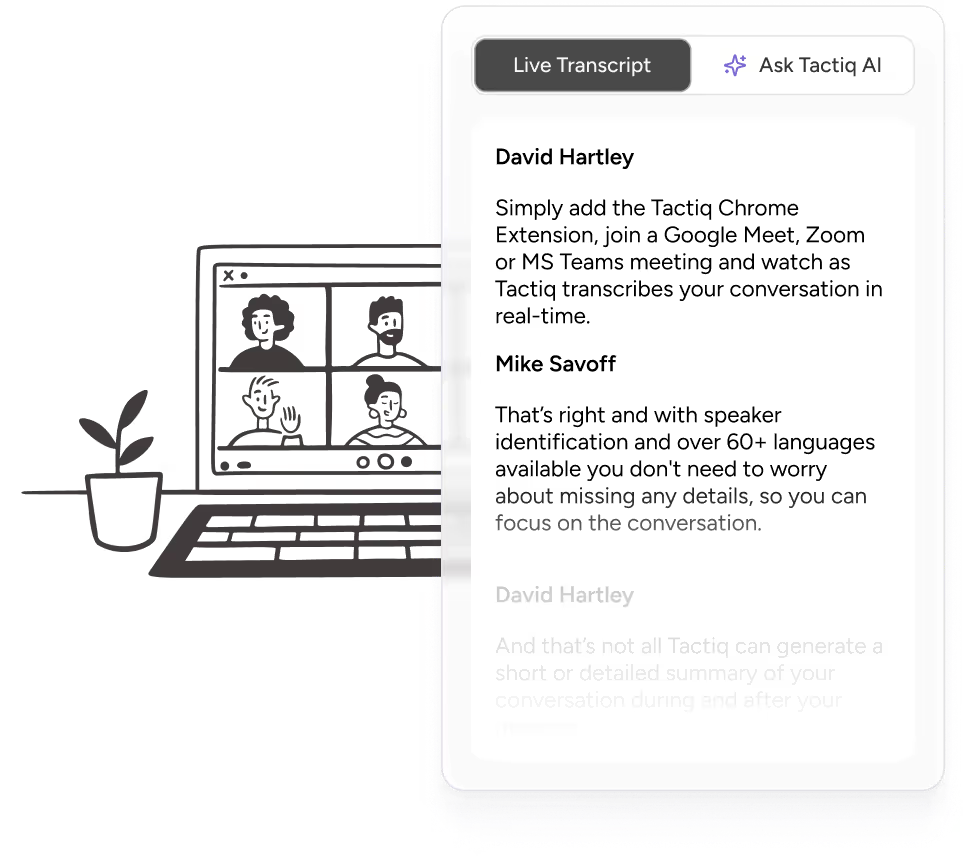
This is where smart meeting rooms become genuinely productive. The right AI tools capture what's said and turn it into usable outputs: transcripts, summaries, and action items delivered the moment the call ends.
For teams that need accurate meeting minutes without manual note-taking, this breakdown of transcribing meeting minutes is worth a read.
💡 Pro tip: Tactiq transcribes and summarizes your Zoom, Google Meet, and Teams meetings in real time. Your team stays focused on the conversation and leaves with notes, summaries, and action items ready to go.
Benefits of Smart Meeting Rooms
Upgrading your meeting spaces is an investment. Here's what that investment actually delivers.
Enhanced collaboration across locations
Smart meeting rooms make hybrid teams feel like one team. Remote participants hear clearly, see the room, and contribute to brainstorming sessions without friction. When everyone can share ideas on an equal footing, team collaboration improves across the board.
More productive meetings
Time spent troubleshooting AV equipment is valuable time lost. Smart meeting technology reduces setup friction so teams get straight to work. Productive virtual meetings start on time and end with clear next steps, not confusion about who said what.
Stronger decision-making
When remote employees and in-office participants collaborate effectively, better decisions follow. Everyone has the same context. No one is left out of the conversation because of a bad connection or a room that wasn't built for hybrid work.
Higher employee engagement
Poor meeting experiences disengage remote teams fast. Smart meeting rooms signal that the organization values every participant regardless of their location. That has a direct impact on employee engagement over time.
Data-driven space management
Usage analytics give facilities management real insight into how meeting spaces are used. Teams can identify underutilized rooms, reduce scheduling conflicts, and make smarter decisions about office layout and collaboration needs.
Seamless collaboration with less effort
The right setup removes technical barriers that disrupt meetings. When technology works in the background, teams stay focused on effective communication and getting things done, not on wrestling with the tools.
Ready to build one? Here's how to get started.
How to Set Up a Smart Meeting Room
Setting up a smart meeting room doesn't have to be overwhelming. Follow these steps to build a setup that fits your space and your team.
Assess your space and needs
Start by understanding what you're working with. Room size, meeting frequency, and your hybrid-to-in-person ratio all shape the right setup.
Ask yourself:
- Is this a small huddle space, a mid-size conference room, or a large boardroom?
- What percentage of your meetings include remote attendees?
- How many participants typically join from different locations?
- What are your core collaboration needs: video calls, presentations, whiteboarding?
Your answers will determine the scale of your technology investment and which components matter most.
Choose the right technology stack
Once you know your space and business needs, match your technology to them. Avoid buying new hardware before you've mapped out the full setup.
A solid smart meeting room technology stack typically includes:
- A video conferencing camera suited to your room size
- Noise cancellation microphones for clear audio
- Interactive displays or smart whiteboards for in-room and remote collaboration
- A room scheduling system to prevent conflicts
- Video conferencing software compatible with the popular platforms your team already uses
For teams already running Zoom, Microsoft Teams, or Google Meet, prioritize in-room devices that integrate natively with those platforms. Seamless integration reduces friction for other participants and keeps everyone connected without extra steps.
Integrate AI tools for meeting intelligence
Hardware and software set the stage. AI tools close the loop on what actually happened in the meeting.
Once your room is set up, layer in tools that handle:
- Real-time transcription so nothing gets missed
- Automatic summaries delivered after every call
- Action item extraction tied to specific participants
- A searchable record of past meetings across your team
Remote teams get the same post-meeting clarity as in-office participants, without anyone scrambling to take notes during the call.
How Tactiq Makes Your Smart Meeting Room Even Smarter
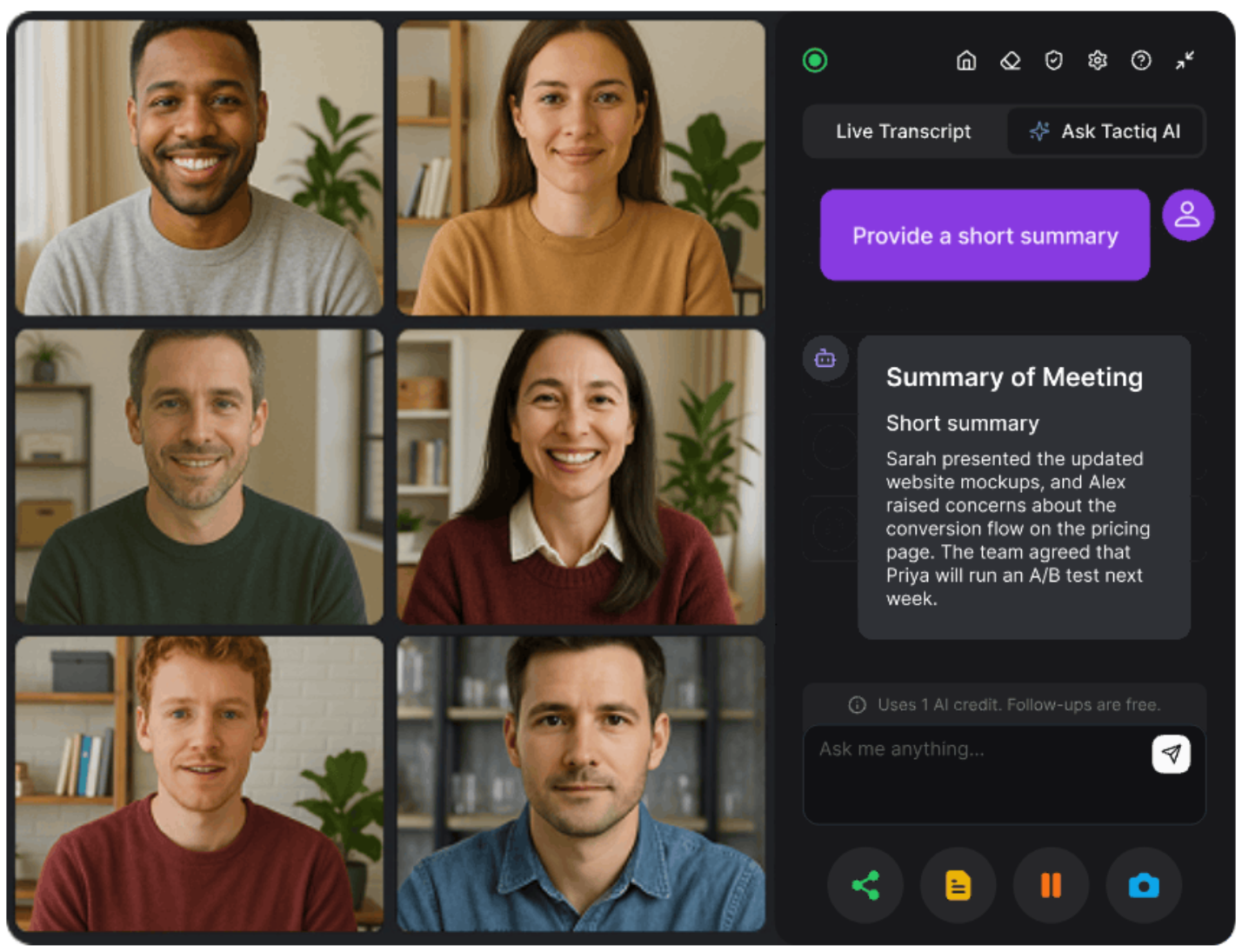
Smart meeting room hardware captures who's in the room. Tactiq captures what's being said and turns it into something your team can actually use.
Most meeting spaces invest heavily in audio-visual technology and video conferencing software. But the intelligence layer, the part that extracts meaning from conversation, is often missing. That's the gap Tactiq fills.
Tactiq works directly inside Zoom, Google Meet, and Microsoft Teams. It transcribes every meeting in real time, generates summaries, and pulls out action items the moment the call ends. There's no bot joining the meeting, no friction for other participants, and no manual work required.
Here's what Tactiq adds to your smart meeting room setup:
- Real-time transcription that captures every word as the meeting happens
- Instant meeting summaries so teams leave with clarity, not confusion
- Action item extraction tied to the right people and next steps
- A searchable meeting database your team can reference weeks or months later
- Seamless integration with the popular platforms already running in your room
For enterprise teams managing multiple meeting spaces, Tactiq brings consistency across every session. Every meeting gets captured, summarized, and stored, whether it’s a one-on-one or an all-hands, and regardless of who's running it.
If your team handles high-stakes meetings that require detailed records, this guide to enterprise AI for meeting transcription and summary is worth reading. And if you want to explore how AI chat works inside live meetings, here's how Tactiq's AI chat in meetings feature works.
Watch how Tactiq works in a real meeting room setup:
Get More Out of Every Smart Meeting Room Session
A smart meeting room is only as good as what you do with what was discussed. Hardware sets the stage, but the value lives in the conversation.
The best meeting room solutions pair physical infrastructure with an intelligence layer. When both work together, teams leave with clear outcomes, captured decisions, and action items ready to execute.
Pair your room setup with Tactiq, and every meeting becomes a resource your whole team can build on.
{{rt_cta_ai-convenience}}
FAQs on Smart Meeting Room
What is a smart meeting room?
A smart meeting room combines hardware and software to support hybrid collaboration. It connects audio-visual technology, room automation, and video conferencing tools into one unified setup.
What technology is used in a smart meeting room?
Smart meeting rooms use video conferencing cameras, noise cancellation microphones, interactive displays, occupancy sensors, and collaboration software like Zoom, Microsoft Teams, or Google Meet.
What are the benefits of a smart meeting room?
Smart meeting rooms improve collaboration, reduce setup friction, support remote participants, and give facilities management data on how meeting spaces are used.
How do I set up a smart meeting room?
Assess your space and collaboration needs first. Then choose a technology stack that fits your room size, and layer in AI tools for transcription and meeting intelligence.
How does AI improve smart meeting rooms?
AI tools like Tactiq add the intelligence layer: transcribing conversations, generating summaries, and extracting action items automatically. No manual note-taking required.
Related articles


_Main.jpg)




Want the convenience of AI summaries?
Try Tactiq for your upcoming meeting.
Want the convenience of AI summaries?
Try Tactiq for your upcoming meeting.
Want the convenience of AI summaries?
Try Tactiq for your upcoming meeting.