
Google Meet Hardware: What It Is & How It Works
July 17, 2025
July 17, 2025
August 22, 2025
August 22, 2025

Jumping into a quick video call on your laptop is easy. But running important meetings in a busy office or a hybrid setup needs something more reliable. You need gear that keeps the audio clear, the video sharp, and the setup simple enough for anyone to use. No tech issues, no echo, no awkward pauses.
Google Meet hardware is built for this. It brings together smart devices designed to improve your video meetings, regardless of the room size.
In this guide, we’ll look at how Google Meet hardware works, what it includes, and how to find the best fit for your meetings.
What is Google Meet Hardware?
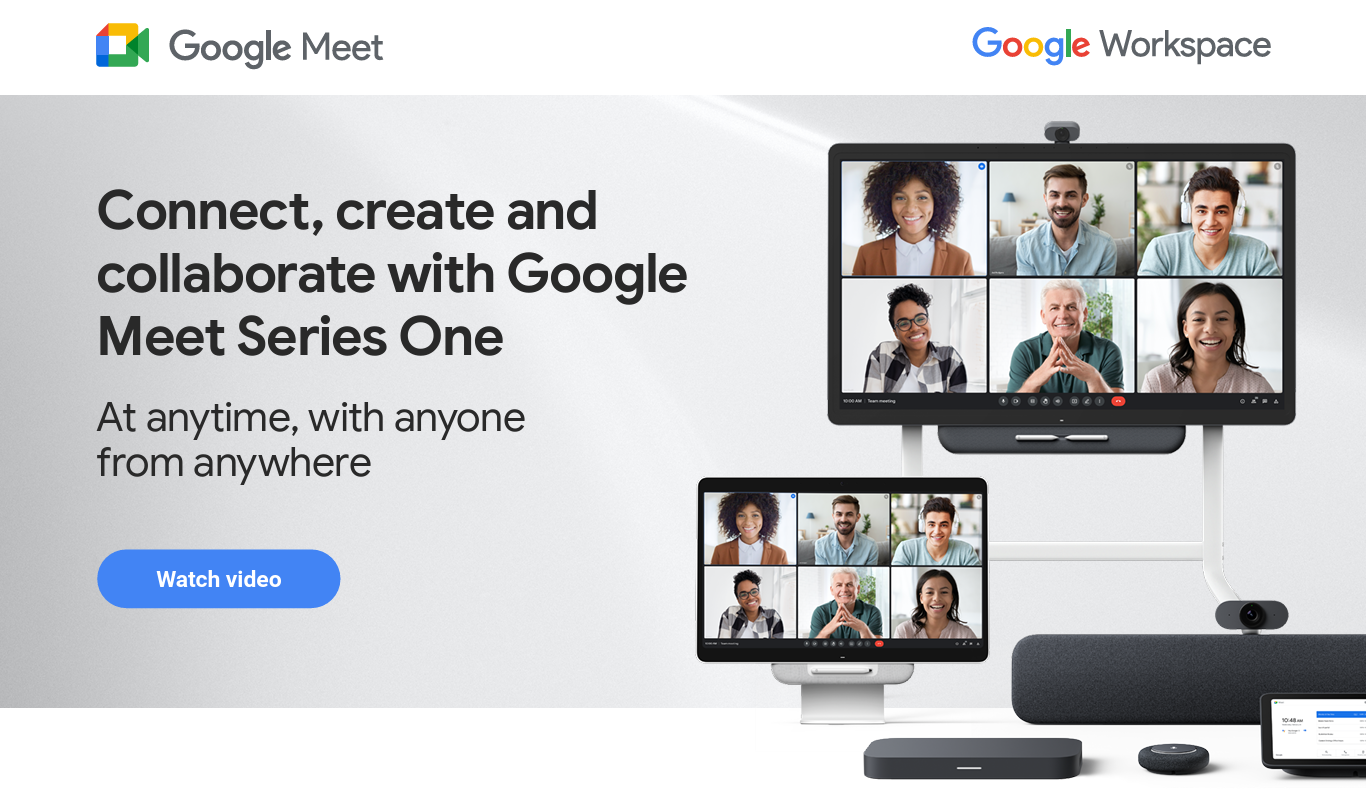
Google Meet hardware is a collection of devices built to upgrade your video meetings with high-quality audio, crystal-clear video, and simple controls. These aren’t just webcams or external mics. They’re purpose-built tools designed to work together with Google Meet.
Each setup includes core components:
- A Google Meet compute system to power the meeting
- A smart camera with features like auto-framing
- A touch controller for quick access and call control
- A speakermic, a combined speaker and microphone that cuts background noise using AI
Kits also come with Google’s TrueVoice™ tech, which removes distracting sounds like typing or rustling while enhancing voice clarity.
Who is it for?
Google Meet hardware is ideal for teams that meet frequently and require more than just a basic setup. It supports everything from individual workspaces to large rooms, so people can stay connected more easily.
Pro Tip: Use Tactiq with your Google Meet hardware to automatically capture transcripts and action items, so no one has to take notes during the meeting.
Benefits of Using Google Meet Hardware
Upgrading to Google Meet hardware changes how your team communicates. With better sound, smarter features, and tools built just for video meetings, your setup works with you, not against you.
Enhanced audio and video quality
Standard webcams and laptop mics can’t compete with the gear made for Google Meet. Many devices include wide-angle cameras, multi-mic arrays, and noise cancellation powered by AI. Tools like TrueVoice™ make sure every voice is clear, even in busy rooms.
You’ll also notice less lag, echo, and weird dropouts that throw off the flow of your meeting.
Seamless Google Workspace integration
Since these kits are built by or partnered with Google, they connect easily to your existing Google Meet setup. Start a meeting with a tap on the touch controller, share a calendar link, or send a Google Meet invite directly from your preferred device.
They also support tools like Google Meet recording, so you can easily review past conversations and decisions.
Reliable performance
These setups are tested to work together. You don’t need to juggle third-party parts or troubleshoot why your audio isn’t syncing. Once installed, Google Meet hardware delivers consistent results, whether you’re in a phone booth or a conference room.
You can trust that your meeting will start on time, and that you’ll actually be heard when it does.
Types of Google Meet Hardware
Google offers different hardware options to fit how and where you meet. The Series One line gives you a setup built for your specific room size and meeting style.
1. For Personal Use - Series One Desk 27

Image from Google
The Series One Desk 27 is an award-winning, all-in-one video conferencing device, monitor, and laptop dock designed for individual desks or small shared spaces. It brings everything you need into one smart display.
- 27” Quad HD LCD touchscreen with crystal-clear visuals
- 5MP camera with Google AI for auto-framing (pan, tilt, zoom effects)
- Eight onboard mics with powerful sound isolation to reduce background noise
- TrueVoice™ tech for boosting voices and filtering distractions
- Built-in Jamboard app for real-time sketching and note-taking
- Comes with a passive stylus and magnetic dock
- Connects to your laptop with a single USB-C cable to power, extend your screen, and use the Desk 27’s audio/video features
- Can support a second monitor for more workspace
Designed by Google in partnership with Avocor, the Desk 27 has also won the Red Dot and iF Design Awards for its thoughtful and modern build.
Best for: Hot desks, privacy booths, and home offices
2. For Team Spaces - Series One Board 65
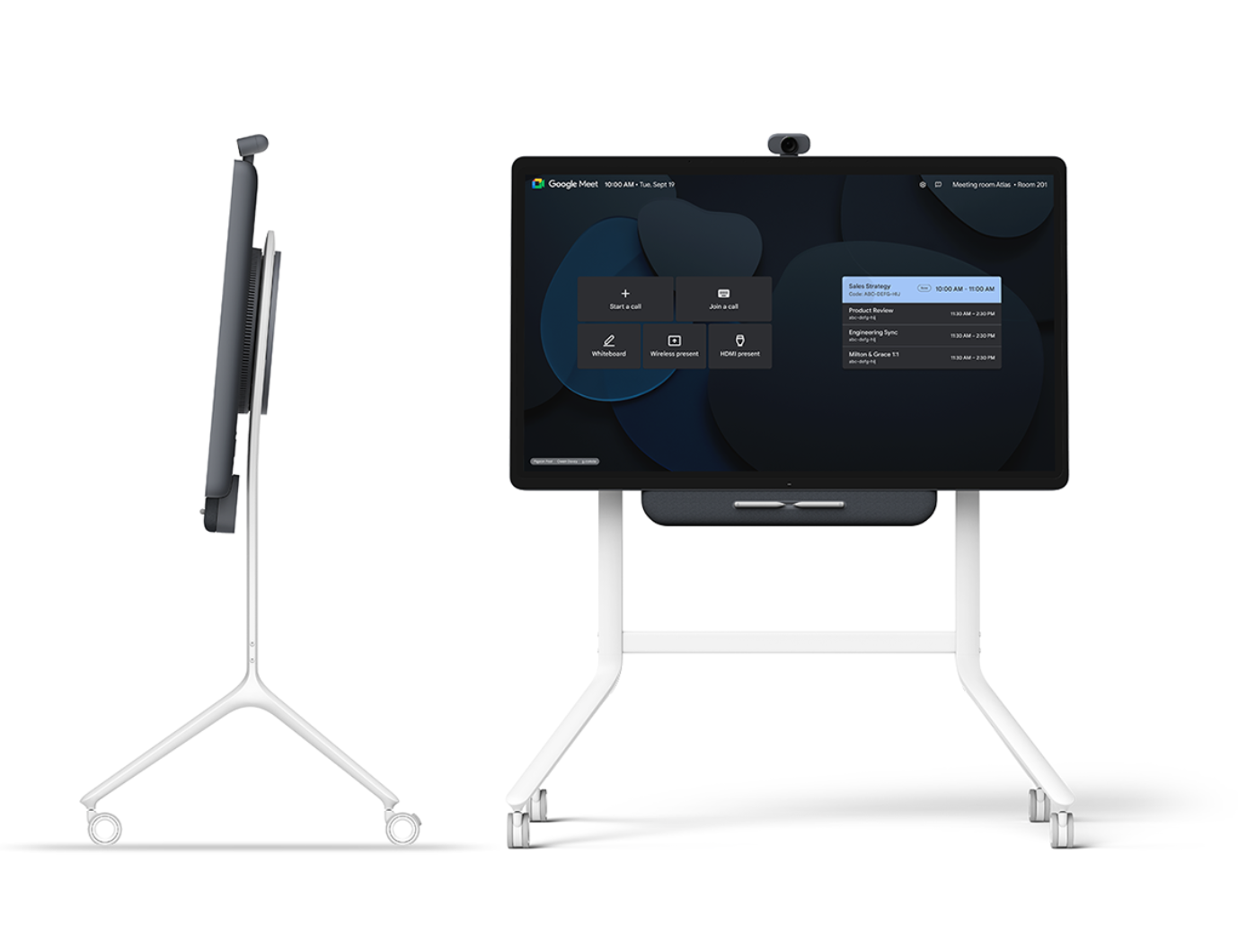
Image from Google
The Series One Board 65 is a premium, all-in-one video collaboration device built for group meetings and creative teamwork.
- 65” UHD touchscreen with sharp, lifelike visuals
- 12MP camera with intelligent framing that adapts as people move
- High-performance speakers with sound isolation for focused conversations
- TrueVoice™ filters background noise and brings voices forward
- Integrated Jamboard app for interactive sketching and team notes
- Includes two passive styluses and a magnetic holder
- Powered by Google Edge TPU for fast, reliable AV and AI processing
- Can be mounted on a wall or used with an optional mobile stand
The Board 65 has also earned Red Dot and iF Design Awards for its smart functionality and intuitive design.
Best for: Team rooms, boardrooms, and collaborative project spaces
3. For Any Room Size - Series One Room Kits
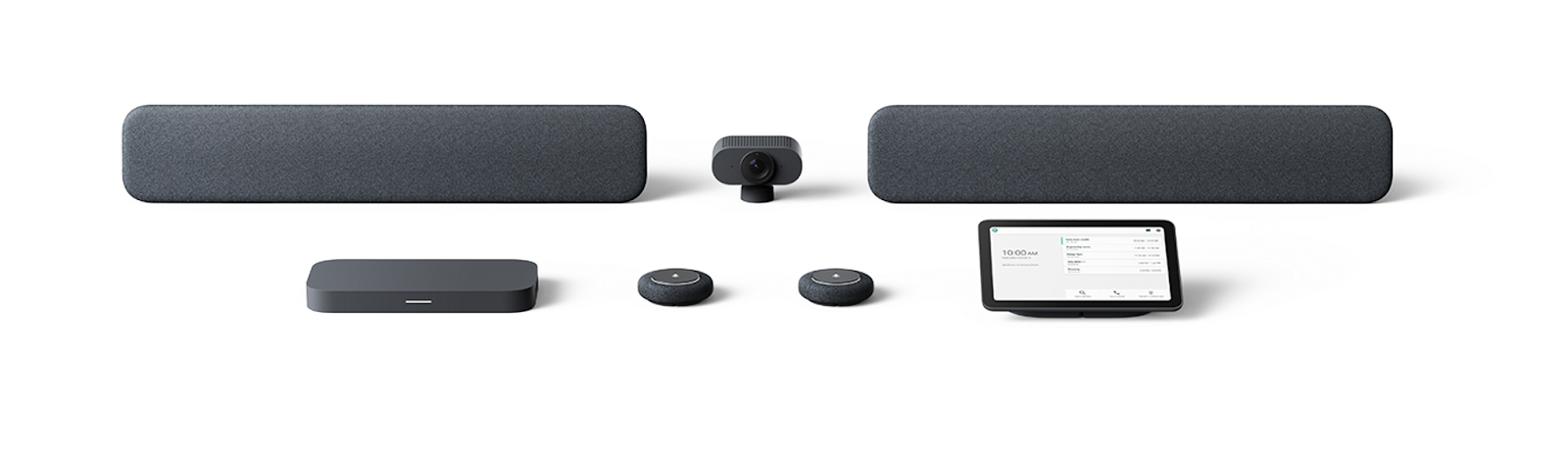
Image from Google
The Series One Room Kits, developed by Google in partnership with Lenovo, offer a complete, flexible setup for modern meeting rooms. Each kit is packaged with all the components you need to get started and is optimized for fast setup with minimal cables and clutter.
- Smart Camera with 4K resolution and digital pan, tilt, zoom powered by Google AI
- Smart Audio Bar with onboard Google Edge TPUs and TrueVoice® to remove unwanted noise and amplify speech
- Mic Pod with tap-to-mute functionality and expandable reach for larger rooms
- Meet Compute System featuring an Intel i7 processor and built-in Google Edge TPUs to handle AV workloads and AI processing
- Touch Controller, powered by a single Ethernet cable, for starting meetings, adjusting settings, and managing the room
- Power-over-Ethernet support reduces installation time and limits the need for additional power sources
- Components are color-coded for easy connection and expansion using daisy-chained peripherals like extra mic pods or audio bars
There are kits built for small and medium rooms, as well as larger spaces:
- Medium Room Kit - Includes Smart Camera, Audio Bar, Meet Compute System, Mic Pod, and Touch Controller
- Large Room Kit - Adds a second Mic Pod, an extra Audio Bar, and upgrades to a Smart Camera XL for wider coverage
Google Meet Series One kits are designed for easy setup and scalability. Just add what you need based on your room size. Optional AV carts and mounting solutions from partners like Ashton Bentley, Chief, and Heckler make it easy to move or customize your setup.
Best for: Small huddle rooms, medium rooms, and large rooms
Want to know how many people can join a Google Meet? Room size, licenses, and setup play a role, especially for growing teams.
How Tactiq Makes Google Meet Hardware Even Smarter
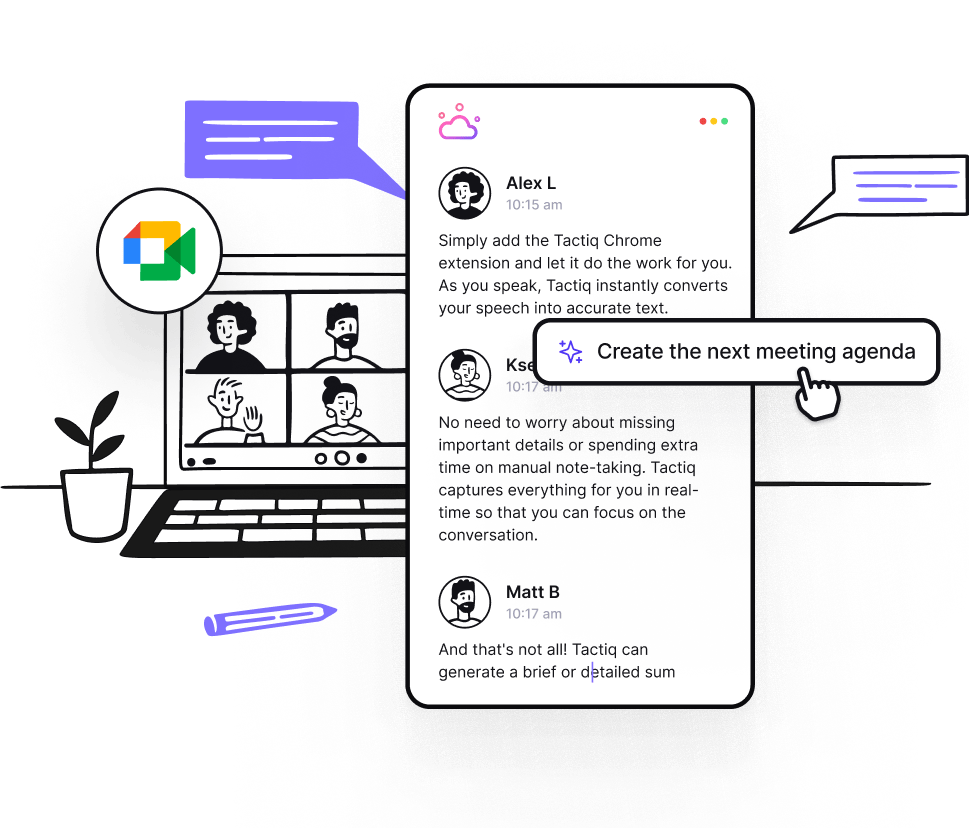
Google Meet Hardware handles the audio and video. Tactiq takes care of what happens after you hit “Join meeting.”
Tactiq adds a powerful layer of AI that works during your calls, transcribing conversations in real time and turning them into useful notes you can act on. It’s perfect for remote teams using meeting rooms, desktops, or boardroom setups.
Real-time transcripts and meeting notes
- Get instant access to live transcripts as your meeting happens
- Automatically capture key takeaways, decisions, and action items
- Highlight important moments with one click, even while someone is talking
- Use the Google Meet transcription to revisit what was said, so no need to rewatch recordings
Stay organized with your favorite tools
- Export your notes to tools like Google Docs, Notion, or Slack
- Keep everyone aligned, even if they didn’t attend the call
- Great for async work. No need to schedule extra catch-ups
- Helps with documentation after important video meetings and follow-ups
Want to level up your Google Meet setup even more? Download the free Tactiq Chrome Extension to start capturing transcripts and AI notes right inside your next call.
{{rt_cta_ai-convenience}}
Wrapping Up
With Google Meet hardware, you get reliable audio, sharp video, and smart features that match your team’s space and style of work. There’s a device that fits your needs, from a solo desk setup to a full conference room.
And when you pair it with Tactiq, you’re not just showing up. You’re walking away with clear notes, organized follow-ups, and less meeting fatigue.
Set your team up for better meetings: before, during, and after the call.
At minimum, a Google Meet compute system, camera, audio bar or mic pod, and touch controller. All of these are included in Series One hardware kits designed for different room sizes.
You can purchase a complete kit through an official reseller. Once installed, everything connects using Ethernet cables, and most devices require little to no manual configuration.
It’s a subscription that enables management and updates for your Google Meet hardware. It keeps your system secure, up to date, and fully functional within the Google ecosystem.
Pricing varies depending on the setup. Smaller kits are more affordable, while large room systems with add-ons like extra mic pods or AV carts will cost more. It’s best to contact a Google partner for an exact quote.
If your team holds regular meetings, needs high-quality cameras, or wants better sound and less setup hassle, Google Meet hardware is the best solution. It’s built to support everything from quick calls to full-team sessions.
Related articles


_Main.jpg)




Want the convenience of AI summaries?
Try Tactiq for your upcoming meeting.
Want the convenience of AI summaries?
Try Tactiq for your upcoming meeting.
Want the convenience of AI summaries?
Try Tactiq for your upcoming meeting.