
How to Use AI to Ask Questions in YouTube Videos
July 8, 2025
July 8, 2025
September 13, 2025
September 13, 2025

YouTube is packed with helpful videos: lectures, tutorials, interviews, and explainers. But finding a specific answer in a 45-minute video? That’s still frustrating.
AI is changing that.
Instead of watching the whole thing or skipping around, you can now ask AI a question and get an instant response. It pulls from the transcript, highlights key moments, and gives you clear insights. No more guesswork.
In this article, you’ll learn:
- How to ask AI questions about YouTube videos
- What tools make it possible
- How this shift is making video content more interactive, useful, and accessible
What Does It Mean to Ask AI Questions About YouTube Videos?
When you ask AI a question about a YouTube video, you’re not talking about the video itself. You’re interacting with the transcript. Most tools use speech recognition to turn audio into text. Once the transcript is ready, the AI uses natural language processing and other AI processes to scan for concrete answers and deliver a clear response.
This process turns passive video content into something searchable and interactive. It opens the door for faster learning, better note-taking, and more flexible ways to pull insights from long or complex videos.
Instead of just watching, you can now engage with the content like you would with a search bar.
Use Cases for AI Q&A on YouTube Videos
Here’s how people are using AI to get more value from YouTube videos:
Summarizing Long Videos
AI can generate a summary of a long video in seconds. Instead of watching the full recording, you get a clear overview of what was discussed. This is helpful for busy schedules, especially when dealing with hour-long tutorials, interviews, or webinars. With Tactiq, you can upload a transcript and get a fast, AI-generated summary in just one click.
Extracting Action Items and Key Points
AI tools can identify important moments in a video, like decisions made during a meeting, the next steps from a project update, or key takeaways from a training session. You can quickly scan what needs to be done without having to rewatch the whole thing.
Language Translation and Accessibility
AI can translate transcripts into other languages or create subtitles, making it easier for global teams to access the same information. It also supports people who prefer reading or need help with hearing or language comprehension.
5 Best AI Tools for YouTube Video Chat
Several tools now allow you to interact with YouTube videos using AI. Some help you extract information by analyzing transcripts, while others include built-in chat features. Here are the most useful ones available right now:
1. Tactiq's YouTube Transcript Generator and Chrome Extension
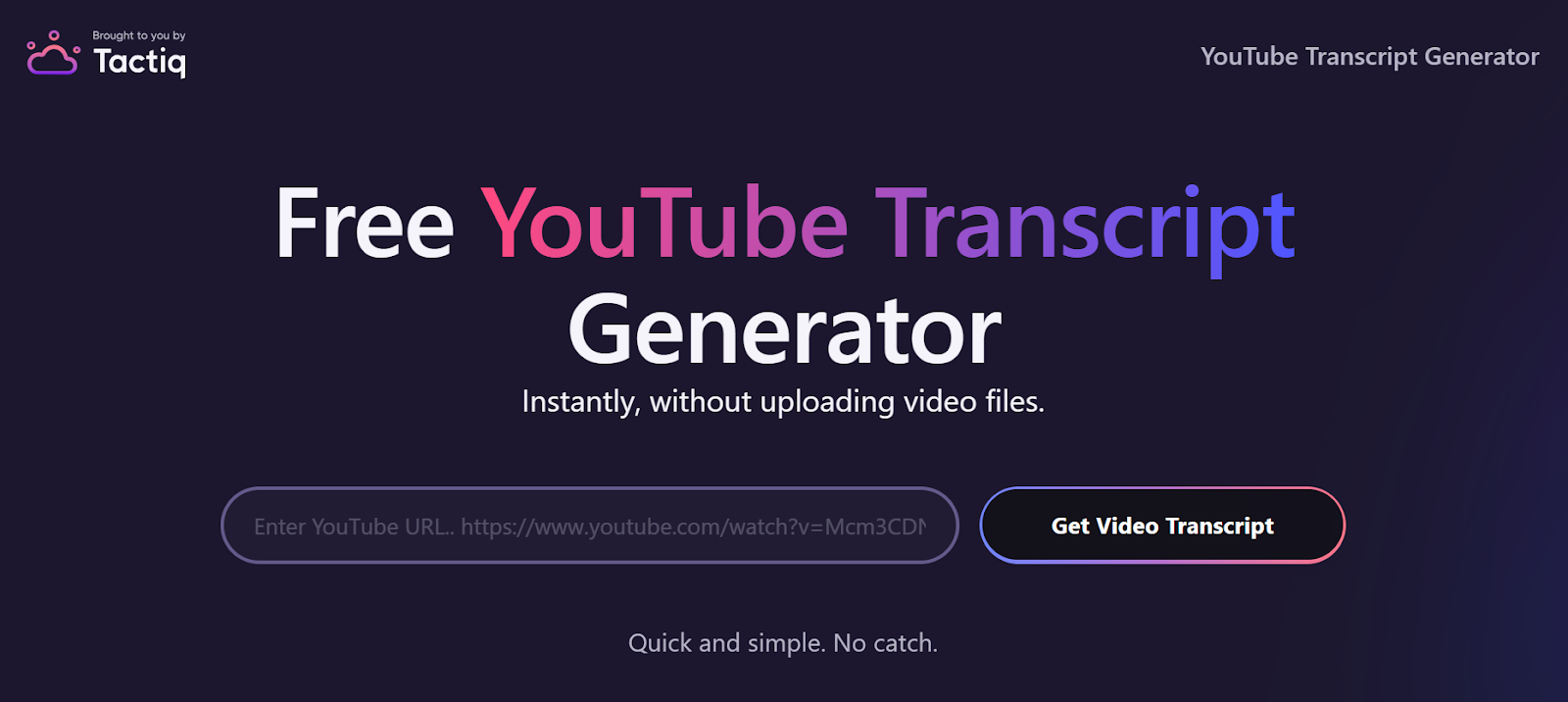
Tactiq lets you generate a YouTube transcript and use AI to ask questions about the content. It’s simple to start, but you’ll need to follow a few quick steps.
- Go to the YouTube Transcript Generator, paste the video link, then click Download. It will be downloaded in .txt format.
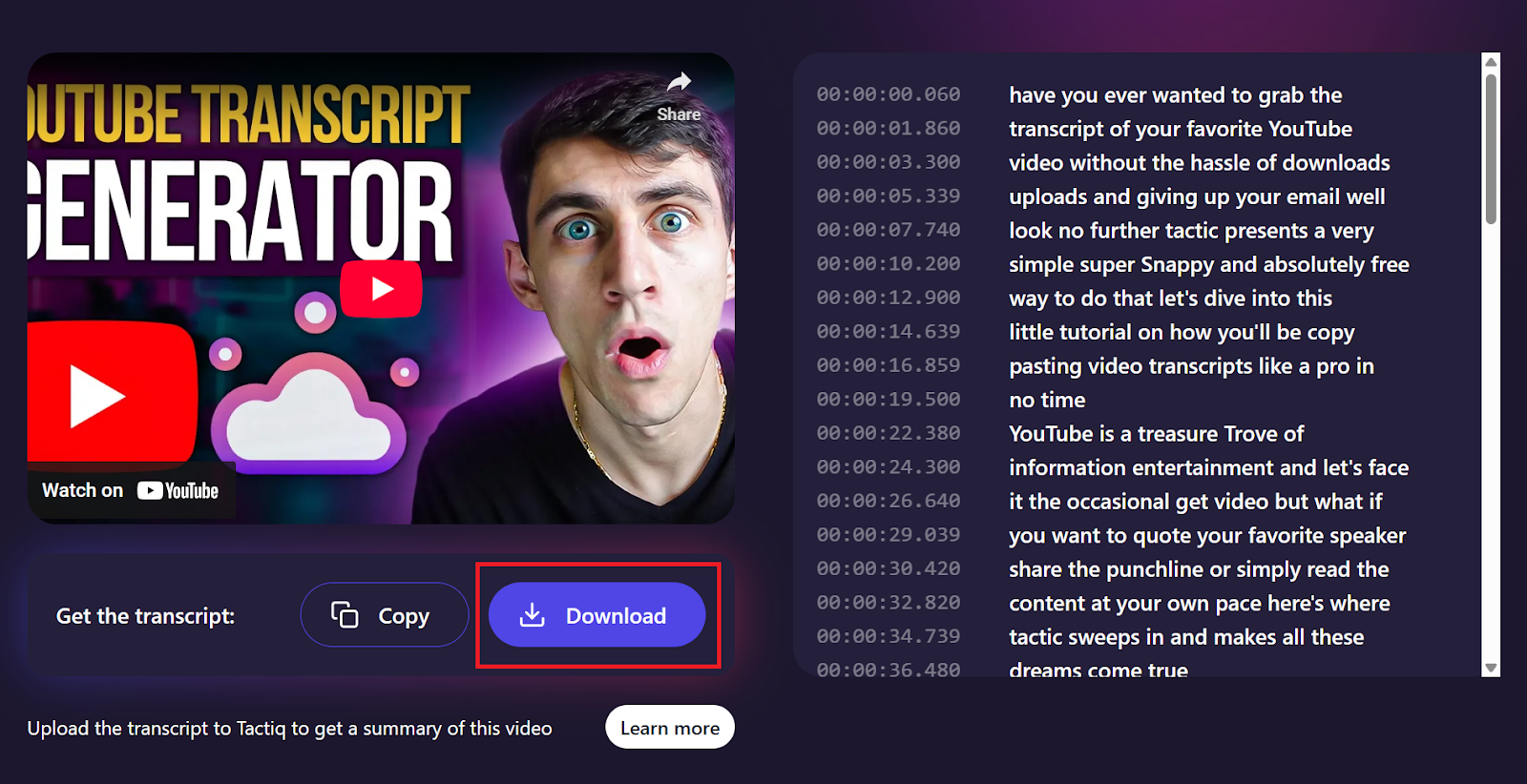
- Sign up for a free Tactiq account.
- From the Tactiq dashboard, click My Meetings, then Upload Recording on the upper right. Select your transcript file (you can upload txt, .pdf, or .docx files) then click Upload.
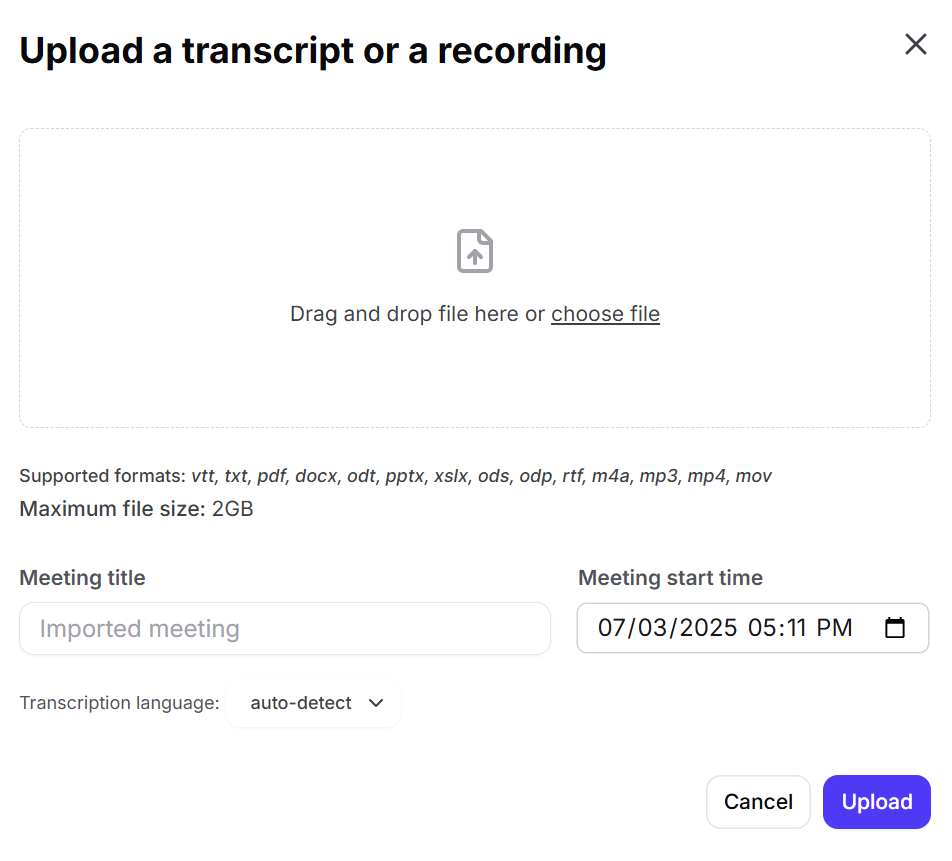
- Once uploaded, select it from the meetings list. From there, you can ask AI questions about the video and get instant answers, summaries, action items, and insights.
You can ask your own question directly. Here are some examples:
- “What are the key ideas covered in this video?”
- “List the action items mentioned.”
- “Summarize the speaker’s opinion on the topic.”
You can also install the Tactiq Chrome Extension to automatically transcribe meetings on Zoom, Google Meet, and Microsoft Teams. Tactiq goes beyond YouTube and supports real-time meeting transcripts, uploads, and custom AI prompts.
Additional features include:
- Live transcription during video meetings
- AI-powered summaries and follow-ups
- Transcribe video to text from uploads or meetings
- Custom prompts to ask AI anything about your transcript
- Quick search across transcripts to find what matters
- Support for 50+ languages, including real-time translation
Tactiq is more than just a video notetaker; it’s a complete AI tool for making conversations and content easier to work with.
{{rt_cta_ai-convenience}}
2. YouTube’s Native Conversational AI (“Ask about this video” Feature)

YouTube is testing a built-in conversational AI tool that lets you interact with videos by asking questions or choosing suggested prompts. It’s designed to help you learn more about the video content without leaving the page.
Here’s how it works:
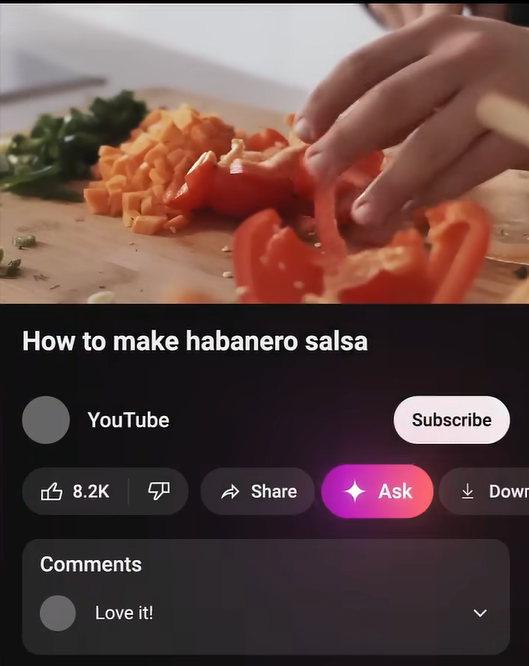
- The Ask button appears below certain English-language videos.
- You can select a suggested prompt (like “recommend related content”) or type your own question.
- The AI responds based on the video’s transcript and topic.
Availability details:
- Currently offered to YouTube Premium members in the U.S., age 18 and up.
- A small number of non-Premium users in the U.S. are also part of the test group.
- Available only on select English-language videos for now.
There’s also a learning-focused version available on some educational videos:
- It’s designed to explain key concepts, answer academic questions, and even quiz you on the topic.
- You’ll use it the same way. Tap Ask and choose a prompt or enter a question.
Note: YouTube states that AI-generated responses don’t reflect the platform’s views. Since the feature is still evolving, accuracy may vary, and users are encouraged to share feedback.
3. Can ChatGPT or Gemini Analyze YouTube Videos?
ChatGPT and Gemini can’t directly analyze a video, but they can help if you give them the transcript. You’ll need to copy the video transcript manually or use a third-party tool to get it. Once you paste that into the chat, you can ask AI questions about it.
Keep in mind that these tools don’t see visual content or hear the audio. If the video includes slides, diagrams, or non-verbal cues, those won’t be part of the AI’s understanding. The quality of the response depends entirely on the quality of the transcript you provide.
Limitations & Challenges of Current AI Video Q&A Tools
AI tools are making video content easier to work with, but they’re not perfect. There are still a few things to keep in mind when using them.
- Answers depend on transcripts. If a video doesn’t have captions or a clear transcript, the AI can’t give precise or accurate answers. Poor audio quality or missing parts can lead to gaps in understanding.
- Visual content is often missed. AI can’t always interpret slides, charts, gestures, or anything that isn’t spoken out loud. If key information is only shown visually, the response may leave it out.
- Accuracy can vary. AI might misinterpret context, miss the tone, or pull the wrong details from the transcript. Always double-check the information before using it for work or research.
- Privacy and security concerns. Some users may hesitate to upload meeting recordings or transcripts due to privacy. It's important to choose tools that clearly explain how they handle your data.
- Not all topics are supported. Complex subjects, fast dialogue, or industry-specific jargon can confuse AI models and lead to vague or incomplete responses.
AI is improving quickly, but these tools still have limits. Knowing where they fall short can help you get better results and ask smarter questions.
Wrapping Up
AI makes it easier to work with video content by turning transcripts into something you can search, question, and learn from. Instead of watching an entire video, simply ask a question and get a direct answer, summary, or key takeaway.
Tools like Tactiq help you get started by generating transcripts, letting you upload files, and giving you a space to ask AI questions. You can use it for YouTube videos, meeting recordings, or any saved transcript.
If you want to save time, pull out useful insights, or stay focused during your workday, this kind of AI tool can make a big difference. Start with one video and see how much easier it is to get the answers you need.
Yes, as long as there’s a transcript or subtitles available. AI tools scan the text to find relevant parts and return a direct answer. If the transcript is missing or unclear, the response may be incomplete. Tools like Tactiq make it easier by generating accurate transcripts you can work with.
Yes. AI can provide a YouTube summary based on the video’s transcript. This helps you understand the main ideas without watching the full video. It’s especially useful for long interviews, lectures, or tutorials. Some tools also break the content down by timestamps or sections.
YouTube is testing its own conversational AI that answers questions directly inside the app for certain users. Other tools like Tactiq allow you to dive deeper and ask AI questions about the transcript, but they don’t access the video directly. You’ll usually need to upload or paste the transcript first. The AI then works with that text to provide answers.
No. ChatGPT can’t watch or listen to videos. It needs a transcript or a detailed summary to give you helpful responses. Without that, it won’t understand the content of the video. If you provide a script or captions, though, it can still answer questions based on the text.
It depends on the quality of the transcript and the clarity of the content. If the transcript is well-formatted and the audio is clear, AI can give fairly accurate answers. But it may miss things shown visually or interpret some topics incorrectly. Always double-check important information.
Related articles



Want the convenience of AI summaries?
Try Tactiq for your upcoming meeting.
Want the convenience of AI summaries?
Try Tactiq for your upcoming meeting.
Want the convenience of AI summaries?
Try Tactiq for your upcoming meeting.