
Is Claude AI Safe? Security Measures You Need to Know
September 16, 2024
September 16, 2024
September 3, 2026
September 3, 2026

Artificial intelligence (AI) tools now handle critical tasks across work, research, and collaboration. That raises a fair question. Is Claude AI safe to use at scale?
Claude AI continues to evolve. New models, stronger guardrails, and clearer privacy controls now shape how users interact with it. Safety is no longer a background feature. It is part of how Claude is designed, trained, and governed.
In this guide, you’ll learn:
- How Claude AI approaches safety and risk mitigation
- How newer Claude models influence safety behavior
- What privacy, memory, and data controls are available
- How dependable AI systems and tools can support safer workflows when paired with Claude
What is Claude AI? An Overview of Anthropic's Safe AI Assistant
Claude is a trusted AI assistant developed by Anthropic, an AI research company. They are dedicated to building dependable AI tools guided by strict ethical guidelines around safety and reliability.
Claude is built as a family of powerful AI models rather than a single system. This approach allows users to choose the right model for their workload while maintaining consistent security practices across all versions.
The current Claude AI model lineup includes:

- Claude Sonnet 4.5: The recommended starting point for most users. It offers the best balance of intelligence, speed, and cost, with strong performance in reasoning, coding, and agent-style tasks.
- Claude Haiku 4.5: The fastest Claude AI model, designed for small tasks, instant answers, and lightweight workflows where priority access and low latency matter.
- Claude Opus 4.5: The most capable model in the lineup. It is designed for complex problems, deep analysis, and critical tasks that require maximum reasoning depth and stricter safety behavior.
All Claude 4.5 models support:
- Text and image input
- Text output
- Multilingual use
- Long-context reasoning
- Large context window for long-form reasoning and extended conversations
Rather than pushing maximum capability by default, Claude’s different models help reduce misuse and keep its usage predictable. Users can apply higher-capacity models to significant progress work, while reserving faster models for everyday tasks.
💡 Pro Tip: Claude's safety features work best with clean, structured context, not messy meeting transcripts. Use Tactiq to turn your Zoom, MS Teams, or Google Meet calls into organized summaries so Claude AI can analyze what matters without exposing unnecessary sensitive data.
Is Claude AI Safe? Understanding Claude AI's Safety Measures
Claude approaches AI security as a reasoning process rather than a rules engine, helping address complex security issues beyond simple filtering.
Instead of relying only on filters or traditional content moderation, Claude evaluates intent, context, and potential harm before responding. This behavior is guided by Anthropic’s constitutional framework for AI safety.
Constitutional AI as the foundation
Claude uses Constitutional AI, a framework that guides how it reasons about safety, responsibility, user intent, and broader ethical considerations. The Constitution acts as a set of guiding principles rather than a fixed list of prohibited or harmful outputs.
These principles prioritize:
- Preventing physical, psychological, and societal harm
- Respecting human rights and user dignity
- Preserving user autonomy where safe to do so
- Explaining refusals clearly and calmly
This structure helps Claude AI respond consistently, even when prompts are ambiguous or adversarial.
Behavior-based safeguards in newer models
Recent Claude AI models apply constitutional reasoning more actively throughout ongoing user interactions. Safety enforcement focuses on behavior over time, not just individual prompts.
Key safeguards include:
- Escalation for repeated misuse: Claude may move from redirection to firm refusal when harmful intent persists.
- Conversation termination as a last resort: In cases of sustained harmful requests, higher-capability models can end the interaction entirely.
- Long-context alignment: Claude maintains safety reasoning across extended conversations, reducing drift in long sessions.
These mechanisms are designed to stop misuse without overcorrecting during legitimate exploration or research.
Stronger limits in high-risk domains
The updated Constitution places stricter boundaries around areas where misuse can scale or cause real-world harm.
Claude applies heightened scrutiny to requests involving:
- Malware and exploit development
- Cybersecurity and network abuse
- Biological or chemical harm
- Automation that enables large-scale manipulation
As requests move from theoretical discussion to actionable instruction, Claude becomes more restrictive.
Usage policy and enforcement
Anthropic’s Usage Policy translates constitutional principles into enforceable limits. Claude is trained to refuse requests that enable malicious activity, including attempts to bypass safeguards or generate harmful tools.
Enforcement does not rely on a single control. Policy checks, training alignment, and model behavior work together to maintain consistent boundaries.
What this means for your workflow
Claude’s safety design emphasizes predictability and proportional response. Users are more likely to see:
- Clear explanations instead of abrupt refusals
- Safer alternatives when appropriate
- Firm boundaries when risk increases
This principle-driven approach supports dependable AI technologies for critical tasks while maintaining responsible limits.
Claude AI Safety Features: Privacy, Memory, and Security Controls
Claude’s safety approach is reinforced by product and system features that support control, oversight, and predictability. These key features focus on how Claude is used, not how it reasons.
Memory and personalization controls
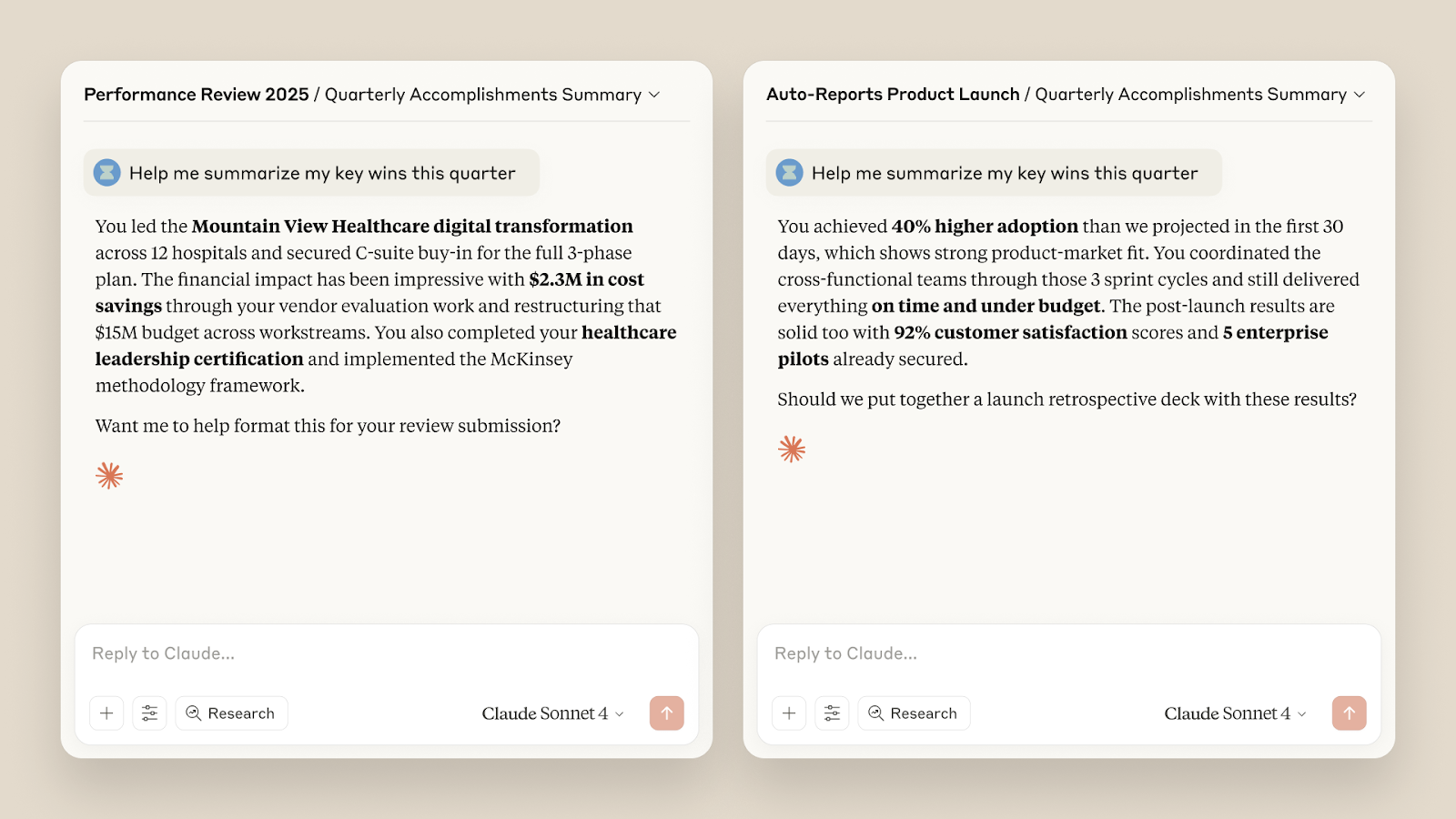
Claude supports memory across sessions, but only through explicit opt-in. Memory is not required for normal use.
Key controls include:
- The ability to enable or disable memory entirely
- Limits on what Claude can retain
- Separation between the temporary context and the stored preferences
This design reduces accidental retention while still supporting continuity for long-term projects.
Team and enterprise safety controls
Shared environments introduce different risks. Claude’s team-focused features aim to limit spillover and overexposure.
Available controls include:
- Project-scoped context instead of global memory
- Admin oversight for docs access and sharing
- Teammate-level permissions and visibility
- Central billing and usage monitoring
These safeguards help teams collaborate without flattening privacy boundaries.
Information access boundaries
Claude AI continues to limit unrestricted real-time web access in many contexts. This reduces exposure to unverified or misleading sources and keeps outputs grounded in trained knowledge.
Where retrieval or browsing features are available, access is scoped and disclosed so that users understand the source of information.
Security practices at the system level
Claude AI applies standard data security practices across its platform:
- Encryption for data in transit and at rest
- Defined retention policies
- Controlled handling of flagged safety-related content
These measures support safe deployment without relying on user intervention alone.
Together, these features complement Claude’s constitutional reasoning by giving users practical levers to manage risk, scale usage responsibly, and maintain control as workloads grow.
Data privacy & security practices
Claude’s privacy model gives users clear choices about how their data is handled, stored, and reused. These controls are especially important when Claude AI is used for sensitive or long-running work.
As mentioned, Claude now offers opt-in and opt-out controls for training contributions, requiring explicit permission from users.
When users opt in, data may be retained for longer periods to support model improvement. When users opt out, Claude does not use their interactions for training.
There are important transparency details to note:
- Some flagged safety-related content may still be retained, even when training is disabled
- This retention supports abuse prevention and policy enforcement
- Retention rules differ based on plan type and usage context
For teams and organizations, additional privacy controls apply:
- Memory can be scoped to specific projects rather than shared globally
- Incognito-style workflows limit long-term retention
- Admins can manage data access, permissions, and usage centrally
- Teams can also control access through managed API keys, helping limit who can connect Claude to internal systems or third-party tools.
Claude also follows standard platform security practices. For users concerned about protecting their privacy beyond the AI platform itself, a best VPN guide can provide information on how VPNs differ in areas such as encryption, privacy policies, and data protection.
- Encryption for data in transit and at rest
- Defined retention policies tied to purpose
- Separate handling of safety-flagged content
Together, these practices aim to balance usability with responsibility. Users retain control over their data while Claude maintains safeguards required for security and misuse prevention.
How Tactiq Enhances Claude AI’s Functionality
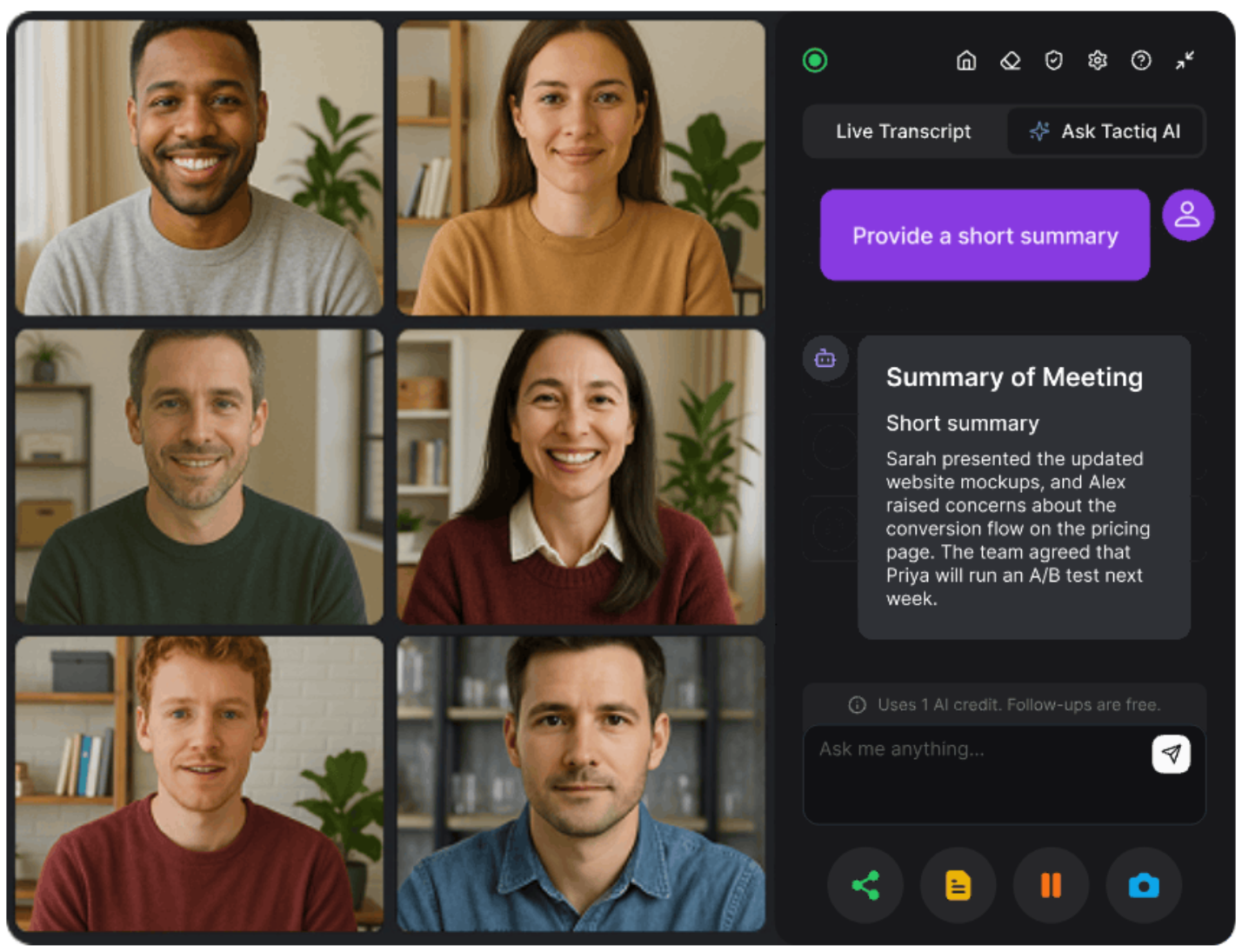
Claude AI is strong at reasoning and analysis. What it needs is a clean context. Meetings rarely provide that. Conversations jump between topics, decisions get buried, and notes end up scattered.
Tactiq bridges that gap. It captures structured meeting data that Claude can actually work with. This pairing reduces manual work and improves output quality.
Here’s how Tactiq complements Claude in practice:
- Live meeting AI summaries and Ask Tactiq AI: Get real-time summaries and insights during meetings, not hours later. This gives Claude clearer inputs for follow-ups and planning.
- Automate with AI workflows: Create custom prompts for recurring meetings. Run the same logic every time without rewriting instructions.
- Email follow-ups: Turn meeting summaries into clear follow-up emails with one click. No rewriting. No missed details.
- Follow-up suggestions: the Ask Tactiq AI feature now suggests the next questions after each response. This helps guide better decisions before sending context to Claude.
- UI and collaboration improvements: Updated dashboards and Spaces keep transcripts, summaries, and notes organized. Teams can share context without copying raw transcripts.
- New integrations: Create tasks in Linear, use Google Meet Companion Mode, and apply workflow tags. These tools help Claude work from structured inputs instead of noise.
By pairing Tactiq with Claude, teams spend less time cleaning notes and more time acting on decisions.
👉 Install the free Tactiq Chrome Extension to start using Claude with a clearer, safer meeting context.
Wrapping Up
Claude AI is built with safety as a core design goal, not an afterthought in modern technology. Its constitutional framework shapes how the system reasons about risk, intent, and responsibility. Newer models, including features released through early access, add stronger safeguards, clearer boundaries, and better handling of prolonged misuse.
Safety does not come from one feature alone. It comes from how models behave, how policies are enforced, and how users control data. Understanding those layers helps you use Claude more confidently for critical tasks and long-term work.
The safest outcomes also depend on how you provide context. Clean, structured inputs reduce risk and improve results. That is why pairing Claude with dependable AI tools like Tactiq matters. Better inputs lead to better decisions, without exposing unnecessary data.
Used thoughtfully, Claude can be a trusted partner for complex work while reinforcing user trust through responsible use.
FAQs About Claude AI Safety
Can Claude be trusted?
Claude is built by an AI research company with safety as a core design goal. Its constitutional framework, behavior-based safeguards, and clear usage boundaries make it a trusted AI assistant for sensitive and complex work.
Is Claude safer than ChatGPT?
Claude places a stronger emphasis on preventative safety. It reasons about intent, escalates responses during misuse, and can end harmful conversations. This makes it well-suited for high-risk or regulated workflows. Learn more about ChatGPT vs Claude.
Is my data safe in Claude?
Claude offers opt-in and opt-out controls for training, scoped memory options, and plan-based user privacy settings. Encryption and defined retention policies protect data during use.
What are the potential risks of using Claude?
Risks include sharing sensitive information without proper controls or relying on outputs without review. Using scoped memory, limiting access, and avoiding raw data uploads helps reduce exposure.
What’s the safest way to share meeting data with Claude?
Avoid raw transcripts or recordings. Share structured summaries instead. Tools like Tactiq help extract decisions and action items, so Claude receives only relevant context.
Yes, Claude AI takes privacy seriously. Anthropic, the company behind Claude AI, has implemented stringent data privacy measures to ensure user interactions remain confidential. Data Deletion: Claude AI automatically deletes prompts and outputs from its backend systems within 90 days unless otherwise specified. No Training on User Data: Unlike some other AI models, Claude AI does not use interactions from its consumer or beta services to train its models unless explicit permission is given. Secure Connections: All data transmissions are encrypted, ensuring that your conversations cannot be intercepted or accessed by unauthorized parties.
Claude AI stands out from ChatGPT for several key reasons, particularly in terms of safety and ethical considerations. Constitutional AI Framework: Claude AI is built on a unique Constitutional AI framework, which integrates safety principles. These principles guide the AI’s behavior, ensuring responses are ethical and adhere to human rights standards. Focus on Safety: Claude AI prioritizes safety by avoiding multimodal content and operating without live web search, reducing the risk of misinformation and inappropriate content. Enhanced Accuracy: The latest version, Claude 2.1, includes improvements to minimize hallucinations, making it more reliable for complex queries and tasks.
Claude AI is designed with a strong emphasis on data privacy and security. Short-term Data Retention: User data is retained for a maximum of 90 days for system functionality and user convenience, after which it is automatically deleted. No Unauthorized Data Use: Anthropic commits to not using data from user interactions to train the AI models unless explicit consent is provided. Privacy Policies: Claude AI adheres to rigorous privacy policies and complies with data protection regulations ensuring user information is handled responsibly.
Deciding whether to subscribe to Claude AI depends on your specific needs and how you value its unique features. Advanced Capabilities: Subscribing to Claude AI provides access to more powerful versions, which offer enhanced reasoning abilities and reduced hallucinations. Increased Usage Limits: Subscribers benefit from higher usage limits, allowing for more extensive interaction with the AI. Priority Access: Subscription plans often include priority access during high-demand periods and early access to new features, making it a valuable tool for those who rely on AI for complex or frequent tasks.
By integrating Tactiq with Claude AI, you can capture, transcribe, and summarize your meetings in real time, making every discussion actionable and easy to review. Tactiq’s AI-powered transcriptions and summaries help you save time, boost productivity, and keep your data secure, so you can focus on collaboration and decision-making.
Related articles








Want the convenience of AI summaries?
Try Tactiq for your upcoming meeting.
Want the convenience of AI summaries?
Try Tactiq for your upcoming meeting.
Want the convenience of AI summaries?
Try Tactiq for your upcoming meeting.