
会議に最適なAIメモ作成アプリとは
February 4, 2026
February 4, 2026
February 4, 2026
February 4, 2026

すべてのAIメモ作成アプリが同じように機能するわけではありません。ボットによる会議への参加に頼っているものもあれば、プライバシー管理が強化され、設定手順が少なくて済むブラウザベースの文字起こしを使用するものもあります。これらの違いは、頻繁に会うチームにとっては重要です。
このガイドでは、会議に最適なAIメモ作成アプリの特徴と、あるオプションを他のアプリと比較する方法について説明します。
このガイドの内容は次のとおりです。
- 会議に最適なAIメモ作成アプリの定義とは
- わかりやすい会議議事録をサポートする機能
- AIノートテイカーがさまざまな会議タイプにどのように適合するか
- 無料の AI ノートテイカーに関するよくある質問への回答
会議に最適なAIメモ取りアプリとは?
会議に最適なAIノート作成アプリは、会話を中断することなく正確なメモをキャプチャします。一般的な会議プラットフォームをサポートし、概要やアクションアイテムをリアルタイムで生成し、セットアップも簡単です。プライバシーと使いやすさは、高度な AI 機能と同じくらい重要です。
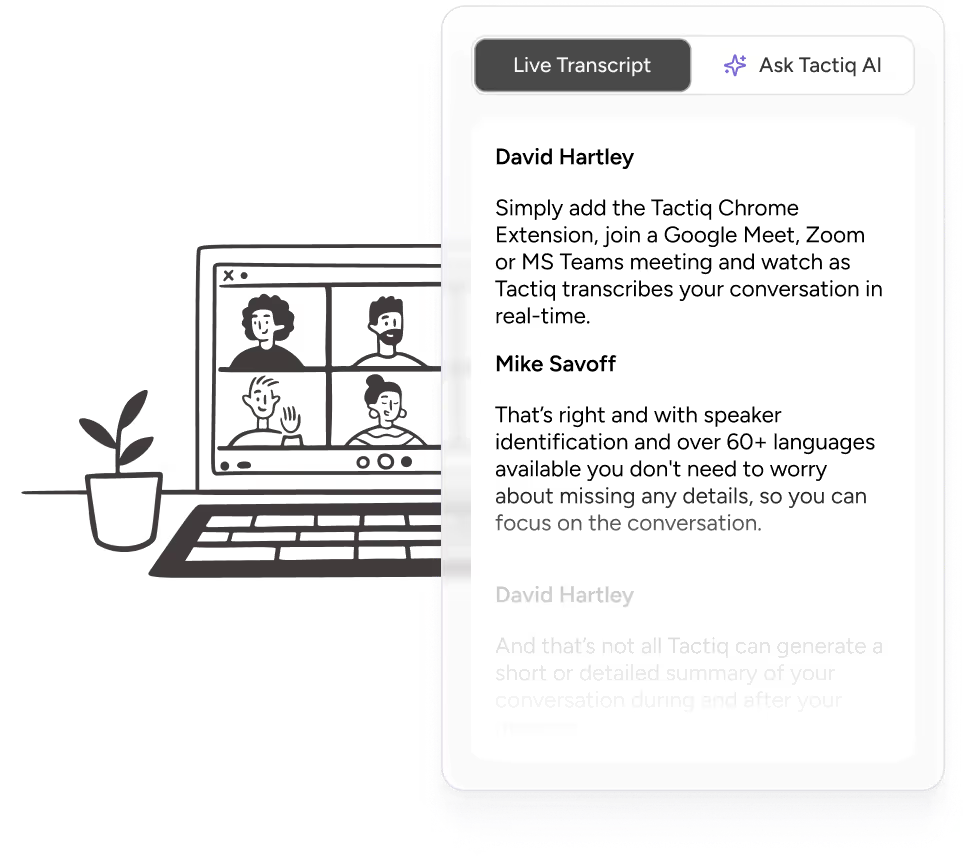
タクティク これらのニーズに応えるには、ブラウザで直接メモを取ることができます。ボットが会議に参加することを頼りにするのではなく、Chrome 拡張機能として動作し、会議が始まるとすぐに文字起こしを開始します。
Tactiqが他と一線を画すものは次のとおりです。
- ボットなしのChrome拡張機能 接合 ダウンロードなし
- リアルタイム文字起こし に渡って グーグルミート、 ズーム、および マイクロソフトチーム
- ミーティング中 AI 電話会議中の要約、アクションアイテム、フォローアップの質問用
- ライブトランスクリプト 会議終了後すぐに利用可能
- プライバシー重視のデザイン オーディオの録音やストレージなし
- ワンクリックでの共有とエクスポート 議事録と議事録用
- 無料プランあり、無制限のトランスクリプトと拡張されたAI機能を提供する有料プラン付き
💡 プロのヒント: ほとんどのAIノートテイカーは、会議への参加にボットを要求するため、参加者のプライバシーに関する懸念が生じる可能性があります。 タクティク ブラウザ拡張機能として機能し、ボットを使用したり音声を録音したりせずにトランスクリプトをキャプチャします。
価格概要

Tactiqは、会議のスケジュールが軽い場合に適した無料プランを提供しています。プランには以下が含まれます。
- 1人のユーザーは永久に無料
- まで 1 か月あたり 10 件の会議記録
- 1 か月あたり 5 AI クレジット
- 会議中 AI へのアクセスとトランスクリプトの共有
有料プランでは、無制限の文字起こしとより高度なAI機能を利用できます。
- プロプラン: 1 ユーザーあたり 1 か月あたり 8 ドル、毎年請求
- チームプラン: ユーザーあたり月額16.67ドル、毎年請求
- ビジネスプラン: ユーザーあたり月額29.16ドル、毎年請求
- エンタープライズ: 大規模組織向けのカスタム価格設定
どのプランがあなたのチームに合っているかわからない?ミーティング中にリアルタイムの文字起こしをテストできる無料プランから始めて、ニーズの拡大に合わせてアップグレードしてください。有料プランでは、無制限のトランスクリプト、高額または無制限の AI クレジット、チーム共有、高度な管理者コントロールが追加されます。
注記: 価格やプランの詳細は変更される場合がありますので、最新情報を確認することをお勧めします タクティックの価格設定ページ プランを選ぶ前に
Tactiqをさまざまなタイプの会議に使用する方法
会議が異なれば、フォローアップ作業の種類も異なります。簡単な要約が必要なものもあれば、ツールやチーム全体で体系的な更新が必要なものもあります。Tactiqは、リアルタイムの文字起こし、組み込みのAI、会議後のタスクを自動化するワークフローを組み合わせることで、その両方をサポートします。
営業およびクライアントミーティング

営業およびクライアントミーティング 多くの場合、フォローアップ、CRMの更新、および内部引き継ぎを生成します。Tactiqは、発言者を特定してリアルタイムのトランスクリプトをキャプチャするため、要求、異議、コミットメントの追跡が容易になります。
顧客との電話を頻繁に行うチームの場合、 AI ワークフロー ここでは特に便利です。手作業でメモを書き換える代わりに、ワークフローでは自動的に会議のインサイトを抽出して CRM レコードを更新したり、フォローアップタスクを作成したり、会議終了後にまとめメールを送信したりできます。
これにより、手作業による管理作業が減り、顧客からの電話を遅滞なくアクションに移すことができます。
チームスタンドアップとスプリント計画
スタンドアップは素早く進み、障害や進捗状況、次のステップに集中できます。Tactiqはライブトランスクリプトを記録し、チームが会議中に更新情報をタグ付けできるようにします。その後、チームは必要に応じて組み込みの AI を使用してメモを構成できます。
AI プロンプトの例:
- 「今日のスタンドアップで言及されたブロッカーを要約して」
- 「チームが話し合ったスプリントコミットメントを一覧表示する」
- 「今週の配送に影響する可能性のあるリスクを強調して」
また、履歴を検索できるので、優先順位が変わったときに、過去の社内会議の決定を簡単に再検討できます。
インタビューとリサーチセッション
インタビュー 注意と一貫性が必要です。Tactiqはバックグラウンドで静かにメモを取る処理を行い、書き起こしを話者ごとに分けて、回答を整理します。ここでは、組み込みのAIが自動化よりも分析に適しています。
AI プロンプトの例:

- 「によって議論された主な強みを要約してください [候補者名]」
- 「面接中に言及された懸念事項やギャップをリストアップしてください」
- 「関連する注目すべき引用を抽出 [スキルまたはトピック]」
これにより、チームは録音を再生しなくてもインタビューを比較し、洞察を引き出すことができます。
トレーニングとオンボーディング
トレーニングセッションには、チームが後で参照する必要のあるデモ、質問、説明が含まれることがよくあります。
Tactiqはビデオ通話中にトランスクリプトとスクリーンショットをキャプチャし、セッションを再利用可能な資料に変えます。AI ワークフローは、トレーニングが頻繁に行われる場合に役立ちます。チームは構造化されたメモ、FAQ、共有ドキュメントの作成を自動化して、ナレッジベースや共有ワークスペース (Slack など) に自動的に送信できます。
これにより、繰り返される質問が減り、オンボーディング資料が最新の状態に保たれます。
役員会議と取締役会
役員会議と取締役会は、意思決定、説明責任、機密保持に重点を置いています。Tactiqはこれらのセッションをプライベートトランスクリプトと構造化されたサマリーでサポートします。
組み込みのAIは、会議後に決定事項やアクションアイテムを明確に文書化するのに役立ち、ワークフローは承認された概要を適切な利害関係者と自動的に共有できます。
音声は録音または保存されないため、機密性の高いディスカッションはテキストベースのままであり、データプライバシーが厳しくなると管理しやすくなります。
チームに最適な AI ノート作成アプリの選択
会議に最適なAIノート作成アプリは、チームが会話中に集中し、通話後に次のステップを明確にするのに役立ちます。議事録をリアルタイムでキャプチャし、アクションアイテムを強調表示し、会議の流れを妨げることなくフォローアップをサポートします。
Tactiqは、ボットが通話に参加したり、音声が録音されたりすることなく、ブラウザでこれを直接行います。リアルタイムの文字起こし、検索可能なトランスクリプト、AI サマリーにより、チームはメモを簡単に共有しながら、すべての会議における決定事項や重要なポイントを文書化できます。
無料のTactiq Chrome拡張機能をインストールしてください 60秒未満で、AIを活用した文字起こしで次の会議をキャプチャできます。
{{rt_cta_ai-convenience}}
会議に最適なAIメモ作成アプリに関するFAQ
最高のAIノート作成アプリは何ですか?
Tactiqは、ボットが通話に参加しなくてもリアルタイムで議事録をキャプチャできるため、会議に最適なAIメモ作成アプリの1つです。主要な会議プラットフォーム (Zoom、MS Teams、Google Meet) で機能し、AI によるサマリーとアクションアイテムを生成し、テキストのみを保存することでトランスクリプトを非公開にします。
無料のAIノートテイカーはありますか?
はい。Tactiqは、限られた会議記録とAIの使用を含む無料プランで無料のAIノートテイカーを提供しています。この無料版は、有料プランに移行する前に、ビデオ通話中に AI メモを取る動作をテストするのに便利です。
AIノートテイカーはどの程度正確ですか?
クリアな音声と安定した接続により、AIメモを取る人は約95%の文字起こし精度を達成できます。正確さは話者の明瞭さ、背景雑音、アクセントによって異なりますが、話者識別機能付きのライブ文字起こしを行うと、よりよい結果が得られます。
AIノートテイカーはボットなしで作業できますか?
はい。Tactiq はボットが会議に参加しなくても機能します。ブラウザ拡張機能として動作するので、会議の参加者になりすましたり、通話を中断したりすることなく、プライベートにメモを取ったり文字起こししたりできます。
ズーム、グーグルミート、マイクロソフトチームで使えるAIノートテイカーはどれですか?
TactiqはZoom、Google Meet、Microsoft Teamsで機能し、リアルタイムのトランスクリプト、AIサマリー、アクションアイテムを1つのツールで提供します。








便利なAIサマリーが欲しいですか?
次回のミーティングで Tactiq をお試しください。
便利なAIサマリーが欲しいですか?
次回のミーティングで Tactiq をお試しください。
便利なAIサマリーが欲しいですか?
次回のミーティングで Tactiq をお試しください。