
What Is ZoomMate? Key Features, Pricing, and An Alternative
- Published:
- November 22, 2026
- Updated:
- November 22, 2026

Who owns the next step after a meeting? In Atlassian’s 2024 survey of 5,000 knowledge workers, 54% said they often left meetings unclear about next steps or task ownership.
Zoom launched ZoomMate on June 1, 2026. It’s an AI teammate in Zoom Workplace that turns meeting discussions into slide decks and documents. It can also create follow-up tasks in connected apps like Jira.
Here’s what this guide covers:
- What ZoomMate can do
- How much ZoomMate costs and how AI credits work
- How ZoomMate differs from Zoom AI Companion
- How to use meeting transcripts in Claude or ChatGPT
What Can ZoomMate Do?
Say your team moves a launch date during a meeting. ZoomMate can find the decision later, run a workflow to update a connected app, and draft a slide for the next status review.
Agentic search
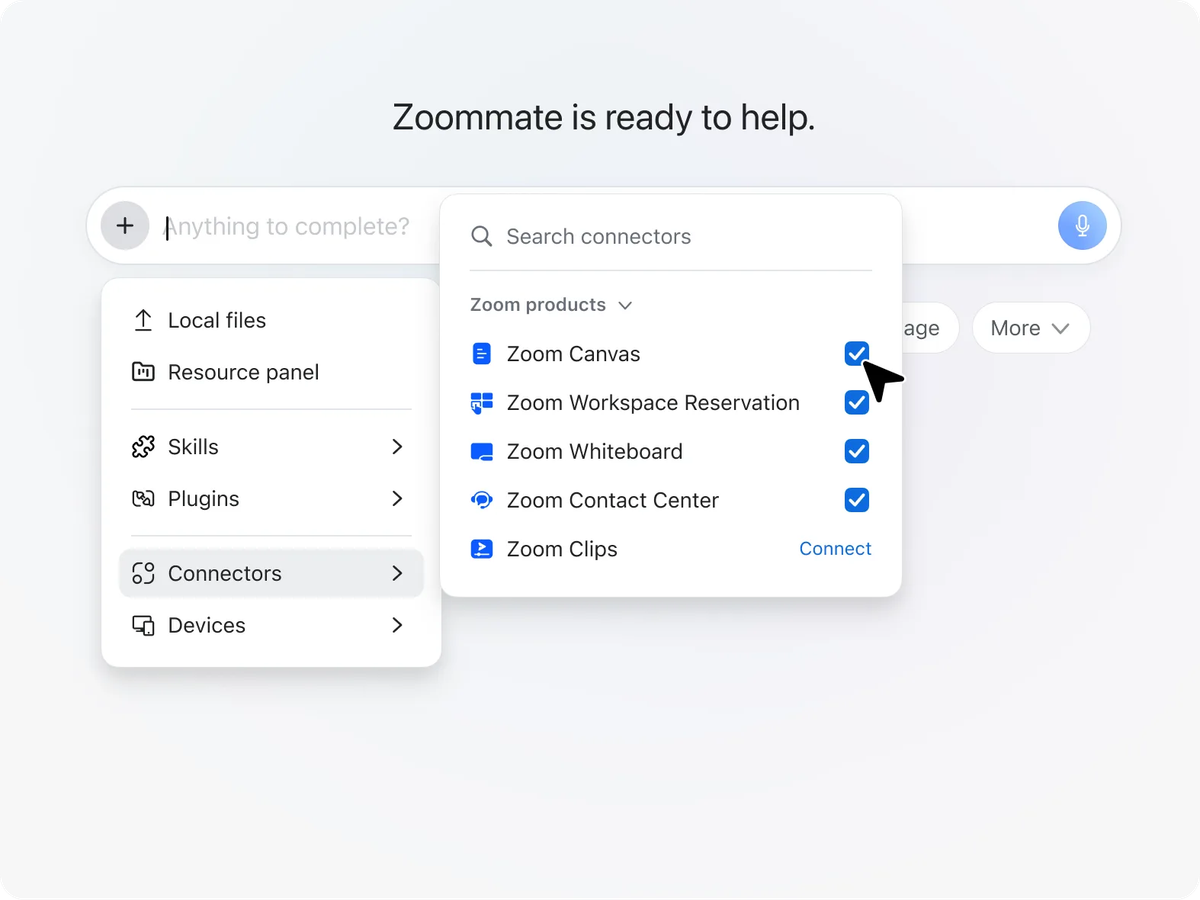
ZoomMate can answer questions using Zoom transcripts, chats, and documents. On the paid plan, it can also search the web and connected apps like Google Drive or Jira.
For example, ask why the launch date moved. ZoomMate can draw on the meeting discussion and related Jira ticket if it can access both.
Workflows and custom Zoom AI agents
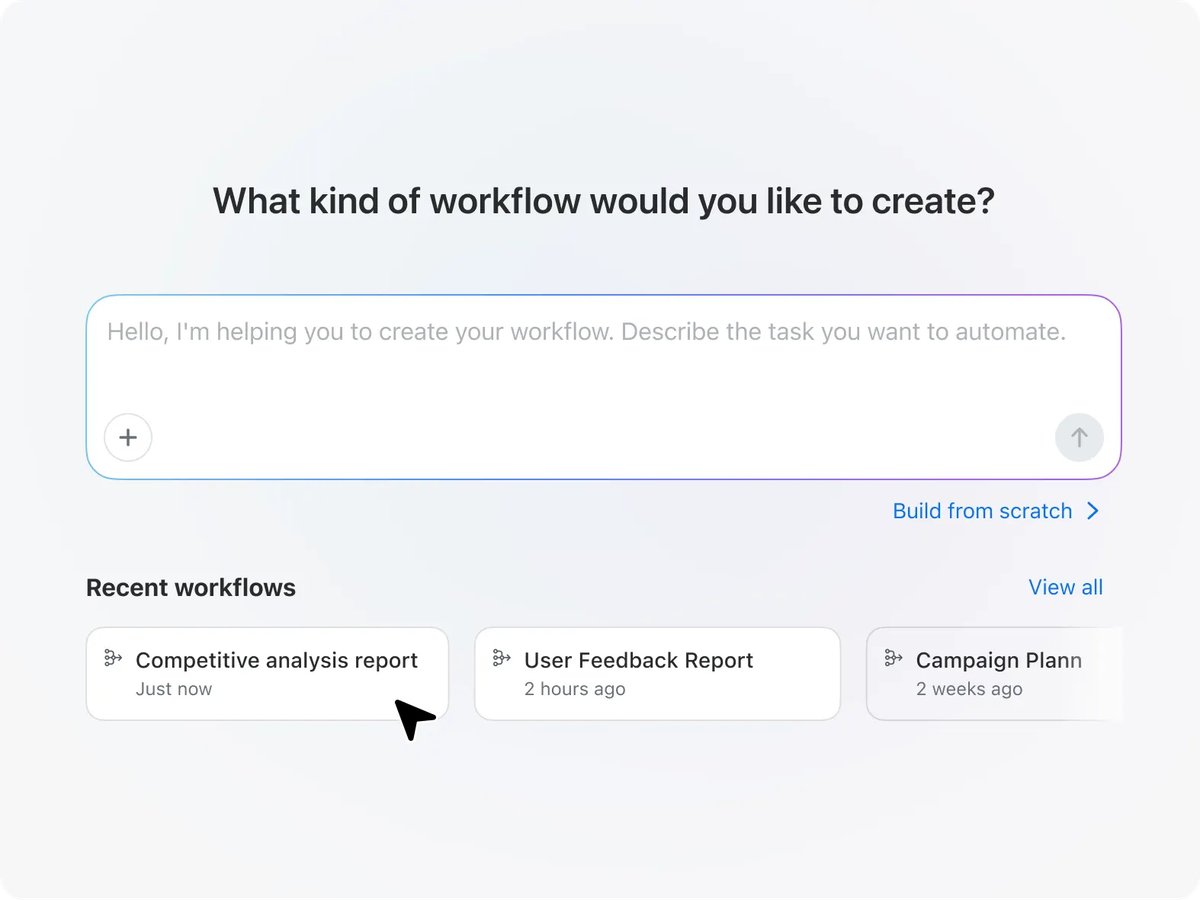
ZoomMate workflows automate follow-up actions. Start with a template or describe what you want to automate in Workflow Builder. A workflow can run on a schedule or respond to an event or message. On the paid plan, it can also update records in connected apps.
The paid plan also lets you use prebuilt AI agents or create one with its own instructions and knowledge sources. For example, a project agent can track progress, share updates, and manage tasks. You can also chat with AI agents directly in Zoom Chat.
For more options, see our guide to AI workflow automation tools.
ZoomMate includes My Notes for AI note-taking. It can transcribe and summarize calls on Zoom, Google Meet, and Microsoft Teams.
AI Productivity Suite
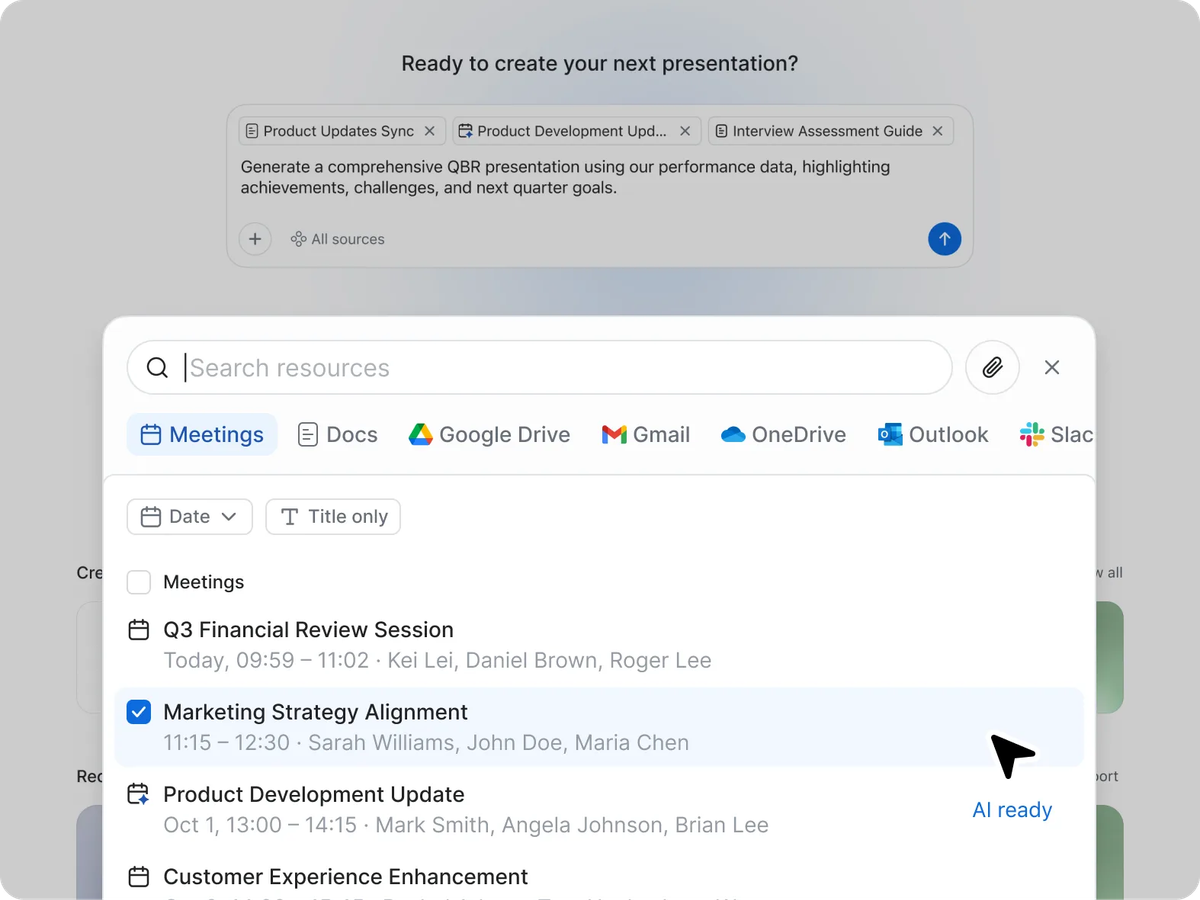
ZoomMate’s paid plan includes four tools for turning meeting context into deliverables.
- Zoom Slides creates decks for status updates, pitches, or training.
- Zoom Sheets builds spreadsheets for tracking and forecasting.
- Zoom Paper drafts reports and policies ready for Microsoft Word.
- Zoom Canvas turns meeting recaps into shared documents your team can edit.
💡 Pro tip: ZoomMate handles follow-ups in Zoom Workplace. Tactiq transcribes calls on Zoom, Google Meet, and Microsoft Teams. Connect Tactiq to Claude or ChatGPT to draft follow-ups from those transcripts.
Want the convenience of AI summaries?
Try Tactiq for your upcoming meeting.
How Much Does ZoomMate Cost, and What Uses AI Credits?
ZoomMate has a free Basic plan. The paid plan costs $20 per user per month, billed monthly. With annual billing, it costs $16.67 per user per month.
- ZoomMate Basic comes with Zoom Workplace Basic. Each month, it includes summaries for three meetings you host, three My Notes uses, and ten workflow runs within Zoom apps.
- Paid ZoomMate includes unlimited My Notes use, custom AI agents, and workflows that can run across Zoom and connected apps. It includes 2,200 AI credits per user per month with either billing option.
Zoom pools AI credits across your account. Credit usage varies by action. Unused credits from your monthly subscription allowance expire at each refresh. If your team needs more credits, an admin can purchase them.
Many built-in Zoom features, including meeting summaries, note-taking, and chat compose, don’t use AI credits. Building or running AI agents uses credits, as do most workflows that use third-party connectors. Some built-in actions also use credits, such as generating a presentation with AI in Zoom Slides.
How Is ZoomMate Different From Zoom AI Companion?
With names like Zoom Workplace, Zoom AI Companion, and ZoomMate, it’s easy to lose track of what your plan includes. Here’s how the three fit together.
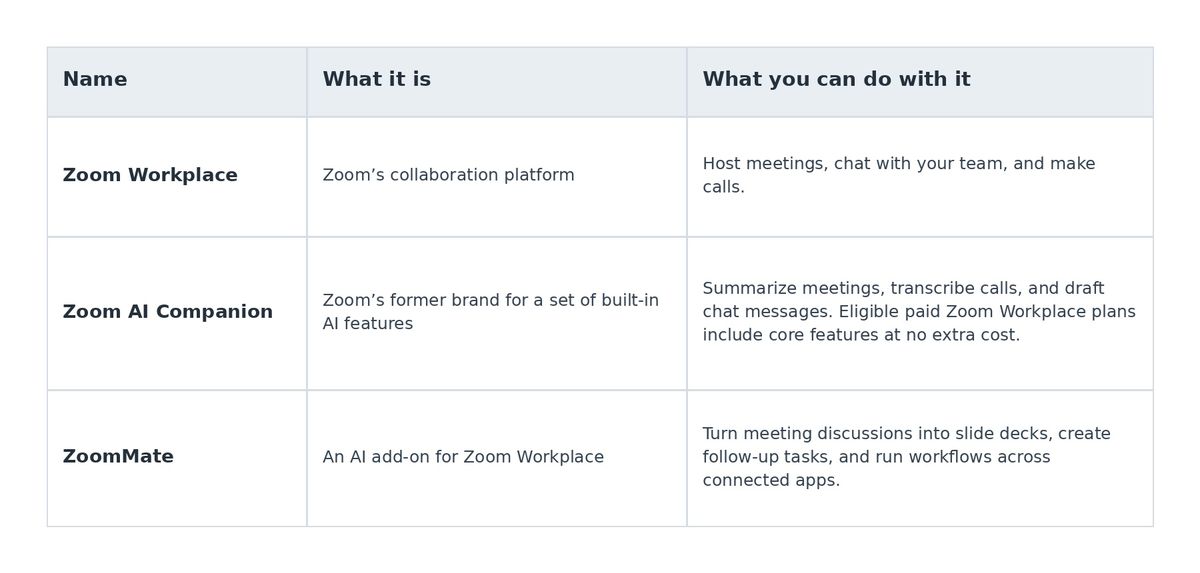
ZoomMate builds on Custom AI Companion, an earlier add-on that offered custom templates and integrations with tools like Jira. Zoom says it will continue to support existing Custom AI Companion customers.
If you mainly need meeting summaries or help drafting chat messages, start with the features already included in your plan. See our Zoom AI Companion guide.
A Cross-Platform ZoomMate Alternative
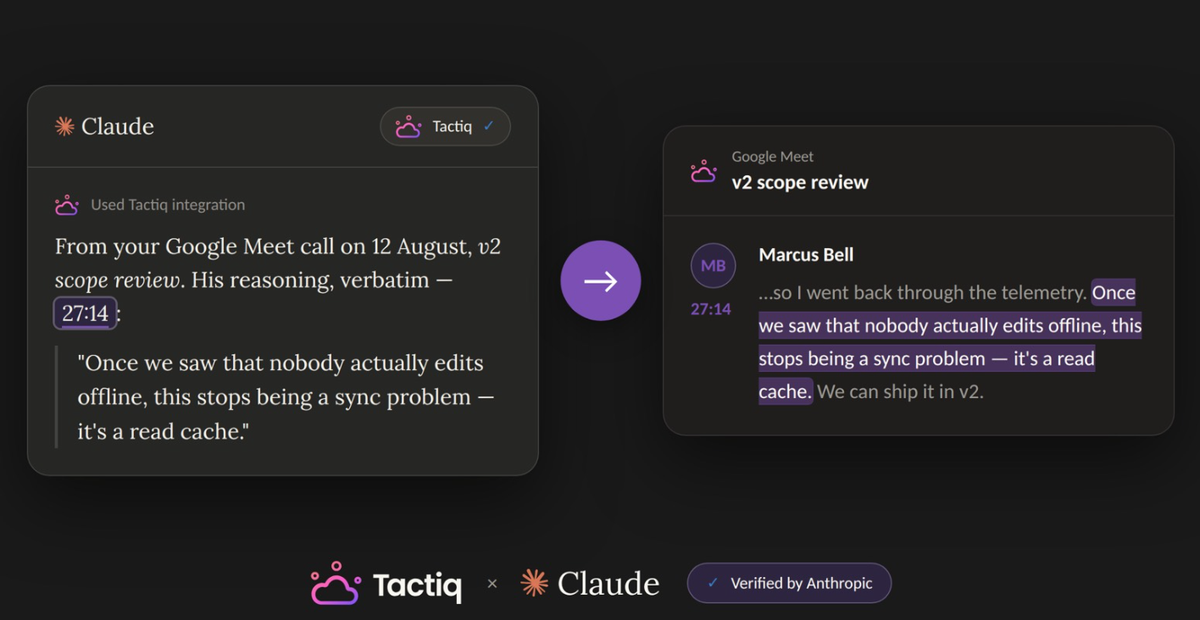
If your team already drafts follow-ups in Claude or ChatGPT, you can bring your Tactiq transcripts into that workflow. Use them to draft an email, outline a deck, or write ticket descriptions based on what your team agreed to.
- Install the Tactiq Chrome extension and transcribe your meeting. Follow the Tactiq extension setup guide and sign in to Tactiq. Join your Zoom, Google Meet, or Microsoft Teams call in Chrome. For Zoom calls, make sure Zoom’s Automated captions setting is enabled.
- Connect Tactiq to Claude or ChatGPT.
- Claude: Open Tactiq in Claude’s connector directory and select Connect.
- ChatGPT: Open the Tactiq plugin listing and select Install plugin. For eligible plans, see the ChatGPT setup guide.
For either tool, sign in to Tactiq when prompted and select Allow. You can search and list meetings on any Tactiq plan. Reading meeting details, summaries, or full transcripts requires Tactiq Team or higher.
- Ask Claude or ChatGPT to draft something from your meeting transcript. Ask Claude or ChatGPT to use the transcript.
- For example: “Use Tuesday’s customer call to draft Jira ticket descriptions. Include the agreed owners and deadlines. Flag any details we still need to confirm.”
If you already have transcripts saved in Zoom, see our Zoom MCP guide. For more ways to reuse meeting context in Claude, see our Claude connector guide and MCP best practices.
Choose the Right Workflow for Your Meeting Follow-Ups
ZoomMate is a good fit if your team uses Zoom Workplace to manage meeting follow-ups. You can turn a project discussion into a status deck or use a workflow to update records in connected apps.
If your team already drafts emails or plans projects in Claude or ChatGPT, use Tactiq to bring meeting transcripts into that work. Start with one recurring call and use the transcript to draft a follow-up that reflects what everyone agreed to.
FAQ
Your questions, answered.
If you have any further questions, Get in touch (opens in a new tab) with our friendly team
What is ZoomMate?
How much does ZoomMate cost?
Is ZoomMate the same as Zoom AI Companion?
Is Zoom AI Companion free?
Is there a ZoomMate alternative for Google Meet and Microsoft Teams?
Want the convenience of AI summaries?
Try Tactiq for your upcoming meeting.
Bringing AI into your meetings has never been so easy.
Add to Chrome - It's free!(opens in a new tab)Try Tactiq in your upcoming meeting!
Sign up now