
9 Best Chrome Extensions for ChatGPT
September 16, 2025
September 16, 2025
August 12, 2026
August 12, 2026

ChatGPT lives in its own tab. Every time you want its help while researching, writing, or browsing, you have to stop and switch windows. A Chrome extension puts ChatGPT right where you're already working.
TL;DR: What’s the best Chrome extensions for ChatGPT?
OpenAI's own ChatGPT for Chrome extension is the simplest starting point, especially for former Atlas users. WebChatGPT and Merlin work well if you need live web sources or several AI models in one place. Jetwriter AI suits anyone drafting emails and messages, and AIPRM gives marketers a library of ready-made prompts.
None of these tools cover your meetings, though. That's where Tactiq comes in, with live transcripts and AI notes for Zoom, Google Meet, and Microsoft Teams.
Why Use ChatGPT Chrome Extensions
Adding a ChatGPT Chrome extension turns everyday browsing into a smarter process. These extensions sit inside your browser and give you instant access to ChatGPT responses. No new tabs required.
A ChatGPT Chrome extension can help you:
- Get AI answers alongside your regular search results on Google or Bing
- Draft emails, summarize YouTube videos, or translate text without leaving the page
- Cut down time spent switching between tabs and apps and manual searching
Adoption keeps climbing, and it's easy to see why. According to Slite's 2026 Enterprise Search Survey, the average worker spends 3.2 hours a week searching for information, adding up to over 166 hours a year. Extensions that surface AI answers directly on the page help reclaim some of that time.
💡 Pro tip: Want the same AI note-taking for your calls? Tactiq turns Zoom, Meet, or Teams meetings into live transcripts and AI notes automatically.
Top ChatGPT Chrome Extensions
Below, we’ll look at the most popular Chrome Extensions for ChatGPT, what they do best, and who they’re ideal for.
1. ChatGPT for Chrome (official)
.png)
OpenAI launched its own Chrome extension in July 2026, around when it began retiring the standalone Atlas browser on August 9. The extension lets ChatGPT control your browser in the background, without taking over your active session.
Features
- Understands context across your open tabs
- Creates or edits documents, spreadsheets, and slides
- Answers questions and researches across authenticated websites
- Asks approval before sensitive actions, like accessing new sites
Pros
- Built and maintained directly by OpenAI
- Works alongside the ChatGPT app for desktop and Codex
- Runs in the background instead of interrupting your browsing
Cons
- Not supported on other Chromium-based browsers yet
- Full functionality requires the separate ChatGPT desktop app
Best for: Anyone who wants ChatGPT built directly into Chrome, especially former Atlas users looking for a replacement.
2. WebChatGPT
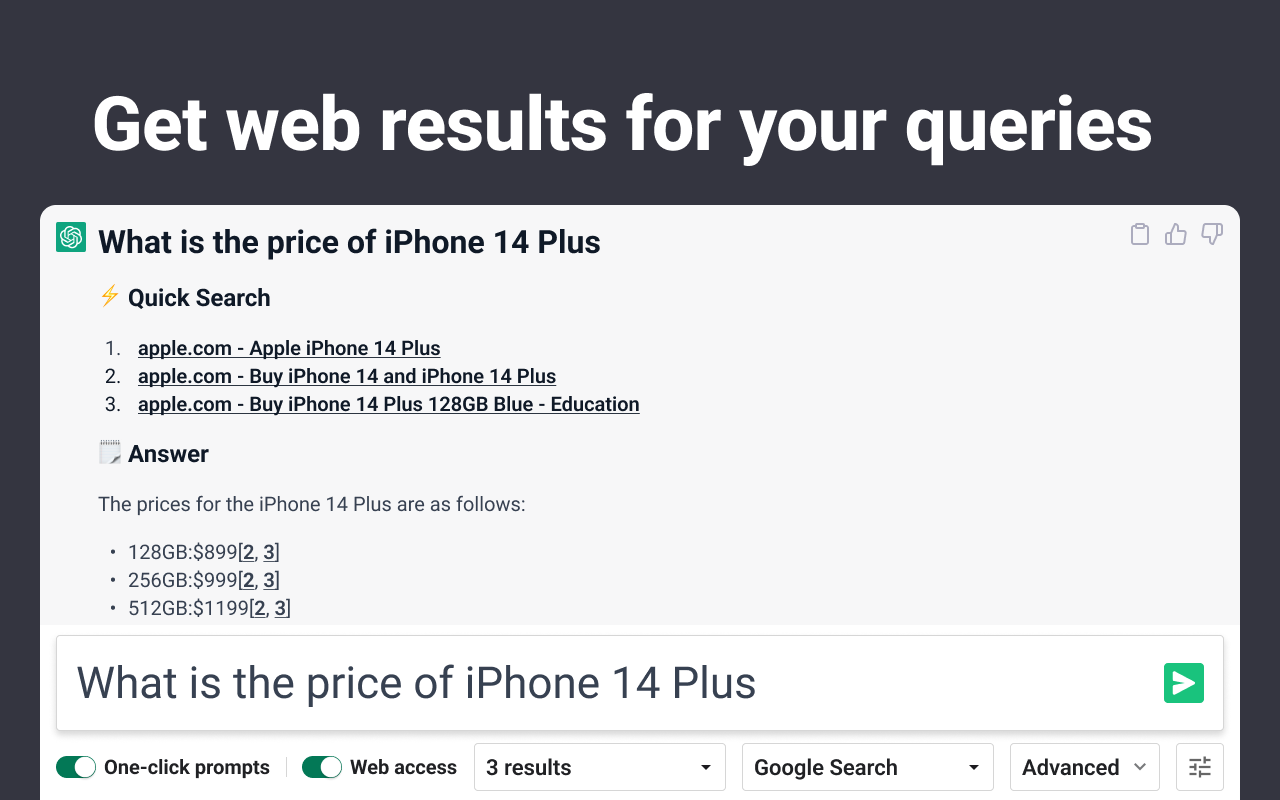
WebChatGPT adds live web results to your ChatGPT prompts, so answers stay current instead of relying only on ChatGPT's training data.
Features
- Pulls real-time web results into your ChatGPT conversations
- Includes hundreds of one-click prompt templates for marketing, sales, and productivity
- Lets you scrape search results or extract text from any URL
- Supports prompt management to save and reuse your own templates
Pros
- Free Chrome extension
- Keeps answers current with live sources
- Useful prompt library beyond just web search
Cons
- Requires broad site access permissions to function
- Other ChatGPT extensions can interfere with its toolbar
Best for: Anyone who wants ChatGPT to pull in current information instead of relying on stored knowledge alone.
3. Jetwriter AI
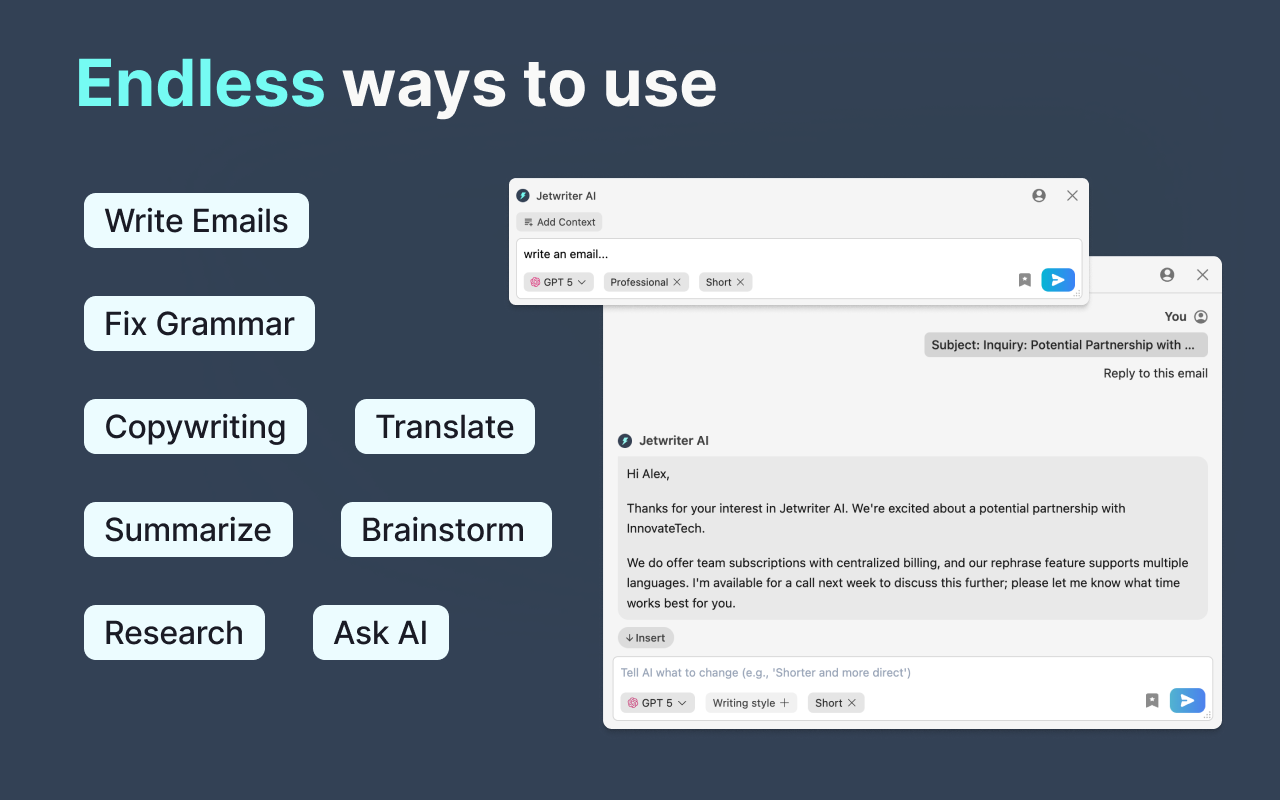
Jetwriter AI is a browser extension that brings AI writing help to any site. It connects with Gmail, LinkedIn, Outlook, Zendesk, and WhatsApp to generate context-aware replies, so you can write messages that fit the tone and situation.
Features
- Drafts replies directly in Gmail, LinkedIn, Outlook, and more
- Fixes grammar, rephrases, and proofreads on any page
- Summarizes long pages or documents
- Translates text into multiple languages
- Builds custom writing profiles for a consistent tone
Pros
- Personalized, context-aware responses that learn your tone over time
- Lightweight extension that won't slow down your browser
- Data isn't sold to third parties or used to train AI models
Cons
- Full personalization requires setting up writing profiles first
- Paid plans needed for unlimited responses
Best for: Anyone who writes a lot of emails or messages and wants AI-drafted replies that match their tone.
4. AIPRM
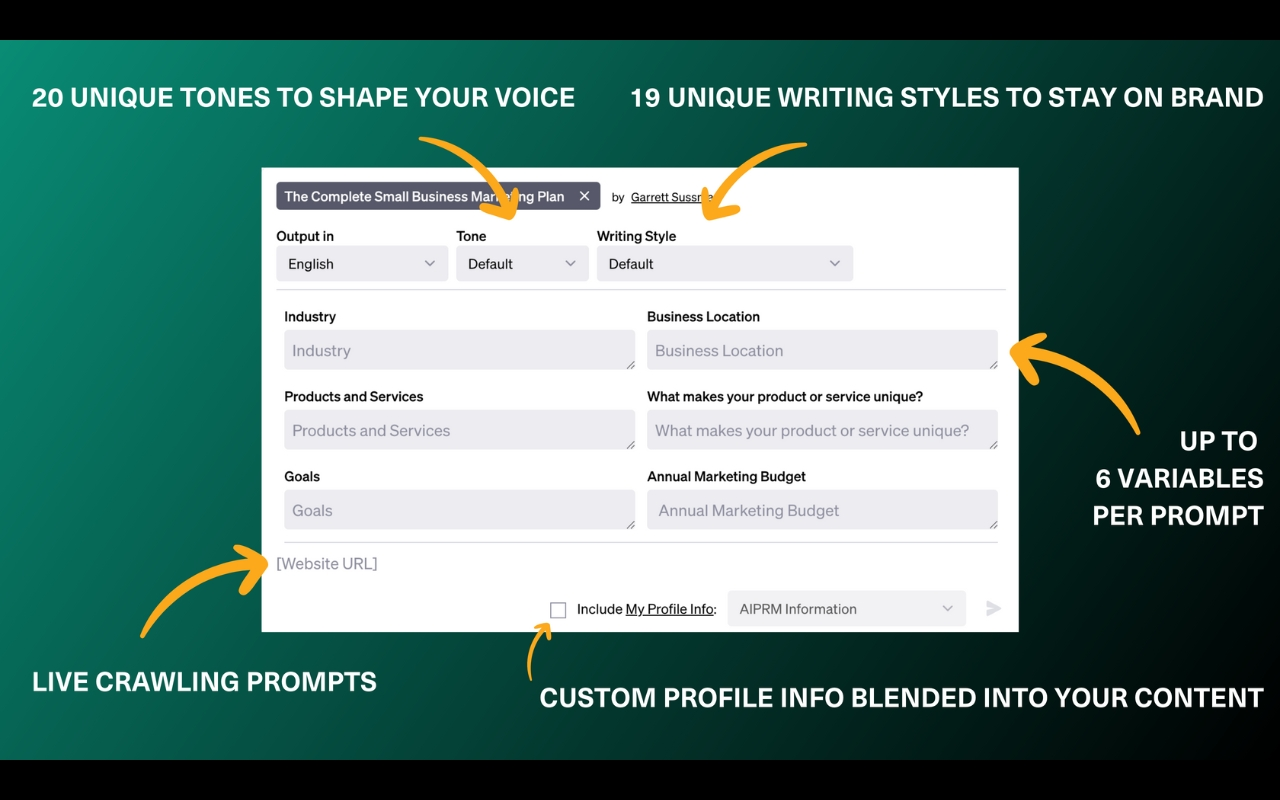
AIPRM is a ChatGPT extension built around curated prompt templates. Instead of figuring out the right wording, you can pick from thousands of ready-made prompts for tasks like marketing, sales, SEO, and customer support.
Features
- 4,500+ one-click prompts for marketing, writing, and sales
- Advanced search to find prompts by topic or usage
- Custom profiles to insert your brand details
- Teams feature to share prompt lists across your business
Pros
- Great for marketing and content creation
- Strong community support through its forum
Cons
- Best tools sit behind paid tiers (custom writing tones, live web crawling, prompt forking, verified prompts)
- Free tier caps you on private prompt templates and lists, so most high-quality prompts stay locked
Best for: Marketers who want proven prompt libraries for tasks like SEO blogs, ad copy, and sales scripts. If you want hands-on tips, see how ChatGPT for content creation helps streamline blogs, posts, and emails.
5. AI Prompt Genius
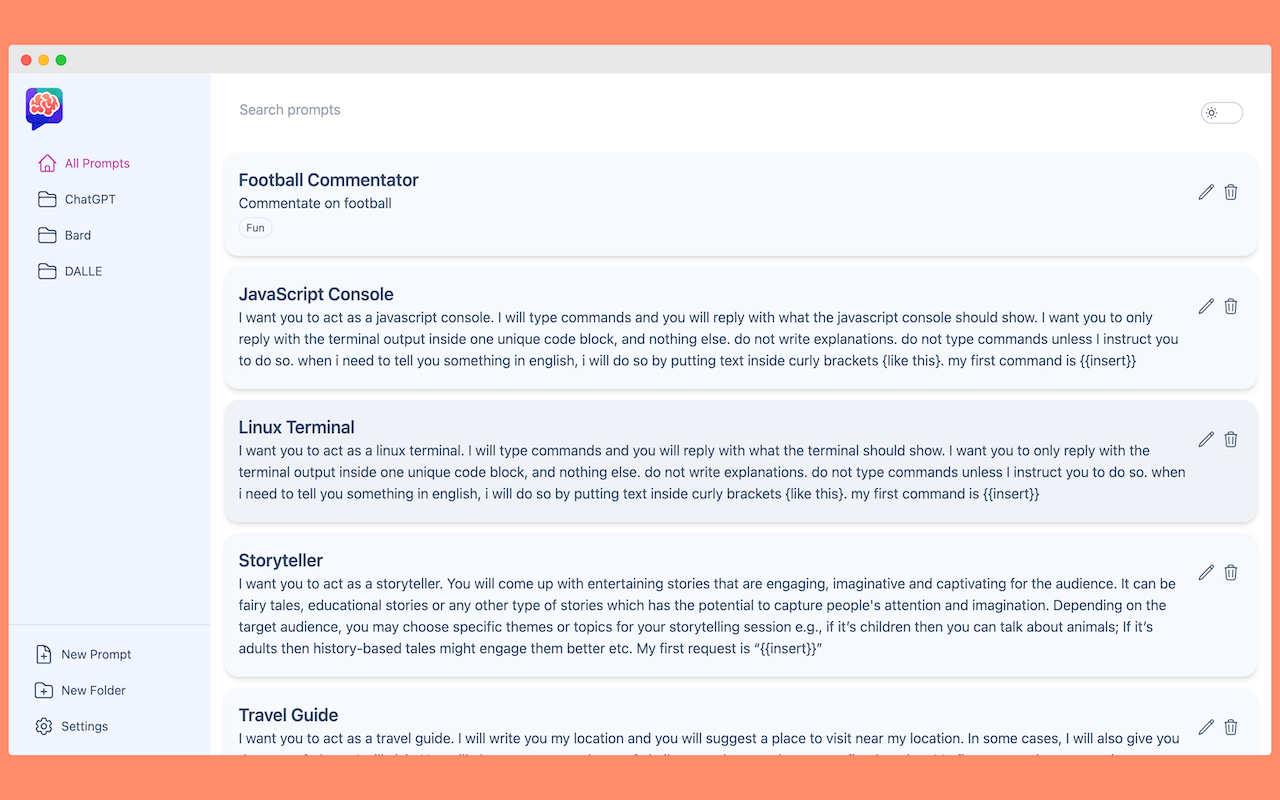
AI Prompt Genius is a free, open-source extension that helps you build and manage your own prompt library. Instead of saving prompts in scattered notes, you organize them into a searchable collection you can access anytime.
Features
- Save, tag, and organize prompts with custom folders and themes
- Search your collection and use prompt variables, including dropdown and number types
- Import and export prompts across platforms
- Works across a range of AI agents, not just ChatGPT
- Supports 13 languages
Pros
- Open-source, with the code available to review
- Keeps prompts organized and easy to reuse
- Works across multiple AI tools
Cons
- Some users report data loss or duplicate prompts after updates
- Interface is less polished than paid alternatives
Best for: Users who want to store and organize their own prompt templates across different AI tools and platforms.
6. Merlin AI
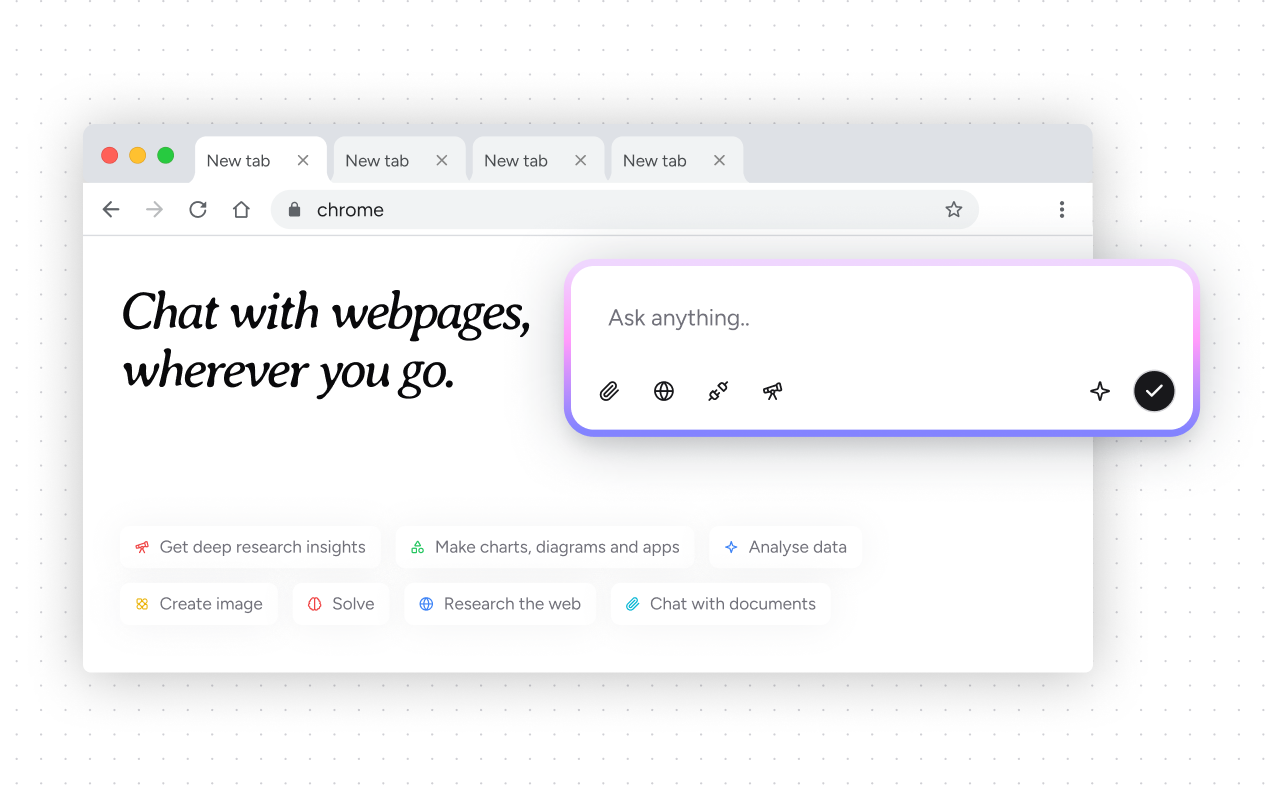
Merlin AI is a browser-based AI agent that lets you research, chat with websites, and write content using multiple AI models in one place. It's powered by ChatGPT, Gemini, Claude, Mistral, and DeepSeek.
Features
- Switch between AI models from any tab with a keyboard shortcut
- Chat with webpages, PDFs, and documents through a sidebar
- Turn files or links into custom AI assistants with Projects
- Generate code, diagrams, or documents on demand with Crafts
- Works across Chrome, Edge, iOS, Android, Windows, and Mac
Pros
- Access to several AI models without separate subscriptions
- Chat with Files handles PDFs, images, and webpages in one place
- Supports 55 languages
Cons
- Collects personal data and location, per its privacy disclosure
Best for: Anyone who wants to compare or combine multiple AI models without leaving the browser.
7. ReaderGPT
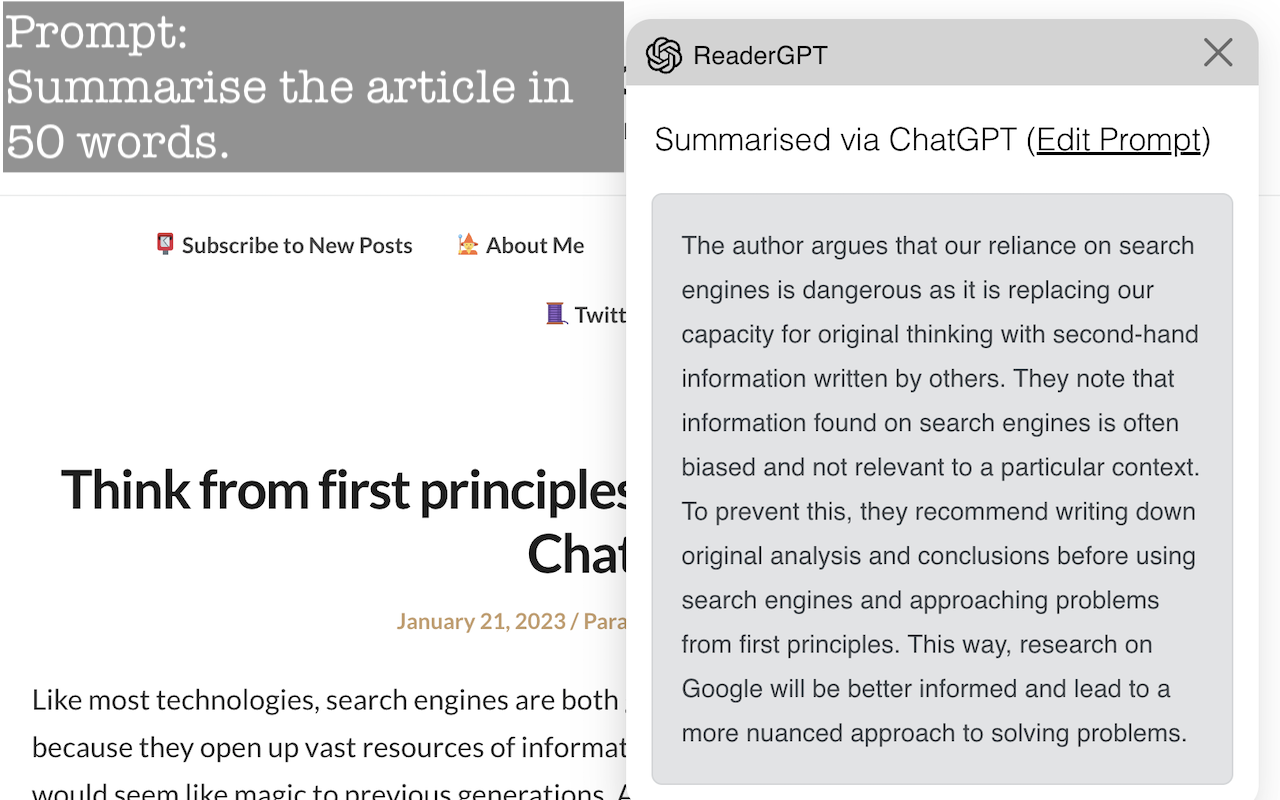
ReaderGPT generates a summary of any readable web page using ChatGPT with a single click. It parses the page's content and passes it to ChatGPT along with a prompt to produce a summary.
Features
- Summarizes articles in bullet points or a set word count
- Translates or simplifies text on the page
- Works with an OpenAI API key or ChatGPT login
- Curate and reuse your own prompt list
Pros
- Straightforward, single-purpose tool for quick summaries
- No account setup beyond your existing ChatGPT login
Cons
- Hasn't been updated since December 2023
- English only
Best for: Readers who want quick summaries of long articles without extra setup.
Other notable extensions
- Superpower for ChatGPT: Adds folders, search, prompt management, and bulk export to ChatGPT. Good for anyone managing a large volume of conversations.
- Pactify: Chat to Notion: Auto-syncs conversations from ChatGPT, Claude, Gemini, Perplexity, and Grok directly into Notion, distilling key insights along the way.
Each of these tools fills a specific gap: better organization or a searchable archive of your AI conversations.
If your workflow includes recording calls or podcasts, our guide to Chrome audio capture tools covers extensions built for that.
Why Add Tactiq to Your Chrome Extensions
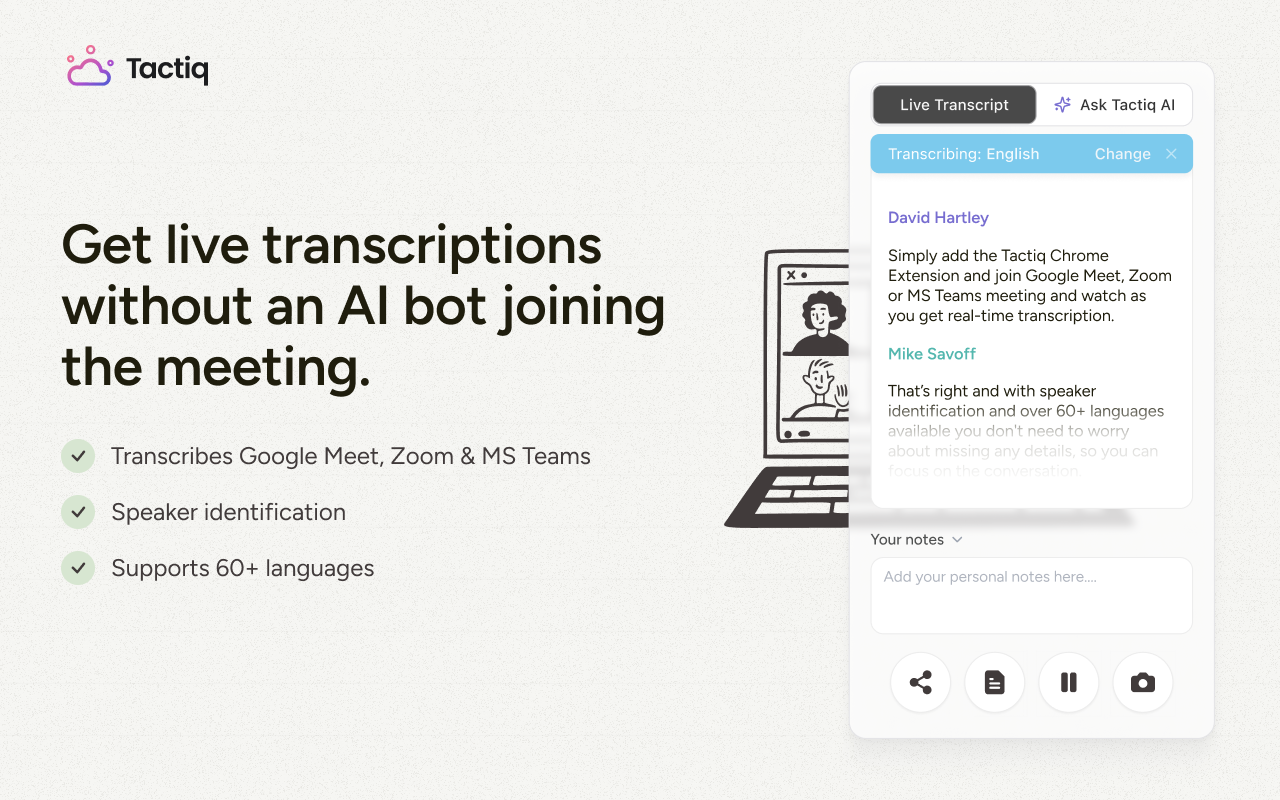
Most ChatGPT Chrome extensions improve how you work inside the browser, but meetings remain a major source of information and tasks. Tactiq fills that gap as a browser extension built for Google Meet, Zoom, and Microsoft Teams. It transcribes conversations in real time and turns them into usable notes, without a bot joining your call.
With Tactiq, there's no need to copy meeting transcripts into ChatGPT by hand. Its built-in AI generates meeting summaries, creates action items, and organizes insights for you.
What Tactiq can do
- Live transcription: Capture every word in real time across Google Meet, Zoom, and Microsoft Teams
- AI meeting summaries: Turn transcripts into short overviews, detailed notes, citations, or project updates with one click
- Custom AI prompts: Generate follow-ups, action items, or specific insights on demand
- MCP server: Connect Tactiq to ChatGPT, Claude, and other AI tools so they can search and reference your meeting history directly
- Multi-language support: Transcribe in dozens of languages
Install the Tactiq Chrome Extension before your next meeting, and you'll walk away with a transcript and AI-generated notes ready in minutes.
What’s The Best ChatGPT Chrome Extension For You?
The "best" ChatGPT Chrome extension depends on your workflow. If you want ChatGPT built directly into Chrome, go with OpenAI's own extension. If you need live sources or multiple AI models, WebChatGPT or Merlin are strong picks. Writers benefit most from Jetwriter AI, while marketers gain structure with AIPRM. For readers, ReaderGPT still gets the job done for quick summaries.
And if meetings are where you lose the most time, add Tactiq. As a Chrome extension, it gives you real-time transcripts and AI-powered summaries without extra steps.
The best way forward? Experiment with a mix of extensions until you find the setup that saves you the most time and matches your daily tasks.
Yes. There are many ChatGPT Chrome extensions in the Chrome Web Store, from research tools to email writers and summarizers.
It depends on your workflow. OpenAI's own extension works well for general use, Jetwriter AI is best for writing, AIPRM for marketing prompts, Merlin for research, and Tactiq for meeting notes.
Superpower for ChatGPT is a good option, as it adds folders, history search, and export features for easier sharing.
Yes. These extensions improve browsing by adding ChatGPT responses directly to your search results or daily tasks.
Go to the Chrome Web Store, search for the extension, click Add to Chrome, and pin it to your toolbar. Sign in with your ChatGPT account if required.



Want the convenience of AI summaries?
Try Tactiq for your upcoming meeting.
Want the convenience of AI summaries?
Try Tactiq for your upcoming meeting.
Want the convenience of AI summaries?
Try Tactiq for your upcoming meeting.