

通話が終わるたびに、メモがノートアプリや共有ドキュメント、そして記憶の中に散らばってしまうことはありませんか。それらを手作業でClaudeにコピーするのは、現実的なワークフローとは言えません。
A Claudeコネクタ (新しいタブで開きます) が、その問題を解決します。Model Context Protocol(MCP)を通じて会議データをClaudeと連携させるため、質問するだけで文字起こしや要約をすぐに参照できるようになります。
この記事では、以下の内容について解説します。
- ノートアプリをClaudeに連携させる前に確認すべきこと
- おすすめのAI会議ノートアプリ( Claudeコネクタ対応 (新しいタブで開きます)
- )
- お好みのノートアプリをClaudeに接続する方法
連携後にClaudeでできること
Tactiq (新しいタブで開きます) 要約:Claude MCPコネクタに対応した最高のAI会議ノートアプリは?
が一番のおすすめです。Zoom、Google Meet、Microsoft Teamsでの会議をボットなしで記録し、サーバーURLの貼り付け作業なしでMCPを通じてClaudeと連携できます。
Fellow、Fireflies、Otter、GranolaもClaudeのコネクタディレクトリを通じて連携可能ですが、それぞれボットによる参加が必要だったり、クレジット制限や読み取り専用の制限があったりと、一長一短があります。MeetGeekも連携可能ですが、ディレクトリ経由ではなく手動での設定が必要です。
ノートアプリをClaudeに連携させる前に確認すべきこと
AI会議アシスタントは、Claudeと連携した後の動作がそれぞれ異なります。チームが使用するすべてのプラットフォームに対応しているものもあれば、ZoomやGoogle Meetのみに限定されるものもあります。ワンクリックでMCPコネクタを介してClaudeに接続できるものもあれば、会議の文字起こしをチャットに取り込むために工夫が必要なものもあります。
- ノートアプリをClaudeに接続する前に、以下の5点を確認してください。 対応プラットフォーム。
- 特定のプラットフォームだけでなく、Zoom、Google Meet、Microsoft Teamsのすべてに対応しているか確認しましょう。 ボットの有無。一部のツールは会議にボットとして参加しますが、ボットを参加させずに直接文字起こしを行うツールもあります。
- 権限とセキュリティモデル。 接続時にClaudeが実際に何にアクセスできるかを確認しましょう。読み取り専用の会議要約なのか、完全なトランスクリプトなのか、あるいはワークスペースへの書き込み権限なのかを把握することが重要です。
- クレジット制限と無制限のキャプチャ。 多くのメモ作成ツールでは、有料プランであっても、月ごとの会議数や録音時間に上限が設けられています。
- ネイティブコネクタとカスタムMCPサーバー。 Claudeのコネクタディレクトリに掲載されているメモ作成ツールなら、数回のクリックで接続できます。それ以外の場合は、カスタムMCPサーバーをセットアップするか、手動でトランスクリプトをエクスポートする手間が発生します。
接続が完了すれば、Claudeに要約を依頼したり、 会議メモ (新しいタブで開きます) を生成したりできます。すべてのコネクタの背後でMCPが機能しているため、過去の会議や今後の会議から詳細情報を引き出すことも可能です。
Claude MCPコネクタに対応したAI会議メモ作成ツールおすすめ6選
現在、いくつかの会議メモ作成ツールがClaudeと連携していますが、セットアップ方法や権限、Claudeがアクセスできる会議履歴の範囲はそれぞれ異なります。ここでは、特に注目すべき6つのオプションを比較します。
1. Tactiq
Tactiq (新しいタブで開きます) は、Zoom、Google Meet、Microsoft Teamsの通話をリアルタイムで文字起こしするChrome拡張機能です。ボットの参加や録音は不要で、通話終了と同時に話者ラベル付きのトランスクリプトが完成します。
Tactiqは、 Tactiq MCPサーバー</SEGMENT 2>を通じてClaudeに接続します。これは、 Claudeのディレクトリに認定コネクタとして掲載されています。サーバーURLを貼り付ける必要はありません。
接続後は、チャット画面から離れることなく、Claudeで会議履歴を検索したり、アクションアイテムを抽出したり、過去の会議から文脈を読み取ったりすることができます。
💡 ヒント:TactiqはZoom、Google Meet、Microsoft Teamsのすべてに対応しているため、Claudeはチームが使用するあらゆるプラットフォームを横断して文脈を把握できます。特定のツールに限定されることはありません。
Tactiq Chrome拡張機能をインストールする (新しいタブで開きます) Claudeがアクセスできる会議の取り込みを開始します。
便利なAIサマリーが欲しいですか?
次回のミーティングで Tactiq をお試しください。
2. Fellow.ai
FellowはClaudeのディレクトリで公式に認証されたコネクタであるため、サーバーURLの貼り付けや開発者モードの有効化は不要です。接続すると、ClaudeはFellowワークスペースから会議の検索、要約、トランスクリプト、アクションアイテム、参加者の取得を行えるようになります。
このコネクタは読み取り専用で、Fellowが取り込んだ会議でのみ機能します。Fellowは依然として会議にボットを参加させて録音する仕組みであるため、ボットなしのオプションを希望する場合は他のツールを検討する必要があります。
3. Fireflies
Firefliesは、AnthropicのClaudeコネクタディレクトリに掲載された最初のAI会議ツールであり、2025年8月にコネクタをリリースしました。接続後は、Claudeが通話のトランスクリプトから直接、反対意見、機能リクエスト、繰り返し発生するトピックを抽出できます。
Firefliesは、ボット不要のツールとは異なり、デフォルトで目に見えるボットとしてほとんどの会議に参加します。有料プランはクレジットベースのシステムで運用されているため、利用頻度が高いユーザーはプランに応じて会議数の上限に達する可能性があります。
4. MeetGeek
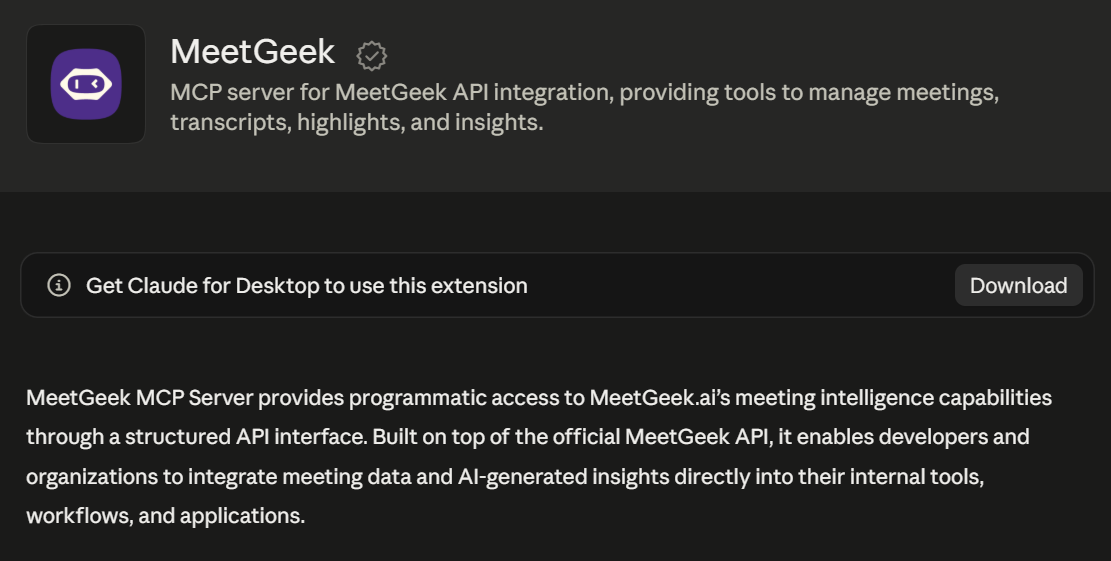
MeetGeekは、Claudeの公式コネクタディレクトリへの掲載ではなく、独自のMCPサーバーを通じてClaudeに接続します。セットアップには、ClaudeデスクトップアプリでAPIキーを使用して手動で追加するか、 カスタムコネクタ (新しいタブで開きます) としてブラウザでURL mcp.meetgeek.ai/mcpを使用する必要があります。
接続が完了すると、Claudeはあらゆる通話から録音データ、トランスクリプト、要約、ハイライト、アクションアイテムを取得できるようになります。
MeetGeekはSOC 2 Type IIおよびGDPR認証を取得しており、HIPAA BAAも利用可能です。これは規制の厳しい業界のチームにとって重要ですが、セットアップの手順が追加される点についてはあらかじめ留意しておく必要があります。
5. Otter.ai
Otterは2026年4月、独自のリモートMCPサーバーを基盤とした公式コネクタをClaudeのコネクタディレクトリで公開しました。これはClaudeデスクトップ、Web版Claude AI、モバイル、およびClaude Code全体で機能します。
Claudeの設定で接続した後、Claudeに過去や今後の会議の検索を依頼したり、参加者やトピック別のAI要約や会議の要約を取得したりできます。アクセスは読み取り専用であり、OtterのAPIを通じたより高度な自動化はエンタープライズプランに限定されています。
6. Granola
Granolaは2026年2月に公式のClaudeコネクタをリリースしました。これはClaudeのコネクタディレクトリで認証されており、ブラウザベースのOAuthを通じて、ClaudeがGranolaの会議コンテキストに直接アクセスできるようになります。
接続が完了すると、Claudeに対して会議全体を横断した検索を依頼したり、前回のスタンドアップミーティングのトランスクリプトなど、特定の通話から重要なポイントを抽出させたりすることが可能です。Granolaのコネクタは読み取り専用です。また、Enterpriseプランをご利用のワークスペースでは、管理者が有効にするまでMCPアクセスはデフォルトで無効になっています。これは、一部の個人ユーザーが想定していない可能性のある設定手順です。
お使いのノート作成ツールをClaudeに接続する方法
具体的な手順はツールによって異なりますが、このリストにあるほとんどのオプションで共通のパターンがあります。Claudeのコネクタディレクトリを開き、お使いのノート作成ツールを見つけて、数回のクリックでOAuth接続を行うだけです。
MeetGeekなど一部のツールでは、ワンクリックインストールではなく、カスタムコネクタやAPIキーが必要になります。
スクリーンショットやトラブルシューティングのヒントを含む詳細な手順については、以下のガイドをご覧ください。 会議ノートをClaude MCPに接続する方法 (新しいタブで開きます)。
TactiqとClaude:接続後に実際にできること
各ツールの接続方法を確認したところで、ここではTactiqを例に、その接続が実際にどのような役に立つのかを解説します。
接続が完了すると、Claudeは一般的な知識ではなく、実際の会議履歴に基づいた回答ができるようになります。
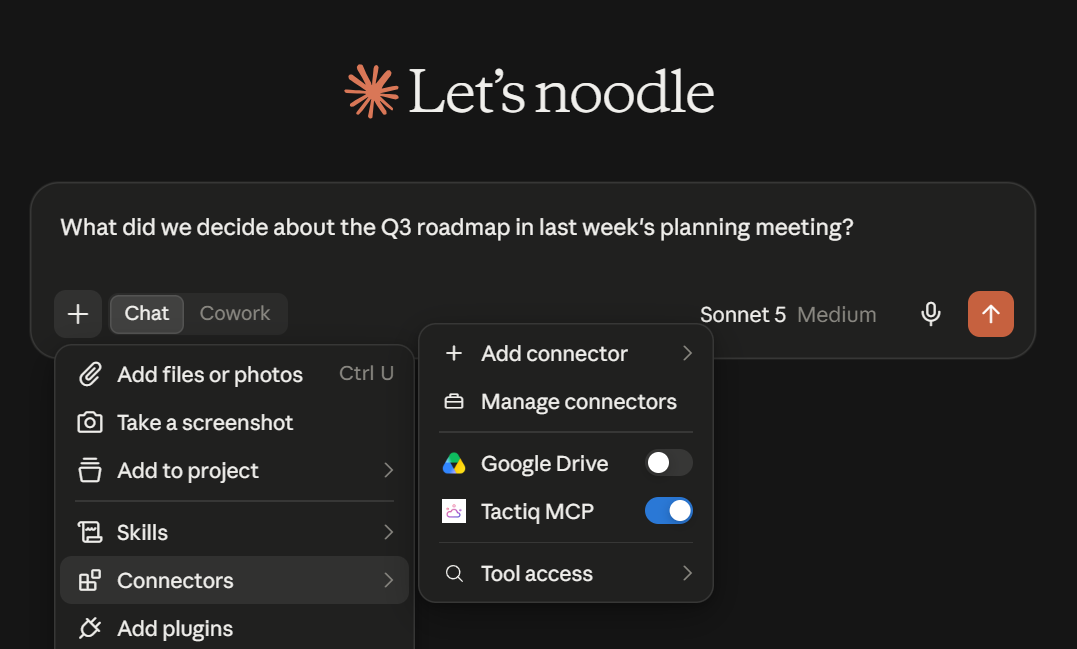
決定事項のログ
「先週の計画会議でQ3のロードマップについて何が決まった?」や「誰がベンダー契約を担当することになった?」といった質問をしてみましょう。
トランスクリプトから直接抽出された回答が得られます。
担当者別のタスク(アクションアイテム)
「今週の会議で私に割り当てられた未完了のタスクは何?」や「昨日のクライアントとの通話で私は何を約束した?」と尋ねれば、チーム全体ではなく、自分自身に割り当てられた内容を確認できます。
会議を横断した検索
「過去5回のクライアントとの通話で、価格設定についてどのような話題が出た?」や「この四半期でオンボーディングに関するフィードバックはどう変化した?」と尋ねれば、すべてのトランスクリプトを開き直すことなく、傾向を把握できます。
Tactiq MCPサーバーを接続する (新しいタブで開きます) ことで、Claudeに自分の会議について質問できるようになります。
Claude対応の会議メモツール選びのまとめ
対応プラットフォーム、ボット不要の録音機能、そしてClaudeが会議履歴のどこまでを参照できるかといった点が、実用面でのツール選びの分かれ目となります。接続は数分で完了し、その恩恵として、会議の内容をすでに把握しているClaudeを活用できるようになります。
チームの既存のワークフローに最適なメモツールを選び、Claudeと連携させて質問を始めましょう。
FAQ
Your questions, answered.
If you have any further questions, Get in touch (新しいタブで開きます) with our friendly team
Claudeを使って会議のメモを取ることはできますか?
ClaudeでTeams会議を文字起こしできますか?
AIメモツールの利用は合法ですか?
会議に最適なAIアシスタントは何ですか?







便利なAIサマリーが欲しいですか?
次回のミーティングで Tactiq をお試しください。
会議に AI を導入するのがこれまでになく簡単になりました。
Chrome に追加-無料です!(新しいタブで開きます)次の会議でTactiqを試してみましょう!
今すぐ登録