

Your team's expertise is scattered across different people, projects, and tools. Getting everyone aligned and moving in the same direction takes constant effort.
Claude Team (新しいタブで開きます) is Anthropic's collaboration plan. It gives your whole team shared Claude Projects, workplace connectors, and admin controls that keep institutional knowledge accessible instead of siloed.
Here's what we'll cover:
- What Claude Team offers and how it works for collaboration
- Pricing for standard and premium seats
- Key benefits that make remote teamwork smoother
- How to connect Tactiq to Claude Team through the Connectors Directory
TL;DR
Claude Team now starts at just two members and scales up to 150 seats. Standard seats run $20 to $25 per month, and premium seats run $100 to $125 per month.
Tactiq is now listed directly in Claude's Connectors Directory. Your team can pull meeting transcripts and summaries into Claude Team projects in a couple of clicks, instead of pasting transcripts in manually.
What is Claude Team?
Claude Team is Anthropic's collaboration plan for teams that need to work with AI together. It supports groups of 2 to 150 members and sits between Claude Pro (for individual users) and Claude Enterprise (for large organizations).
Instead of each person working with Claude individually, your whole team gets shared Claude Projects, connected workplace tools, and centralized management that keeps everyone aligned.
Claude Team Pricing
Claude Team requires a minimum of two members. You can choose between two seat types depending on how much usage your team needs.
Standard vs premium seats
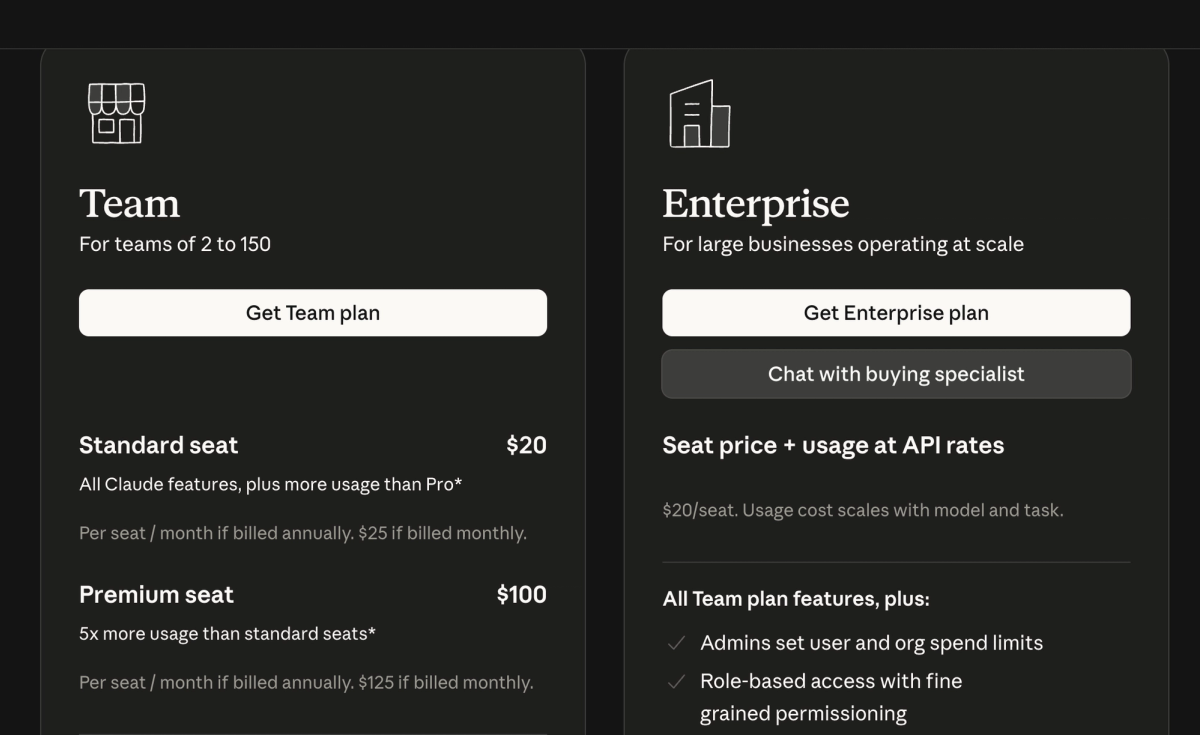
Standard seats:
- $25 per member per month, billed monthly
- $20 per member per month, billed annually
Premium seats:
- $125 per member per month, billed monthly
- $100 per member per month, billed annually
Premium pricing suits teams running heavier workloads across multiple teammates.
Pricing varies by region and excludes applicable taxes. Check Anthropic's Team plan pricing page (新しいタブで開きます) for current rates in your location.
What's included in standard seats:
- Access to all available Claude AI models
- Access to Claude Code to delegate complex coding tasks, write tests, and work across existing code, all from your terminal or IDE
- Shared projects where you can add documents and files as context
- Workplace connectors (新しいタブで開きます) for Google Drive, Gmail, Google Calendar, GitHub, Microsoft 365, and Slack
- A 200K context window for long documents and complex work
- Admin tools for billing and access management
- Single sign-on and domain capture for security
- 1.25 times more usage per session than Claude Pro
What premium seats add:
- Everything in standard seats
- More usage for team members with heavier Claude Code workloads
- 6.25 times more usage per session than Claude Pro
- Two weekly usage limits: one across all models, one specifically for Sonnet models
A note on Claude Fable 5: Fable 5 (新しいタブで開きます) is available on all paid plans, but access works differently by seat. On premium seats, Fable 5 draws from your existing weekly limit, up to 50% of it, at no extra cost. On standard seats, Fable 5 runs on pay-as-you-go usage credits from the start.
Claude Team Benefits for Remote Teams
Claude Team addresses the core challenges that slow distributed teams down. Here's how the features translate into real efficiency gains.
Centralized collaboration and shared projects
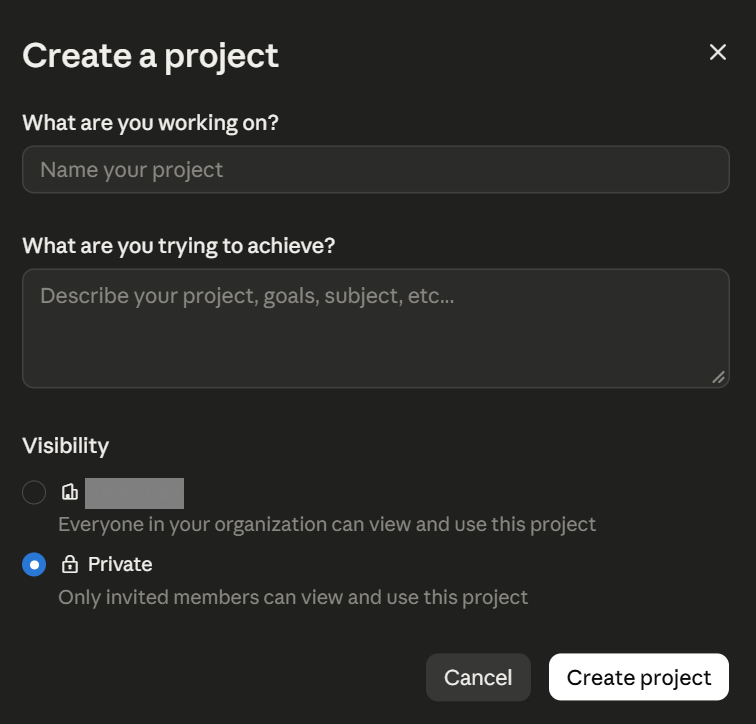
Projects (新しいタブで開きます) in Claude Team act as shared workspaces where your entire team can access the same context. Add product specs, customer research, or brand guidelines once. Every team member who opens that project has the full background they need.
How teams use shared projects:
- Sales teams create projects with customer personas and pitch templates
- Engineering teams share existing code so any developer can jump in with full context
- Marketing teams maintain brand assets so everyone creates on-brand content
- HR teams organize employee resources and policies in one place
Administrative controls
Team admins get centralized tools to manage the organization:
- Single sign-on and domain capture streamline how your team logs in
- Role-based permissions control who accesses specific features or projects
- Spending caps at the organization and individual user levels keep costs predictable
- Centralized billing management in one dashboard
Workplace connectors
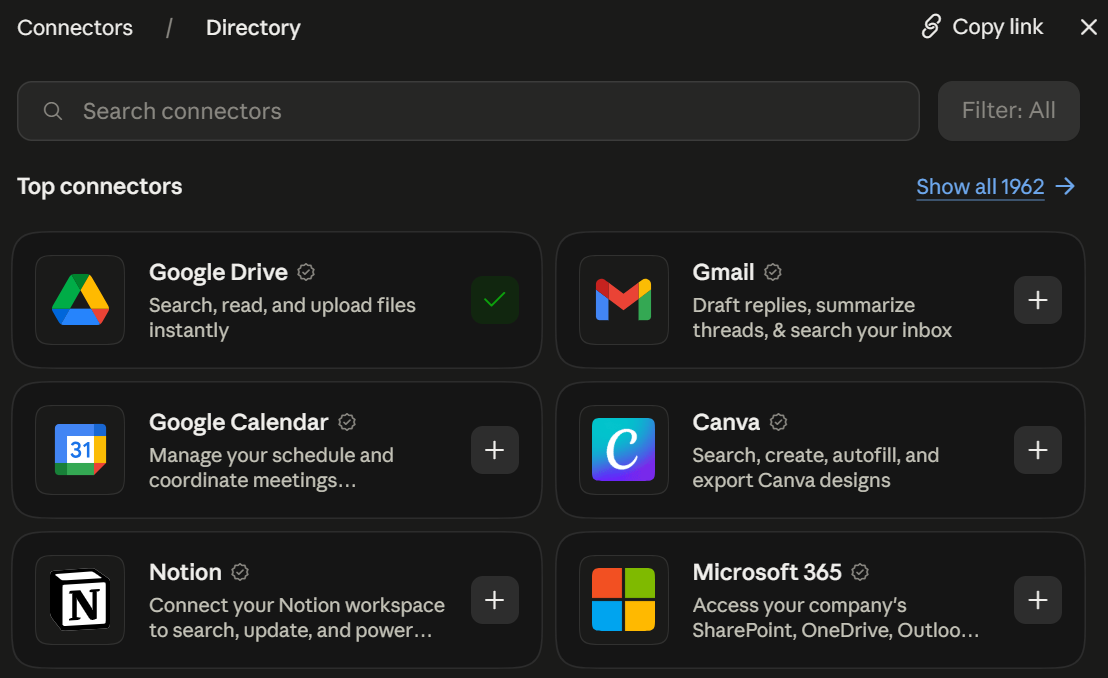
Claude Team connects directly to the tools your team already uses: Google Drive, Gmail, Google Calendar, Microsoft 365, Slack, and GitHub. Claude searches and retrieves information from your existing documents, emails, calendars, and team communications, so your team stops switching between apps to gather context.
The plan also includes enterprise search across Slack, Microsoft 365, and custom connectors, giving every team member one place to find information. Usage limits apply per person rather than to the whole team, so one member reaching their cap never blocks anyone else's work.
💡 Pro Tip: Tactiq is now listed in Claude's Connectors Directory. Connect it once (新しいタブで開きます), then ask Claude about any meeting directly from your Claude Team projects; no exporting or uploading required.
Using Meeting Transcripts With Claude Team and Tactiq
Claude Team works well for complex projects and content creation. For meeting workflows specifically, Tactiq now connects directly through Claude's Connectors Directory, so your team never has to leave the chat to bring meeting context in.
Tactiq (新しいタブで開きます) transcribes your Google Meet, Zoom, and Microsoft Teams meetings in real time. It captures speaker labels, timestamps, and full conversation context, with no bots and no recordings.
Connect Tactiq from the Claude directory
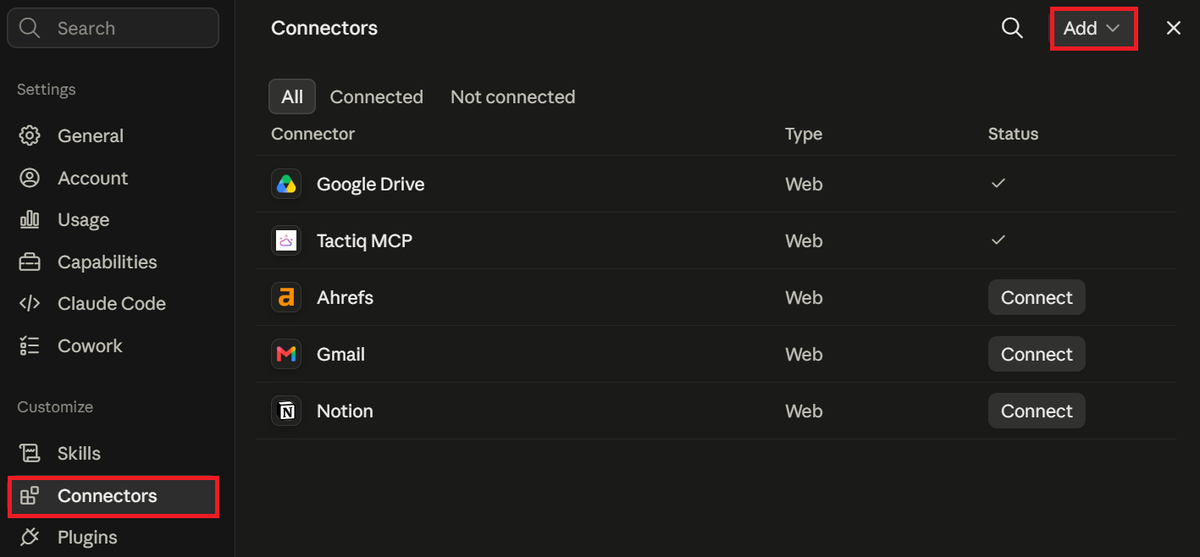
Tactiq is listed in Claude's connector directory, so setup takes under a minute:
- Go to Customize > Connectors in Claude, click Add > Browse connectors, and search for Tactiq (or open the Tactiq listing directly).
- Click Connect.
- On the Tactiq screen, click Allow to authorize the connection.
Once connected, you can ask Claude things like:
- "Summarize my last Tactiq meeting."
- "What were the key decisions from yesterday's call with the design team?"
- "Draft a follow-up email based on this week's customer call."
What Claude can access depends on your Tactiq plan. Free and Pro accounts let Claude search and list meetings. Team accounts and above unlock meeting details, summaries, and full transcription.
Setting it up for your whole team
TeamプランおよびEnterpriseプランでは、Claudeのオーナーが組織レベルで一度Tactiqを追加すれば、メンバーが個別に接続設定を行う必要はありません。
- Claudeの 組織設定 > コネクタ に移動します。
- 「 追加 > カスタム > Web」をクリックします。
- https://mcp.tactiq.io と入力し、「 追加」をクリックします。
その後、各メンバーが カスタマイズ > コネクタ に移動し、 接続 をクリックして各自のTactiqアカウントを連携させます。
Zapierが有効なケース
Claude以外のワークフローに会議のトランスクリプトを転送したい場合は、 TactiqのZapier連携 (新しいタブで開きます) を利用することで、チャット内でのプロンプト操作なしで自動的に連携を行うことができます。
便利なAIサマリーが欲しいですか?
次回のミーティングで Tactiq をお試しください。
Claude Teamで、よりスマートな働き方を
Claude Teamは、チームの業務スピードを加速させ、連携を強化するためのツールです。共有プロジェクト機能により、組織のナレッジを個人の端末に埋もれさせることなく、チーム全体で活用できます。ワークプレイスコネクタを使えば、既存のツールから情報を一元管理でき、管理ダッシュボードからアクセス権限やコストも一括でコントロール可能です。
会議のワークフローに関しては、TactiqがClaudeのコネクタディレクトリに直接接続できるようになりました。会議の全履歴をClaudeの会話内から直接文字起こし、要約、検索できます。エクスポートの手間は一切不要です。
FAQ
Your questions, answered.
If you have any further questions, Get in touch (新しいタブで開きます) with our friendly team
Claude Teamプランとは何ですか?
Claude Teamの料金はいくらですか?
Claude Teamには利用制限がありますか?
Claudeのプロジェクトをチームメンバーと共有できますか?
TactiqはClaude Teamのコネクタディレクトリに対応していますか?








便利なAIサマリーが欲しいですか?
次回のミーティングで Tactiq をお試しください。
会議に AI を導入するのがこれまでになく簡単になりました。
Chrome に追加-無料です!(新しいタブで開きます)試してみる タクティク 次回の会議で!
今すぐ登録