
 Translate Burmese Instantly with Tactiq's AI Power
Efficiently translate Burmese meetings into 35+ languages with Tactiq. Start free and make communication seamless.
Get started for free ->
Helping the world’s most modern companies communicate better








Get started in seconds.
- 1
Install Chrome extension
Add Tactiq to your browser - 2 clicks and you’re ready for action. - 2
Start the meeting
Join your meeting in the browser to start the live transcription. - 3
Translate you meeting using Tactiq's AI
Translate transcripts into over 35 languages using Tactiq's AI.

Instant Burmese Translation for Meetings with Tactiq AI
Easily translate Burmese meetings to 35+ languages with Tactiq AI. Start free and enhance your communication effortlessly.
Get started for free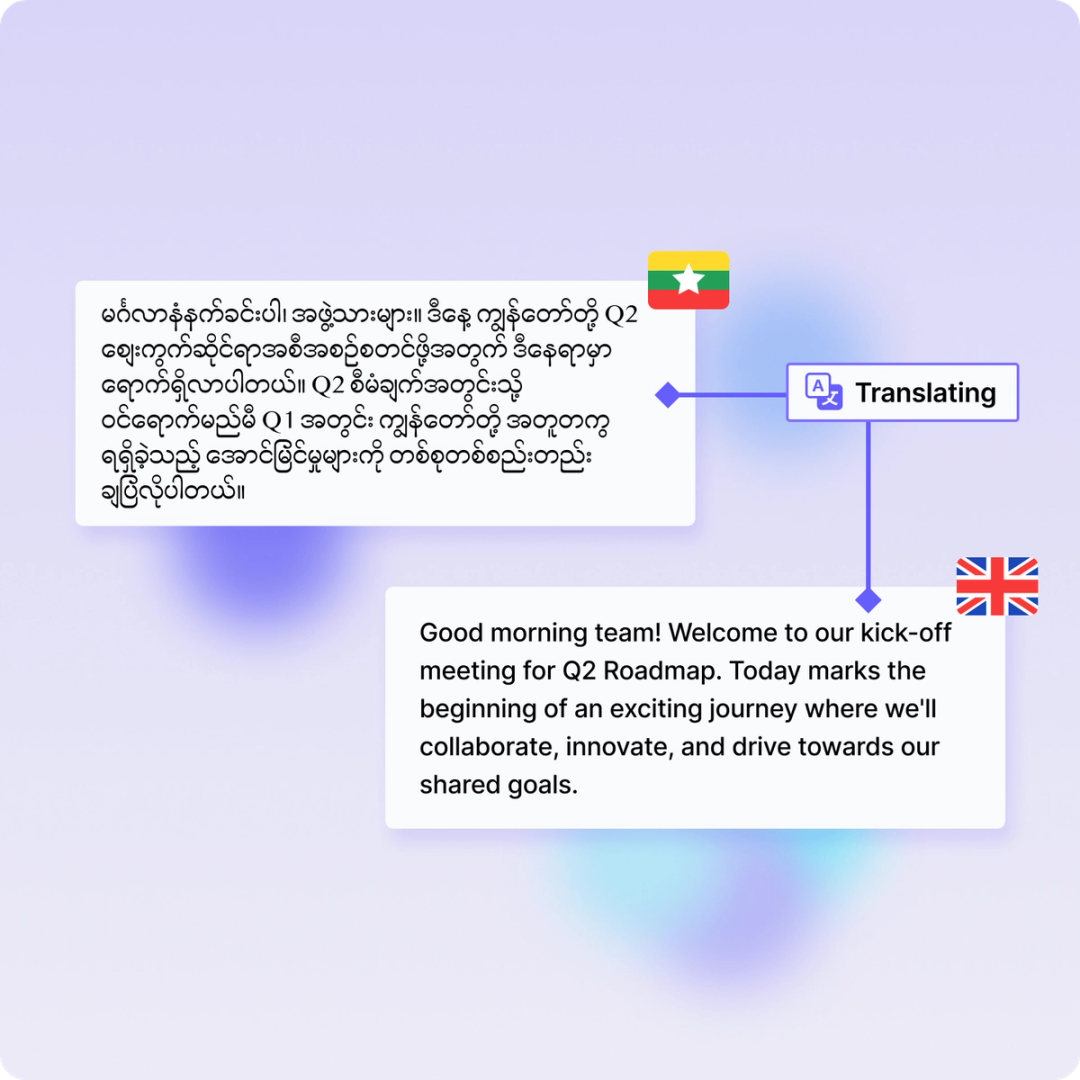
How to translate Burmese audio or video with AI
- 1Install Chrome extension: Add Tactiq to your browser with just two clicks and get ready to start your Burmese translation journey.
- 2Start the meeting: Join your meeting in the browser, and Tactiq will begin live transcription of your Burmese audio or video.
- 3Translate your meeting: Use Tactiq's AI to translate Burmese transcripts into over 35 languages with a simple request.


Core Benefits
Save Time with Burmese Translation
Tactiq's AI translates Burmese discussions in real-time, allowing you to focus on the conversation without worrying about language barriers. Save valuable time by letting our tool handle the translation, ensuring you get accurate, localized notes instantly.
Improve Team Communication
Enhance cross-cultural collaboration by translating Burmese into over 35 languages. Keep everyone on the same page, regardless of their native tongue, fostering better team communication and making meetings more inclusive and productive.
Automate Follow-Up Tasks
After your meeting, let Tactiq's AI take care of generating summaries, action items, and other follow-up tasks from your Burmese transcripts. This automation reduces workload, cuts costs, and ensures nothing important is missed, giving you more time to focus on what matters.
In-meeting actions
Live Burmese Transcription
Get real-time Burmese transcription during your meetings, ensuring everyone stays on the same page.
Translate Burmese Instantly
Use Tactiq's AI to translate Burmese discussions into over 35 languages on the fly.
Highlight Key Points
Easily highlight key points in your Burmese transcript to focus on what matters most.
Add Visual References
Capture screenshots and add them to your Burmese transcript for detailed references.
Post-meeting actions
Automated Summaries
Receive concise summaries of your Burmese meetings to keep track of discussions.
Task Automation
Let AI handle follow-ups and task management from your Burmese transcripts.
Share and Export
Easily share your Burmese transcript via email or export to PDF or TXT.
Custom Insights
Ask AI to generate actionable insights from your Burmese meeting transcripts.
Connect your favorite apps.
Tactiq integrates with online meeting software, project management platforms, CMS platforms, communication tools, and much more.





FAQ
Your questions, answered.
If you have any further questions, Get in touch(opens in a new tab) with our friendly team
How can I translate Burmese meetings with Tactiq?
Can I translate Burmese transcripts into multiple languages?
How do I start using Tactiq for Burmese translation?
What formats can I use to upload a Burmese meeting transcript?
Are there any costs associated with using Tactiq for Burmese translation?
Can I translate Burmese in Zoom, Microsoft Teams and Google Meet?
Yes! Please refer https://help.tactiq.io/en/articles/8627989-what-languages-does-tactiq-support for details. Google Meet generally supports more languages than Zoom and Microsoft Teams.
Put your meeting transcripts to work using AI.
Get your first 10 meeting transcriptions for free. No credit card required.
Get started now