
Summarize your day's meetings in one click
Meet Daily Digest - one click to instantly surface decisions, insights and patterns from all your meetings in a day.
Stuck in meetings all day?
Ending the day with too many decisions you can’t remember?
Missing important details and context from across your meetings?
Running the same prompt across each transcript to get the full picture?
Summarize
Summarize your day in one click
Daily Digest summarizes and organizes the essence of all the meetings you had during the day. From decisions and blockers, to deadlines and next steps, all in a single, clear summary you can review, share, and act on.
Understand
Identify patterns across meetings
Find common themes across your meetings from the day. Tactiq AI will surface patterns as well as draw in context from each meeting for a more comprehensive overview.
Analyze
Ask follow up questions and take action
Ask Tactiq AI for additional insights from your Daily Digest, generate a summary email draft, or generate an action plan with next steps for everyone involved.
Drive excellence from every meeting
End your day with complete clarity
Tactiq AI summarizes all your meetings into one clear output. Review, share, and keep executing.
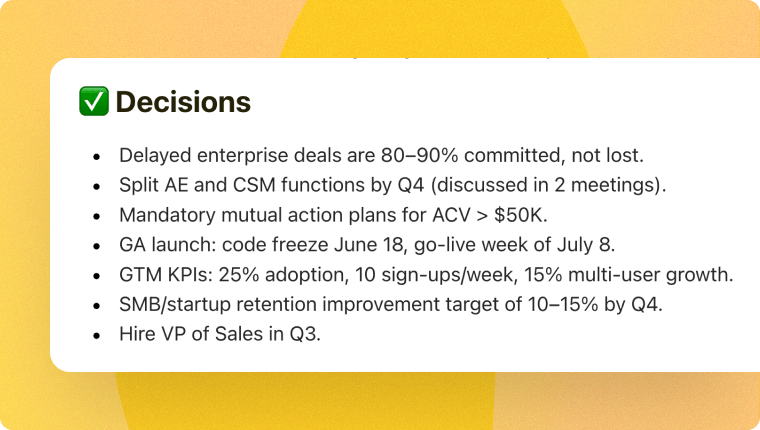
Capture Decisions
Keep track of decisions across meetings without tackling each transcript.
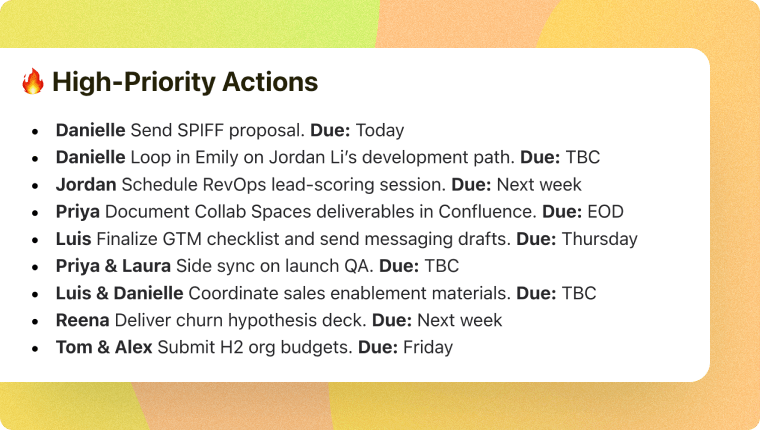
Drive Ownership
Assign clear next steps, so your team knows who owns what.
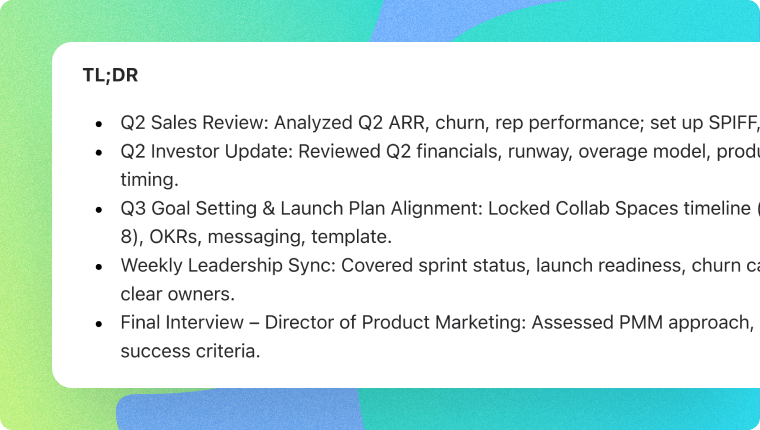
Excecute with context
Free your mental bandwidth to focus on execution, not recaps and follow-ups.
More ownership, less micromanagement
Help your team be exceptional
Share your Daily Digest with your team so your team can continue to execute and deliver high quality work.

Product Teams
Spot recurring user problems and feature requests. Track product decisions and trade-offs made during the day. Stay aligned on blockers and progress in one click.

Sales Teams
Quickly review customer signals before follow-ups. Share deal progress with managers without rewriting notes. Keep track of commitments to prospects and customers.

Marketing Teams
Identify customer language for positioning and content. Track campaign decisions and deadlines across meetings. Share insights with content, growth, and brand teams easily.

Ops & ICs
Keep clear records of decisions and owners for operational initiatives. Share updates across stakeholders without summarizing each transcript individually.
Tactiq stood out because...
“You’re going from meeting to meeting and then you’re stuck with following up. Following through is very challenging. The #1 improvement with Tactiq is you get an automatic follow-through after the meeting.”
Siva Narendra
Founder & CEO


“Really cool stuff, works really well! I tested it in a more then 2 hours long meeting and the post-production features are awesome.”

Szklenár Ferenc
Mar 20, 2025
“Awesome Chrome extension! Just installed it today and used it in a 2½ hour meeting on Zoom with 8 participants. It worked flawlessly. The installation was super easy and the integration into Zoom was seamless.”

David Chang
Feb 20, 2025
“Great tool. No integration skills are necessary. Very accurate and instant results. The detailed summary makes for a great attendee follow-up resource. Do not run a meeting without using Tactic!”

Garrett Kolb
Mar 20, 2025
How does the Daily Digest work?
How many AI credits does a Daily Digest use?
Can I ask follow up questions about my Daily Digest?
Can I revisit my Daily Digest at any time?
Can I share my Daily Digest with my team?
Stuck in meetings all day?
Always know the full picture with a one-click Daily Digest from Tactiq.