
Built for teams that take their meetings seriously.
Simple pricing — start free, cancel anytime.






Pricing
Free
For 1 user
$0
Free forever. No credit card.
- 5 AI credits / mo
- 10 transcripts / mo
- AI generated insights
- Share & export transcripts
- In-meeting AI
Pro
For 1 pro
$8
USD Per user/mo. Annual billing.
- 10 AI credits / mo
- Everything in Free, and
- Unlimited transcripts
- Disable transcript notification
- Pause automatic transcription
Team
For 1 - 20 users
$16.67
USD Per user/mo. Annual billing.
- Unlimited AI credits
- Everything in Pro, and
- Unlimited transcripts
- Priority customer support
- Auto-share transcripts with teams
Business
For 20 - 200 users
$29.17
USD Per user/mo. Annual billing.
- Unlimited AI credits
- Everything in Team, and
- Advanced Data Retention
- SAML SSO
- Customer success manager
- Tactiq MCP (beta)
- Tactiq Claude Connector (beta)
Enterprise
For 200+ users
Custom
- Unlimited AI credits
- Everything in Business, and
- Curated Data Processing Agreement
- Customizable in-meeting notification
- Customizable SAML SSO
- Dedicated account manager
Tactiq for Education
Get special pricing for teachers and students by applying for our education plan.
What customers say
“Superpowers for meetings. Having an archive of who said what on which meeting is worth the price of entry all by itself, but being able to ask for things like summaries and action items is a game changer!”
Mikey TK
Engineer
Plan comparison
Meeting superpowers
Meeting transcripts
10 per month
Unlimited
Unlimited
Unlimited
Unlimited
AI credits
5 per month
10 per month
Unlimited
Unlimited
Unlimited
AI generated insights
Ask Tactiq AI
Save AI questions
In-meeting AI
Use AI across multiple meetings
Daily Digest
Share & export transcripts
Upload meeting files
Free Chrome extension for Google Meet, Zoom, and MS Teams transcriptions
Google Companion Mode
Transcript controls
Edit transcripts
Global meeting search
Search within transcripts
Search across AI-generated insights
Advanced search filters
Meeting screenshots
Auto-correct, labels, and meeting tags
Pause transcription
Manage in-meeting transcript notifications
Always ask about transcribing
Automation
AI Workflow Builder
Workflow Integrations
AI Meeting Agent
Collaboration
Google Drive, Notion, and other integrations
Dedicated team spaces
Speaker analytics
Team analytics (Coming soon)
Comments & notes
Auto-share transcripts with teams
Team management
Admin-only team invites
Enable magic link sign-in via email
Enable users with same email domain to request team access
Enable users with same email domain to auto-join team
Domain claiming
Security
SOC 2 Type II Attestation
GDPR Compliant
ISO 27001 Certification
HIPAA Compliant
Priority customer support
Centralized team management
Managed data retention
Advanced data retention
Dedicated customer success
Dedicated account manager
Reports & analytics
Custom reports & analytics
Curated Data Processing Agreement
Advanced team spaces
SAML SSO
Customizable SAML SSO
Customizable in-meeting notification
AI Credits
Let Tactiq AI do the work for you.
Get actionable insights in one click to reduce repeat tasks, align teams, and make smarter decisions.
SummariesAction itemsFollow-up emailsIn-meeting AIProject updatesAsk AI questions
Enterprise customer story
Learn how Tactiq helped Tyfone 10x their meeting productivity.
“You're going from meeting to meeting and then you're stuck with following up which is challenging. The number one improvement for us is you get an automatic follow-through after the meeting.”
— Siva, Tyfone Founder
Read the full story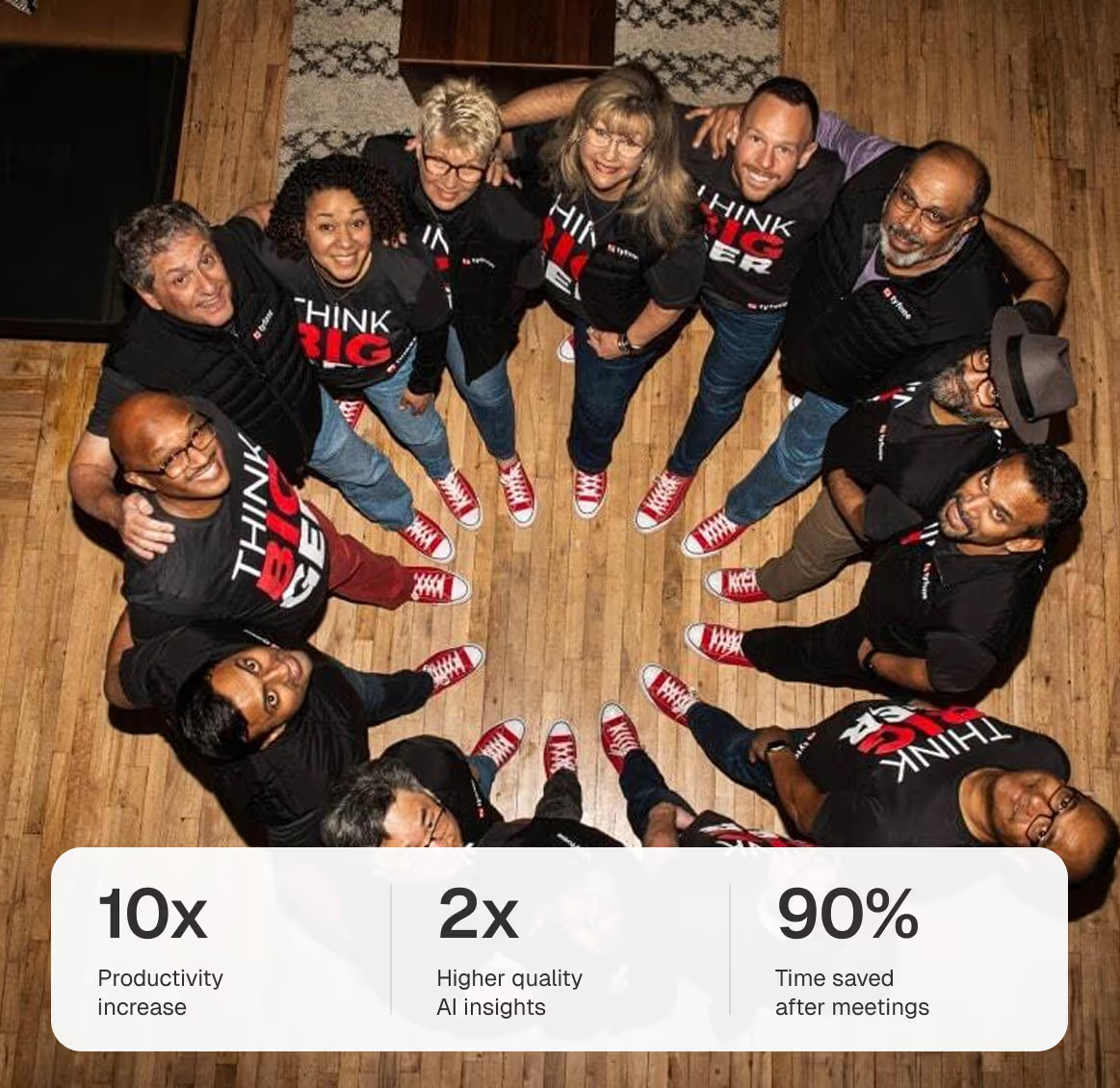
What our users say
Based on 3,000+ reviews on Chrome Web Store
“I've tried a lot of different meeting tools, including note-taking apps, AI recorders and I still have to do a lot of manual work to follow up on the meeting. But Tactiq's one-click AI actions have eliminated all the manual work I used to do. They're customizable and reusable, making my meeting workflows faster. Highly recommended for anyone with a lot of virtual meetings.”
“I experienced TacTiq in both languages: English and Portuguese. It was fantastic for both! I recommend it!”
“Until you actually use it, you will never know how useful it is and how much time can be saved and it makes our work so efficient & increases our productivity. Awesome!”
“This app is extremely useful. We love the summarizing ability. Makes sure that all meeting participants have a record of what was discussed and agreed to”
“I'm very impressed with the app. We have meetings in various languages and Tactiq does an excellent job at understanding the flow of conversations.”
“Reomiendo 100% esta fabulosa aplicación IA. gran ayuda para todo.”
“Tested almost all similar products, Only Tactiq.io that transcribes the conversation on the fly.”
“Great transcription and excellent AI features. Saves us a ton of time notetaking for meetings.”
“I wish I'd had this extension sooner...the newer Ai features make a great product even better. Highly recommended.”
“Sou um evangelizador da ferramenta. Todos os meus alunos e colegas professores estão usando.”Your questions, answered.
If you have any further questions, get in touch with our friendly team.
Does Tactiq use ChatGPT?
No. We are using OpenAI's enterprise API offering, which is different from ChatGPT. Read more in our Privacy Center.
Will OpenAI use my data?
No, OpenAI does not use data submitted via API to train OpenAI models or improve OpenAI's service offering. Read Open AI API Policy.
How does the AI work?
Tactiq allows you to ask AI questions, generate summaries, action items, project updates and other meeting insights in seconds. This is how you get more from meetings, save time from manual tasks, and save custom AI prompts to re-use in all future meetings.
How secure is Tactiq?
Data privacy and security is embedded in every part of our business. This is why Tactiq has SOC-2 Type II compliance to ensure your meeting data is protected & confidential in accordance with the highest industry standards. You can visit our Trust Center to understand the details of several frameworks, regulations, and certifications that apply to our product.
Will everyone in the meeting see the transcription?
No, the transcription is only displayed for you, but you can notify everyone that you're transcribing during the meeting.
Can I install it for my whole team?
To install for all of your users, contact your GSuite admin. Information on how to do this can be found here.
What counts as one AI credit?
One AI credit covers a single AI action — generating a meeting summary, drafting action items, or asking Tactiq AI a question. Free includes 5 credits per month, Pro includes 10, and Team and above include unlimited AI credits.
What happens when I hit my transcript or AI credit limit?
Tactiq keeps transcribing, but AI features pause until your limit resets at the start of the next month — or until you upgrade. Your existing transcripts always stay accessible.
Can I change or cancel my plan later?
Yes. Upgrade, downgrade, or cancel anytime from your billing settings. Upgrades apply immediately; downgrades and cancellations take effect at the end of your current billing period.
Do you offer a free trial?
The Free plan lets you try Tactiq with no credit card and no time limit. Upgrade to a paid plan whenever you need unlimited transcripts or more AI credits.
Turn meetings into action.
Meetings define what to do. Tactiq makes sure you do it well.
Add to Chrome - It's Free